
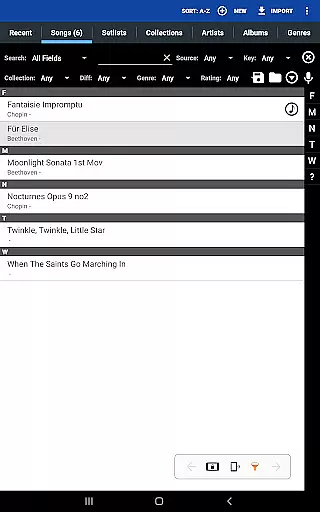
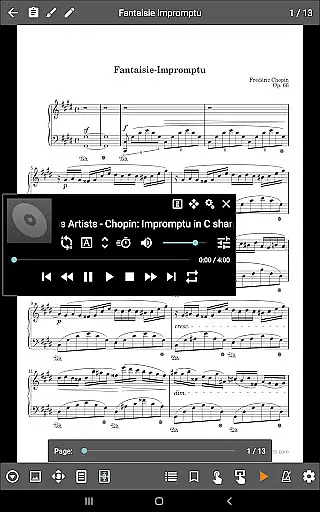
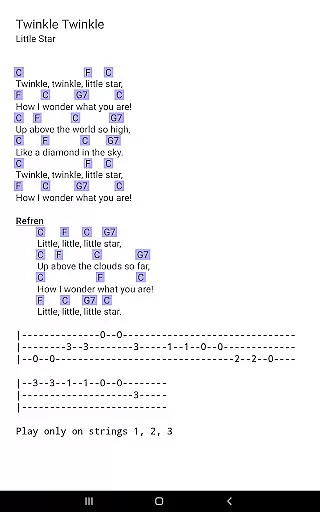
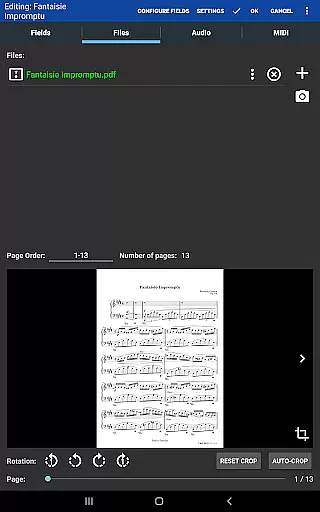
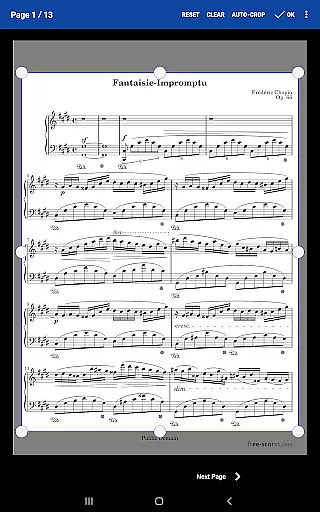
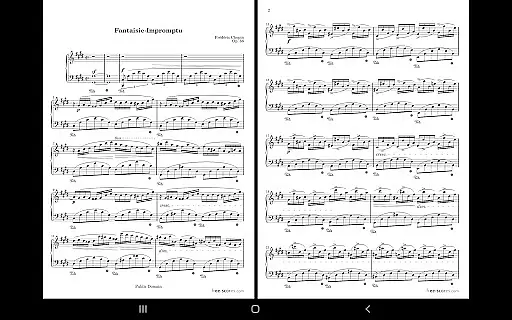
MobileSheets is a premier sheet music viewer designed specifically for Android tablets, offering musicians an efficient and versatile solution for managing and accessing their music library. The application eliminates the need for physical sheet music by providing instant access to any score within its digital library. With support for multiple file types including PDFs, images, and chord pro files, MobileSheets ensures compatibility with a wide range of musical scores.
Beyond basic viewing, MobileSheets incorporates advanced features tailored to enhance the musician's experience. Users can take advantage of hands-free page turns via Bluetooth or USB devices, automatic scrolling, and even face gestures. The app also includes a custom audio player with A-B looping, a metronome with various sound effects, and smart buttons for triggering configurable actions. These tools collectively enable performers to focus on their music without distraction.
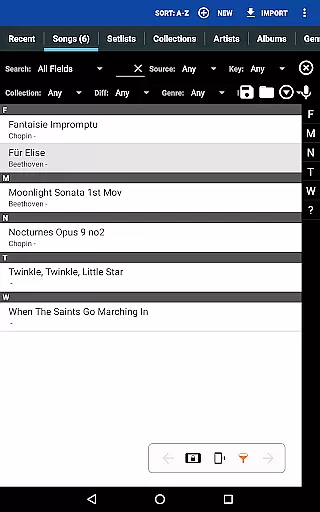
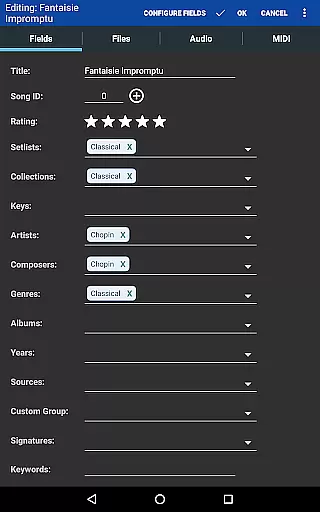
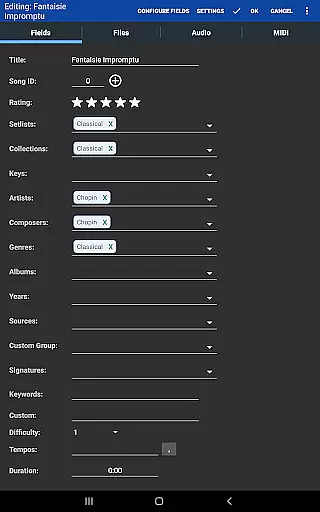
The application's organizational capabilities are equally impressive, allowing users to create setlists, collections, and bookmarks for easy navigation. Its powerful library management system supports extensive metadata fields, giving musicians complete control over their digital library. Additionally, the companion PC application simplifies song creation and editing. Designed for tablets 7" and larger, MobileSheets is an indispensable tool for modern musicians seeking convenience and functionality in their sheet music management.
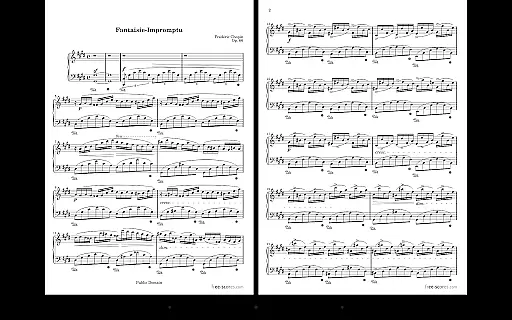
MobileSheets distinguishes itself through a comprehensive suite of features designed to meet the diverse needs of musicians. One of its standout capabilities is the multiple modes of operation, which include side-by-side pages, half-page turns, and vertically scrolling pages. This flexibility ensures that users can customize their viewing experience to suit different performance environments and preferences.
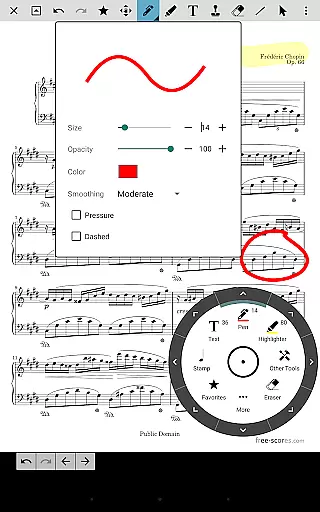
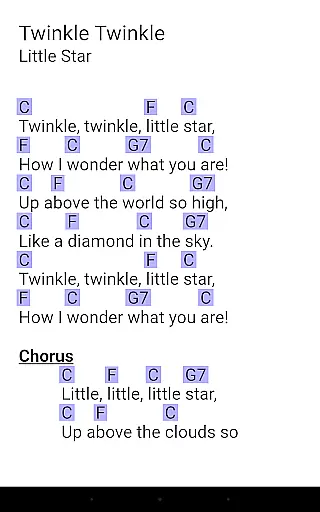
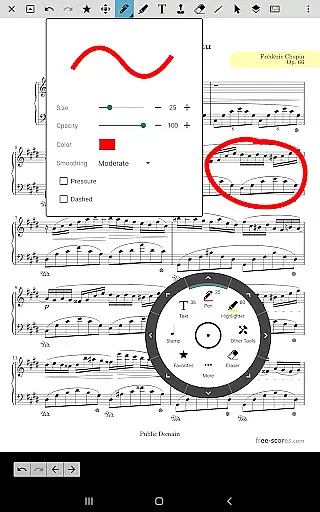
In addition to its viewing modes, MobileSheets offers several innovative tools to enhance practice and performance. The app supports annotations for marking up music, including freeform drawing, shapes, text, and stamps. Musicians can utilize the built-in metronome with customizable display modes and sound effects, as well as link points for handling repeats and quick page jumps. Furthermore, the ability to transpose chords in text and chord pro files provides valuable flexibility for adapting music to different instruments or vocal ranges.
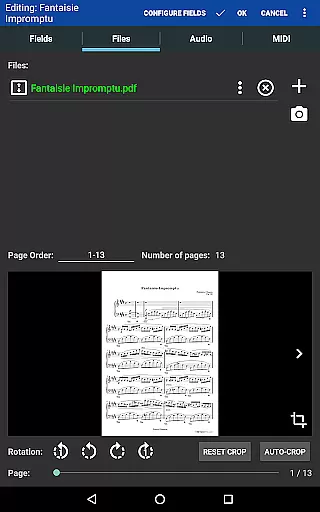
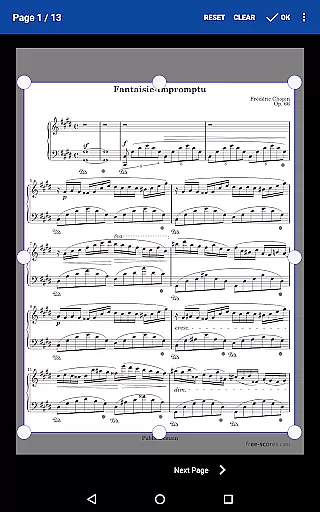
MobileSheets excels in its library management and organization features. Users can create custom page orders, eliminating unnecessary pages or rearranging sequences without altering the original document. The app's support for setlists and collections allows for efficient grouping of songs, while powerful metadata fields enable detailed cataloging. These organizational tools, combined with the companion PC application for song editing, make MobileSheets an unparalleled solution for managing extensive music libraries.
MobileSheets offers an extensive music library management system that supports a wide range of file types including PDFs, images, text files, and chord pro files. This versatility allows musicians to digitize their entire music collection, making it accessible from a single platform.
The application ensures copyright authenticity by allowing users to import and manage their legally acquired sheet music. By supporting direct linking to existing files on the device, MobileSheets respects the integrity and legal ownership of each piece of music in your library.
With features like importing CSV index files to break up large PDF songbooks, musicians can efficiently organize vast collections while maintaining proper attribution and legality. This makes MobileSheets not just a tool for convenience but also a responsible choice for managing copyrighted materials.
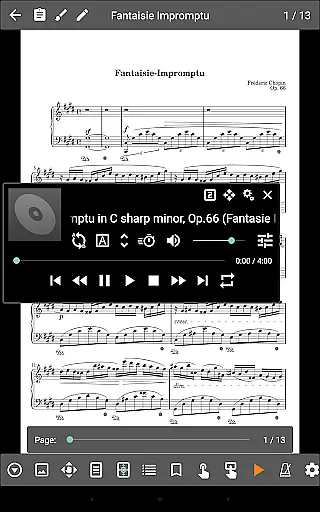
While MobileSheets does not play back PDFs, images, or text/chord pro files, it includes a custom audio player designed specifically for musicians. This player supports high-quality audio tracks, ensuring that accompanying music is clear and professional-grade during practice or performance.
The audio player comes with advanced features such as A-B looping, which allows musicians to repeat specific sections of a track for focused practice. Additionally, multiple display sizes accommodate different preferences and environments, enhancing usability without compromising sound quality.
By integrating seamlessly with MIDI devices over USB, MobileSheets extends its functionality beyond mere playback. Musicians can trigger actions or load songs directly through connected MIDI equipment, creating a cohesive ecosystem where both audio and notation work together harmoniously.
User-friendly interface
Extensive file compatibility
Powerful annotation tools
Advanced library management
Versatile performance features
No built-in playback for PDFs
Separate PC companion app
Tablet-specific design
Complex feature set
Premium price point

Offline and always ad-free - stream in the highest quality available.
 4.10
4.10
Background pads for your band
3.80
Recording studio w/ 10k beats, pro vocal FX and a network of 20M rappers & fans!
4.60
A sleek, no-frills player designed for true music lovers.
4.20
Make songs with AI! Any genre, custom lyric, song generator for music creation!
4.80
The Minimalistic Premium Music Player. Handmade with passion for music
2.20
MilkDrop for Android TV
3.00
Travel To The Music Universe
3.40
Customize Your Favorite Songs and Videos with booster.
4.70
Offline Music Player & MP3 Player.Powerful equalizer, Lyrics, Themes, Tag Editor
4.80
Listen to live FM radio stations, sports, music and news on global radios online
4.70
Taal player that lets you sing any Indian & Western song with Tabla & Tanpura
4.60
Visualize the guitar fretboard, master scales & play through changes like a pro!
4.50
Full featured mp3 and audio player with Chromecast and Android Auto support.
4.40
Bass Booster Pro takes auto-equalizing to the next level!
4.30
Learn and play 2M+ music tabs & chords on guitar, ukulele, bass, and more
4.30
PowerAudio is a powerful offline music player.
4.20
Sheet music reader, piano & music note player. Play music score & learn to read.
3.90
The Skullcandy App Experience
3.20


User Reviews