
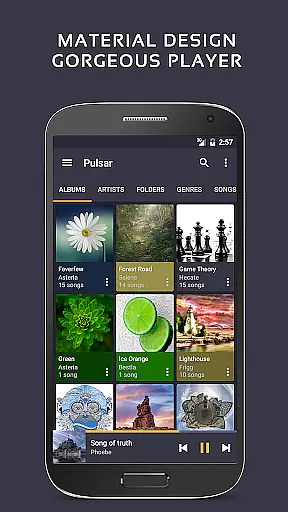
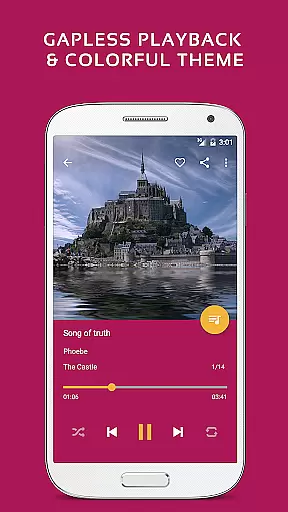
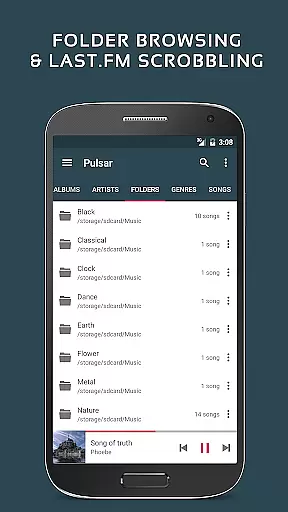
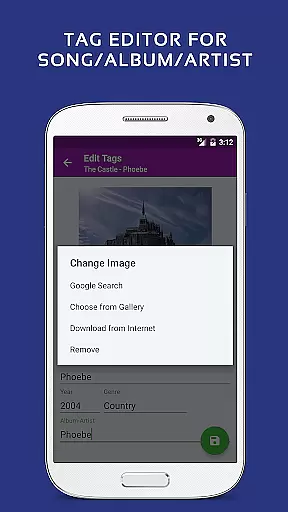
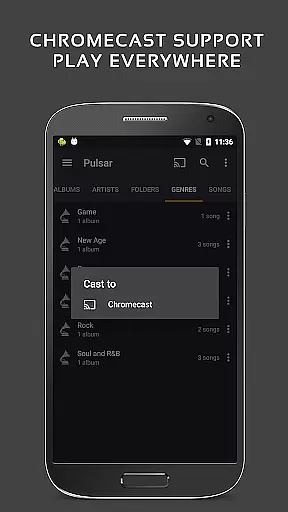
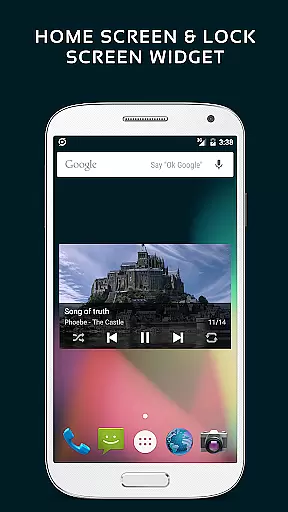
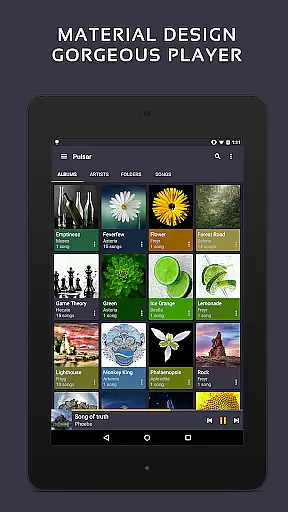
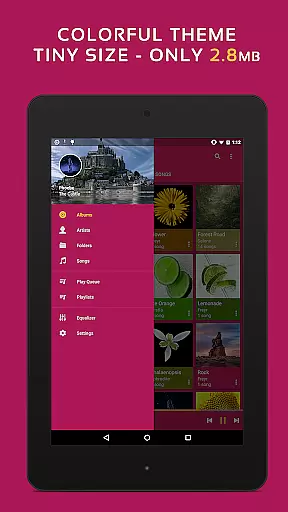
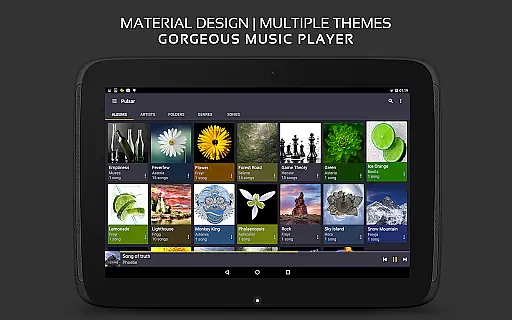
Pulsar Music Player Pro stands as a premium music player on Android, offering an ad-free offline audio experience. Its design aligns with material design guidelines, ensuring a visually appealing interface. The app is packed with essential features such as gapless playback, lyrics display, crossfade, and play speed adjustment, catering to all your musical needs.
With functionalities like tag editing, last.fm scrobbling, Chromecast support, voice command, Android Auto, equalizer, music visualizer, audio balance, ReplayGain, and sleep timer, Pulsar ensures a comprehensive and customizable music experience. It manages and plays music by album, artist, folder, and genre, with smart playlists and fast search capabilities.
Designed for audiophiles and casual listeners alike, Pulsar Music Player Pro enhances the listening experience through advanced features and a user-friendly interface, making it the ultimate choice for Android users.
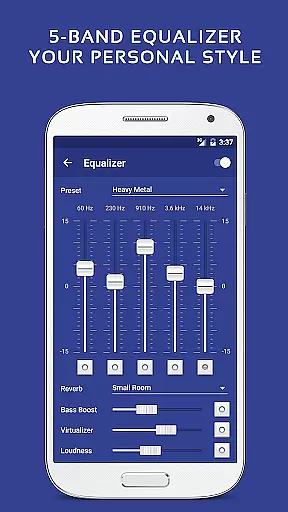
Pulsar Music Player Pro boasts an array of sophisticated features that elevate the music listening experience. With support for high-quality audio formats and innovative playback options like gapless playback and crossfade, users can enjoy uninterrupted music sessions. The inclusion of a 5-band equalizer controller with 9 pre-built presets allows for personalized sound adjustments, enhancing audio quality according to individual preferences.
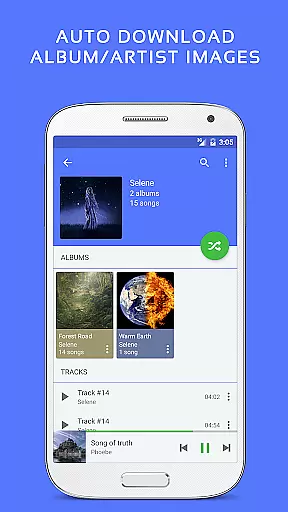
The app's interface is both intuitive and visually stunning, adhering to material design principles. Users benefit from functionalities such as automatic sync of missing album/artist images, resizable home screen widgets, and various colorful themes. Additionally, the paid version offers exclusive features including theme customization, bass booster, and reverb effects, setting it apart from its free counterpart.
Pulsar's commitment to user satisfaction is evident through features like last.fm scrobbling, Android Auto support, and a complete online user manual. These elements ensure seamless integration into daily life while providing extensive support and customization options, solidifying its position as a top-tier music player on Android.
Pulsar Music Player Pro offers an extensive music library that supports a wide range of audio file formats including MP3, AAC, FLAC, OGG, and WAV. This ensures that users can enjoy their music collection without compatibility issues.
The application emphasizes copyright authenticity by allowing users to manage and play their legally acquired music files. It provides features such as tag editing for MP3 and other formats, ensuring accurate metadata that respects the integrity and origin of the music content.
With local file management capabilities, Pulsar enables users to organize their music by album, artist, folder, and genre. This meticulous organization not only enhances the listening experience but also reinforces the importance of maintaining a personal and legal music library.
Additionally, Pulsar's offline playback functionality ensures that users can enjoy their music without the need for internet connectivity, further protecting the copyrights of the music they own while offering convenience and accessibility.
Pulsar Music Player Pro stands out with its advanced audio quality options, providing users with a 5-band equalizer controller and 9 pre-built equalizer presets. These features allow for customized audio settings tailored to individual preferences and audio equipment specifications.
The player includes sound enhancement features such as bass boost and reverb, which significantly improve the richness and depth of the audio playback. Users can adjust these settings to achieve studio-quality sound or emulate different acoustic environments.
For audiophiles and casual listeners alike, Pulsar offers ReplayGain volume normalization and crossfade support. These functionalities ensure consistent audio levels across tracks and smooth transitions between songs, enhancing the overall listening experience.
Moreover, the ability to adjust playback speed without affecting pitch is a testament to Pulsar's commitment to delivering high-quality audio performance. This feature caters to various use cases, from language learning to DJ-style music mixing, making it a versatile choice for discerning users.
Ad-free experience
Gapless playback
Customizable themes
Advanced equalizer
Comprehensive audio formats
Paid version only
No cloud integration
Limited social features
Heavy on resources
Complex for beginners

Turn your phone into a musical instrument from the future!
 3.90
3.90
Your HD audio recorder on the go for music, meetings, ambience, animal sounds…
4.30
Tune in to the greatest hits on UK Radio | The home of Capital, Smooth & Heart.
4.90
Enhance the sound quality of your devices, listen to what you want
4.50
A High-Precision Audio Spectrum Analysis App
4.20
Next generation modular control surface
4.10
Unleash your creativity! Turn simple prompts into full fledged songs.
4.70
Sing, record, and create music together — enhanced by smart voice tools.
4.00
Customize Your Favorite Songs and Videos with booster.
4.70
Brian Eno and Peter Chilvers’ acclaimed music app Bloom, radically reinvented.
4.80
Record, Mix & Master with all n-Track effects, 64-bit audio and Stem Separation.
4.70
Bass Booster & Volume Equalizer Pro improves your music and video sound quality
4.60
Help you quickly get started with Shokz headphones
4.40
Play KORG’s revolutionary touch-based instrument on a variety of devices.
4.40
Ringtone Maker is free app create ringtone from music files or your recording.
4.40
A sleek, no-frills player designed for true music lovers.
4.20
The official Sonos app
4.10
Turn your Android phone into a professional audio analyser with up to 120 bands.
4.00
Make music anywhere. Turn your device into an instrument.
4.4


User Reviews