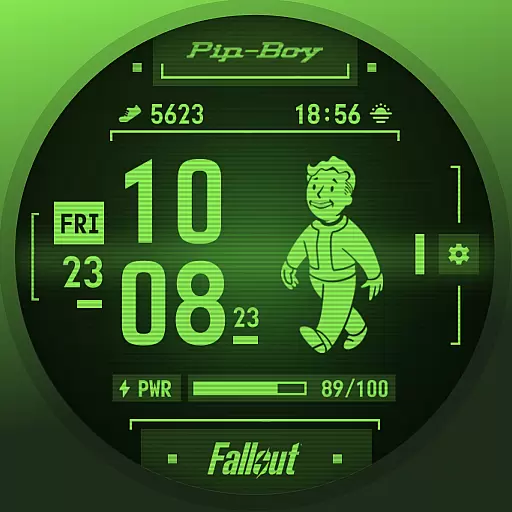
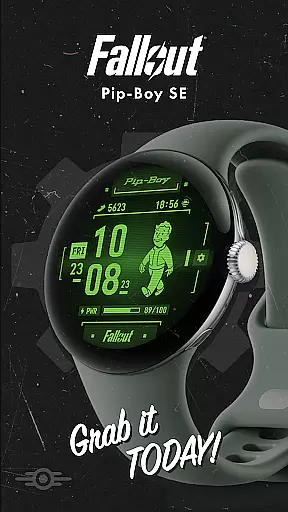

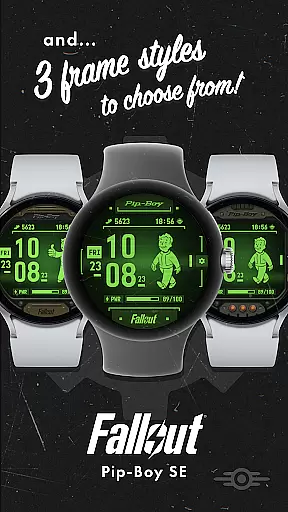
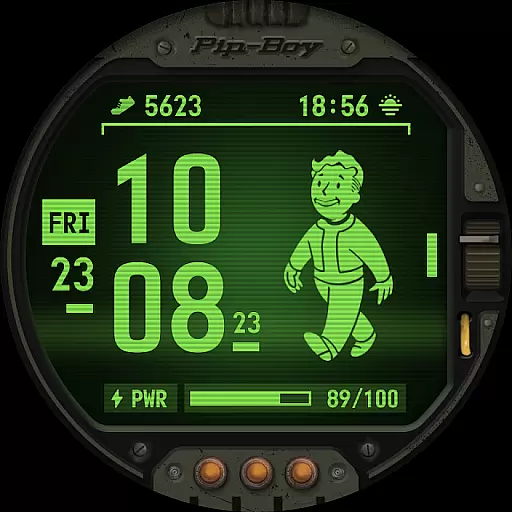
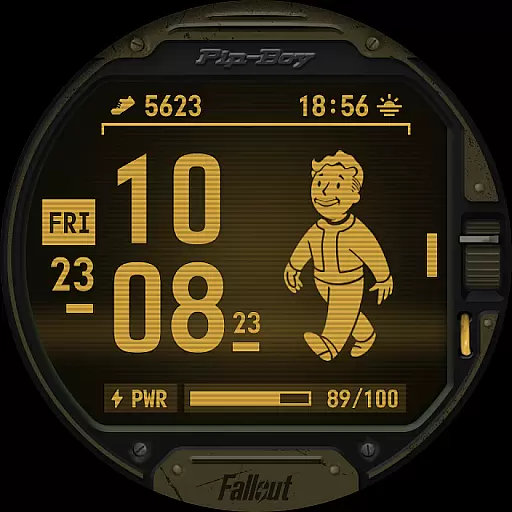
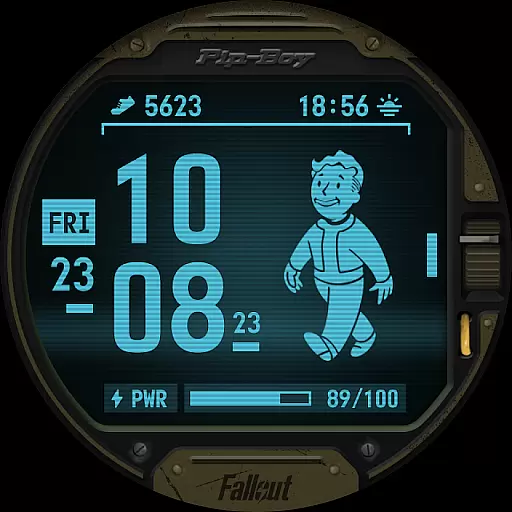
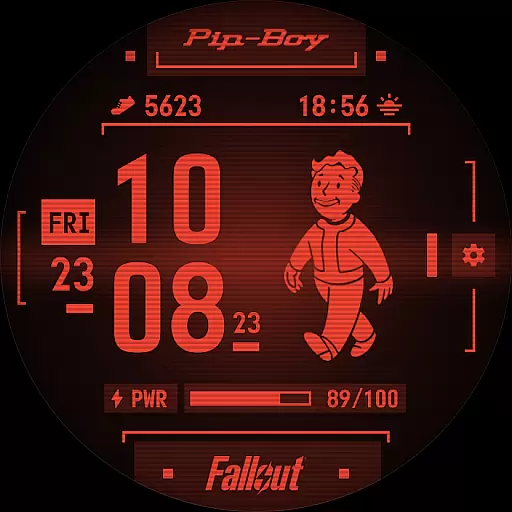
Fallout Pip-Boy SE Watch Face brings the iconic Pip-Boy interface to your smartwatch, optimized for battery efficiency on Wear OS devices. Compatible with Galaxy Watch7, Ultra, and Pixel Watch 3, this premium watch face offers a unique post-apocalyptic aesthetic.
Key features include digital clock display, animated Vault Boy responding to heart rate, multiple frame styles, color options, and customizable complications. Whether you're a Fallout fan or simply looking for a distinctive timepiece, this app delivers both style and functionality.
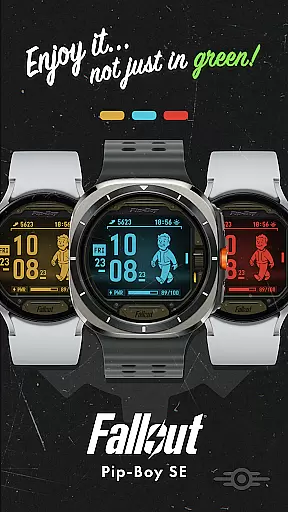
The Pip-Boy SE watch face stands out with its feature-rich design. The animated Vault Boy character responds dynamically to your heart rate, creating an engaging user experience. Users can choose from three distinct frame styles and four color variations to personalize their watch face.
Practical features include two customizable Wear OS complications with default settings for step counter and sunrise/sunset information. The interface maintains essential functions like 12/24H digital clock, date display, and battery level indicator while incorporating the beloved Fallout aesthetic elements.
This battery-optimized implementation ensures smooth performance across compatible devices, making it suitable for daily use without compromising smartwatch battery life.
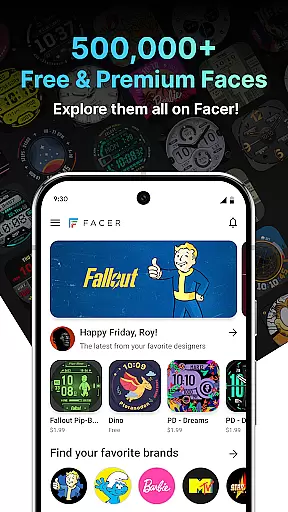
Companion app integration is essential for a seamless wearable experience. Fallout Pip-Boy SE Watch Face demonstrates exceptional synergy with its primary application, Facer. This integration allows users to access an extensive library of over 500,000 watch faces, including premium options, directly from the companion app.
The Pip-Boy SE connects effortlessly with the main Facer app, enabling users to customize their watch face with ease. Users can choose from three frame styles and four color options, tailoring the appearance to their personal preferences. Additionally, two customizable Wear OS complications, such as step counter and sunrise/sunset information, are readily available through this integration.
This cohesive connection between the Pip-Boy SE Watch Face and the Facer app ensures that users enjoy a comprehensive and personalized experience. By facilitating easy customization and offering a vast selection of design choices, the companion app integration significantly enhances user satisfaction and engagement.
Device compatibility is crucial for ensuring that a watch face functions optimally across various devices. The Fallout Pip-Boy SE Watch Face is meticulously optimized for Wear OS, guaranteeing a smooth performance on supported devices like Galaxy Watch7, Ultra, and Pixel Watch 3.
This compatibility extends beyond mere functionality; it encompasses battery optimization to enhance device longevity. With features like a 12/24H digital clock, date display, battery level indicator, and animated Vault Boy based on heart rate, the Pip-Boy SE offers a rich set of functionalities without compromising battery life.
By focusing on broad yet specific device support, the Pip-Boy SE ensures that users benefit from consistent performance and reliability. This strategic approach to Wear OS and device compatibility not only meets but exceeds user expectations, providing a versatile and efficient wearable experience.
Unique Fallout theme
Battery-efficient design
Customizable options
Heart rate animation
Cross-device compatibility
Limited device support
Basic complications
Premium only access
No weather data
Complex setup

WTW M17 is a premium and luxurious hybrid watch face
 4.70
4.70
Stunning modern digital watch face with 7 complications and strong contrast
4.5
Digital, flexibly customizable watch face. For Wear OS 5.0, API 34+ and later.
5.00
3 Complications. All shadow on/off. 30 Themes color palette...
4.2
Monitor health with the stress test and pulse checker in the heart rate app.
4.60
The most customizable hybrid watch face. For Wear OS 5.0, API 34+ and later
4.70
Animated video-game inspired “secret agent” simulation, right on your wrist!
4.20
Daily Weather forecast with 15 weather images for Day & Night plus Big Bold time
4.10
A white realistic classic analog watch face with many customization options.
4.40
The most customizable minimal watch face. For Wear OS 5.0, API 34+ and later
4.70
Rose gold watch face with festive lights & customizable features.
4.60
Nutrition, Macro tracker: Food, fitness & healthy diet tracking for weight loss
4.60
MyNISSAN® lets you remotely control your car from your phone.*
4.50
Reliable phone calls with spam protection, caller ID and more helpful features
4.40
Wear Os Watch Face - Animated Snow Effect & Magic Spark - 6 Scenes
4.10
The #1 source of faces for your smartwatch!
4.00
Analog watch face with 8 complications and expedition styling
4.0
Contemporary digital watch face with five complications
4.3
Minimalistic design modern digital watch face.
4.1


User Reviews