


Drawnames is a versatile Secret Santa gift exchange app that simplifies organizing and managing gift exchanges for various occasions. The app allows users to create groups, set exclusions, and generate pairings effortlessly, making it ideal for Christmas, birthdays, weddings, and more. With cross-device compatibility, participants can join from any mobile phone, tablet, or computer with a web browser, ensuring everyone can be part of the fun.
One of the standout features of Drawnames is its ability to help users manage wish lists and discover perfect gifts through personalized suggestions. Users can browse thousands of trending gift ideas directly within the app, add them to their wish lists, and share these lists with group members. This functionality not only enhances the gifting experience but also ensures that everyone receives thoughtful presents tailored to their preferences.
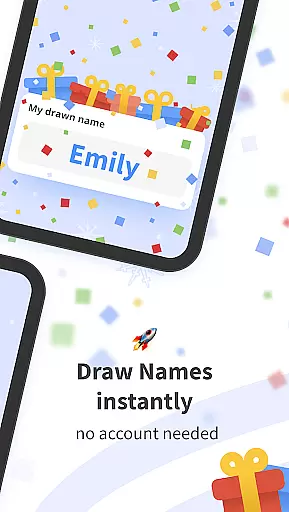
The app's user-friendly design eliminates the need for accounts, allowing users to start organizing immediately after downloading. Whether you're managing multiple gift exchanges or planning a single event, Drawnames provides a seamless experience that saves time and reduces stress. Its flexibility extends beyond traditional festive seasons, making it suitable for year-round use in various settings such as family gatherings, office parties, and friend groups.
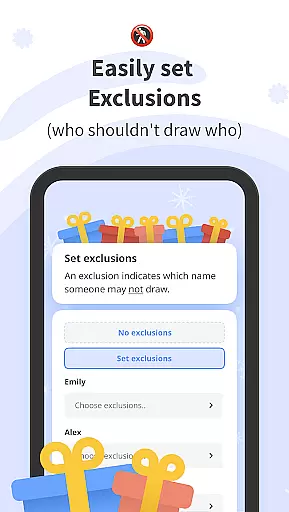
Drawnames offers an array of features designed to enhance the gift exchange process. One key feature is the simple Secret Santa generator, which allows users to set up exchanges in just three easy steps: creating a group, setting exclusions, and drawing names. This streamlined process ensures quick setup for groups of any size, eliminating the hassle of manual organization.
Another notable aspect is the ability to create and share personalized wish lists. Participants can build detailed lists of desired gifts, making it easier for others to choose presents that align with their preferences. Additionally, the app supports integration with popular messaging platforms like email, Messenger, and WhatsApp, enabling users to invite friends and family conveniently.
Drawnames stands out with its cross-device compatibility and flexible usage options. Whether accessed via mobile devices or desktop browsers, the app maintains consistent functionality. Moreover, its capacity to handle multiple gift exchanges simultaneously makes it invaluable for users juggling different events throughout the year. These robust features collectively ensure a smooth, enjoyable experience for all participants.
At the heart of drawnames lies its core functionality, designed to simplify and enhance the experience of organizing Secret Santa gift exchanges. This app ensures that every step, from creating a group to drawing names, is executed with precision and ease.
The app's name-drawing algorithm is crafted to handle exclusions effectively, ensuring that specific individuals do not end up gifting each other, which adds a layer of thoughtfulness to the process. By allowing users to set these parameters, drawnames guarantees that the final pairings are both random and considerate of personal relationships.
Furthermore, the inclusion of features such as wish list creation and sharing introduces an element of personalization and convenience. Participants can easily communicate their preferences, making the act of gift-giving more meaningful and targeted. This attention to detail in facilitating user interaction underscores the app's commitment to delivering a seamless and enjoyable experience.
Ultimately, the effectiveness of drawnames is reflected in its ability to remove the stress and complications often associated with coordinating group activities. By streamlining the entire process into a few intuitive steps, it empowers users to focus on the joy of giving rather than the logistics, demonstrating the true value of its core functionalities.
The drawnames app distinguishes itself through an interface that prioritizes simplicity and intuitiveness, making it accessible to users of all technical backgrounds. Upon downloading, users are greeted with a clean layout that guides them effortlessly through the setup of their Secret Santa exchange.
Each feature, from exclusion settings to the management of multiple gift exchanges, is presented in a straightforward manner that eliminates any learning curve. The absence of a required account further enhances this user-friendly approach, enabling immediate access to the app's full suite of tools without the barrier of registration.
Moreover, the app supports cross-device compatibility, ensuring that whether participants are using a mobile phone, tablet, or computer, they can engage with the same level of ease. This universal accessibility reinforces the app's dedication to providing an inclusive platform where everyone can participate regardless of their device preference.
By focusing on clarity and ease of navigation, drawnames delivers an interface that feels natural and intuitive. Users can concentrate on enjoying the festive spirit of gift-giving, confident that the app will operate smoothly and efficiently in the background, enhancing their overall experience without complicating it.
User-friendly interface
No account required
Personalized wish lists
Cross-device compatibility
Gift inspiration & suggestions
Limited advanced features
No offline mode
Occasional ads
Dependent on internet
Basic design

Transfer Files, APK from Phone to Watch & Install.
 4.2
4.2
Extremely fast, secure, and protects your privacy
4.80
Safely recover deleted photos, videos, and files with a single easy tap.
3.70
App to pay for FUTO Keyboard
4.60
VESC Tool can monitor and configure VESC-compatible devices over BLE and Wifi
4.20
WiFi Signal Strength Meter help you detect WiFi Signal Strength in real time.
4.80
A clean app.
4.50
Screen recorder with audio to record high-quality videos and take screenshots.
4.40
Fast VPN USA for any country. Super secure VPN for calls, streaming, games, TV.
4.40
Creation, Learning, Entertainment & More — The All-in-One AI Search Engine
4.70
Canon PRINT is a companion app for your Canon printer.
4.60 4.50
4.50
Game Booster, GFX Tool is now compatible with newer game update
4.50
Clean up large files and similar photos, fast and easy to use
4.40
Quickly check the frequency of the Earth
4.30
Effortlessly run ADB commands directly on your device without a PC.
4.20
View detailed information about your Nissan Leaf the dealer never shows you.
4.10
Create your own custom widget with endless possibilities
3.90
Save any video in HD - paste the link, download fast and watch offline.
4.4


User Reviews