
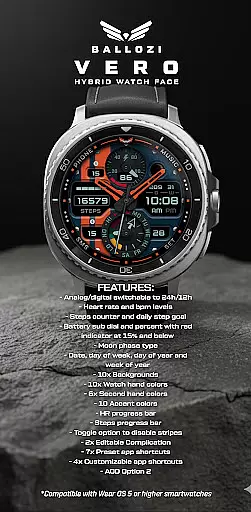
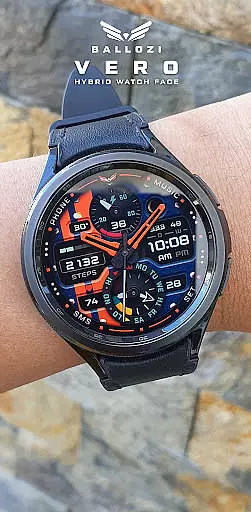
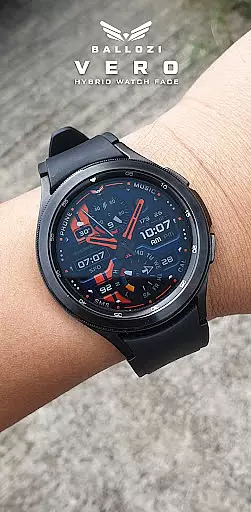
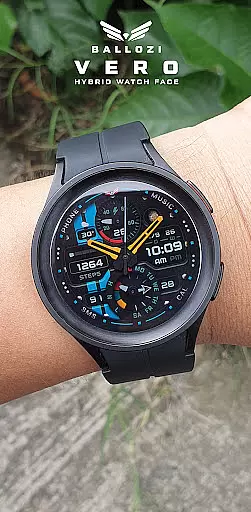
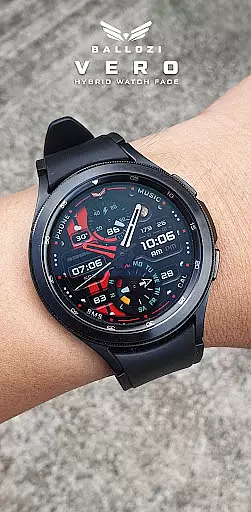
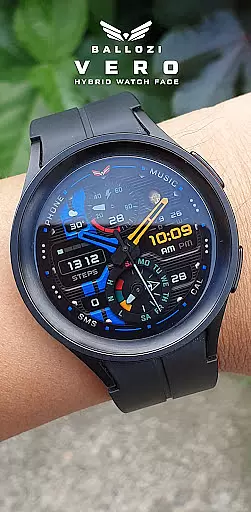
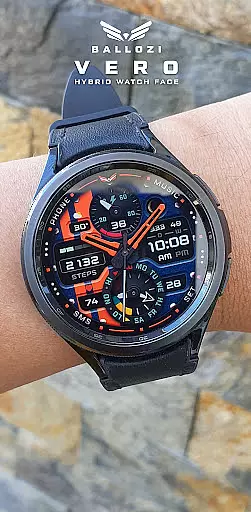
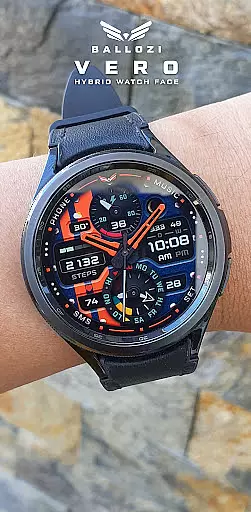
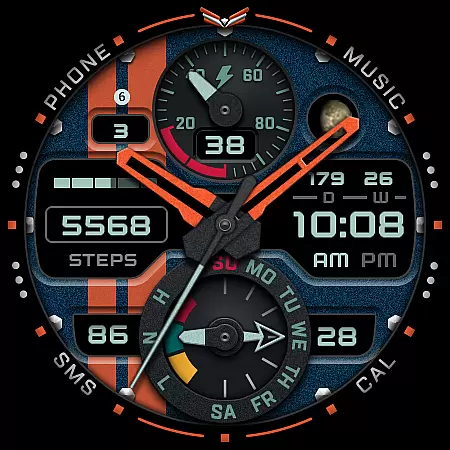
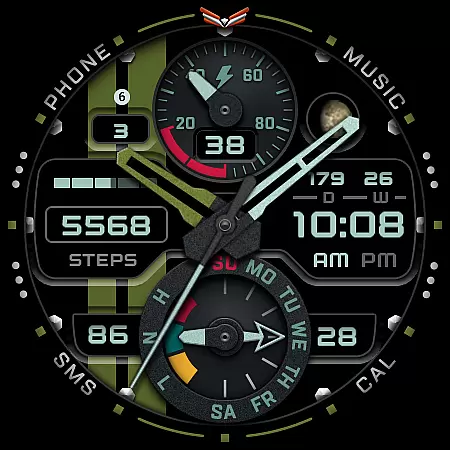
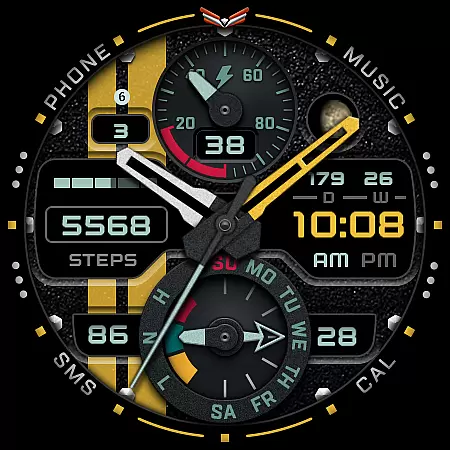
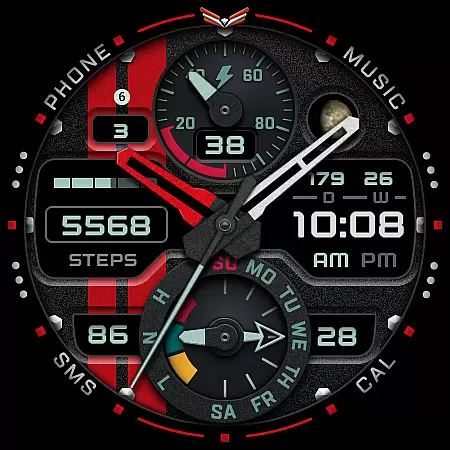
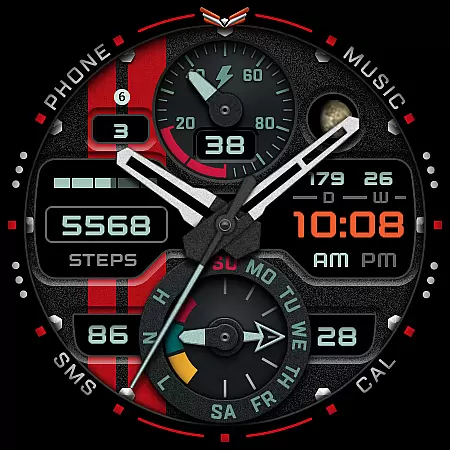
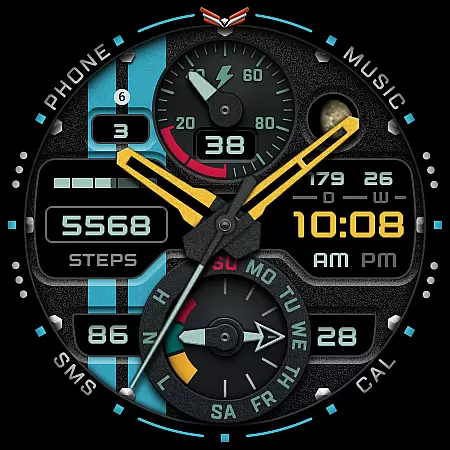
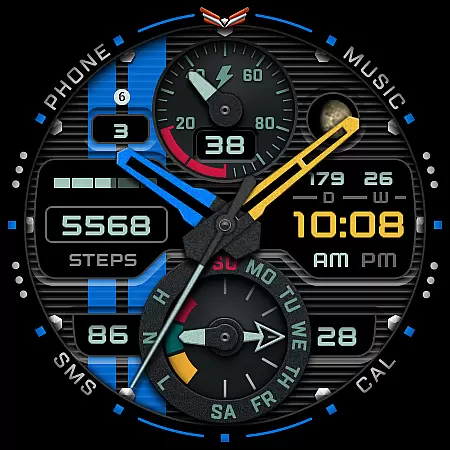
Ballozi VERO is a versatile hybrid watch face designed for Wear OS devices, offering both analog and digital display options. This military-style watch face is optimized for round watches and provides users with essential fitness and timekeeping features. With compatibility for Galaxy Watch 4, Galaxy Watch 5 Pro, and other Wear OS devices running version 5.0 or higher, it delivers a customizable experience tailored to your needs.
The watch face includes practical functionalities such as heart rate monitoring, step counting, battery indicators, and moon phase tracking. Users can personalize their experience with multiple background options, hand colors, and accent colors. Whether you're tracking daily fitness goals or simply looking for a stylish watch face, Ballozi VERO combines functionality with aesthetics to enhance your smartwatch experience.
Ballozi VERO stands out with its extensive customization options and practical features. The watch face allows users to switch between analog and digital displays in both 12-hour and 24-hour formats, catering to personal preferences. It offers health and fitness tracking through heart rate monitoring, step counters, and progress bars for daily goals, ensuring that users stay on top of their wellness routines.
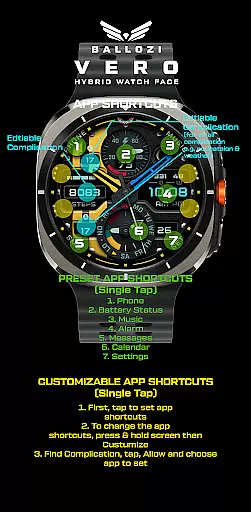
One of the key highlights is the ability to customize the appearance extensively. With 10 background options, 10 watch hand colors, 6 second-hand colors, and 10 accent colors, users can create a unique look that suits their style. Additionally, the inclusion of two editable complications and customizable app shortcuts enhances usability by providing quick access to frequently used apps. These features make Ballozi VERO not just a watch face but a personalized companion for your smartwatch.
Companion app integration is crucial for Android Wear applications as it ensures seamless synchronization between the wearable and its paired smartphone. BALLOZI VERO excels in this aspect by providing users with multiple installation options tailored to different devices.
The application offers clear, step-by-step guidance for installation on both Samsung and other Wear OS devices. For Samsung watches, users can access the newly installed watch face through the Galaxy Wearable app under Watch faces > Downloaded. This intuitive process simplifies the activation of the watch face on the paired device.
For broader compatibility, BALLOZI VERO supports various smartwatch brands running Wear OS 5.0 or higher. Users can locate the watch face in their respective watch apps' galleries, ensuring that no matter the brand, the integration remains smooth and efficient.
This comprehensive approach to companion app integration enhances user experience by making certain that all features, including customizable complications and app shortcuts, are readily accessible and functional across devices.
Device compatibility is a pivotal feature for any Wear OS application, determining its ability to function correctly across various smartwatch models. BALLOZI VERO is meticulously designed to be compatible with Wear OS 5.0 or higher (API level 34+), ensuring broad support for modern smartwatches.
This compatibility extends to popular models like the Galaxy Watch 4 and Galaxy Watch 5 Pro, which were used as test devices during development. The focus on these round watches guarantees an optimal display of the sporty analog and military-style hybrid design.
BALLOZI VERO explicitly mentions that it is unsuitable for rectangular or square watches, guiding users towards the most compatible devices. This clarity helps prevent potential issues related to form factor discrepancies.
By concentrating on high compatibility standards and offering extensive customization options, BALLOZI VERO ensures that users enjoy a reliable and visually appealing experience on supported Wear OS devices.
User-friendly interface
Extensive customization
Fitness tracking features
Multiple device compatibility
Regular updates and support
Not for square watches
Limited rectangular support
Advanced features need setup
Some options are complex
Wear OS 5.0 required

A customizable Christmas watch face for Wear OS with a countdown.
 4.20
4.20
Christmas and New Year - Themed Watchface
4.0
A heartwarming Christmas scene featuring a cute image of Santa and Rudolf
4.5
Beautiful artistic animated digital watch face, with a customizable layout!
4.40
Let's celebrate Thanksgiving - Wear Os watch face
4.20
3 Complications. All shadow on/off. 30 Themes color palette...
4.1
Hyperlocal rain alerts by MyRadar using patent-pending technology, radar & more
4.80
The Chevron App allows you to pay for fuel from the comfort of your car!
4.80
The most customizable hybrid watch face. For Wear OS 5.0, API 34+ and later
4.70
Gym & home workout plans with strength training, exercise tracking, HIIT & more.
4.60
Stylish, Energizing and Modern Watch Face crafted by Dominus Mathias.
4.50
Digital watch face with big numbers and many customization for Wear OS devices
4.40
A white realistic classic analog watch face with many customization options.
4.40
Bold, Modern Hybrid Watch Face for Wear OS. 10 Colors, Rich Info Display.
4.30
Locate your family members by GPS phone location tracker everywhere and anytime
4.30
Calming & relaxing sounds for sleeping and stress relief. Stay focused all day!
4.20
"PER27 Galaxy Digital" is a digital Wear OS watch face designed by PERSONA
4.10
A full-featured Amazon Alexa voice assistant that can show you things.
3.70
Precision analog watch face with 7 complications and style options
4.5


User Reviews