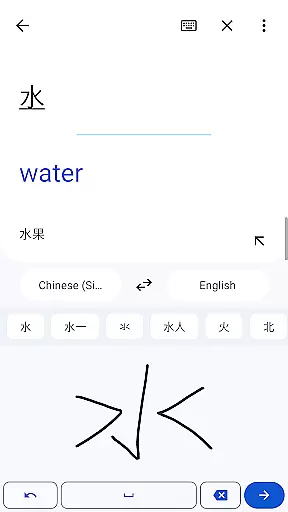
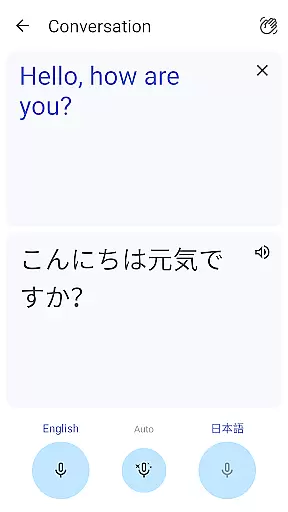
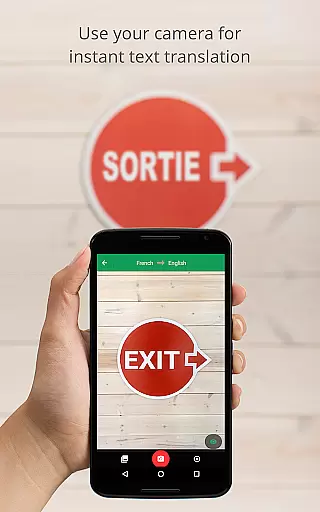
Google Translate is a versatile translation tool that supports text translation between 108 languages. The app offers multiple ways to translate, including typing, camera translation, and even handwriting recognition. With features like offline translation for 59 languages and instant camera translation for 94 languages, it ensures usability in various scenarios.
The application also provides bilingual conversation translation for 70 languages, making it an essential communication tool for travelers and multilingual speakers. Its phrasebook feature allows users to save frequently-used translations, while the transcription function enables real-time translation of spoken language. Available on both mobile and desktop, Google Translate syncs data across devices, creating a seamless user experience.
Whether you're traveling abroad, conducting business with international clients, or learning a new language, Google Translate serves as a powerful assistant. The app's comprehensive language support and innovative features make cross-language communication more accessible than ever before.
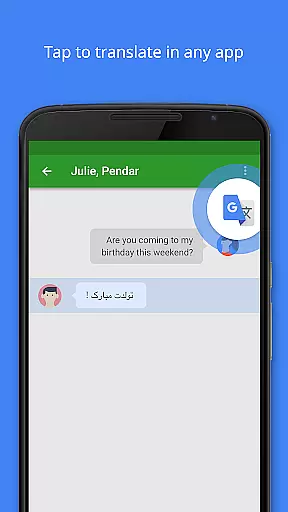
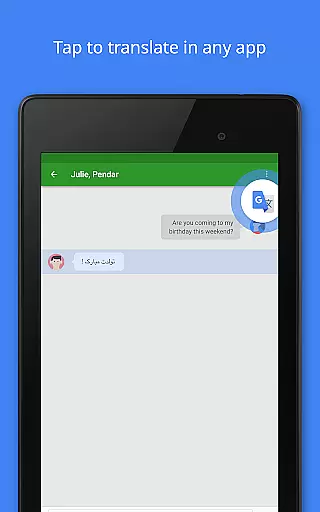
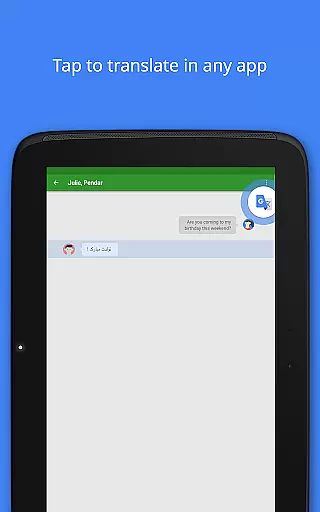
Google Translate stands out with its diverse translation methods. The app supports text input in 108 languages and offers tap-to-translate functionality that works across other applications. For travelers and those without internet access, the offline mode provides translation capabilities for 59 languages without requiring a connection.
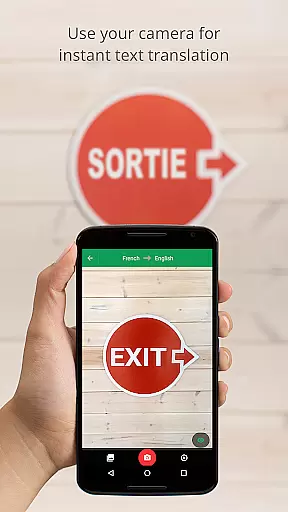
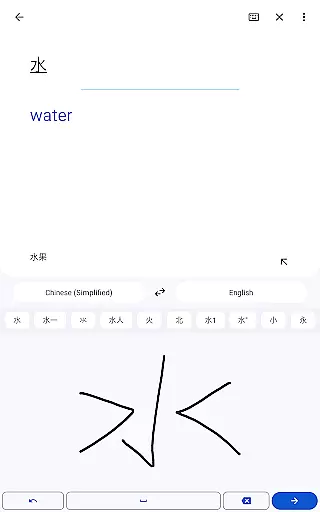
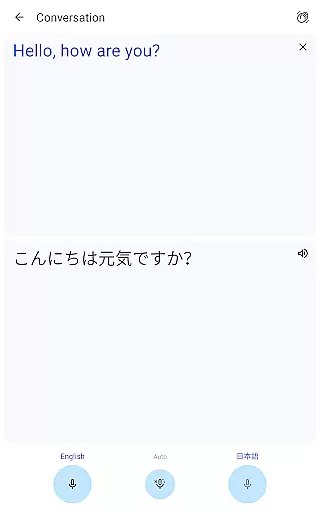
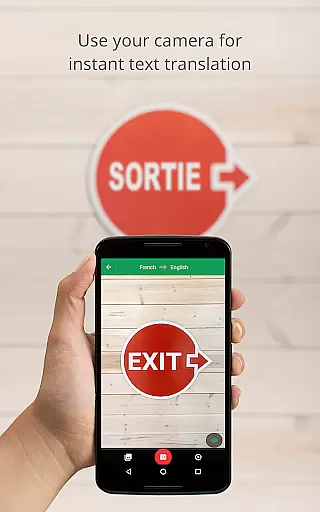
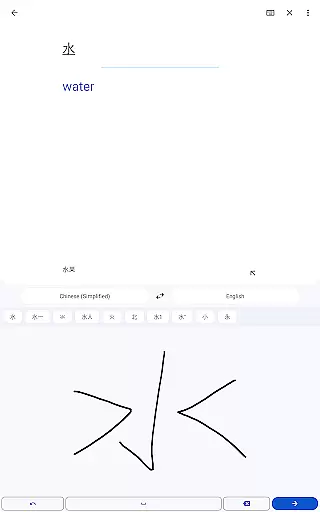
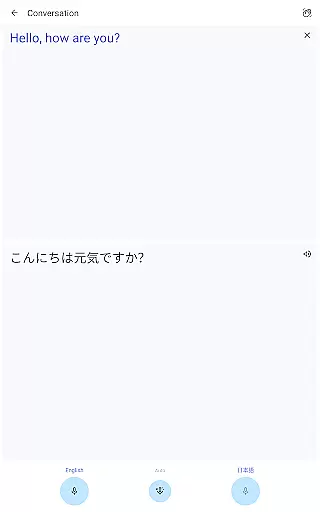
One of the most impressive features is the instant camera translation, which translates text from images in 94 languages simply by pointing your device's camera. The app also includes a photo import option for higher-quality translations in 90 languages. Additionally, the conversation mode facilitates real-time bilingual communication in 70 languages, while handwriting recognition supports 96 languages.
Other notable features include the phrasebook for saving favorite translations, cross-device syncing through user accounts, and the transcription function that translates spoken language in near real-time for 8 languages. These robust features create a comprehensive translation solution suitable for various user needs.
Google Translate's core functionality lies in its ability to deliver accurate translations across 108 languages. The app employs advanced machine learning algorithms to ensure that each translation maintains the intended meaning and context of the original text. This level of precision is crucial for users who rely on the app for both casual and professional communication.
The app offers multiple translation methods, including text input, camera-based instant translation, and even transcription of spoken language. Each method is optimized for efficiency, allowing users to obtain translations quickly, whether they are typing a message, pointing their camera at a street sign, or participating in live conversations. These features collectively enhance the overall effectiveness of the translation process.
For travelers and multilingual professionals, Google Translate's offline mode supports 59 languages, ensuring reliable performance without an internet connection. This feature is particularly valuable in areas with limited connectivity, providing peace of mind that accurate translations are always accessible. Additionally, the phrasebook function allows users to save frequently used translations, further streamlining their experience.
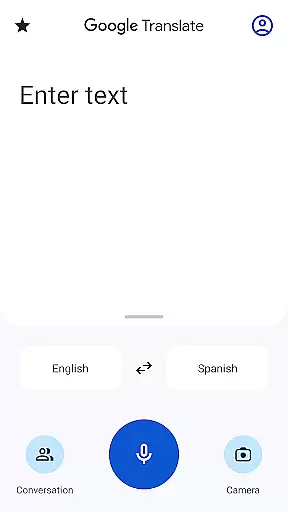
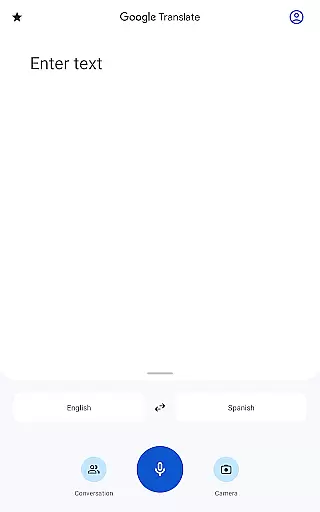
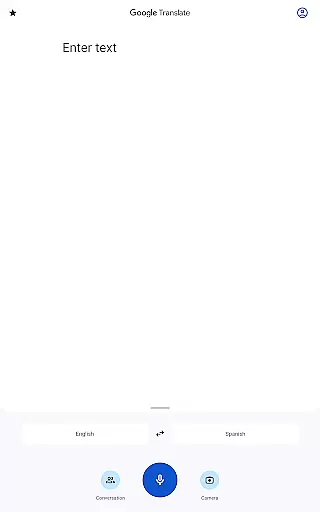
Google Translate excels in offering an intuitive interface that simplifies the translation process for users of all technical backgrounds. The app's design emphasizes ease of use, presenting clear options for text input, voice recognition, and camera-based translations. This straightforward layout ensures that users can navigate the app effortlessly, reducing the learning curve typically associated with multifunctional tools.
One standout feature is Tap to Translate, which allows users to copy text in any app and instantly translate it by tapping the Google Translate icon. This seamless integration enhances user convenience, eliminating the need to switch between apps or manually input text. Similarly, the instant camera translation option provides real-time results by simply pointing the camera at written text, making it ideal for translating menus, signs, or documents on the go.
Furthermore, the app supports bilingual conversation translation, enabling fluid communication between speakers of different languages. By speaking into the microphone, users receive near real-time translations, fostering natural interactions. These thoughtful design elements highlight Google Translate's commitment to delivering a user-friendly experience while maintaining functional depth.
Wide language support
Offline functionality
Real-time conversation
Camera-based translation
Cross-device syncing
Limited offline languages
Occasional accuracy issues
Advanced features need internet
Transcription limited to few languages
Requires permissions for full functionality

A powerful, easy-to-use flight computer on your phone or tablet!
 3.80
3.80
Unit and currency converter with easy and simple UI.
4.80
Fluid navigation gestures for all of us!
4.30
This app unlocks the Pro features of the Central for DayZ app
3.60
HD Video player and downloader for all formats, fast & smooth 4K video playback.
4.60
Optimize your WiFi network, turn your phone into Wifi Analyzer
4.70
A non-root local ADB shell client. READ BELOW!
3.40
Connect wirelessly to your computer to watch movies, browse the web, play games
5.00
Enjoy a smooth mobile reading experience!
3.60
Monitor car performance in real time and troubleshoot malfunctions.
4.80
Excellent scientific calculator with symbolic algebra, integrals, derivatives
4.80
Bedrock Together: Join any bedrock server on Xbox/PS
4.80
WiFi Signal Strength Meter help you detect WiFi Signal Strength in real time.
4.80 4.50
4.50
Universal TV remote control all TVs, Roku, LG, Samsung, Fire, Vizio, Sony, TCL.
4.40
pdf merge, word to pdf, jpg to pdf, edit pdf, convert to pdf and much more!
4.20
card-reader app
2.20
Transfer Files, APK from Phone to Watch & Install.
4.0
Download any file easily and quickly with Downloader
4.5


User Reviews