
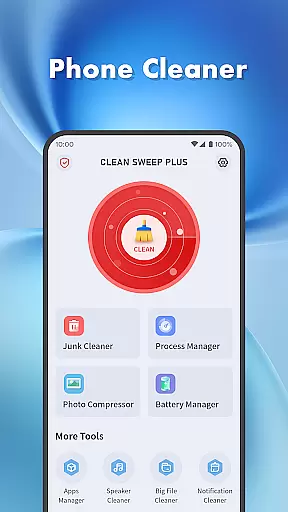
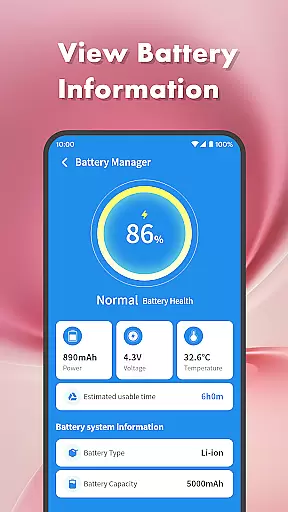
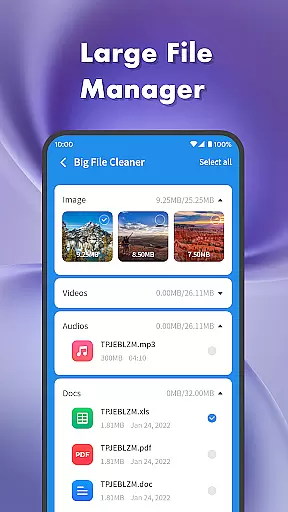
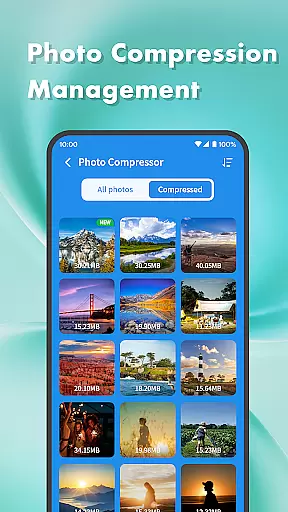
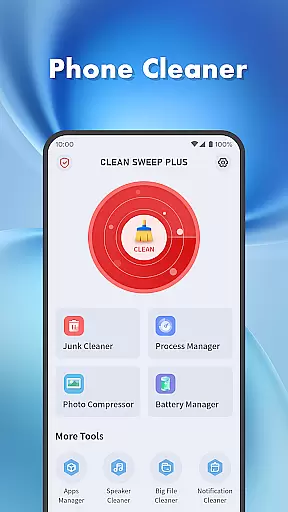
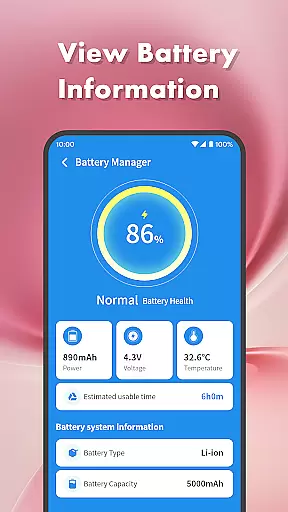
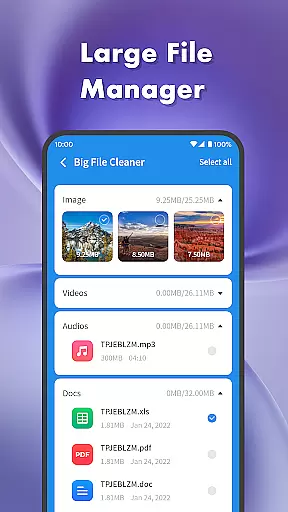
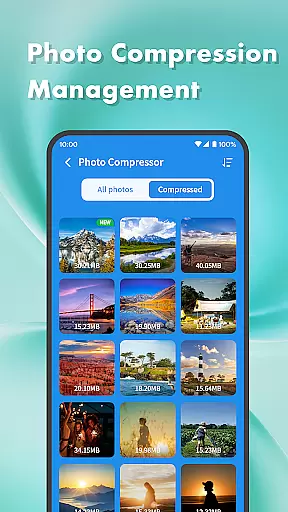
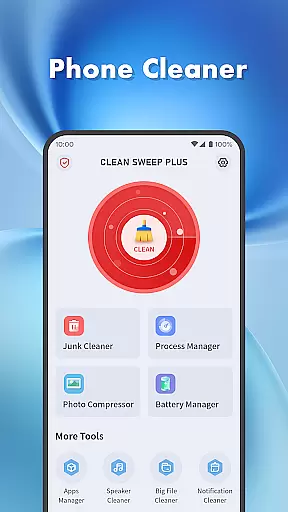
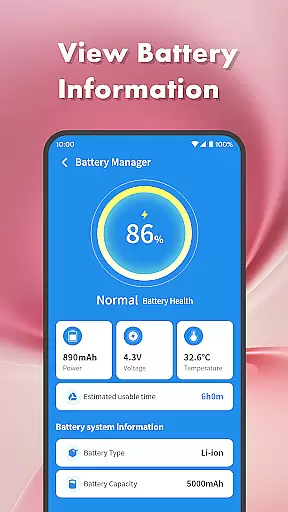
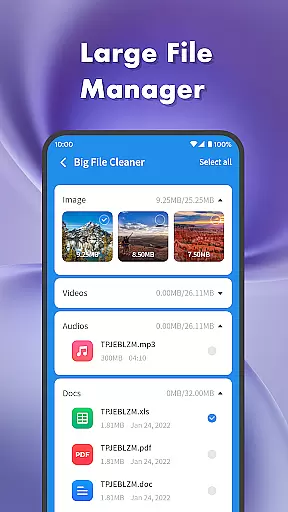
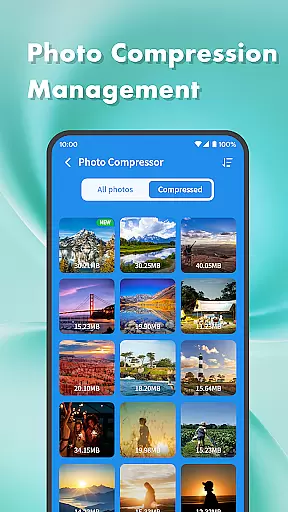
Clean Sweep Plus is a comprehensive phone management tool designed to optimize device performance and simplify daily maintenance tasks. The app offers a suite of practical features including junk file cleaning, large file management, and battery status monitoring.
One of the standout capabilities is its intuitive interface that allows users to easily locate and manage various phone functions. Whether you need to uninstall seldom-used apps, compress photos to save space, or check your battery health, Clean Sweep Plus provides an all-in-one solution for these needs.
This app is particularly useful for users who want to maintain optimal device performance without technical complexity. By offering essential tools in a clear layout, it ensures even novice users can effectively manage their devices.
Clean Sweep Plus stands out with its diverse range of practical features tailored for everyday phone management. The app includes a Junk Cleaner to remove unnecessary files, a Large File Manager to handle bulky media, and a Photo Compression tool to reduce image sizes without losing quality.
In addition to storage management, the app excels in application control with its App Manager and Process Manager. These tools allow users to view installed applications and background processes, making it easier to free up system resources by uninstalling unused apps.
The Battery Management Center is another key feature, providing detailed insights into battery health and estimated usage time. With its simple operation and well-organized interface, Clean Sweep Plus ensures users can quickly access and utilize these essential tools.
When it comes to mobile device management tools, the accuracy and effectiveness of core functions are paramount. Clean Sweep Plus excels in this area by offering a comprehensive suite of features that address common phone maintenance needs.
The app's Junk Cleaner precisely identifies unnecessary files, while the Large File Manager efficiently locates space-consuming media. Its App Manager provides clear information about installed applications, making uninstallation straightforward. Meanwhile, the Battery Management Center delivers reliable estimates of remaining usage time based on actual battery consumption patterns.
These well-implemented tools demonstrate Clean Sweep Plus's commitment to providing practical solutions that work as intended, without unnecessary complications or misleading information.
Users benefit from these accurate and effective features through improved device performance, better storage management, and extended battery life - all achieved through properly functioning tools that deliver measurable results.
A tool's interface should make its features easily accessible, and Clean Sweep Plus achieves this through thoughtful design choices. The app presents its various functions in a clear, organized manner that's easy for users to navigate.
Each tool is represented by an intuitive icon and label combination, allowing users to quickly identify the feature they need. The layout follows a logical structure, grouping related functions together while maintaining enough separation to prevent confusion.
Particular attention has been paid to the user experience, with each page providing only the necessary information and controls. This focused approach prevents overwhelming users with too many options at once.
The result is an application where even novice users can confidently manage their device's storage, applications, and battery settings without needing extensive technical knowledge or training.
User-friendly interface
Comprehensive toolset
Effective junk cleaning
Intuitive app management
Practical battery monitoring
Limited advanced features
Basic photo compression
Few customization options
Occasional slow performance
Ads in free version

 4.50
4.50
This app unlocks the Pro features of the Central for DayZ app
3.60
An open-source APK explorer for Android!
4.10
VESC Tool can monitor and configure VESC-compatible devices over BLE and Wifi
4.20
Best leveling tool for your Android device. Hang paintings like a pro.
4.90
Screen Mirroring with sound for Samsung TV, LG TV, Sony TV, Smart TV and Browser
4.20
Game Booster, GFX Tool is now compatible with newer game update
4.50
Mobile Security with Scam Protection | Malware & Virus Cleaner | Safe Browser
4.70
Enhance your Beats
3.70
Connect wirelessly to your computer to watch movies, browse the web, play games
5.00
Learn the vast amount of system information about device and monitor it's state
4.70
FV File Manager Pro, Fast and powerful file manager for Android
4.60
Planner and Tracker for Stardew Valley
4.60
Mirror your screen to Fire TV - Super fast and simple
4.40
An easy-to-use calculator designed to save time calculating and bending conduit
4.30
Remote for Roku, Fire TV, Samsung TV, LG TV, Android TV, Chromecast and VIZIO TV
4.20
MS-DOS in your pocket. Play old DOS games anywhere you are ;)
4.10
Unleash gamepad precision for ultimate mobile gaming dominance.
3.90
Undelete and recover your lost or deleted files with DiskDigger!
3.40


User Reviews