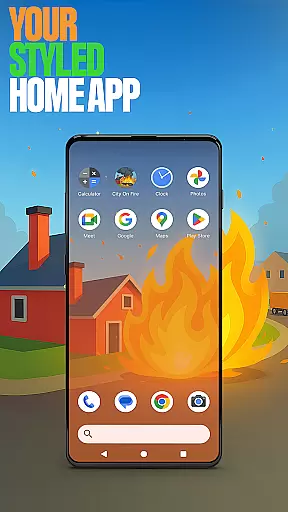


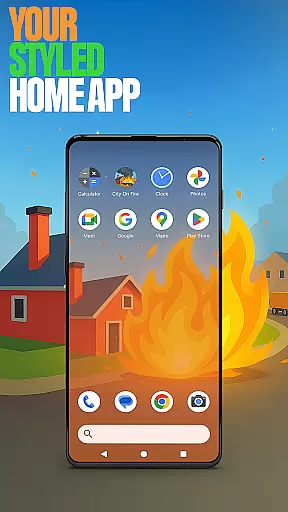




City On Fire Home App is a dynamic personalization tool that allows users to create a home screen reflecting their unique style. This launcher offers full control over layout customization, app organization into folders, and personalized color schemes. Its sleek design brings freshness to everyday mobile interactions while providing practical utility.
The app also integrates gaming elements through its connection with City On Fire, an action-packed game where players spread chaos as a living flame. Users can access the game directly from their customized home screen, blending functionality with entertainment seamlessly.
Whether you're looking for complete interface personalization or quick bursts of fun with the built-in game, this app caters to both needs effectively.
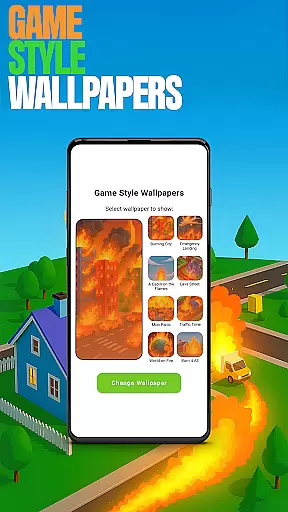
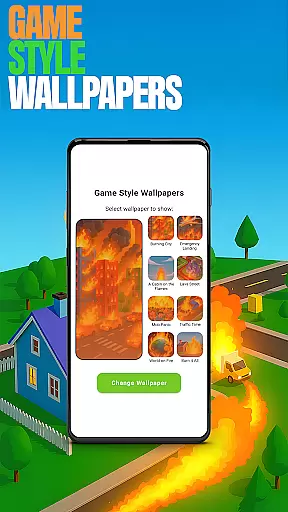
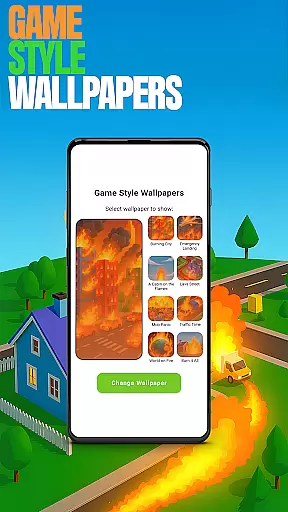
City On Fire Home App stands out with its robust feature set tailored for personalization enthusiasts. One key highlight is the ability to customize every aspect of your home screen experience. From choosing unique 'Game Style Wallpapers' inspired by the thrilling City On Fire game to setting up custom gestures like swipes or taps for quick navigation, it ensures user-centric control.
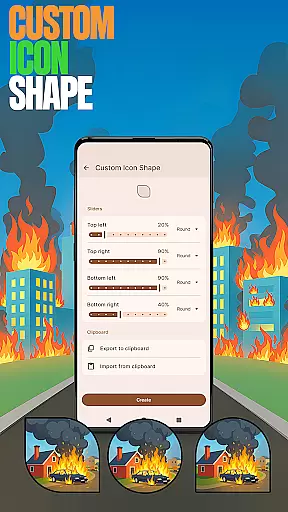
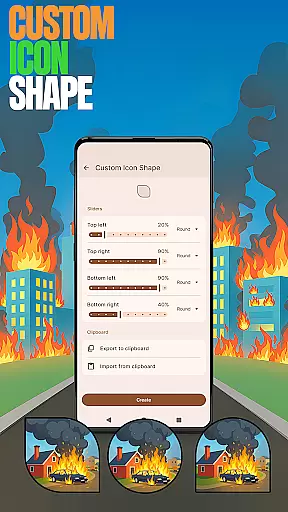
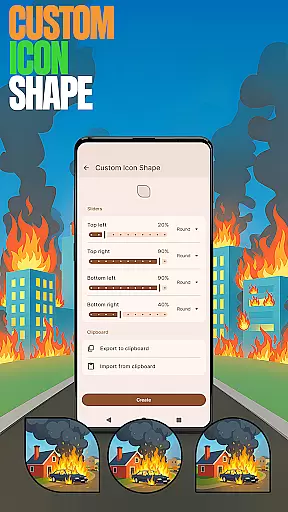
Additional features include options to personalize icon shapes, hide private apps discreetly, and adjust accent colors using presets or custom palettes. These tools collectively empower users to craft a device aesthetic that aligns perfectly with their preferences while maintaining privacy and ease of use.
This combination of functional depth and creative freedom makes the app ideal for those seeking both utility and individuality in their mobile experience.
Customization is at the heart of City On Fire Home App, offering users a wide array of personalization options to truly make their device their own. This app allows for an unprecedented level of customization, from organizing apps into folders to choosing your own color scheme, ensuring that your home screen not only functions efficiently but also reflects your personal style.
The app provides features such as Game Style Wallpapers and Custom Icon Shapes, enabling users to add unique wallpapers inspired by the City On Fire game and personalize device icons with fun shapes. These customization options extend to functional aspects too, like Custom Gestures which allow users to define specific swipes or taps to quickly access apps or settings, enhancing both aesthetics and usability.
With its comprehensive customization capabilities, users can tailor their home screens to fit their lifestyle and preferences, making daily interactions with their device more enjoyable and efficient. Whether it's through aesthetic modifications or practical enhancements, City On Fire Home App empowers users to create a personalized digital environment that resonates with their individuality.
Theme compatibility in City On Fire Home App ensures that all customizations, from wallpapers to icon shapes, integrate seamlessly, providing a cohesive look and feel across the user's device. This compatibility is crucial for maintaining visual consistency, especially when users opt for extensive personalization of their home screens.
By allowing users to customize accent colors and apply presets, the app guarantees that regardless of the depth of customization, every element on the home screen remains visually harmonious. This attention to detail in theme compatibility enhances the overall user experience, making the interface not only personalized but also pleasing to the eye.
Moreover, the ability to switch back to a previous launcher without affecting the current layout ensures that users can experiment with themes and styles risk-free. This flexibility in managing themes and layouts underlines the app's commitment to delivering both versatility and consistency in personalization, setting a high standard for theme compatibility in personalization apps.
Highly customizable
Unique game integration
User-friendly interface
Privacy-focused features
Vibrant design options
May overwhelm new users
Limited default themes
Requires manual setup
Game promotion included
Advanced options only

Glass style colourful icons with a One UI look and feel
 4.60
4.60
Realistic animated snow on your wrist, with 10 images landscapes to choose from
4.00
Unique Fonts, typefaces and stylish text. Fonts for Instagram, Whatsapp & others
4.20 4.50
4.50 3.50
3.50
Design your screen with unique, vibrant clocks
3.80
Your go to Weather App & Home Screen. Get your weather at a swipe of a finger!
3.80
Adorable pets roam and play right on your phone screen!
3.30
200+ Material Inspired Widgets
4.50
Only for Wear OS devices!
4.90
Winter's Journey: digital watch face for Galaxy Watch & Wear OS
4.80
Sparkle your screen with Glitter Wallpapers For Girls and Cute Backgrounds!
4.80
Wallpaper HD 4K Live - Thousands of high-quality Anime backgrounds for you.
4.80
Bring adorable pets to life on your screen. Playful, interactive and full of fun
4.60
Ultra realistic gold analog watch face with lots of customization options.
4.50
3D, live, and moving wallpapers & themes in 4K and HD for your device.
4.50
Aesthetic Widgets, HD Wallpapers, Themes in Mico Widget for Home and Lock Screen
4.50
Run multiple accounts of the same app on a single device
4.10
Crystal-clear, square icon provides a sleek and sophisticated visual upgrade
4.00


User Reviews