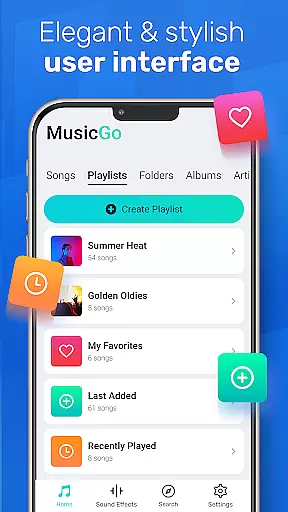
MusicGo is a versatile offline music player app that supports all major audio formats, making it an essential tool for music enthusiasts. With over 20 built-in equalizer presets and advanced audio technology, the app delivers outstanding sound quality tailored to individual preferences. Its elegant user interface offers customizable themes and seamless navigation, enhancing both aesthetics and functionality.
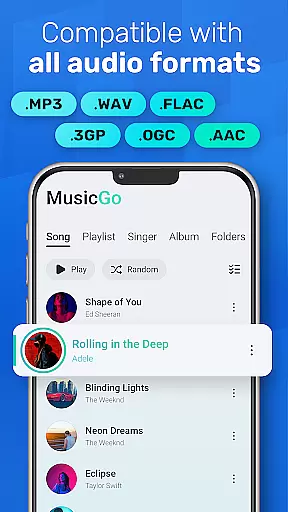
The app's comprehensive format support includes MP3, FLAC, WAV, MIDI, AAC, and APE, ensuring optimal playback quality across devices. MusicGo also features smart auto playlists, deep scanning capabilities, and automatic library refreshing, allowing users to efficiently manage their music collections. Whether commuting or relaxing at home, MusicGo provides a premium listening experience anytime, anywhere.
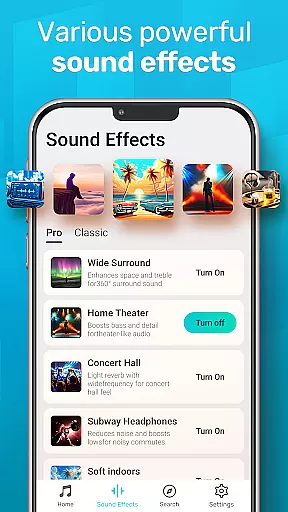
MusicGo stands out with its powerful equalizer offering over 20 presets for different music genres, including classical, dance, folk, and rock. These presets allow users to customize their listening experience with bass boosts and reverb effects through simple taps. The app's intuitive interface makes it easy to switch between various equalizer settings, catering to both casual listeners and audiophiles.
Beyond its audio capabilities, MusicGo provides practical features like background playback support, Bluetooth compatibility, and smart auto playlists such as Featured, Most Played, and Recently Played. Users can browse and organize their music by playlists, albums, or artists while enjoying options for shuffling, looping, and repeating tracks. This combination of advanced audio controls and user-friendly functionality establishes MusicGo as a top choice in the music player category.
MusicGo offers an extensive music library that supports all major audio formats including MP3 FLAC WAV MIDI AAC and APE ensuring optimal quality playback for every song.
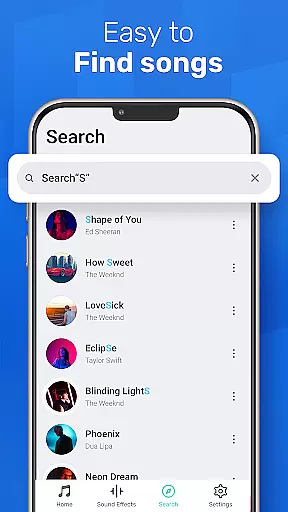
The app's deep scanning feature automatically refreshes your music library making it easy to manage and access your files. With the ability to browse music by playlists albums and artists users can enjoy a truly limitless music experience tailored to their preferences.
While MusicGo provides comprehensive format support and effortless music management it ensures that all content is delivered with the highest regard for copyright authenticity allowing users to enjoy their favorite tunes without legal concerns.
With over 20 built-in equalizer presets MusicGo elevates your listening experience to new heights. Users can enhance their music with bass boosts and reverb effects tailored to various genres such as classical dance folk and rock.
This versatile player not only delivers outstanding sound quality but also allows personalization through its powerful equalizer. Whether you prefer enhanced bass or a more balanced sound profile MusicGo caters to your personal taste with just a single tap.
In addition to its exceptional audio features MusicGo supports high-quality formats like FLAC and WAV ensuring that audiophiles can experience their music in the best possible fidelity. This commitment to audio excellence makes MusicGo a top choice for discerning listeners.
User-friendly interface
Extensive format support
Powerful equalizer options
Smart playlist management
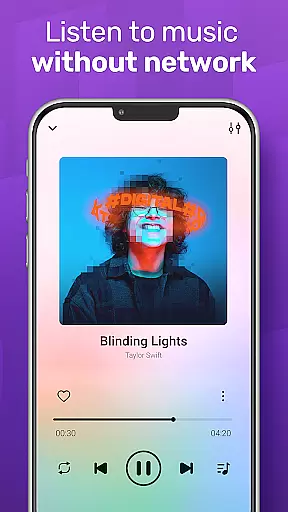
Offline playback capability
Limited social sharing
No cloud integration
Basic widget options
Occasional bugs reported
Ads in free version

The Skullcandy App Experience
 3.20
3.20
Taal player that lets you sing any Indian & Western song with Tabla & Tanpura
4.60
VB-AUDIO Software / VBAN-Receptor allows listening to any VBAN Streams
4.10
Super Sound Editor, Song Maker & Mixer, Vocal Remover, Voice Recorder & Changer!
4.60
Unleash your creativity! Turn simple prompts into full fledged songs.
4.70
No wifi music app. Mp3 offline. Tuner radio, young radio music. Music downloader
4.20
Slow music down without changing pitch.
3.70
Responsive piano with great sounds, graphics, and songs
4.80
Uninterrupted Tunes, Unmatched Vibes
3.90
Your song collections with lyrics and chords on Android smartphones and tablets.
4.80
Record, Mix & Master with all n-Track effects, 64-bit audio and Stem Separation.
4.70
Recording studio w/ 10k beats, pro vocal FX and a network of 20M rappers & fans!
4.60
Full featured mp3 and audio player with Chromecast and Android Auto support.
4.40
Enjoy singing any song, no matter how high or low it is
4.30
The alternative folder based music player.
4.20
Offline and always ad-free - stream in the highest quality available.
4.10
The only true audiophile music player with Hi-Fi audio rendering and DSP engine
3.90
The iconic iOS metronome app is now on Android.
3.70
Make music anywhere. Turn your device into an instrument.
4.2


User Reviews