
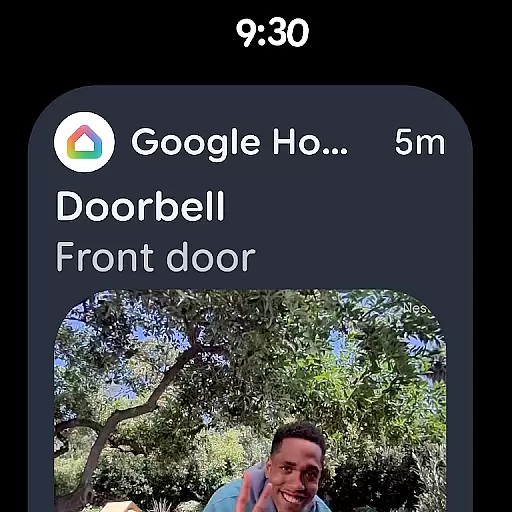
Google Home is an essential application for managing smart home devices, particularly designed for Android Wear. This app allows users to control and monitor their home environment directly from their wearable devices. With its intuitive interface, users can easily interact with various smart devices, check the status of their home, and receive important updates.
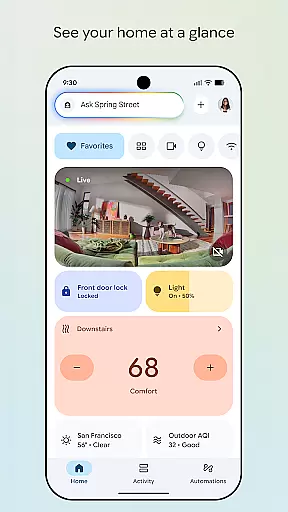
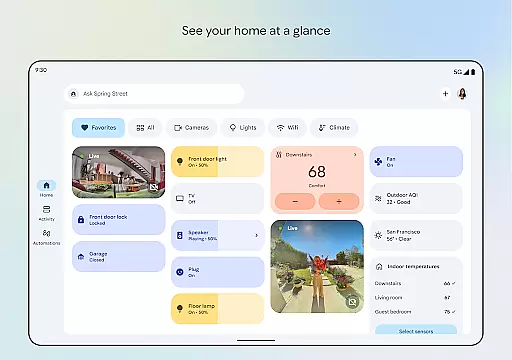
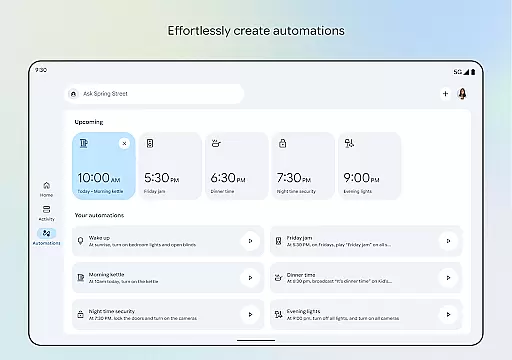
The app provides a centralized dashboard where users can organize and navigate through their smart home devices efficiently. Whether it's adjusting the thermostat, checking security camera feeds, or controlling lights, Google Home ensures that everything is accessible at a glance. Its seamless integration with Gemini for Home offers voice command capabilities, making home management effortless and hands-free.
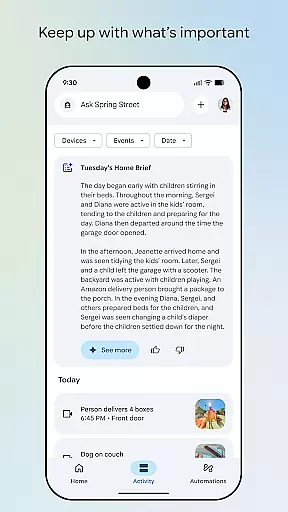
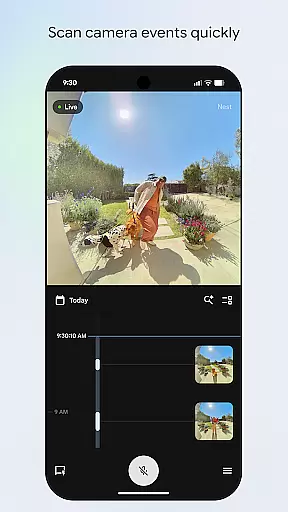
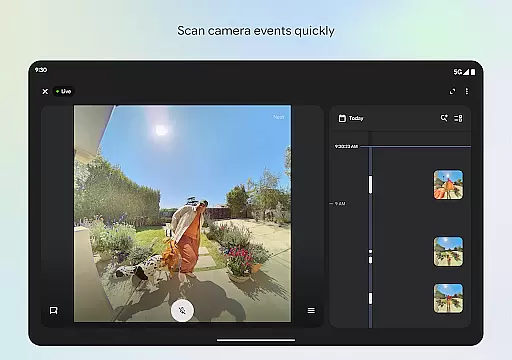
Designed for convenience and real-time monitoring, Google Home is ideal for users who want to stay connected to their home while on the go. The ability to quickly scan camera events and receive notifications ensures that users are always informed about their home's status, enhancing both security and peace of mind.
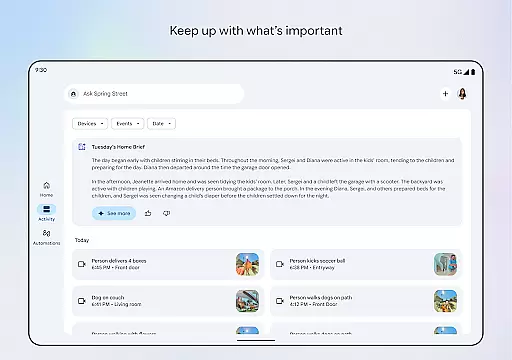
Google Home stands out with its rich set of features tailored for smart home management. One of its key functionalities is the ability to provide a comprehensive view of your home's status directly on your Android Wear device. This includes live updates from connected devices, ensuring you're always in the loop.
The app's updated design focuses on streamlined organization, allowing users to create custom dashboards for different sets of devices. This makes navigation intuitive and settings adjustments straightforward. Additionally, the camera live view and history feature offers a quick way to review past events, enhancing home security.
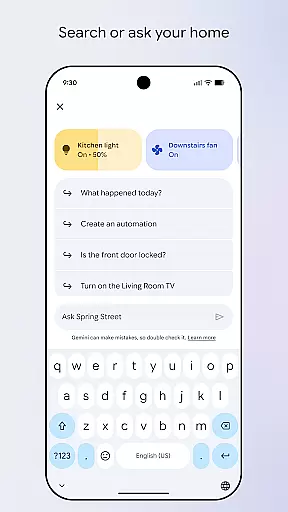
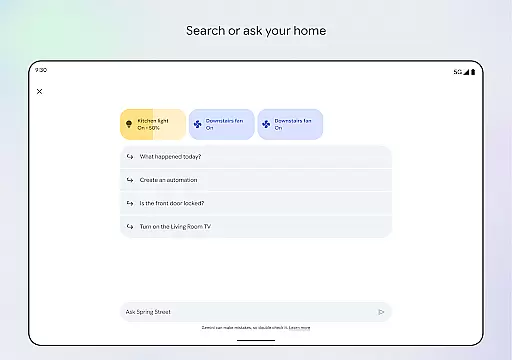
Voice control is another standout feature, thanks to its integration with Gemini for Home. Users can simply speak commands to adjust settings or trigger actions across multiple devices. This hands-free approach not only simplifies interactions but also makes the app highly accessible, even when multitasking or occupied with other activities.
Companion app integration is essential for seamless control and monitoring of smart home devices through wearable technology. Google Home ensures that users can easily interact with their smart devices from their Wear OS devices.
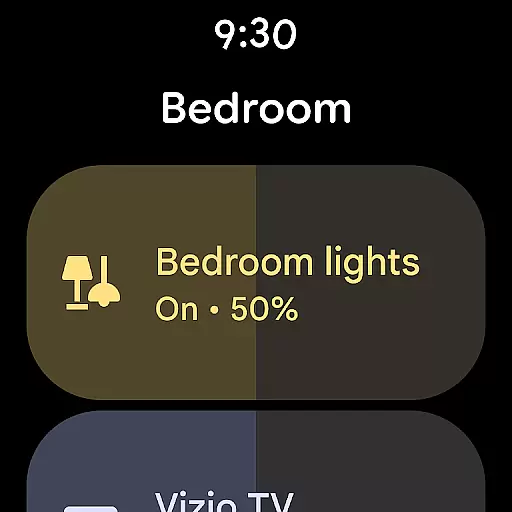
The app provides a unified interface where users can view real-time updates, receive notifications, and control their smart home products directly from their wrist. This allows for quick access and management without needing to take out a phone or tablet.
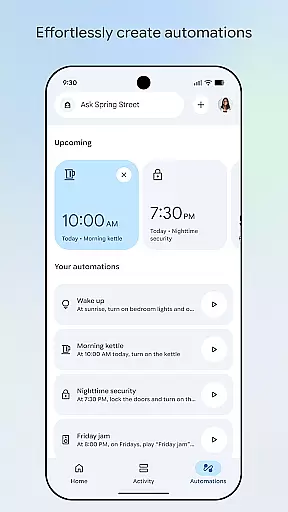
By integrating with Gemini for Home, the app enables voice commands and automated routines tailored to user preferences. This creates a personalized and efficient home management experience that's accessible anytime, anywhere.
Users benefit from the ability to check in on their home, control devices, and stay updated with important events, all while on the go. The seamless connection between the Google Home app and Wear OS devices enhances convenience and peace of mind.
Ensuring compatibility with Wear OS and various devices is crucial for a cohesive smart home ecosystem. Google Home excels in providing broad support across different smart devices and wearables.
The app supports a wide range of smart home products, allowing users to connect, monitor, and control them effortlessly. Whether it's lights, cameras, or thermostats, Google Home makes sure they work harmoniously with Wear OS devices.
With an updated design and streamlined organization, users can group devices into dashboards for easy navigation. This simplifies the management process and ensures that all compatible devices are accessible from a single interface.
Google Home's commitment to compatibility means that users can enjoy a consistent experience across multiple devices. This flexibility empowers users to customize their smart home setup according to their needs and preferences.
User-friendly interface
Comprehensive device support
Real-time updates
Voice command integration
Customizable dashboards
Limited regional availability
Requires compatible devices
Premium features may cost extra
Occasional connectivity issues
Steep learning curve for beginners

"PER27 Galaxy Digital" is a digital Wear OS watch face designed by PERSONA
 4.10
4.10
Walking app for weight loss: walk & step tracker, pedometer, indoor treadmill
4.60
Snowflake Rose Gold Watch Face - Digital, modern, & sleek with GYRO effect.
4.10
Watch face for Wear OS.
4.20
Find EV charging stations
4.30
Funny animated watch face for Thanksgiving
4.2
Real-time weather radar with temperatures, warnings, hurricanes, and widgets
4.80
Hyper-Realistic Airplane Dashboard Watch Face With 10 Skins and Custom AOD
4.00
Your music, your playlists, and more—offline and unlimited.
4.20
Real-time results, stats, schedules and player profiles for all leagues
4.60
Gym & home workout plans with strength training, exercise tracking, HIIT & more.
4.60
Stylish, Energizing and Modern Watch Face crafted by Dominus Mathias.
4.50
sleep, alarm, snoring, stress, healing, focus, sound therapy, circadian rhythm
4.10
Structured watch face with seven complications and modular UI elements
3.90
Get helpful reminders, take progress photos and find answers to your questions.
3.90
Authentic military-tactical design with ZULU time! Realistic and functional!
3.80
Christmas and New Year - Themed Watchface
4.5
Christmas is near, let's count together the days left until Santa comes
4.5
A Wintery Snow Globe on Your Wrist; now celebrating Christmas!
4.0


User Reviews