
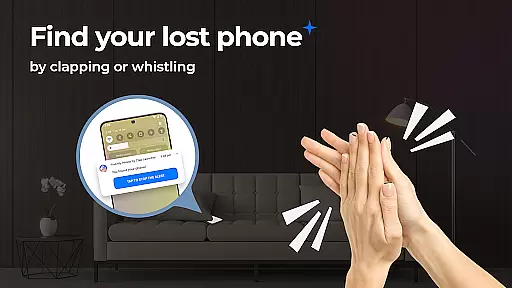
Find My Phone by Clap Launcher is an innovative tool designed to help users locate their misplaced devices through simple sound triggers like clapping or whistling. This app transforms the way you search for your phone, offering immediate auditory and visual feedback that makes finding your device effortless.
In addition to its core functionality, the app serves as a launcher that enhances your smartphone experience with features such as one-swipe access, home screen widgets, and customizable wallpapers. Whether you're at home or in a busy office, this app ensures you can quickly retrieve your phone without hassle.
The true value of Find My Phone lies in its ability to provide peace of mind. With its multi-alert system, customizable sounds, and battery-efficient design, it's an essential tool for anyone who has ever lost their phone. The app works seamlessly across different environments and phone settings, making it versatile and reliable in any situation.
Find My Phone by Clap Launcher stands out with its unique sound recognition technology that responds to claps or whistles, triggering alerts that include loud ringtones, vibrations, and bright flashes. This multi-alert system ensures your phone is easily detectable, whether it's under cushions, inside bags, or in noisy environments.
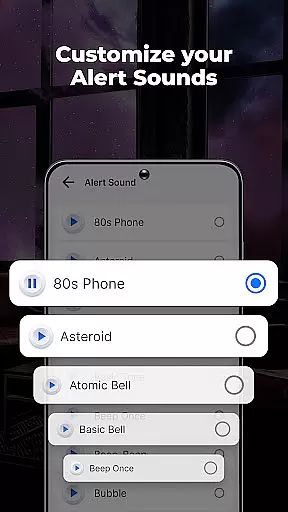
Beyond its primary feature, the app offers several usability enhancements. Users can customize alert sounds from a library of options ranging from melodies to animal noises, adjust volume levels, and set alert durations between 10 to 120 seconds. These personalization options allow for a tailored experience that fits individual preferences and needs.
What truly sets this app apart is its optimization for performance. Despite running continuously in the background, Find My Phone maintains low battery consumption thanks to its efficient design. Coupled with an intuitive interface and compatibility across multiple phone models, this app delivers both convenience and reliability, ensuring your phone is always within reach.
At the heart of Find My Phone by Clap Launcher lies its core functionality, which is both accurate and effective. This app utilizes advanced sound recognition technology to detect claps or whistles, immediately triggering a response that helps users locate their misplaced devices. The precision of this feature ensures that false activations are minimized, while successful detections are maximized, providing a reliable solution for finding your phone.
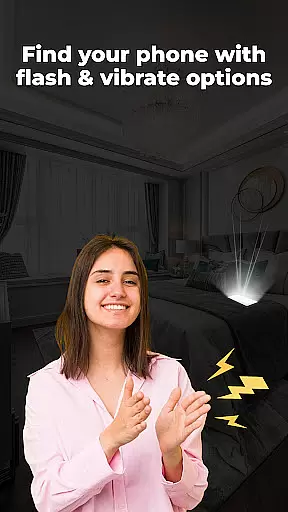
The app's effectiveness is further enhanced by its multi-alert system, which combines loud ringtones with bright flashing lights. When activated, these alerts make it easy to spot your phone, whether it's hidden under pillows, fallen behind furniture, or tucked in a dark corner. The integration of a flashlight and vibration alerts adds another layer of utility, ensuring that the device can be found even in noisy or dimly lit environments.
Customization options within the app allow users to tailor the alert sounds and duration to their preferences, offering a personalized experience that suits individual needs. With choices ranging from soothing melodies to playful animal noises, and adjustable volume levels, the app caters to diverse user environments and hearing sensitivities. This flexibility not only enhances user satisfaction but also increases the likelihood of successfully locating the phone when needed.
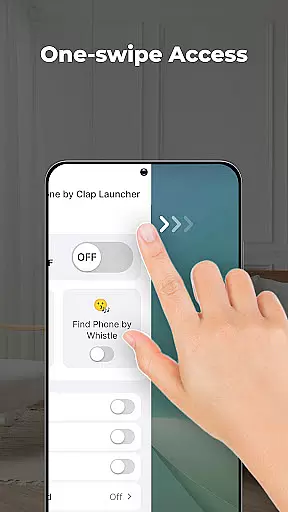
Find My Phone by Clap Launcher excels in delivering an interface that is simple and intuitive, making it accessible to users of all technical backgrounds. Upon installation, users are greeted with a streamlined home screen layout that emphasizes ease of access to the app's primary features. One-swipe access to activate clap or whistle detection exemplifies the app's commitment to reducing complexity and enhancing user interaction.
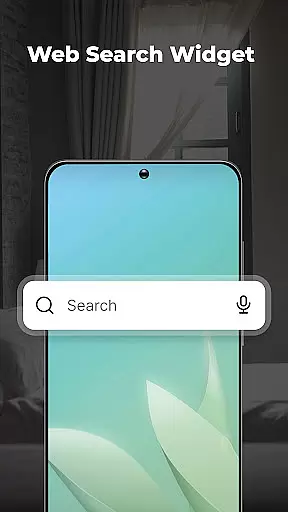
A key aspect of the app's design philosophy is the inclusion of a home screen widget, which displays essential information such as time and weather at a glance. This thoughtful addition keeps users informed without cluttering the interface, maintaining a clean and organized appearance. Additionally, the availability of themed wallpapers allows for personalization, enabling users to customize their experience while retaining the app's straightforward navigation.
The app's dedication to simplicity extends to its operational aspects, where no complicated settings or operations are required. Users can enjoy a seamless experience with intuitive controls that prioritize convenience and speed. Whether setting alert durations or selecting notification sounds, every action within the app is designed to be straightforward and hassle-free, ensuring that users can focus on quickly finding their lost device without being bogged down by unnecessary complexities.
User-friendly interface
Customizable alert options
Multi-alert system
Battery-efficient design
Versatile compatibility
Home screen layout changes
Requires sound activation
Limited to Android devices
Potential background noise interference
No GPS tracking

A convenient photo, video, and file recovery tool.
 4.00
4.00
FV File Manager Pro, Fast and powerful file manager for Android
4.60
Save any video in HD - paste the link, download fast and watch offline.
4.3
Family Locator, Share location, StayConnect with your family in real time
3.90
Keep track of your Palia friendships, tasks, and inventory with Palia Notebook
4.60
Navigate with Ease and Style
4.90
The Ultimate Bluetooth Keyboard & Mouse. Securely control your PC, Mac, and more
4.50
Protect your device with antivirus, storage cleanup, and system monitoring
4.70
Clean up your phone, find files, play media, and share files offline
4.50
Best leveling tool for your Android device. Hang paintings like a pro.
4.90
Easily install aab(Android App Bundle) files on your Android device with our app
4.80
Planner and Tracker for Stardew Valley
4.60 4.50
4.50
Universal TV remote control all TVs, Roku, LG, Samsung, Fire, Vizio, Sony, TCL.
4.40
Carry a FTP server in your pocket and avoid USB cables for file transfer
4.20
Create your own live wallpaper or check out thousands already made presets
3.90
A powerful, easy-to-use flight computer on your phone or tablet!
3.80
This app unlocks the Pro features of the Central for DayZ app
3.60
PDF Reader - Document Viewer: Read, Manage & Organize Your Documents
3.10


User Reviews