
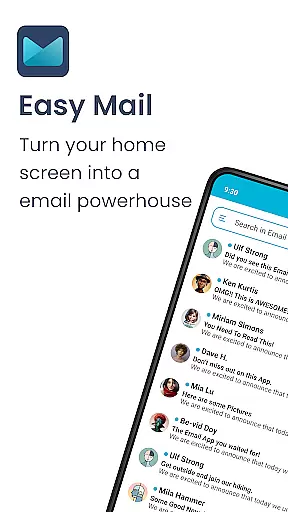
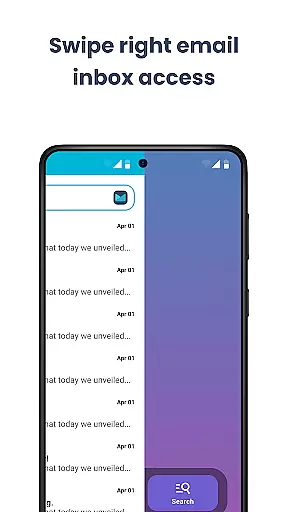
Easy Mail is a productivity-focused email launcher that simplifies your daily communication by bringing emails directly to your homescreen. This app transforms the way you manage emails, offering a clutter-free interface with an intuitive design that reduces screen time while increasing efficiency.
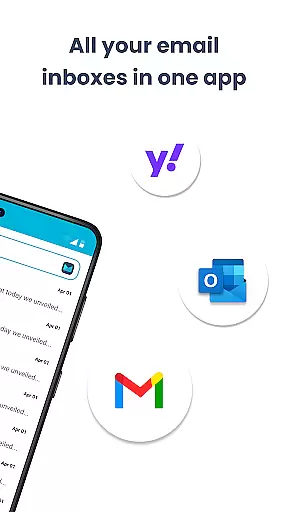
The application supports unlimited email accounts from providers like Gmail, Outlook, and Yahoo, consolidating them into a unified inbox or allowing individual access. With AI-powered assistance for composing emails and integrated web search functionality, Easy Mail ensures that both writing emails and finding information are effortless tasks. Privacy is prioritized, keeping all your data local and secure.
Whether you're a professional managing multiple accounts or someone looking to streamline their digital life, Easy Mail provides an organized platform where everything you need is easily accessible right from your homescreen.
Easy Mail stands out with its unique set of features tailored for efficient email management. The app's homescreen is designed around simplicity and focus, presenting a clean layout dedicated to your emails without any unnecessary distractions.
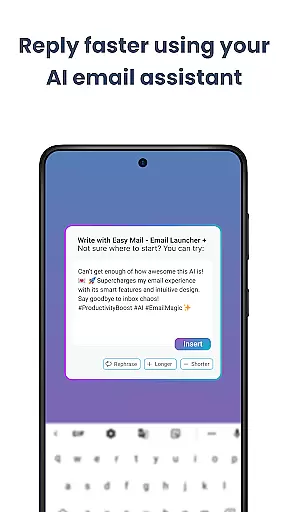
One of the key highlights is the ability to add unlimited email accounts, providing users with the flexibility to check all their inboxes in one place or switch between them effortlessly. Additionally, the AI Email Assistance feature helps refine your writing by rephrasing, shortening, or polishing text while maintaining your personal tone.
Another notable aspect is the integration of easy web search capabilities powered by Yahoo Search, which allows users to find answers quickly without leaving the app. Privacy-conscious users will appreciate that Easy Mail operates on a privacy-first model, ensuring no unauthorized access to your emails as everything remains local on your device.
Customization is at the heart of Easy Mail, offering users a versatile way to tailor their email experience. With a clean homescreen built around productivity, it allows you to manage your emails without any clutter.
The app supports unlimited email accounts from various providers like Gmail, Outlook, and Yahoo, which can be viewed in a unified inbox or separated with a simple tap. This flexibility ensures that both personal and professional emails are organized according to user preference.
Easy Mail also includes AI Email Assistance that helps refine your writing by rephrasing, shortening, or polishing messages while maintaining your natural tone. Such features provide an adaptable communication style suited for different contexts.
Moreover, the Launcher Essentials offer an organized homescreen, quick email access, app drawer, widget support, and more, making it not just an email tool but a comprehensive personalization suite for your device.
Theme compatibility in Easy Mail ensures that visual consistency is maintained across all devices, providing a seamless aesthetic experience. The application's design integrates smoothly with your deviceu2019s current theme, ensuring that the transition between your homescreen and email interface is visually cohesive.
Privacy is another aspect where Easy Mail shines; it operates on a privacy-first model, meaning your data stays local and secure. This approach extends to its theme compatibility, as it respects user settings and preferences without compromising security.
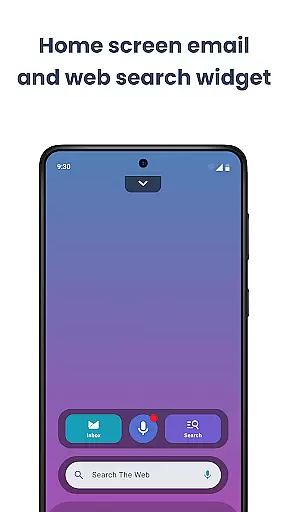
Additionally, Easy Web Search powered by Yahoo Search allows users to perform searches directly from their homescreen while checking emails. Autocomplete and trending suggestions make finding information effortless, all within a consistent thematic environment.
With these capabilities, Easy Mail doesn't just simplify email managementu2014it enhances overall device usability through thoughtful theming options that align with individual tastes and system-wide aesthetics.
User-friendly interface
Unified inbox view
AI-powered email assistance
Integrated web search
Privacy-focused design
Limited customization options
No advanced filtering tools
Potential learning curve
Occasional sync issues
Dependent on third-party services

Ultra realistic gold analog watch face with lots of customization options.
 4.50
4.50
Glass style colourful icons with a One UI look and feel
4.60
Customizable flower power digital watch face for Wear OS watches.
4.00
Prank your friends with realistic broken screen and cracked HD effects!
4.2
Ultimate Gallery Lock App - Hide Pictures, Videos and Lock Apps Instantly!
4.60
Unique Fonts, typefaces and stylish text. Fonts for Instagram, Whatsapp & others
4.20
Turn text & photos into stunning AI videos, art, and creative visual stories.
4.50
Adaptive Dot Style IconPack with Light & Dark Theme.
3.70
Choose your keyboard with RGB colors effect, themes, fonts, emojis.
4.60
Vertically oriented rectangular icons
4.70
300+ Stunning and well-designed widgets inspired by NOTHING.
4.70
Ninja Turtles Cowabunga SE watch face for Wear OS
4.50
Vibrant Adaptive Icons with Material You and Enhanced Monet Colors.
4.50
Fingerprint Lock Screen & Live Animations with 4K Wallpapers as Live Wallpaper
4.40
App Icon Changer & Shortcut Creator. Customize your icons without any watermarks
4.30
Launcher OS™ Pro without ads help make your phone simple and pretty
4.30
Run multiple accounts of the same app on a single device
4.10
Realistic animated snow on your wrist, with 10 images landscapes to choose from
4.00
Your go to Weather App & Home Screen. Get your weather at a swipe of a finger!
3.80


User Reviews