
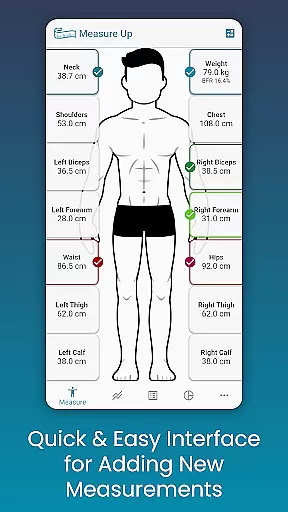
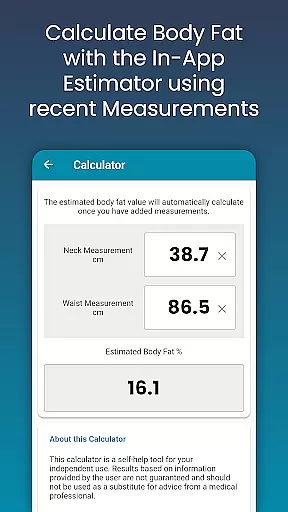
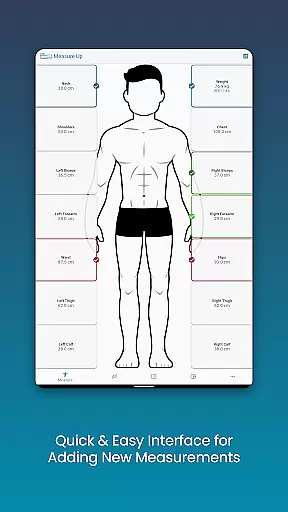
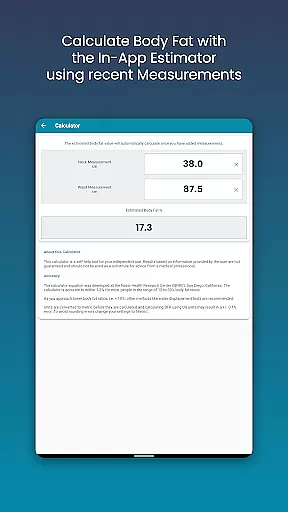
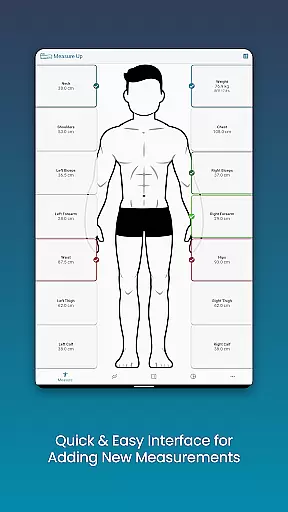
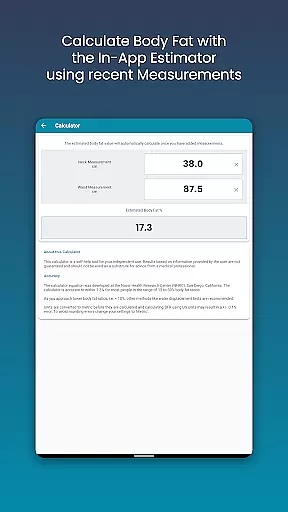
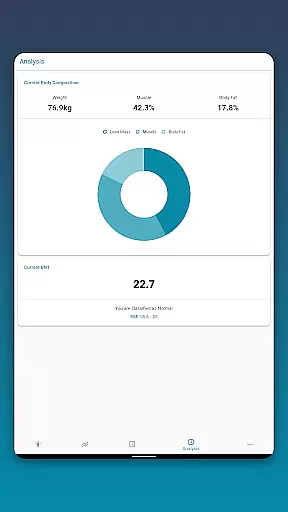
Body Measurement Tracker is a specialized health and fitness application designed to simplify the process of monitoring weight loss or muscle gain progress. The app's core functionality revolves around its intuitive measurement tracking system, which allows users to quickly record body measurements through an easy-to-navigate interface. With features like date-adjustable entries and an in-app body fat calculator, it eliminates the hassle of manual tracking.
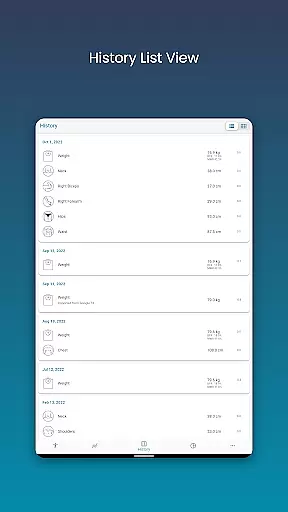
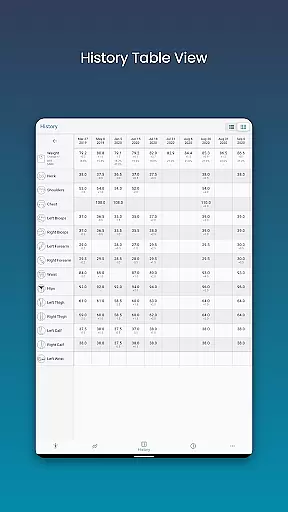
Beyond basic data entry, the app provides multiple visualization options including charts, tables, and lists, enabling users to interpret their progress with clarity. Integration with Google Fit ensures seamless synchronization with other health apps, while customizable measurement types and color schemes cater to individual preferences. Whether you're focused on fitness goals or general wellness, this app offers a comprehensive solution for tracking and analyzing body metrics effectively.
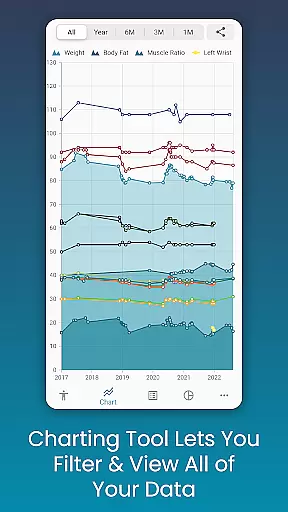
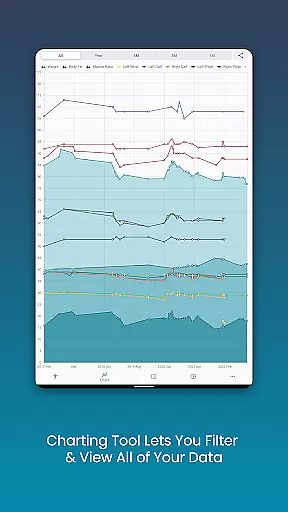
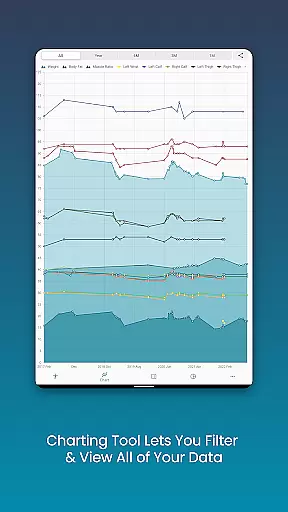
One of the standout features of Body Measurement Tracker is its robust chart analysis tool. This functionality allows users to visualize all recorded data in one consolidated view, making it easier to track trends over time. By toggling specific measurements on or off via the legend toolbar, individuals can focus on particular metrics such as lean mass, body fat, or muscle gain. Additionally, the ability to stack these metrics provides a clear understanding of overall progress toward personal fitness goals.
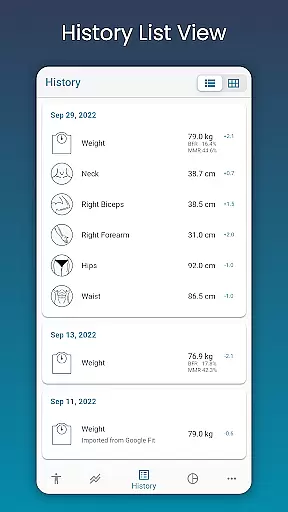
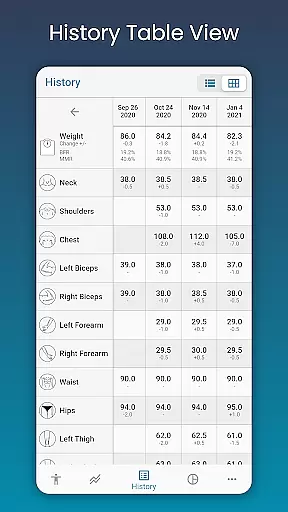
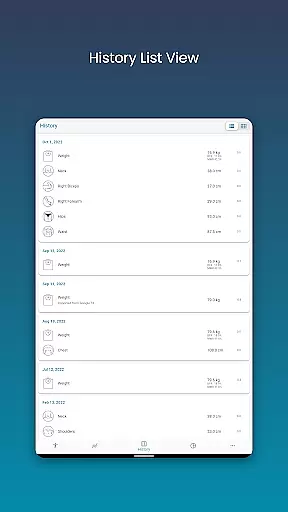
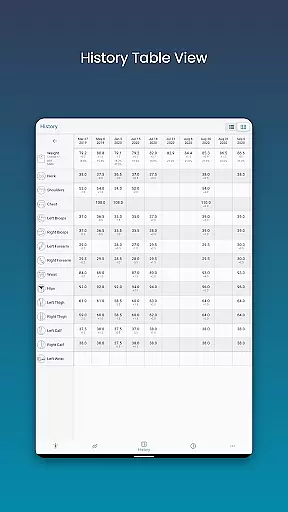
The app also excels in offering customization and accessibility. Users can create custom measurements for length, weight, or percentages, ensuring that the app adapts to unique tracking needs. Furthermore, the option to switch between table and list views enhances usability by presenting data in formats that suit different preferences. Features like data backup and restore provide peace of mind, safeguarding valuable information against accidental loss.
Finally, integration with external services such as Google Fit amplifies the app’s utility by syncing data across platforms. Exporting charts as PNG images adds another layer of convenience, allowing users to share their progress via social media or messaging apps. These thoughtful design elements make Body Measurement Tracker not just functional but also highly versatile for various user scenarios.
Personalized planning in health and fitness apps refers to the ability to create tailored workout and nutrition plans based on individual goals, progress, and preferences. This feature is crucial as it ensures that users follow a regimen that is specifically designed for their unique needs.
Body Measurement Tracker excels in personalized planning by allowing users to input various body measurements and track changes over time. The app provides an intuitive interface where users can quickly add measurements, adjust dates for past entries, and even estimate body fat using an in-app calculator. These capabilities enable users to set realistic goals and monitor their progress effectively.
Users benefit from this feature by gaining insights into their weight loss or muscle gain journey. By viewing data in chart, table, and list formats, they can choose the visualization that best suits their understanding and motivation style. This personal approach helps maintain engagement and commitment to their fitness goals.
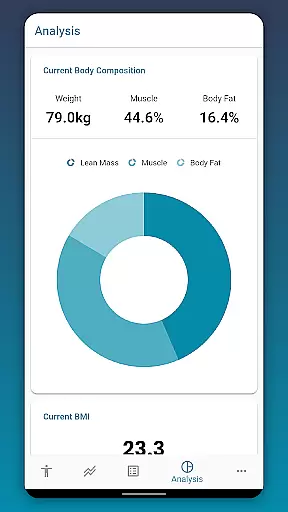
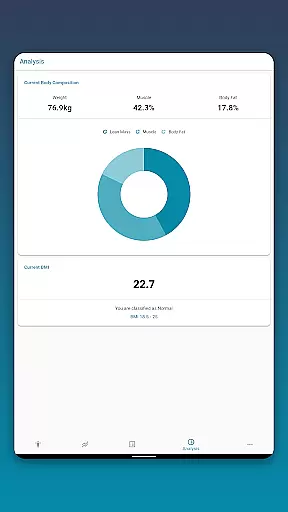
The true value of personalized planning in Body Measurement Tracker lies in its comprehensive analysis tools. Users can view their body composition, BMI, and other key stats, which are essential for making informed decisions about their health regimen. With customizable measurements and colors, users can tailor the app's appearance and functionality to match their preferences, enhancing the overall user experience.
Progress visualization is a critical component of any health and fitness application, providing users with graphical representations of their achievements and milestones. This feature is important because it allows users to easily interpret complex data and understand their progress at a glance.
In Body Measurement Tracker, progress visualization is implemented through a unique charting system that displays all user data in one spot. Users can toggle different measurements on and off from the legend toolbar, enabling them to focus on specific metrics such as lean mass, body fat, and muscle gain. This clarity helps users see exactly how they are progressing toward their fitness objectives.
One of the significant benefits for users is the ability to stack various metrics, offering a clear picture of their overall progress. For instance, seeing how muscle mass increases while body fat decreases can be incredibly motivating. Additionally, the option to export charts to PNG format allows users to share their progress with trainers or friends via popular apps, fostering a supportive community around their fitness journey.
Ultimately, the progress visualization feature in Body Measurement Tracker empowers users to make data-driven decisions about their health routines. By presenting information in an accessible and visually appealing manner, the app not only tracks but also celebrates each milestone, reinforcing positive behaviors and encouraging continued effort toward personal fitness goals.
User-friendly interface
Customizable measurement options
Google Fit integration
Data export capabilities
Comprehensive progress tracking
Limited advanced analytics
No built-in workout plans
Premium features require subscription
Occasional sync issues
Interface may feel basic to some

Relax to calm sounds, white noise, music, guided meditation and bedtime stories
 4.40
4.40
App to stop smoking slowly or now with a motivational badges and helpful tips
4.80
Easy reconstitution calc for mixing peptides and creating protocols
4.70
Get alert about getting out of desired heart rate zone.
4.10
Interval timer for High Intensity Interval Training, Tabata and Circuit Training
4.20
The OFFICIAL Couch to 5K® running training app! A 9 week walk-run workout plan.
4.50
Pupillary distance PD with camera quick and easy, checking glasses frames on you
3.70
Step Counter, track steps when you walk or run
4.70
This is an application that serves as a companion app for smart watch.
4.20
Power-lifting, weightlifting and Wendler 531 app to track your workout program.
4.90
Easy to use step counter, calorie counter helps lose weight, count steps offline
4.80
Measure your Pupil Distance for Eyeglasses and VR headsets in 3 quick steps.
4.70
The simplest way to track your 21 Day Program containers, exercises, and water.
4.50
Grow with self-tests and personal routine.
4.30
Create powerful subliminal audio with custom affirmations and background music.
4.00
Your Health Has Met Its App (℠)
3.90
Track sleep cycle, relax with white noise, sleep sounds & smart alarm clock
3.80
Find Paid Clinical Trials In Your Area
3.70
Using Recognise™ has been shown to reduce pain and improve performance
4.4


User Reviews