
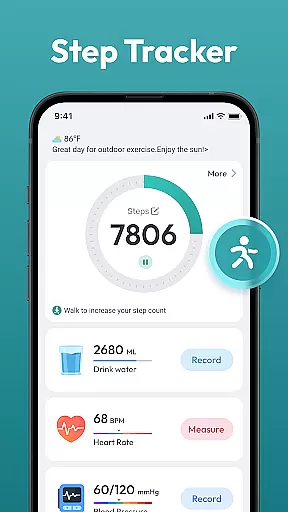
Step Counter - Pedometer App is a comprehensive health and fitness tool designed to help users track their daily physical activity. This app automatically counts steps, measures walking or running distance, and supports various health tracking features without requiring any wearable devices.
The app offers multiple training programs, daily/weekly/monthly progress charts, and records essential health data, making it suitable for users of all ages who aim to stay active and healthy. Whether your goal is weight loss or reaching a 10,000-step target, this app provides the tools you need to monitor and achieve your fitness objectives effectively.
Step Counter - Pedometer App stands out with its automatic step counting feature that works seamlessly on most Android devices. The app tracks not only steps but also calculates the distance covered during walks or runs, providing users with detailed insights into their daily activities.
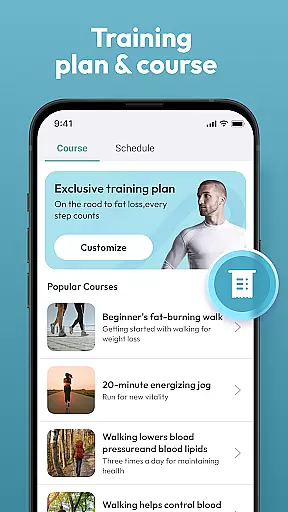
In addition to basic step tracking, the app includes advanced functionalities such as customizable training courses, user-friendly interface design, and comprehensive health data recording. These features allow users to set personalized fitness goals, monitor their progress through intuitive charts, and maintain an active lifestyle without needing any external devices.
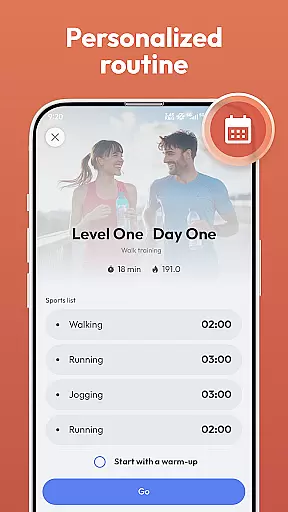
Personalized planning in a health and fitness app refers to the ability to create tailored workout and activity plans that align with individual goals. Step Counter - Pedometer App offers personalized planning by allowing users to choose training programs that suit their fitness objectives.
The app supports automatic step counting, which means it can track your daily activities without any manual input. This feature eliminates the need for wearable devices and makes it convenient for users of all ages to monitor their progress effortlessly.
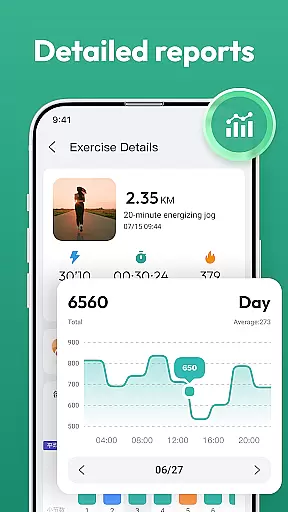
With daily, weekly, and monthly charts, users can visualize their activity trends over time. These insights enable users to adjust their routines and stay motivated as they work towards reaching a daily goal of 10,000 steps or other personal milestones.
By providing various training courses and plans, Step Counter ensures that each user's plan is as unique as their personal fitness journey, thus maximizing the potential for success in their health endeavors.
Progress visualization is an essential aspect of maintaining motivation and tracking improvements in fitness apps. In Step Counter - Pedometer App, this feature is brought to life through detailed charts and records that display users' health data over time.
Users can easily follow their advancements with automatic step counting that provides real-time feedback on their activities. The app tracks distance covered during walks or runs, giving users a clear picture of their mobility patterns.
Step Counter stands out by offering comprehensive statistics without requiring any additional wearable gadgets. Users simply carry their phones, and the app diligently records achievements, making it easy to observe growth in physical activity.
Through these engaging visuals, individuals are not only able to celebrate small victories but also identify areas where they may need to focus more effort, ensuring continuous improvement towards better health outcomes.
User-friendly interface
No wearables required
Automatic step tracking
Detailed progress charts
Free to use
Limited to Android
Requires phone in pocket
Battery consumption
No live coaching
Basic social features

For Absolute Novices to Strength Training. Simple. Effective.
 4.40
4.40
Personal Measurements - Track your gains!
4.50
Meditation app, head space app provides calm music to help you meditate & sleep
5.00
Beauty Care, Makeup & Skin Care Scanner | Pregnancy App For A Mom | Healthy Baby
5.00
See what's really going on inside your head! Real time EEG graphs from your Muse
4.40
Interval timer for High Intensity Interval Training, Tabata and Circuit Training
4.20
Relax. Sleep Better. Feel Better.
4.50
FODMAP, Gluten, Allergy, Vegan
4.50
The most accurate heart rate app to monitor and track your heart rate & pulse.
4.40
Wall Pilates at home & Pilates workout for beginners for core and weight loss.
4.80
Easy to use step counter, calorie counter helps lose weight, count steps offline
4.80
Easy reconstitution calc for mixing peptides and creating protocols
4.70
50 HD sounds to help you relax during the day and sleep great at night!
4.40
Track heart rate & HRV in 30s! Get live health insights and anomaly alerts
4.40
Pack of 66 calming lullabies for smooth fall asleep and relaxation
4.10
3D Body Measurement System
3.60
Use your watch as a bike computer, heart rate monitor and cycling power meter
2.50
Using Recognise™ has been shown to reduce pain and improve performance.
4.2
A simple way to calculate peptide doses and also to convert different units.
4.2


User Reviews