
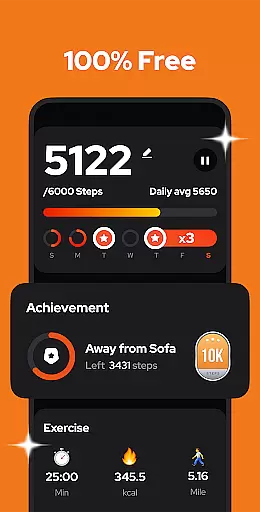
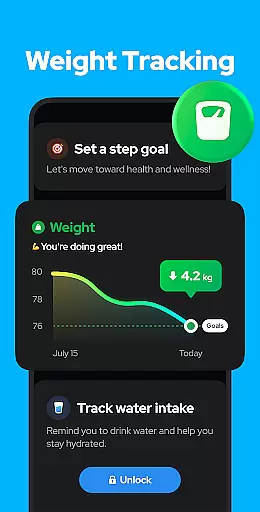
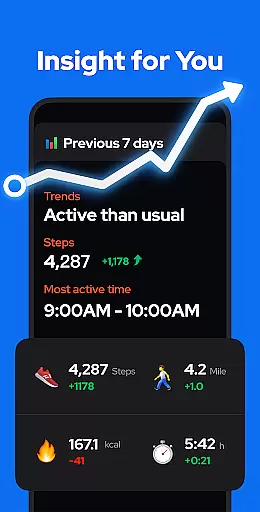
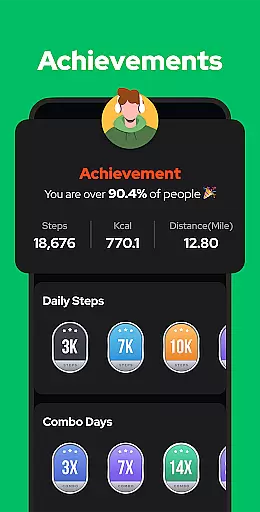
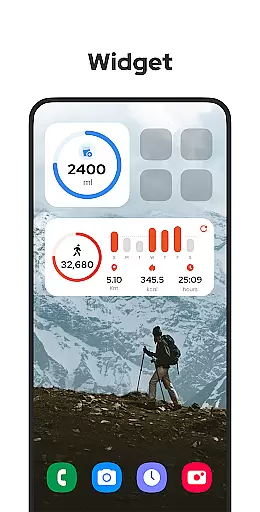
Step Counter - Pedometer is a premier health and fitness application designed to automatically track your daily steps, calories burned, walking distance, and duration with precision. Compatible with all Android devices, this app leverages advanced built-in exercise tracking technology without the need for GPS or Wi-Fi, ensuring minimal battery consumption while providing accurate data even in offline mode. Its user-friendly interface makes it easy for anyone to use, simply tap the START button and let the app do the rest.
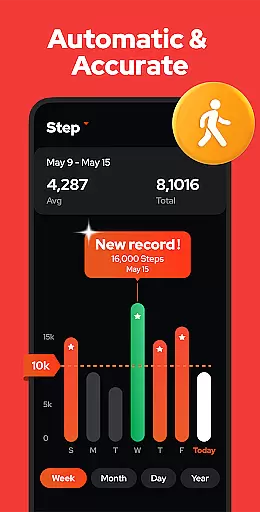
Beyond basic step counting, Step Counter offers sophisticated features such as adjustable sensitivity settings, pause and resume functions to prevent unwanted step counts during non-walking activities like driving, and comprehensive data visualization through graphs segmented by day, week, month, or year. This empowers users to monitor their progress over time and stay motivated towards achieving their fitness goals, including the recommended 10,000 steps per day benchmark for optimal health benefits.
Whether you're looking to maintain a healthy lifestyle, lose weight, or simply keep track of your physical activity, Step Counter - Pedometer serves as an invaluable tool. With additional functionalities like cloud backup and restore, upcoming features such as customizable training modes and health reminders, this app stands out as a comprehensive solution for anyone committed to enhancing their wellbeing through regular exercise.
Step Counter - Pedometer distinguishes itself with a plethora of innovative features tailored to enhance user experience and promote an active lifestyle. At its core, the app utilizes an advanced built-in sensor to deliver precise step counting capabilities without draining your device's battery, thanks to the absence of GPS tracking. This ensures that whether you're indoors or outdoors, online or offline, your movements are accurately recorded.
One of the standout aspects of Step Counter is its adaptability. Users can fine-tune the sensitivity of the step detection to suit their specific needs, ensuring the most accurate readings possible. Additionally, the pause and resume feature allows for greater control over when the app actively tracks steps, preventing false positives during activities such as driving. The inclusion of detailed analytics presented through intuitive graphs enables users to visualize their progress across different timeframes, fostering a deeper understanding of personal fitness trends.
Security and privacy are paramount, which is why Step Counter guarantees that all user data remains private and secure, never shared with third parties. Furthermore, the app supports seamless data management via cloud backup and restoration options, safeguarding against data loss when switching devices. Upcoming enhancements promise to further enrich the user experience with features like customizable training modes and health reminders, solidifying Step Counter - Pedometer's position as a leading choice in mobile fitness solutions.
Personalized planning in a fitness app refers to the ability to create tailored exercise routines based on individual user data and goals. This feature is crucial for users who seek customized fitness solutions that adapt to their progress and changing needs.
Step Counter - Pedometer offers personalized planning by tracking essential metrics such as daily steps, calories burned, walking distance, and duration. The app uses advanced algorithms to analyze these data points and provide insights into the user's activity patterns. By adjusting sensitivity settings and entering personal information in the app's settings, users can ensure more accurate calculations of their fitness achievements.
Users benefit from this feature by receiving a bespoke fitness plan that evolves with their progress. Whether aiming to hit a daily step goal or monitoring long-term health trends through graphs by week, month, or year, the app supports continuous improvement towards better health.
The true value of personalized planning in Step Counter - Pedometer lies in its power to motivate users. By setting achievable goals and offering visual representations of progress, it encourages consistent physical activity, which is vital for maintaining overall well-being.
Progress visualization is a key component of any health and fitness application, providing users with graphical representations of their achievements over time. This feature is important because it allows users to easily understand their progress and stay motivated by seeing tangible results of their efforts.
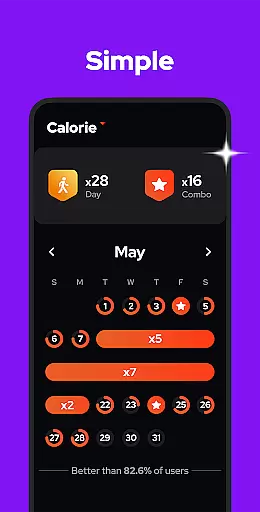
In Step Counter - Pedometer, progress visualization is executed through detailed charts and graphs that display various metrics such as steps taken, calories burned, and distance traveled. Users have the flexibility to view this data on a daily, weekly, monthly, or yearly basis, enabling them to track both short-term workouts and long-term fitness trends.
This level of detailed feedback empowers users to make informed decisions about their fitness routines. With clear visual cues, they can identify patterns in their activity levels, set realistic goals, and celebrate milestones, which enhances their commitment to an active lifestyle.
By integrating comprehensive progress visualization tools, Step Counter - Pedometer not only tracks but also inspires users to maintain consistent physical activity. This ongoing motivation is essential for those striving to improve their overall health and reach specific fitness objectives like achieving 10,000 steps per day.
User-friendly interface
Accurate step tracking
Offline functionality
Comprehensive analytics
Privacy-focused design
Limited to Android
No wearable integration
Occasional inaccuracies
Basic UI design
Dependent on phone carriage

Easy access to health benefits
 4.70
4.70
Insanity blocks of intense physical activity, short breaks of 30 seconds.
4.1
The app helps you address digestive symptoms based on the Fast Tract Diet.
3.50
Using Recognise™ has been shown to reduce pain, and improve performance.
4.2
A brain game that moves you
4.70
Measure your Pupil Distance for Eyeglasses and VR headsets in 3 quick steps.
4.70
The OFFICIAL Couch to 5K® running training app! A 9 week walk-run workout plan.
4.50
3D Body Measurement System
3.60
Memory, mind & logic exercises. Puzzle games, IQ & brain test for kids & adults
4.50
Power-lifting, weightlifting and Wendler 531 app to track your workout program.
4.90
Effortlessly and naturally release anxiety by harnessing the power of your brain
4.60
Mind on steroids - relaxation, productivity, meditation and sleep!
4.60
The simplest way to track your 21 Day Program containers, exercises, and water.
4.50
Period Tracker, the easiest way to track your periods!
4.50
The Official Blood Type Diet® App - know your categorized foods anytime.
4.50
Download MadMuscles to start your positive body transformation!
4.30
“Overcoming pain based on EMDR” helps you to alleviate chronic pain and stress.
4.10
HRV4Training helps you optimize goals and improve performance. No sensors needed
3.30
Text notifications, button control, heart monitor & more for your Amazfit.
2.40


User Reviews