
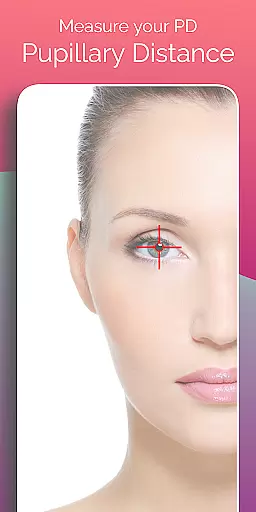
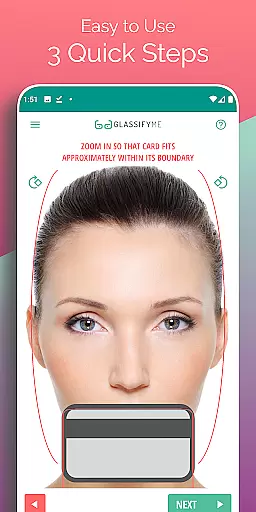
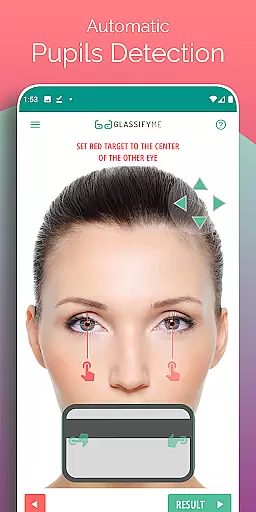
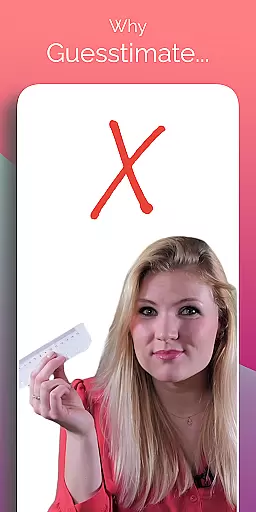
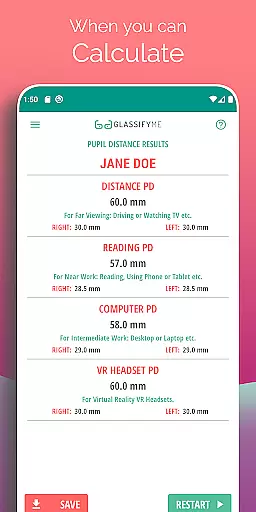
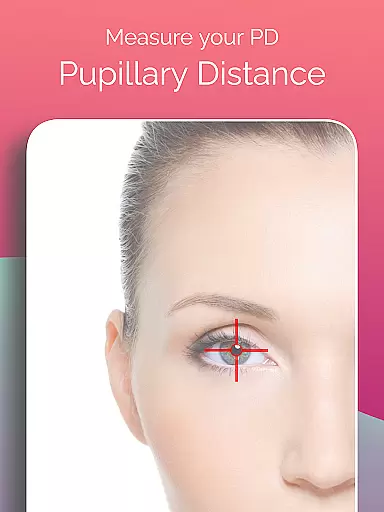
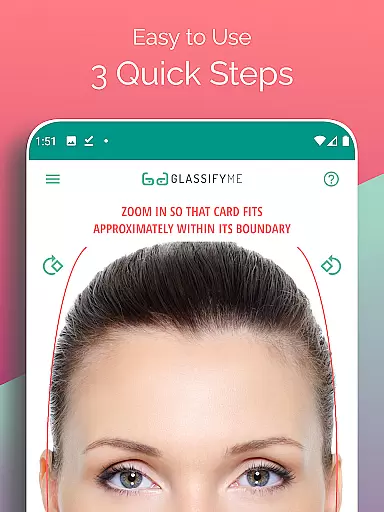
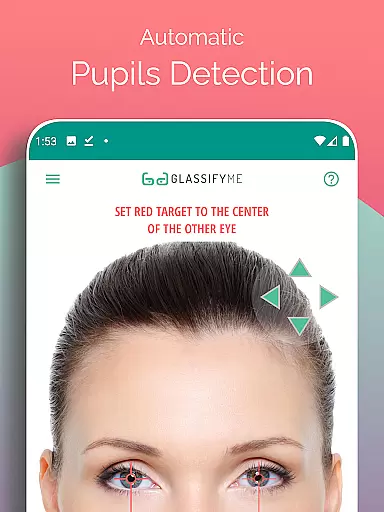
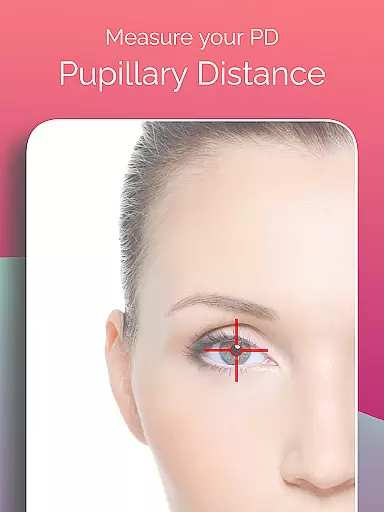
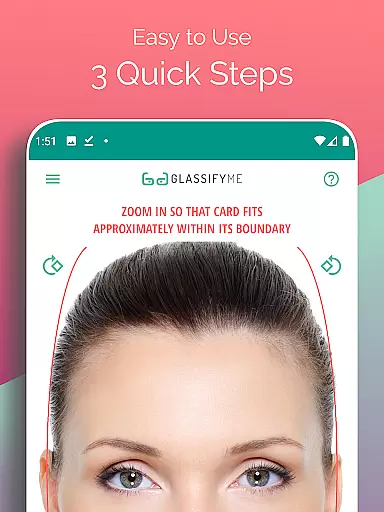
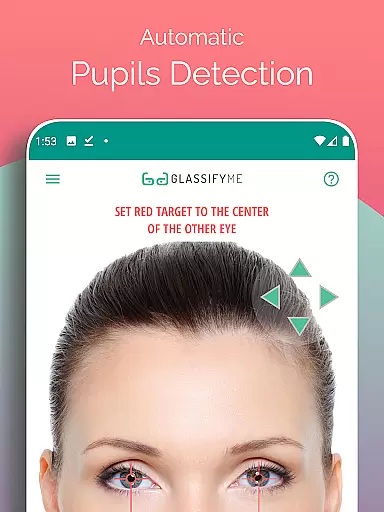
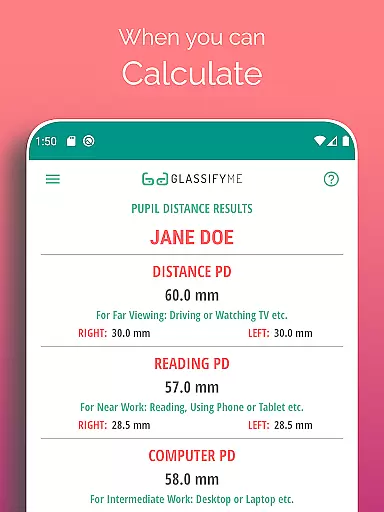
Pupil Distance PD Glasses & VR is a specialized application designed to measure Pupillary Distance (PD) with precision. This Health & Fitness tool utilizes advanced algorithms to automatically detect the user's eyes and pupils, ensuring accurate PD measurements in millimeters. The app simplifies the process by allowing users to either take a new photo or import one from their gallery, using a standard-sized card for reference sizing.
Designed for both eyeglass prescriptions and VR headset adjustments, this app fulfills an essential need in vision-related health management. By providing quick and reliable PD measurements, it supports users in obtaining proper vision correction and optimizing their virtual reality experiences. Its ease of use and innovative approach make it a valuable asset for anyone requiring precise pupillary distance data.
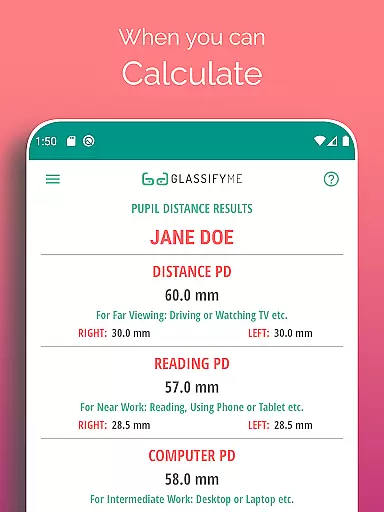
The standout feature of Pupil Distance PD Glasses & VR is its ability to calculate both Distance and Reading PD through an intuitive three-step process. Users can capture a photo by taking a selfie, having someone else take their picture, or importing an image from their device's gallery. The app employs an advanced algorithm that ensures precise results by accurately detecting the pupils' centers.
Another notable aspect is the app's compatibility with any standard-sized card, eliminating the need for specific items like credit cards. This flexibility enhances user convenience while maintaining measurement accuracy. Additionally, the app provides a comprehensive video tutorial, offering clear guidance on achieving optimal results. These features collectively deliver a seamless and efficient PD measurement solution tailored to individual needs.
Personalized planning in the context of PD measurement involves tailoring the approach to suit individual needs and ensuring accurate results. The PD Meter App by GlassifyMe offers a customized experience by allowing users to measure their Pupillary Distance through various methods.
The app's advanced algorithm automatically detects the user's eyes and pupils, providing precise calculations essential for prescription glasses and VR headsets. This personalized method ensures that each user gets an accurate measurement tailored to their unique facial structure and vision requirements.
Users benefit from this personalized planning as it simplifies the process of obtaining necessary measurements without needing professional help. By following three quick stepsu2014taking a selfie, asking a friend to take the picture, or importing a photou2014the app delivers a bespoke solution for measuring PD with high accuracy.
Progress visualization is crucial for users to understand their measurement results and track improvements over time. In the PD Meter App, progress visualization is achieved through clear presentation and feedback on the measured Pupillary Distance (PD).
After capturing an image, the app processes the data and visually indicates the detected pupil centers and calculated PD. This visual confirmation allows users to verify the accuracy of the measurement and make any necessary adjustments before finalizing their results.
By offering immediate visual feedback, the app enhances user engagement and confidence in their PD measurements. Users can see their progress and ensure that their PD values are correctly captured, which is vital for both prescription glasses and VR headset fittings.
User-friendly interface
Accurate PD measurements
Quick three-step process
Supports prescription glasses and VR
Comprehensive video tutorial
Requires a reference card
Limited to Android devices
Internet connection needed
Premium version costs extra
Occasional detection errors

The Wear OS BeechBand app is designed to alleviate anxiety and other conditions
 4.5
4.5
Home workouts for fitness & fast bodybuilding at home - no equipment needed.
4.90
Easy reconstitution calc for mixing peptides and creating protocols
4.70
Effortlessly and naturally release anxiety by harnessing the power of your brain
4.60
Using Recognise™ has been shown to reduce pain, and improve performance.
4.5
The OFFICIAL Couch to 5K® running training app! A 9 week walk-run workout plan.
4.50
Eat smarter with Eato, your personal calorie counter and nutrition tracker!
4.40
Track sleep cycle, relax with white noise, sleep sounds & smart alarm clock
3.80
Drink water reminder app. Track water intake. Smart simple hydration tracker.
4.70
Walk. Earn: Get rewarded for every step! Walk, move, and earn real rewards.
4.70
A brain game that moves you
4.70
Period Tracker, the easiest way to track your periods!
4.50
The Official Blood Type Diet® App - know your categorized foods anytime.
4.50
Memory, mind & logic exercises. Puzzle games, IQ & brain test for kids & adults
4.50
Raccoon AI Calorie Counter. Intermittent Fasting & Timer. Macro, Carb, Protein
4.50
Your Health Assistant
3.90
Live Heart Rate Pro - Real Time Heart & Workout Data For Wear OS & Bluetooth BLE
3.20
Sync your activities of the most popular sports tracking services
2.70
Use your watch as a bike computer, heart rate monitor and cycling power meter
2.50


User Reviews