
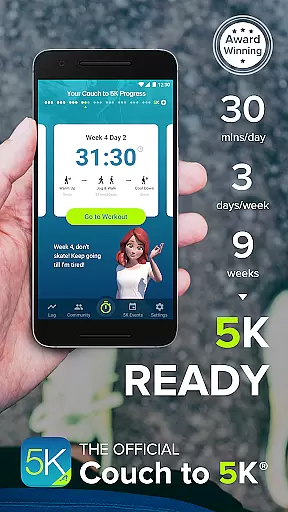
Couch to 5K is an official training app designed to help new runners transition from being inactive to completing a 5K race. The program spans nine weeks, requiring sessions of only 20 to 30 minutes, three times a week. It features a structured plan developed by Active.com trainers and includes virtual coaching, audio cues, and music integration to keep users motivated.
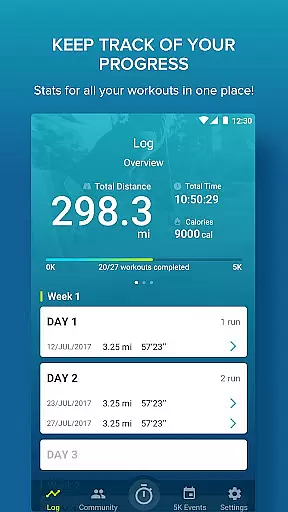
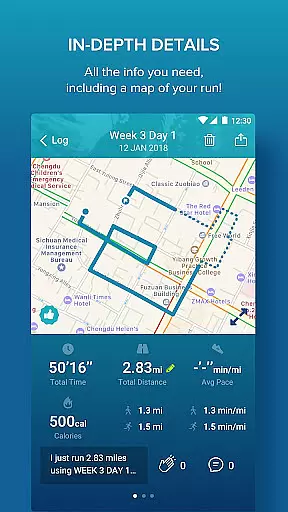
Users can track their progress with GPS support for distance and pace calculations, log workouts, and share achievements on social media. The app also offers treadmill support and performance graphs, making it a comprehensive tool for novice runners aiming to improve their fitness levels safely and effectively.
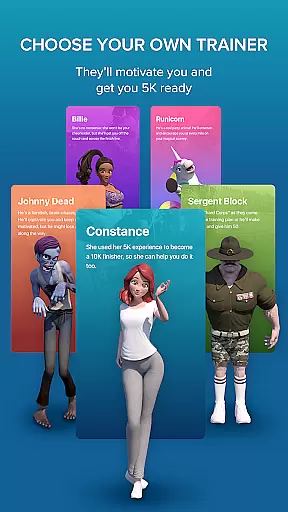
The Couch to 5K app stands out with its unique offerings tailored for beginner runners. One of the key features is the choice of four virtual coaches, each providing motivation through human audio cues during workouts. This personalized guidance helps users stay committed to their training schedules.
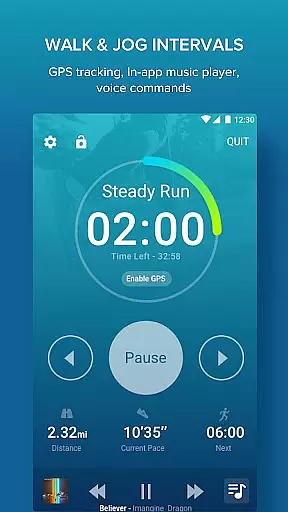
Beyond coaching, the app integrates an in-app music player for playlists, free GPS tracking for mapping runs, and options to log and share workout data within a supportive community. Additional functionalities include treadmill workout entry, progress tracking via graphs, and compatibility with subsequent training programs like the 5K to 10K app, ensuring a seamless advancement in users' running journeys.
Personalized planning in fitness applications refers to the ability to tailor workout schedules and training programs according to individual user needs and progress. Couch to 5K excels in this area by offering a structured nine-week program designed by Active.com trainers, ensuring a gradual and safe progression for beginners.
The app provides users with a choice of four virtual coaches, each bringing a unique motivational style to suit different preferences. These coaches deliver human audio cues that guide users through each workout session, making the experience more engaging and personal.
Users benefit from the app's adaptability, as it allows them to repeat workouts and track their best performances. This feature ensures that individuals can adjust their training based on their own pace and comfort level, leading to a truly customized and effective fitness journey.
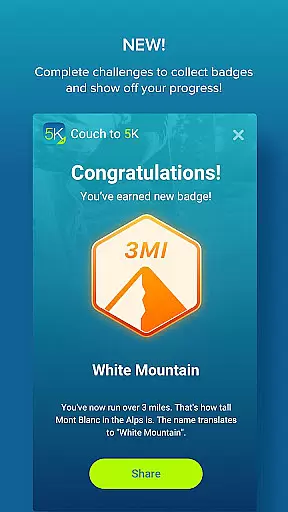
By integrating personalized planning, Couch to 5K not only helps prevent injuries associated with overtraining but also keeps users motivated by celebrating milestones and personal achievements throughout the program.
Progress visualization is a crucial feature in fitness apps, allowing users to see their improvements over time through graphical representations. Couch to 5K offers robust tracking features that enable users to log their workouts and monitor total distance and average pace, providing clear metrics of their advancement.
The app includes graphs for each workout, which compare distance and pace, giving users a visual understanding of their performance trends. This data-driven approach helps maintain motivation as users can clearly see the results of their hard work.
Additionally, Couch to 5K supports GPS functionality to map routes and calculate distances accurately. By visualizing their running paths and distances covered, users gain a deeper appreciation of their progress and can make informed decisions about future workouts.
Sharing progress on social platforms like Facebook further enhances the visualization aspect, creating a supportive community environment where users can celebrate achievements and maintain accountability in their fitness journey.
User-friendly interface
Comprehensive training plans
Motivating virtual coaches
Integrated music player
Free GPS support
Limited advanced features
No real-time feedback
Premium content requires payment
Occasional technical glitches
Not suitable for experienced runners

Home workouts for fitness & fast bodybuilding at home - no equipment needed.
 4.90
4.90
Transform your body and soul with DBFFitness, with a 40-day fitness journey.
4.4
Meditation app, head space app provides calm music to help you meditate & sleep
5.00
Effortlessly and naturally release anxiety by harnessing the power of your brain
4.60
Beauty Care, Makeup & Skin Care Scanner | Pregnancy App For A Mom | Healthy Baby
5.00
Measure your Pupil Distance for Eyeglasses and VR headsets in 3 quick steps.
4.70
Relax. Sleep Better. Feel Better.
4.50
Your personal BP tracking companion, focus on helping you achieve wellness goal.
4.10
Jogging app for calorie counter and distance tracker. Running app to lose weight
4.20
Mind on steroids - relaxation, productivity, meditation and sleep!
4.60
The Crunch Mobile app - Find a gym, manage favorites, reserve & cancel classes.
4.60
Your AI pet BFF. Talk, play, and beat anxiety in this calming game.
4.60
Personal step counter for you, private and accurate
4.50
Blood Pressure Log, HRV & Heartbeat Tracker. Pulse Checker.
4.40
Grow with self-tests and personal routine.
4.30
Your portable blood pressure tracker. Record, monitor, and analyze BP anytime.
4.30
Fast Body building & Weight Loss. Home Workouts with Daily Coach, No Equipment.
4.30
Your plan in your pocket 24/7
3.00
Use your watch as a bike computer, heart rate monitor and cycling power meter
2.50


User Reviews