
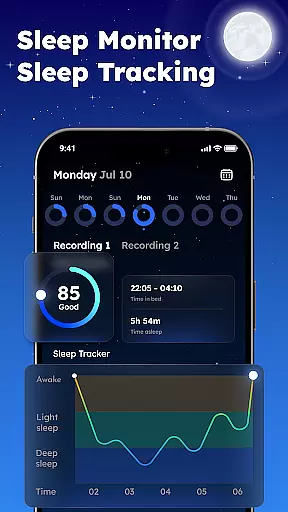
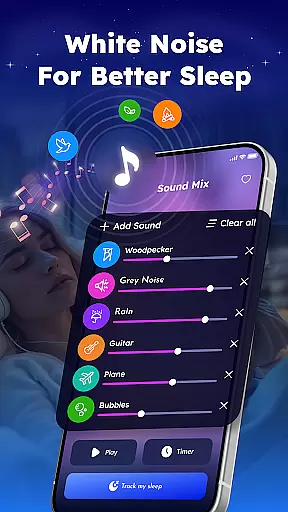
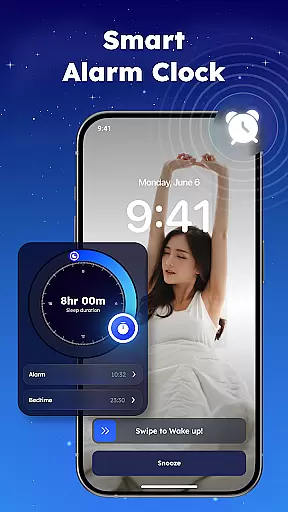
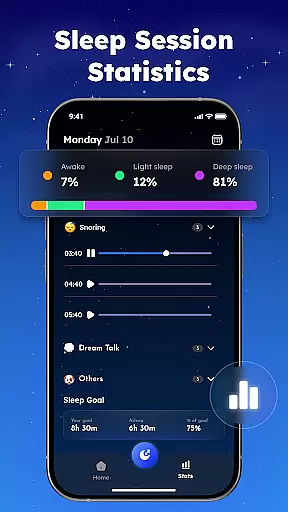
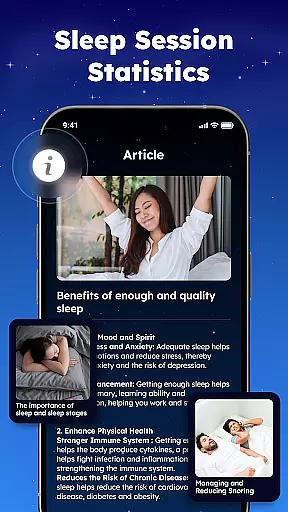
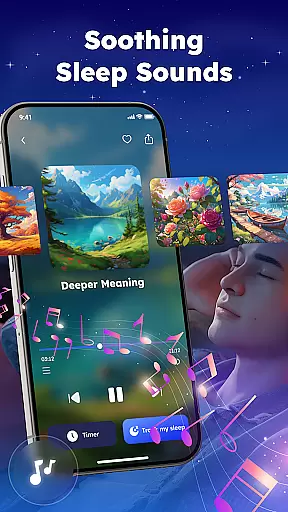
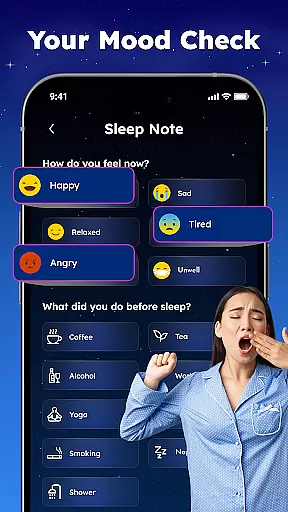
Sleep Tracker - Smart Alarm is a comprehensive sleep management application designed to help users achieve better rest and wake up feeling refreshed. The app combines advanced sleep tracking technology with relaxation tools to create an optimal sleep environment.
Key features include accurate sleep monitoring, detailed sleep analysis reports, and a smart alarm system that wakes you during your lightest sleep phase. The app also offers a rich library of white noise, nature sounds, and relaxing music to help you fall asleep faster. With additional tools like snore detection and bedtime meditation guides, this app provides a complete solution for improving sleep quality.
Ideal for individuals struggling with sleep issues or those looking to optimize their rest, Sleep Tracker helps establish healthy sleep patterns while providing valuable insights into sleep behavior. The combination of technical precision and wellness-focused features makes it a valuable tool for achieving restorative sleep.
The app's feature set is designed to address all aspects of the sleep cycle. Its core functionality includes precise sleep tracking through your device's sensors, generating detailed analysis reports showing your sleep stages throughout the night. The smart alarm system intelligently calculates the best time to wake you within your selected timeframe.
For relaxation, Sleep Tracker offers an extensive sound library featuring white noise, nature sounds, and calming music tracks. Users can mix different sounds to create personalized sleep environments. The meditation section includes guided sessions and bedtime stories specifically designed to help quiet the mind before sleep.
Additional practical features include a snore tracker that records and analyzes nighttime noises, helping identify potential sleep disturbances. All features are accessible through an intuitive interface that organizes tools into clear categories, making it easy to find and use the specific functions you need for better sleep.
Sleep Tracker offers personalized sleep planning by analyzing individual sleep patterns and habits. This feature is crucial for users seeking to improve their sleep quality.
The app achieves this through its advanced sleep tracking technology, which monitors sleep cycles and provides detailed reports. By understanding your unique sleep behaviors, it can suggest optimal bedtime routines and wake-up times.
Users benefit from tailored recommendations that help them establish healthier sleep habits. The app's insights enable you to make informed decisions about your sleep schedule.
This personalized approach ensures that each user receives specific advice that can lead to more restful nights and energized mornings, enhancing overall well-being.
Visualizing progress is essential for maintaining motivation and tracking improvements in sleep quality. Sleep Tracker excels in this area by offering comprehensive data visualization tools.
The app provides detailed charts and graphs that display sleep duration, quality, and consistency over time. These visual aids help users easily understand their sleep trends and identify areas for improvement.
By seeing tangible evidence of their progress, users are more likely to stick with healthy sleep practices. The app's visual feedback reinforces positive behaviors and encourages continued use.
Ultimately, the ability to visualize sleep progress empowers users to take control of their sleep health, leading to better overall rest and increased daytime energy.
User-friendly interface
Comprehensive sleep analysis
Extensive sound library
Smart alarm functionality
Guided meditation options
Premium features locked
Drains battery overnight
Limited free content
Occasional inaccurate readings
No wearable integration

Home workouts for fitness & fast bodybuilding at home - no equipment needed.
 4.90
4.90
Build Healthy Habits!
4.60
Mind on steroids - relaxation, productivity, meditation and sleep!
4.60
Measure your Pupil Distance for Eyeglasses and VR headsets in 3 quick steps.
4.70
Pupillary distance PD with camera quick and easy, checking glasses frames on you
3.70
Get lasting results with Chair Yoga, Wall Pilates, and Walking workouts!
4.60
Grow with self-tests and personal routine.
4.30
Scan food & cosmetic products and evaluate their impact on your health
4.80
Mood journal, habits, self-care tracker, self-love
4.90
See what's really going on inside your head! Real time EEG graphs from your Muse
4.40
Your portable blood pressure tracker. Record, monitor, and analyze BP anytime.
4.30
Interval timer for High Intensity Interval Training, Tabata and Circuit Training
4.20
Monitor, analyze, track, and convert blood sugar & help you control diabetes.
4.10
Looking to take control of your health? Our psychology-based programs can help.
4.10
Control your sleep in real-time wearing Garmin device
3.60
The app helps you address digestive symptoms based on the Fast Tract Diet.
3.50
HRV4Training helps you optimize goals and improve performance. No sensors needed
3.30
Transform your body and soul with DBFFitness, with a 40-day fitness journey.
4.3
Using Recognise™ has been shown to reduce pain, and improve performance.
4.0


User Reviews