
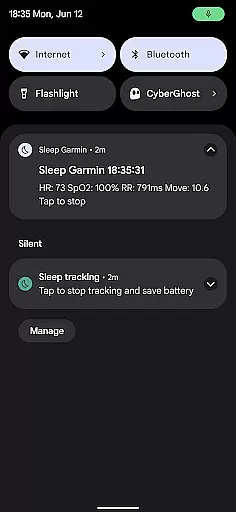
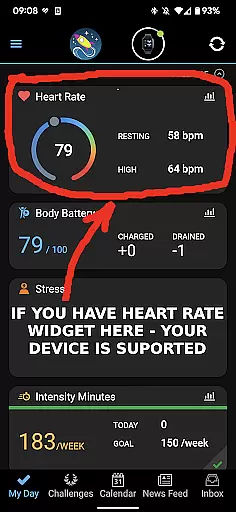
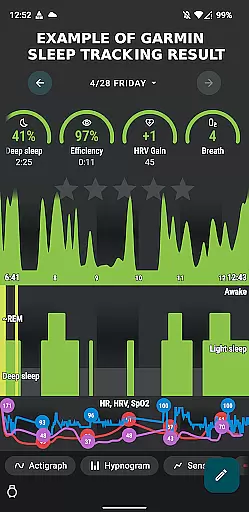
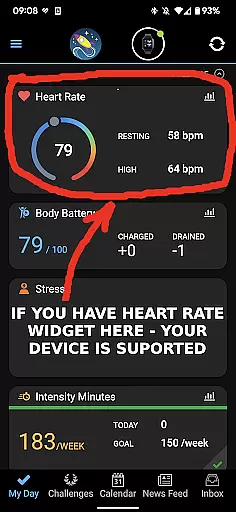
Garmin Sleep Advanced is a specialized health and fitness application designed to enhance sleep tracking by utilizing real-time data from Garmin wearables. The app integrates seamlessly with Sleep as Android, providing advanced metrics like HRV, SpO2, heart rate, and motion data. Compatible with all Garmin devices that support Bluetooth streaming, this app eliminates the need for ConnectIQ support, making it versatile across various models.
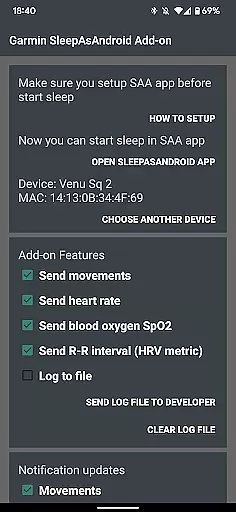
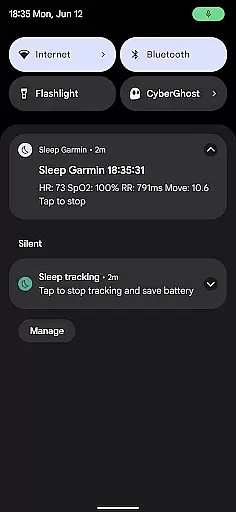
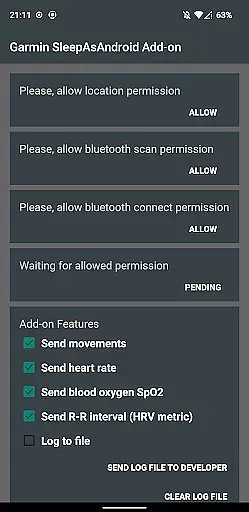
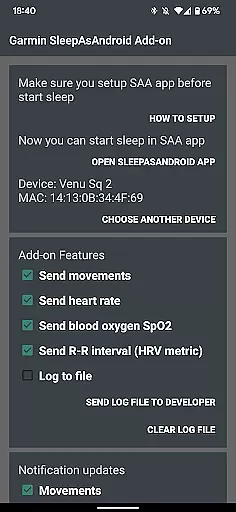
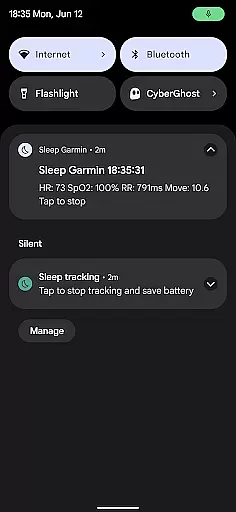
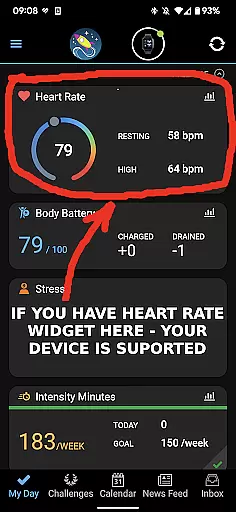
Users can leverage their Garmin device to gather critical sleep-related data, including movement, heart rate, blood oxygen saturation (SpO2), and R-R intervals (HRV). This information helps in analyzing sleep quality and overall wellness. By ensuring your Garmin wearable is connected via the Garmin Connect app, users can optimize their sleep tracking experience through detailed insights provided by Garmin Sleep Advanced.
This app is particularly beneficial for individuals focused on improving their sleep patterns and understanding physiological metrics during rest. It offers a comprehensive solution for those invested in personal health monitoring, ensuring data accuracy and reliability for better wellness management.
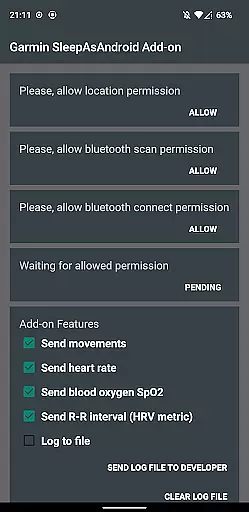
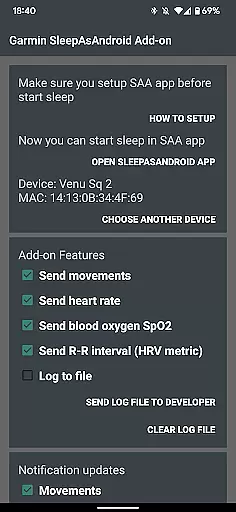
Garmin Sleep Advanced stands out with its robust feature set tailored for comprehensive sleep analysis. The app measures essential health metrics such as movements, heart rate, blood oxygen saturation (SpO2), and R-R intervals (HRV). These features collectively provide a detailed overview of the user's sleep quality and physiological state during rest.
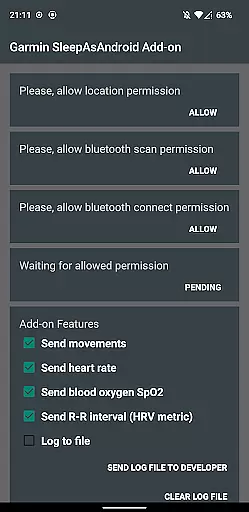
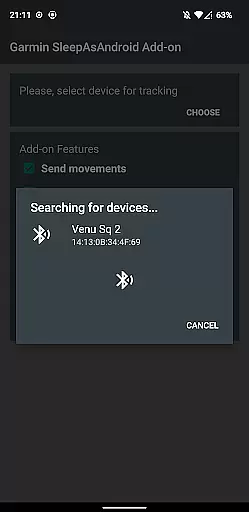
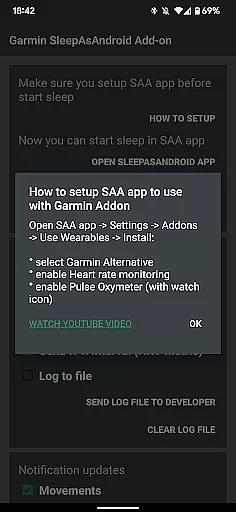
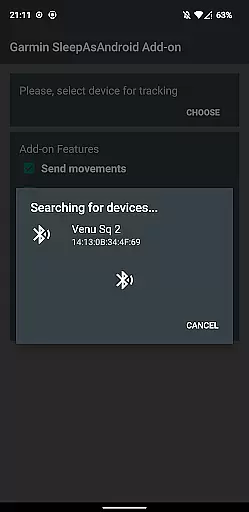
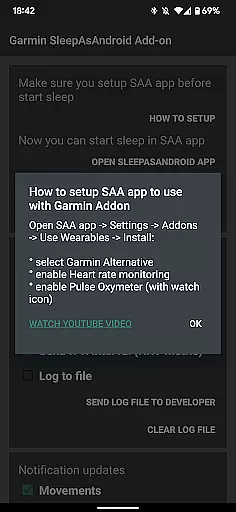
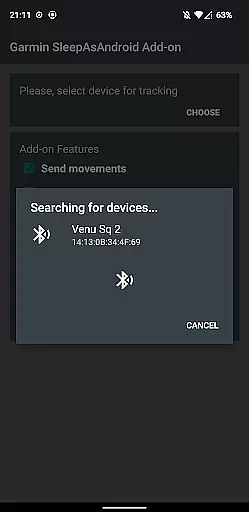
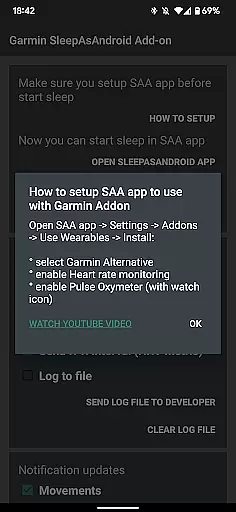
To utilize the app, users must first connect their Garmin device with the Garmin Connect application and install the Sleep as Android app. Once permissions are granted within Garmin Sleep, users can select their Garmin device for sleep tracking. The integration process involves enabling settings like 'Heart rate monitoring' and 'Pulse Oxymeter' within Sleep as Android, ensuring accurate data collection.
The app's compatibility with all Garmin wearables that support Bluetooth streaming underscores its flexibility and wide-reaching utility. Additionally, a video guide is available for step-by-step assistance, enhancing user experience and ease of setup. With these capabilities, Garmin Sleep Advanced delivers precise, actionable insights aimed at improving overall wellness through better sleep hygiene.
Personalized planning in Garmin Sleep Advanced involves the use of advanced metrics to tailor sleep tracking and wellness insights specifically for the user. This app leverages real-time data such as Heart Rate Variability (HRV), blood oxygen saturation (SpO2), heart rate, and motion to offer a comprehensive analysis of sleep quality.
The application's compatibility with all Garmin wearables that support Bluetooth streaming allows users to gather precise data regarding their movements, heart rate, SpO2, and HRV throughout the night. These metrics are crucial for understanding individual sleep patterns and making personalized recommendations for improvement.
By integrating with the Sleep as Android app, Garmin Sleep Advanced provides users with customized feedback and actionable insights based on their physiological data. This enables individuals to make informed decisions about their sleep hygiene and overall health, leading to better rest and enhanced well-being.
Ultimately, the personalized planning feature empowers users by translating complex health data into understandable and practical advice, thus supporting a proactive approach to personal health management.
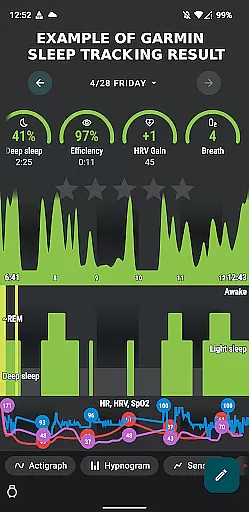
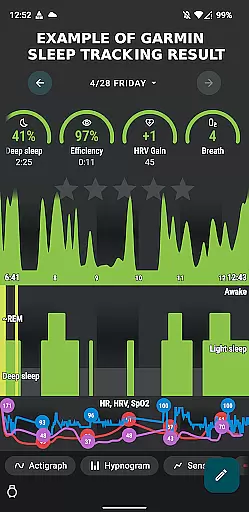
Progress visualization within Garmin Sleep Advanced offers users an intuitive way to track improvements in their sleep quality over time. By presenting data collected from compatible Garmin devices in easy-to-understand graphs and charts, users can clearly see trends and changes in their sleep patterns.
This feature highlights critical metrics such as movement during sleep, heart rate fluctuations, variations in blood oxygen levels, and HRV measurements. Visual representations of these factors enable users to quickly identify areas of concern or success in their sleep regimen.
Moreover, the integration with the Sleep as Android app enhances this visualization by providing detailed reports and milestone achievements. Users can set goals and monitor their progress towards better sleep hygiene through clear visual feedback, which motivates continued adherence to healthy sleep practices.
With progress visualization, Garmin Sleep Advanced not only tracks but also encourages ongoing improvement in sleep quality, empowering users to take charge of their wellness journey with confidence.
Real-time data streaming
Wide device compatibility
Comprehensive sleep metrics
Seamless app integration
User-friendly interface
No medical use approval
Dependent on Garmin hardware
Requires multiple apps
Limited to wellness purposes
Potential connectivity issues

Your plan in your pocket 24/7
 3.00
3.00
Relax to calm sounds, white noise, music, guided meditation and bedtime stories
4.40
App to stop smoking slowly or now with a motivational badges and helpful tips
4.80
Transform your body and soul with DBFFitness, with a 40-day fitness journey.
4.2
The Sleep Miracle Sound Machine: Soothes baby to sleep with a gentle "Shhh"
3.00
The OFFICIAL Couch to 5K® running training app! A 9 week walk-run workout plan.
4.50
Grow with self-tests and personal routine.
4.30
You deserve easy access to important insurance information. Download for FREE.
4.70
Point, scan, and unlock truth in every bite.
4.50
Power-lifting, weightlifting and Wendler 531 app to track your workout program.
4.90
Wall Pilates at home & Pilates workout for beginners for core and weight loss.
4.80
Effortlessly and naturally release anxiety by harnessing the power of your brain
4.60
The Crunch Mobile app - Find a gym, manage favorites, reserve & cancel classes.
4.60
Memory, mind & logic exercises. Puzzle games, IQ & brain test for kids & adults
4.50
Pilates, Calisthenics, Yoga
4.50
Download MadMuscles to start your positive body transformation!
4.30
Pedometer that gives you sweatcoins for steps. It pays to walk!
4.10
Track sleep cycle, relax with white noise, sleep sounds & smart alarm clock
3.80
Find Paid Clinical Trials In Your Area
3.70


User Reviews