
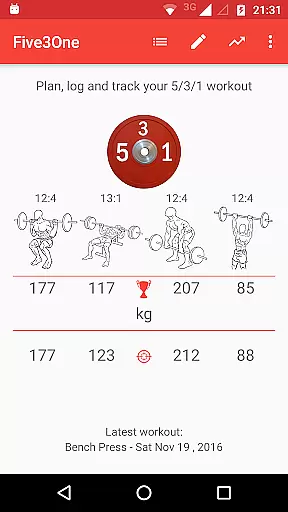
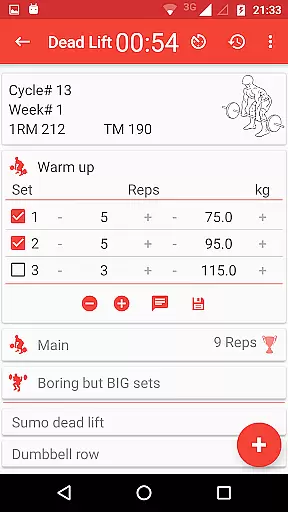
Wendler Log 531 Pro is a specialized fitness application designed for powerlifting and strength training enthusiasts who follow the Wendler 5/3/1 workout program. The app eliminates the need for printed spreadsheets by calculating and managing your workout plan based on your one-rep max (1RM). It automatically generates the required weights and repetitions for each workout session, ensuring a seamless gym experience.
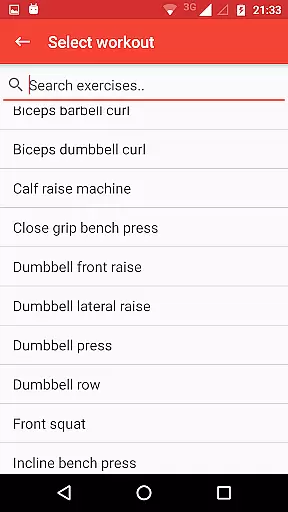
Beyond basic workout planning, the app offers advanced customization options to tailor the program to individual goals. Users can deviate from the standard order, select any lift at any time, and save their progress. With features like warm-up sets, boring but big sets, assistance exercises, and progress charts, this app provides a comprehensive toolset for optimizing strength training routines.
The app's value extends to its ability to track long-term progress through cycle overviews, estimated and achieved 1RM, and body weight tracking. Whether you're a beginner or an experienced lifter, Wendler Log 531 Pro adapts to various training styles while offering unique features such as Joker sets, Pyramid sets, and the 13-week challenge. This makes it an indispensable companion for anyone committed to systematic strength improvement.
Wendler Log 531 Pro stands out with its robust feature set tailored specifically for the Wendler 5/3/1 program. One of its core functionalities is the automatic calculation of one-rep max (1RM) and workout plans based on user inputs. This ensures precise weight and rep schemes for every workout day, eliminating guesswork and enhancing training efficiency.
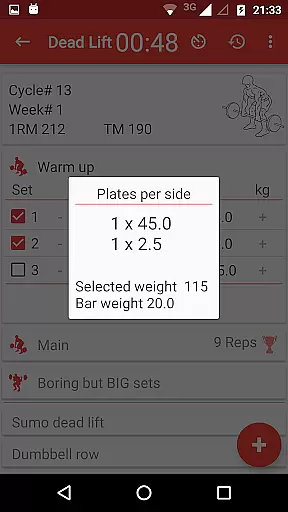
In addition to the foundational features, the app includes advanced tools such as configurable training max percentages, customizable assistance exercises, and detailed progress charts. These allow users to personalize their routines extensively, whether they want to focus on specific lifts or incorporate additional exercises. The inclusion of warm-up sets, boring but big sets, and rest timers further enhances usability, making workouts more structured and effective.
Another notable aspect is the app's data management capabilities. Users can export workout data via CSV, back up progress to cloud services like Google Drive, and maintain local backups after each session. With support for both metric and imperial units, as well as innovative features like Joker sets and the 13-week challenge, Wendler Log 531 Pro caters to a wide range of training preferences, ensuring sustained engagement and measurable progress over time.
Personalized planning in fitness applications refers to the ability to tailor workout programs according to individual goals, capabilities, and progress. This ensures that users follow a regimen that is specifically suited to their needs.
Wendler log 531 Pro excels in this area by allowing users to enter their one-rep max, which the app then uses to calculate and manage a personalized workout program. It automatically lays out weights and reps for each workout session, adapting as the user progresses.
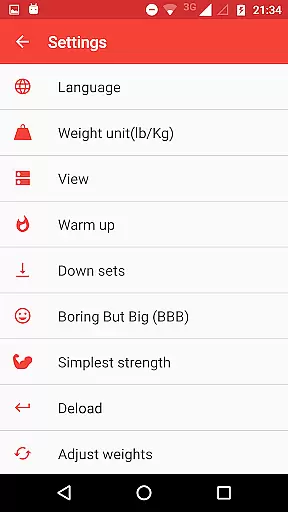
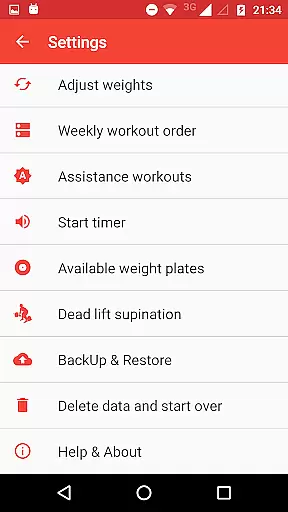
The benefit of such personalized planning is immense. Users can deviate from the standard order, select any lift at any time, and save their performances. The app offers numerous customizations, including configurable training max percentages, number of cycles, and weekly workout orders, making it adaptable to various fitness objectives.
This level of personalization ensures that users remain engaged and see tangible progress, which is crucial for maintaining motivation in strength training programs.
Progress visualization involves presenting users' fitness achievements and advancements through clear and engaging graphical representations. This feature helps users understand their development over time and maintain motivation.
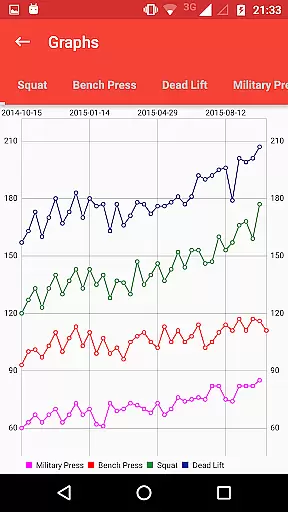
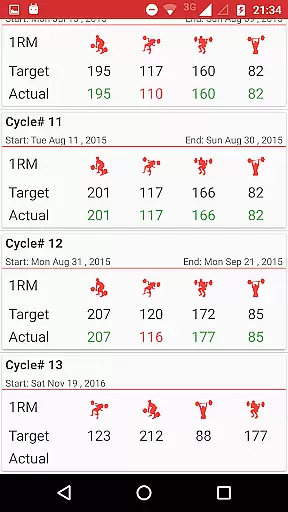
In Wendler log 531 Pro, progress visualization is robust. The app provides progress charts that display users' current one-rep max and track body weight changes. Additionally, the cycle overview includes estimated and achieved one-rep max indicators, offering insight into both projected and actual performance improvements.
Users gain significant advantages from these visual tools. They can easily interpret complex data regarding their strength training journey, which aids in setting future goals and adjusting workout intensities. Visual cues like progress bars or charts make it simpler to grasp ongoing trends in their physical development.
By delivering detailed visual feedback on accomplishments, Wendler log 531 Pro not only enhances user engagement but also empowers individuals to make informed decisions about their training routines, ensuring continuous improvement and goal attainment.
Comprehensive customization
Accurate 1RM calculations
Cloud backup integration
Progress tracking charts
Versatile exercise options
No free version available
Complex for beginners
Limited visual design
Requires manual input
Premium price point

Chair Workout: Women's Edition for safe, flexible, and personalized fitness.
 4.40
4.40
sobriety counter app to help and motivate people to stop drinking alcohol.
4.90
See what's really going on inside your head! Real time EEG graphs from your Muse
4.40
Measure real-time wrist & ambient temperature with your Galaxy Watch (Wear OS)
3.20
The Official Blood Type Diet® App - know your categorized foods anytime.
4.50
Wall Pilates at home & Pilates workout for beginners for core and weight loss.
4.80
Eat smarter with Eato, your personal calorie counter and nutrition tracker!
4.40
Blood Pressure Log, HRV & Heartbeat Tracker. Pulse Checker.
4.40
Comprehensively record and manage your health
4.50
50 HD sounds to help you relax during the day and sleep great at night!
4.40
Grow with self-tests and personal routine.
4.30
Fast Body building & Weight Loss. Home Workouts with Daily Coach, No Equipment.
4.30
Walk, track, and burn calories with step counter & GPS walking tracker
4.20
Your personal BP tracking companion, focus on helping you achieve wellness goal.
4.10
Histamine intolerance, low FODMAP diet and irritable bowel syndrome (IBS)
4.00
Focus on BP & Health
3.80
Find Paid Clinical Trials In Your Area
3.70
The app helps you address digestive symptoms based on the Fast Tract Diet.
3.50
Using Recognise™ has been shown to reduce pain and improve performance
4.3


User Reviews