
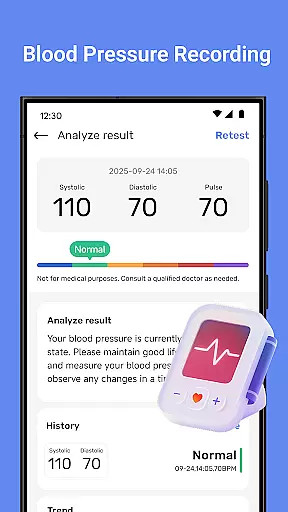
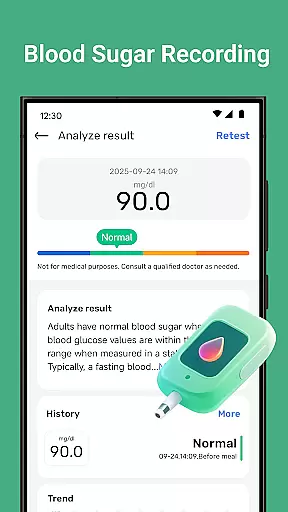
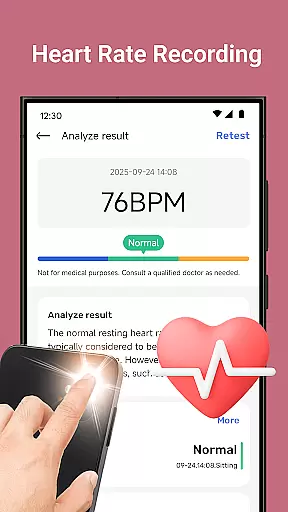
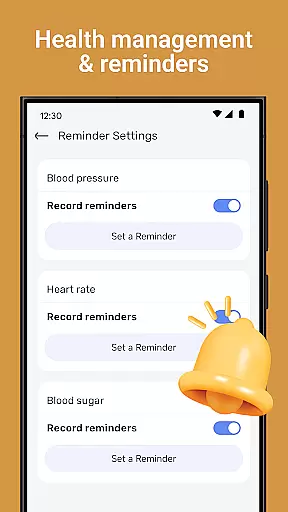
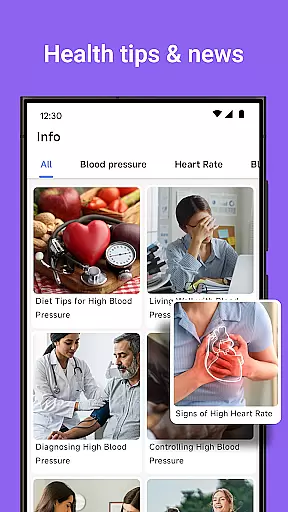
Blood Pressure Tracker is a comprehensive health companion app designed to help users monitor and manage their heart rate, blood pressure, and blood sugar levels. The app provides smart trend analysis through visual charts, allowing users to easily understand their health patterns over time.
In addition to vital sign tracking, the app offers wellness reminders for hydration, exercise, and rest, along with weight management tools and nutrition tips. It also includes mindfulness features such as guided meditation and breathing exercises to help reduce stress. With personalized recommendations and intuitive data visualization, Blood Pressure Tracker empowers users to take control of their health and well-being.
This app is ideal for individuals who want to maintain an active role in managing their health metrics and lifestyle. By providing curated daily health insights and a user-friendly interface suitable for all ages, it ensures that users can make informed decisions about their health.
Blood Pressure Tracker stands out with its robust feature set tailored for health-conscious individuals. One of its key features is the ability to log heart rate, blood pressure, and blood sugar readings effortlessly. This allows users to track daily fluctuations and review historical data to identify trends.
The app's smart trend analysis presents data through visual charts, making it easy to interpret complex health metrics at a glance. Users receive timely wellness reminders to drink water, exercise, and rest, ensuring they stay on top of their health routines. Additionally, the weight management and nutrition tips provide valuable insights into maintaining a balanced lifestyle.
Another notable feature is the inclusion of mindfulness and relaxation exercises. These guided meditations and breathing techniques help users manage stress effectively. Personalized recommendations based on individual health metrics further enhance the user experience by offering tailored advice to improve overall well-being.
Personalized planning in health applications refers to the ability to create tailored health strategies based on individual user data. Blood Pressure Tracker exemplifies this by offering personalized recommendations derived from your unique health metrics.
The app allows you to log heart rate, blood pressure, and blood sugar levels, providing a comprehensive overview of your health. With smart trend analysis, users can identify patterns over time, enabling more informed decisions about their wellbeing.
Additionally, features such as wellness reminders, weight management tips, and mindfulness exercises are integrated to support a holistic approach to health. These elements ensure that each user's plan is specifically crafted to meet their personal health goals.
By leveraging personalized planning, users gain insights into their health trends and receive actionable advice, empowering them to take control of their health journey effectively and efficiently.
Progress visualization is a critical component of health and fitness apps, transforming complex data into understandable visual formats. Blood Pressure Tracker excels in this area by providing intuitive data visualization through visual charts that display health patterns clearly.
Users can effortlessly track daily fluctuations of their blood pressure and blood sugar levels. This feature not only makes it easier to monitor these vital signs but also helps in identifying any anomalies quickly.
Beyond basic tracking, the app offers smart trend analysis which highlights long-term health trends. This empowers users to grasp their wellness trajectory at a glance, making it simpler to adjust lifestyle habits accordingly.
With clear and engaging progress visualization, Blood Pressure Tracker ensures users remain motivated and informed, fostering a proactive approach to managing their health.
User-friendly interface
Comprehensive health tracking
Personalized recommendations
Smart trend analysis
Mindfulness exercises
No direct measurement tools
Limited medical advice
Premium features may cost extra
Requires manual data entry
Dependent on user consistency

“Overcoming pain based on EMDR” helps you to alleviate chronic pain and stress.
 4.10
4.10
Binaural Beats - Fully Customizable Waves - Pure Sound - No Loops
4.50
Interval timer for High Intensity Interval Training, Tabata and Circuit Training
4.20
Relax. Sleep Better. Feel Better.
4.50
Walk. Earn: Get rewarded for every step! Walk, move, and earn real rewards.
4.70
Your portable blood pressure tracker. Record, monitor, and analyze BP anytime.
4.30
FitCloudPro takes care of your health every minute.
3.70
Fast Body building & Weight Loss. Home Workouts with Daily Coach, No Equipment.
4.30
Scan food & cosmetic products and evaluate their impact on your health
4.80
Build Healthy Habits!
4.60
The simplest way to track your 21 Day Program containers, exercises, and water.
4.50
The Official Blood Type Diet® App - know your categorized foods anytime.
4.50
Chair Workout: Women's Edition for safe, flexible, and personalized fitness.
4.40
Histamine intolerance, low FODMAP diet and irritable bowel syndrome (IBS)
4.00
Turn your steps into cash, gift cards & rewards with our step counting pedometer
3.80
Focus on BP & Health
3.80
The app helps you address digestive symptoms based on the Fast Tract Diet.
3.50
Sync your activities of the most popular sports tracking services
2.70
Use your watch as a bike computer, heart rate monitor and cycling power meter
2.50


User Reviews