
Tools & Amazfit is a comprehensive utility application designed to unlock the full potential of your Amazfit smart bracelet. It serves as an essential companion tool that enhances your wearable experience through advanced customization options and health tracking features.
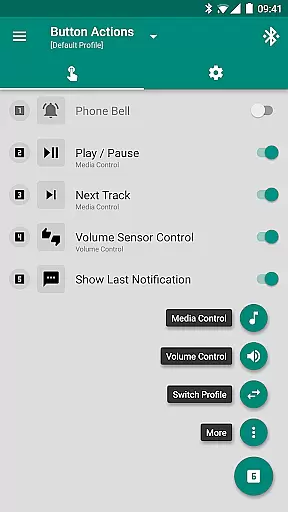
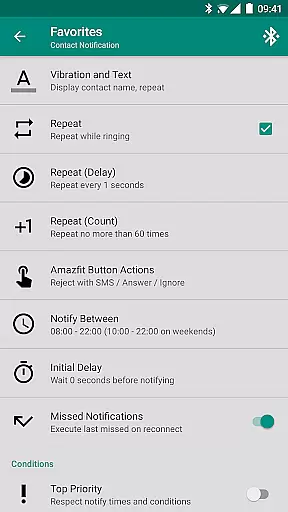
The app allows users to set up personalized notifications for calls and applications, complete with unique vibration patterns and display text support. Its standout Power Nap feature helps rejuvenate users during busy days while customizable button controls offer quick access to frequently used functions.
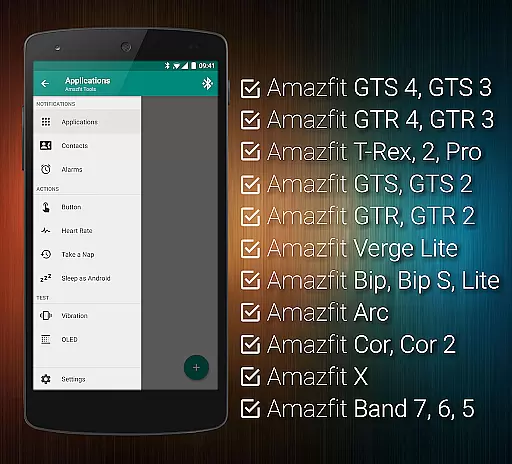
Whether you're looking to fine-tune your notification settings or monitor detailed health metrics, Tools & Amazfit provides the tools necessary to tailor your device exactly to your needs. Compatible with a wide range of Amazfit models and Android versions, it ensures broad accessibility and reliable performance for all users.
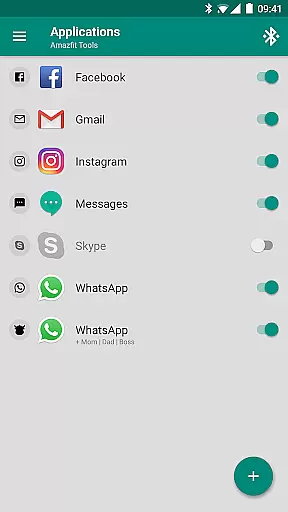
Tools & Amazfit offers an extensive suite of features designed to enhance your Amazfit wearable experience. The app provides advanced notification management, allowing users to create custom vibration patterns and content filters for different apps and contacts.
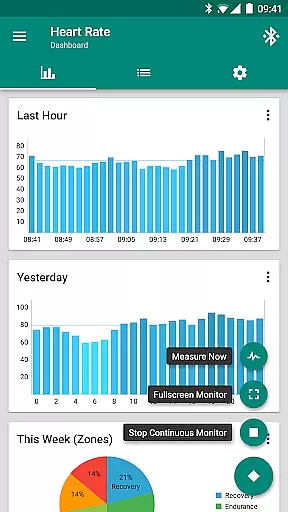
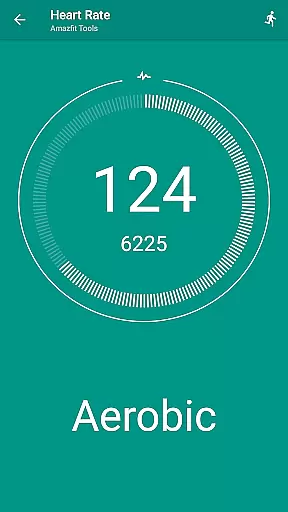
Health enthusiasts will appreciate the continuous heart rate monitoring and configurable dashboard charts that provide deeper insights into their fitness metrics. The Sleep as Android integration ensures comprehensive sleep tracking capabilities across various Amazfit models.
Productivity is boosted with features like Power Nap and Idle Alerts, helping users maintain optimal energy levels and activity throughout the day. With full compatibility across all Android versions from 4.3 to 13+, this app delivers robust functionality tailored for both casual users and tech-savvy individuals.
Personalized planning in health and fitness applications refers to the ability to create tailored workout and wellness routines that adapt to individual user needs. Amazfit Tools excels in this area by offering features such as continuous heart rate monitoring, customizable notifications for various activities, and advanced settings for different health metrics.
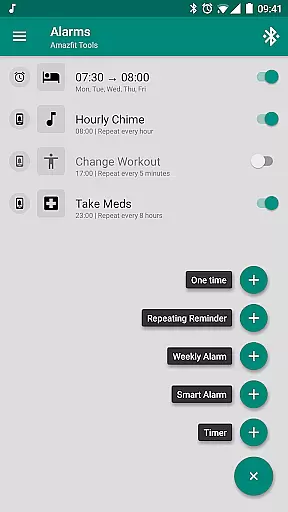
The app allows users to configure custom patterns for each notification, ensuring that every alert is relevant and timely. For instance, users can set up reminders for workouts, medication, or even hourly chimes, all of which contribute to a personalized health management experience.
By integrating with other health apps like Sleep as Android and providing detailed heart rate dashboard charts, Amazfit Tools ensures that users have access to comprehensive data about their health. This level of personalization helps users stay engaged and motivated, ultimately leading to better health outcomes.
Progress visualization is crucial for maintaining motivation and tracking improvements over time. Amazfit Tools offers robust features for visualizing progress through detailed charts and widgets that display daily fitness goals, heart rate trends, and other vital metrics.
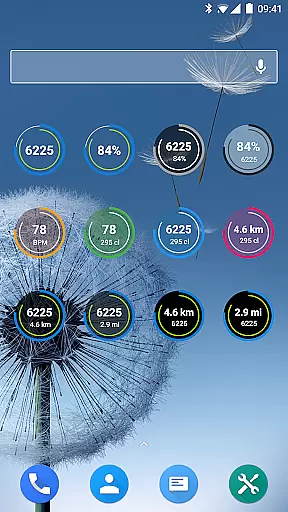
Users can take advantage of fully customizable widgets that show their daily fitness goal progress, bracelet battery status, and current heart rate. These widgets provide at-a-glance insights into one's health journey, making it easier to understand and adjust routines as needed.
Additionally, the app supports exporting and importing settings, allowing users to maintain consistency across devices. By presenting clear and actionable data, Amazfit Tools empowers users to make informed decisions about their fitness and wellness, enhancing their overall experience and success.
Custom notifications
Advanced health stats
Wide device support
Regular updates
User-friendly design
Advanced features
Complex interface
Premium cost
Limited iOS support
High battery use

Home workouts for fitness & fast bodybuilding at home - no equipment needed.
 4.90
4.90
Using Recognise™ has been shown to reduce pain and improve performance.
4.3
Mind on steroids - relaxation, productivity, meditation and sleep!
4.60
The OFFICIAL Couch to 5K® running training app! A 9 week walk-run workout plan.
4.50
Turn your steps into cash, gift cards & rewards with our step counting pedometer
3.80
Step Counter, track steps when you walk or run
4.70
Track heart rate & HRV in 30s! Get live health insights and anomaly alerts
4.40
Blood Pressure Log, HRV & Heartbeat Tracker. Pulse Checker.
4.40
Dexcom G7 Continuous Glucose Monitoring
3.70
Power-lifting, weightlifting and Wendler 531 app to track your workout program.
4.90
App to stop smoking slowly or now with a motivational badges and helpful tips
4.80
Effortlessly and naturally release anxiety by harnessing the power of your brain
4.60
Relax. Sleep Better. Feel Better.
4.50
50 HD sounds to help you relax during the day and sleep great at night!
4.40
Interval timer for High Intensity Interval Training, Tabata and Circuit Training
4.20
Get alert about getting out of desired heart rate zone.
4.10
Monitor, analyze, track, and convert blood sugar & help you control diabetes.
4.10
The app helps you address digestive symptoms based on the Fast Tract Diet.
3.50
Sync your activities of the most popular sports tracking services
2.70


User Reviews