
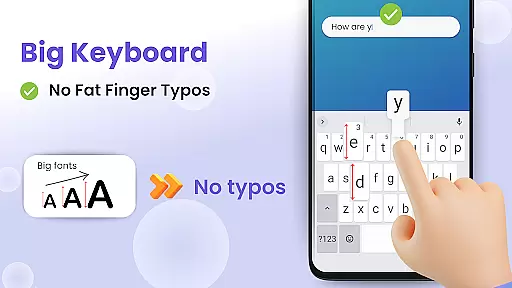
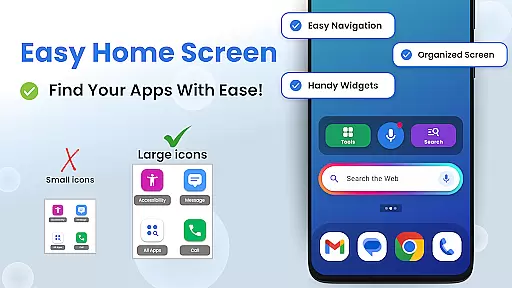
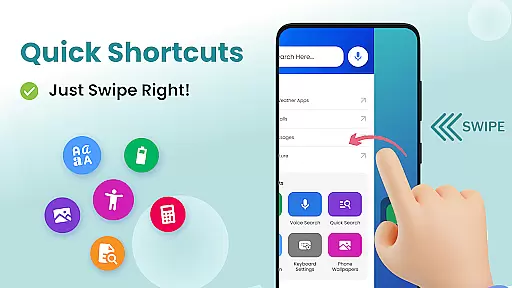

Big Keyboard is a personalization app designed to enhance your smartphone experience through an intuitive home screen layout and practical tools. The app features a new home screen design with quick-swipe shortcuts, making it easier to access frequently used functions like calling and messaging. Its standout feature is the enlarged keyboard, which can be up to 70% larger than the standard keyboard, significantly reducing typos and improving typing efficiency.
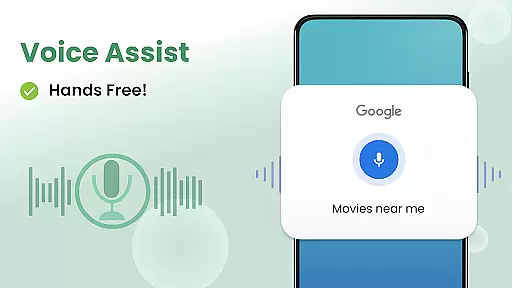
In addition to its core functionality, Big Keyboard offers several helpful utilities such as a magnifier for reading small text, hands-free voice search powered by Yahoo, and customizable wallpapers. These features collectively create a more comfortable and personalized user experience, particularly beneficial for users who struggle with visibility or dexterity issues. Whether you're dining in a dimly lit restaurant or simply looking to make your phone more accessible, Big Keyboard provides practical solutions that cater to various needs.
Big Keyboard stands out with its comprehensive suite of features tailored to simplify smartphone usage. The app's redesigned home screen offers an intuitive layout with swipe-right shortcuts, streamlining access to essential functions. The enlarged keyboard is fully adjustable, allowing users to customize its size during setup or anytime thereafter, ensuring optimal comfort and accuracy while typing.
Beyond the keyboard, the app includes a hands-free voice assistant for effortless web searches, a built-in magnifier paired with a flashlight for reading small print, and easy-access tools like a calculator. Users can also personalize their device with free wallpapers and quickly adjust display settings. Each feature is crafted to provide tangible benefits, from improving accessibility to enhancing productivity, making daily smartphone interactions smoother and more enjoyable.
Customization is at the heart of personalizing your smartphone experience, and the Big Keyboard: Easy Homescreen app excels in providing a wide array of options to tailor your device to your liking. With features ranging from an intuitive home screen layout to easy shortcuts and tools, this app ensures that you can access your most-used features effortlessly.
The app offers a new home screen experience with quick-swipe shortcuts, allowing users to reach their favorite functions with minimal effort. The big keyboard feature not only reduces typos but also lets users adjust its size up to 70% larger than the default, catering to individual typing preferences and needs. This flexibility empowers users to create a typing experience that feels natural and comfortable.
Moreover, the app includes helpful tools such as a magnifier for reading small text, a voice assistant for hands-free search, and even a calculator for everyday tasks. These built-in utilities enhance the overall functionality of your device without cluttering the interface. By integrating these practical tools, the app makes daily smartphone interactions more efficient and enjoyable.
In addition to functional enhancements, the Big Keyboard: Easy Homescreen app provides fun wallpapers to give your phone a personalized touch. With various free wallpaper options available, users can express their unique style while enjoying the convenience of an optimized home screen. This combination of aesthetics and utility ensures that your phone truly becomes an extension of yourself.
Theme compatibility is crucial for users who want to maintain a consistent look and feel across their smartphone's interface. The Big Keyboard: Easy Homescreen app understands this need and offers seamless integration with various themes, ensuring that visual elements align perfectly with user preferences. Whether you prefer a sleek modern design or something more vibrant and playful, the app supports a range of styles to suit different tastes.
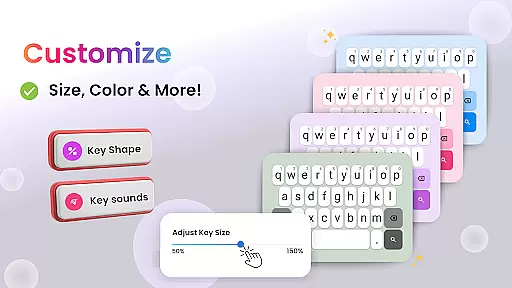
One of the standout features of the app is its customizable keyboard, which allows users to adjust not just the size but potentially the appearance to match their chosen theme. This level of customization extends beyond mere aesthetics; it enhances usability by making the keyboard easier on the eyes and fingers, thus improving the overall typing experience. Users can set up the keyboard during installation or modify it anytime to fit their evolving preferences.
Besides the keyboard, the app provides easy access to display and accessibility settings, enabling users to fine-tune their deviceu2019s appearance further. This includes options to adjust brightness, font size, and other visual parameters that contribute to a cohesive theme. Such comprehensive control over the device's visual aspects ensures that every element works harmoniously together.
Ultimately, the Big Keyboard: Easy Homescreen app combines robust theme compatibility with practical features like voice assistance and magnification tools. This blend of form and function allows users to enjoy a personalized yet highly functional smartphone experience. By prioritizing both visual consistency and operational efficiency, the app helps users create a device environment that is not only visually appealing but also tailored to their specific needs.
User-friendly interface
Customizable keyboard size
Integrated magnifier tool
Voice-activated search
Free customizable wallpapers
Limited advanced features
Potential performance issues
Occasional ads in free version
Design may feel basic
Not ideal for tech-savvy users

Stunningly Different look with Line Icons and Neon Colors
 4.60
4.60
Unique Android Launcher
4.60
Shimeji adds cute animated characters to your screen, lively and fun.
4.70
Dark icon pack based on One 8
4.80
Interactive Miniature Painting Catalogue
3.30
100+ Stylish Fonts, Emojis, Symbols keyboard for Instagram & TikTok!
4.80
Unique Fonts, typefaces and stylish text. Fonts for Instagram, Whatsapp & others
4.20
Struggling to find apps? Use this app to locate and open any app on your phone!
2.20
Fast SMS & group chat - use GIFs and emojis from your home screen launcher.
4.50
A Colorful and Minimal icon pack in an Outline Style - Over 13,600 icons!
4.70
Ultimate Gallery Lock App - Hide Pictures, Videos and Lock Apps Instantly!
4.60
Zip lock screen with magic wallpaper to decorate your phone with fun zipper lock
4.60
Icons made of colorful linear lines
4.60
Vibrant Adaptive Icons with Material You and Enhanced Monet Colors.
4.50
Organize and manage your photos and videos effortlessly with Photo Gallery
4.20
Run multiple accounts of the same app on a single device
4.10 4.10
4.10
Your go to Weather App & Home Screen. Get your weather at a swipe of a finger!
3.80
Adaptive Dot Style IconPack with Light & Dark Theme.
3.70


User Reviews