
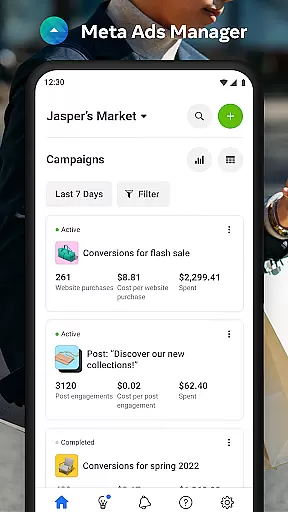

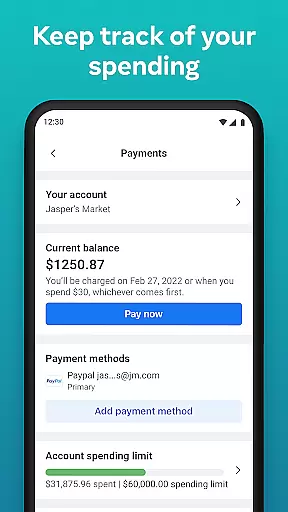
Meta Ads Manager is a comprehensive business tool designed to help advertisers manage their campaigns across Meta's platforms, including Facebook, Instagram, Messenger, and WhatsApp. The app enables users to create and edit ad campaigns, access real-time insights, and control campaign statuses directly from their mobile devices.
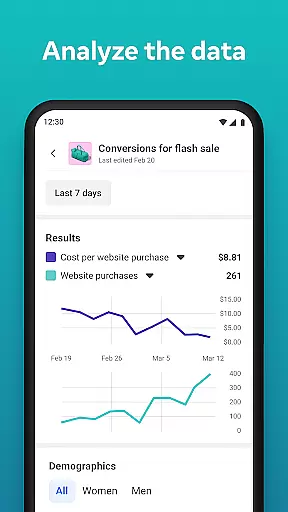
One of the standout features is its ability to provide detailed analytics on campaign performance, empowering businesses to make data-driven decisions. Whether you're running a small business or managing large-scale advertising efforts, this app ensures you stay connected with your campaigns at all times.
The app is particularly useful for marketers who need remote access to their advertising accounts. With quick alerts and side-by-side comparisons, it offers both convenience and efficiency, making campaign management seamless even when you're on the go.
Meta Ads Manager stands out with its robust feature set tailored for modern advertisers. The app allows users to view real-time insights from all their campaigns, providing a comprehensive overview of performance metrics. This feature is crucial for businesses that rely on timely data to optimize their marketing strategies.
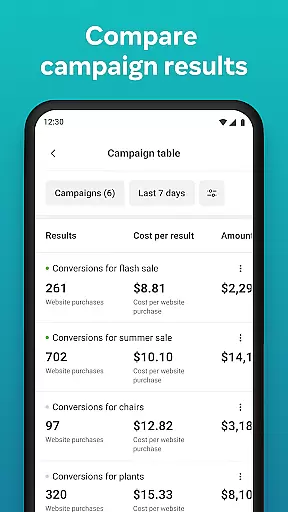
In addition to analytics, the app offers practical controls such as turning campaigns on and off, which gives advertisers flexibility in managing their budgets. The side-by-side comparison tool is another highlight, allowing users to evaluate different campaigns and ad sets efficiently. These capabilities ensure that users can make informed decisions without needing to switch between multiple platforms.
Furthermore, the app supports multi-account management, enabling seamless transitions between Pages and ad accounts. This functionality is especially beneficial for agencies handling multiple clients or brands operating across different regions. Overall, Meta Ads Manager combines powerful analytics with user-friendly controls to deliver an exceptional advertising management experience.
Collaborative work features are essential for modern business applications, enabling teams to work together efficiently regardless of location. Meta Ads Manager excels in this area by providing a centralized platform where marketing teams can manage campaigns across multiple Meta technologies.
The application allows users to create and edit ad campaigns for platforms like Facebook, Instagram, Messenger, and WhatsApp from a single interface. This unified approach ensures that all team members have access to the same information and can make real-time updates without communication delays.
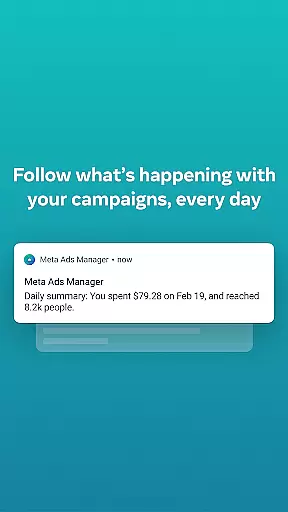
One of the key collaborative features is the ability to receive quick alerts about campaign performance. These notifications keep all stakeholders informed about important changes or opportunities, allowing for rapid response and optimization of advertising strategies.
Additionally, the side-by-side view for comparing campaigns and ad sets provides valuable insights for team discussions and decision-making processes. This feature enables marketing professionals to analyze different approaches and make data-driven choices that benefit the entire organization.
Effective task management is crucial for successful advertising campaigns, and Meta Ads Manager offers robust tools to help users stay organized and productive. The application provides a comprehensive dashboard where users can view and manage all their active campaigns in one place.
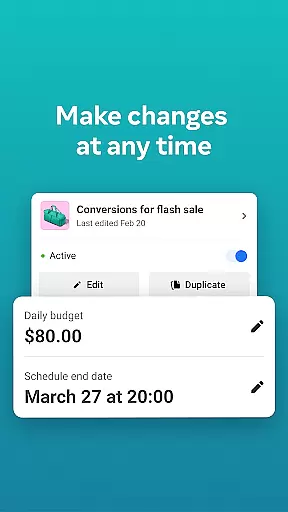
With the ability to turn campaigns on and off directly from the mobile interface, users can quickly respond to market changes or budget constraints. This level of control ensures that advertising efforts remain aligned with business objectives and resource allocations.
The app's detailed real-time insights feature serves as a powerful task management tool, allowing users to monitor campaign performance metrics at a glance. These insights help prioritize tasks based on actual campaign needs rather than assumptions or outdated information.
Furthermore, the ability to switch between different Pages and ad accounts streamlines task management for organizations running multiple campaigns across various platforms. This functionality ensures that users can efficiently allocate their time and resources across all their advertising efforts while maintaining clear oversight of each individual campaign's progress.
User-friendly interface
Real-time analytics
Multi-platform support
Remote campaign management
Quick alerts system
Limited advanced features
Occasional sync delays
Requires stable internet
No offline mode
Complex for beginners

Zoom built for Chrome OS
 3.90
3.90
FX Plus adds media, networking, and cloud capabilities to FX File Explorer.
4.10
FaxCover - Create fax cover pages. Works with any app or fax machine.
4.90
Your employer must have UKG Ready software configured for Mobile.
4.60
Find the right fit, faster.
4.70
Manage Your Shop
4.70
Use Generative Summary to understand your rental or insurance docs in seconds.
4.70
Access All PDF Files
3.40
On the go? Take FedEx with you.
4.00
GoTo Mobile is a simple & secure calling, messaging & meetings solution
4.80
Grow your business and connect with more people with Meta Business Suite.
4.60
Earn money with the driver & delivery partner app for Uber, UberEats & Postmates
4.60
Chat, meet, and collaborate to achieve more together, all in one place on Teams
4.60
ANDROID'S TOP MOBILE OFFICE - Word, Excel, PowerPoint and PDF at your fingertips
4.50
Amazon A to Z is the place to manage your work-life at Amazon.
4.50
Drive and earn extra money
4.50
Scan Business Cards & Conference Badges - Capture Leads at Events & Tradeshows
4.20
Get your benefits on-the-go.
3.80
Completed Course Lectures on how to use IBM Maximo in Maintenance issues
4.2


User Reviews