
PDF Reader is a versatile business application designed to streamline document management for professionals on the go. This app allows users to view, organize, and share PDF files with remarkable ease, making it an essential tool for anyone dealing with digital documents.
The application stands out with its sleek and intuitive interface, enabling quick navigation and efficient access to PDFs. Whether you need to review contracts, study reports, or manage presentations, PDF Reader provides a seamless experience across devices. Its ability to handle various document formats including Doc, PPT, and Excel makes it an all-in-one solution for mobile document management.
For business professionals who require reliable access to important files, this app ensures you can work productively from anywhere. The integrated sharing feature allows for effortless collaboration, while quick page navigation enhances reading efficiency, saving valuable time during busy workdays.
PDF Reader offers an impressive array of features that cater to diverse business needs. The app's one-click reading functionality allows users to instantly open and view PDF files, eliminating frustrating loading times. Its comprehensive file management system enables access to all PDF documents stored on your device, keeping your digital library organized and readily available.
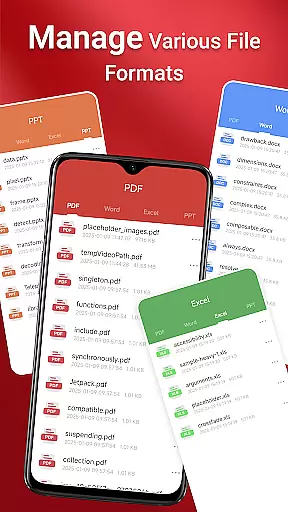
What sets this application apart is its multi-format support, accommodating various document types such as Word documents, PowerPoint presentations, and Excel spreadsheets. The quick page navigation feature ensures smooth reading experiences, while the integrated file operations allow for efficient document handling. These capabilities are particularly valuable for professionals who need to work with different file formats across multiple projects.
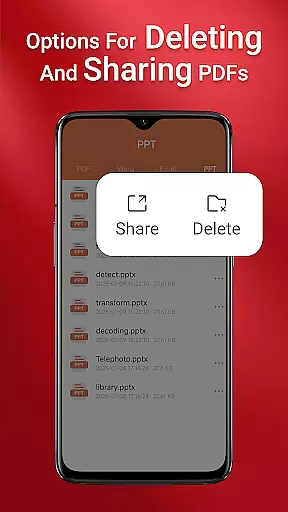
The app's sharing functionality facilitates seamless collaboration, allowing users to distribute documents quickly and securely. For Android 11 and later users, the MANAGE_EXTERNAL_STORAGE permission ensures reliable access to files across folders and storage locations, enabling features like file preview and multi-file merging to function optimally. This comprehensive feature set makes PDF Reader an indispensable tool for modern business operations.
Collaborative work features are essential for modern business applications, enabling teams to work together efficiently regardless of location. PDF Reader excels in this area by offering integrated support for various document types, including Doc, PDF, PPT, and Excel files. This ensures that team members can access and share documents seamlessly, promoting better collaboration.
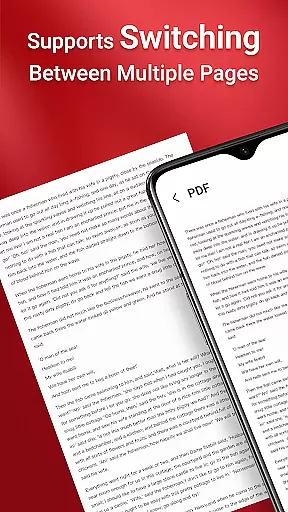
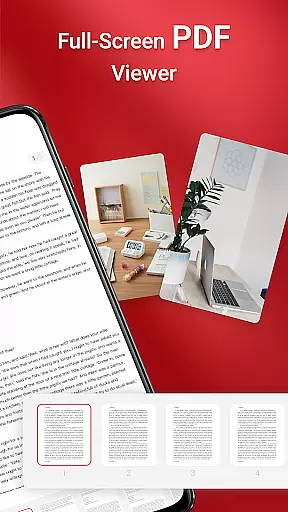
The app's quick page navigation feature allows users to easily find and review specific sections of a document, making discussions and edits more streamlined. Additionally, the ability to manage and access all PDF files on your device means that important documents are always at your fingertips, ready for team collaboration.
By providing a robust platform for document sharing and management, PDF Reader enhances team productivity. Whether working remotely or in the office, users can effortlessly collaborate on projects, ensuring that everyone is on the same page and working towards common goals.
Effective task management is crucial for maintaining productivity and meeting deadlines in a business environment. PDF Reader supports this by allowing users to organize and manage their documents efficiently. With features like one-click PDF reading and quick page navigation, users can swiftly locate and work on necessary documents, streamlining their workflow.
The app's ability to access all PDF files on your device ensures that users can keep track of their tasks and documents in one place. This centralized approach to document management helps prevent important files from being overlooked and ensures that tasks are completed on time.
Moreover, the seamless sharing capability of PDF Reader enables users to distribute documents quickly and easily, facilitating task delegation and progress tracking. By integrating these task management features, PDF Reader helps businesses maintain an organized and efficient work environment.
User-friendly interface
Multi-format support
Quick navigation
Secure sharing
Reliable file access
Requires special permissions
Limited offline features
Storage-intensive
Premium features locked
Occasional bugs

Zoom built for Chrome OS
 3.90
3.90
Find jobs and make money fast with JobStack.
4.60
Convert Your Lovable.dev Website into a Mobile App Instantly!
4.2
Earn free swag, G-Cards & food • Enter sweepstakes • Find stores • So much more.
4.70
Your employer must have UKG Ready software configured for Mobile.
4.60
Find the right fit, faster.
4.70
One marketplace. Hundreds of services. Unlimited possibilities. All on Fiverr.
4.40
Recover what matters — quickly and easily.
4.70
Earn money with the driver & delivery partner app for Uber, UberEats & Postmates
4.60
TurboScan turns your phone into a full-featured PDF document scanner.
4.80
Access to Paylocity, empowering employees with information they need 24/7.
4.70
Finance, Investing, Stocks, Trading and Stock news
4.60
Grow your business and connect with more people with Meta Business Suite.
4.60
Mobile POS for any business: sales, invoices, retail, restaurants & appointments
4.60
Drive and earn extra money
4.50
All Your Gig Work. One App.
4.30
The All-in-One File Manager for Phone, TV, Watch, Cars, XR / VR, Chromebook
4.10
Quickly open and manage PDF files on your device.
3.80
Delivery Track App - Tracking with Fedex, USPS, UPS, DHL. Monitor your Orders.
3.20


User Reviews