




Zoom for Chromebook is a comprehensive business communication tool that combines team chat, video meetings, phone capabilities, and virtual whiteboards in a single web application. Designed specifically for Chrome OS 91+, this app allows professionals to work seamlessly from anywhere.
The app's key features include one-tap meeting scheduling and joining, AI-powered meeting summaries through AI Companion, and integrated phone and SMS functionality. Users can also collaborate on virtual whiteboards, apply professional virtual backgrounds, and enjoy automatic updates for optimal performance. With remote installation options for administrators, Zoom ensures centralized configuration and security.
This app is particularly beneficial for remote teams and businesses that require flexible communication solutions. By upgrading to a paid Zoom One subscription, users can unlock advanced features and enhance their productivity.
Zoom for Chromebook offers a rich set of features tailored for modern business needs. The app provides seamless integration of various communication tools, including video conferencing, team chat, and phone services. Meetings can be scheduled or joined with a single tap, while the AI Companion generates automated meeting summaries to streamline workflows.
Collaboration is enhanced through public and private chat channels, virtual whiteboards for brainstorming sessions, and high-quality video with customizable virtual backgrounds. Administrators benefit from remote installation options, ensuring consistent deployment and security across devices. The app automatically updates to the latest version, guaranteeing access to new features and improvements.
For users requiring advanced functionalities, a paid Zoom One subscription unlocks additional capabilities such as SMS messaging and enhanced AI features. This tiered approach allows businesses to scale their communication tools according to their specific requirements.
Collaborative work features are essential for modern business applications, enabling teams to work together efficiently regardless of location. Zoom for Chromebook excels in this area by integrating multiple communication tools into a single platform.
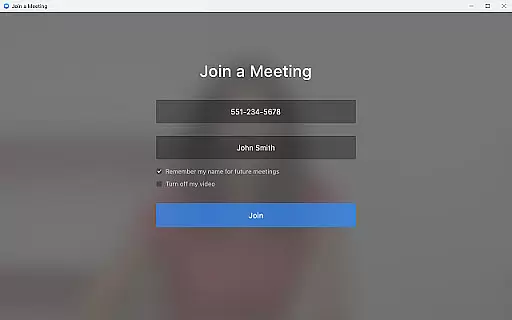
The application allows users to schedule or join video meetings with a single tap, streamlining the collaboration process. Its team chat functionality supports communication in both public and private channels, ensuring information is shared appropriately among colleagues and external contacts.
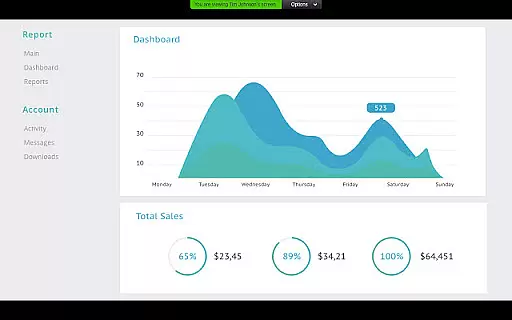
One of the standout collaborative features is the virtual whiteboard, which provides a space for brainstorming sessions and visual planning. This tool, combined with automated meeting summaries powered by AI Companion, ensures that all team members stay informed and engaged.
Administrators benefit from remote installation options, allowing centralized configuration and security management. These comprehensive collaborative features make Zoom for Chromebook an invaluable tool for businesses seeking to enhance their team's productivity and connectivity.
Effective task management is crucial for maintaining productivity in a business environment. Zoom for Chromebook offers several features that contribute to efficient task organization and execution.
Users can schedule meetings directly through the app, creating structured timelines for various tasks and projects. The ability to place and receive phone calls or send SMS text messages adds another layer of task management capability, allowing for immediate communication regarding urgent matters.
The application's automated updates ensure that users always have access to the latest features without manual intervention, simplifying version control and maintenance tasks. Additionally, administrators can remotely install and configure the app across devices, streamlining IT management responsibilities.
While certain advanced features require a paid subscription, the core task management capabilities provide businesses with essential tools to coordinate activities and maintain operational efficiency. These features collectively help organizations optimize their workflow and resource allocation.
User-friendly interface
Seamless integration
Advanced AI features
Automatic updates
Flexible subscription
Limited free features
Requires Chrome OS 91+
Paid subscription needed
AI not available globally
Internet dependent

FX Plus adds media, networking, and cloud capabilities to FX File Explorer.
 4.10
4.10
Drive and earn extra money
4.50
All document reader, pdf viewer app, read docs & excel files
3.80
Delivery Track App - Tracking with Fedex, USPS, UPS, DHL. Monitor your Orders.
3.20
Grow your business and connect with more people with Meta Business Suite.
4.60
Access to Paylocity, empowering employees with information they need 24/7.
4.70
Job search app that finds jobs for you! Takes the work out of looking for a job!
4.90
Shop, deliver, and earn with the Spark Driver™ App
4.10
Make money as a delivery driver with DoorDash and work when you want as a Dasher
4.30
BuildCalc - the easiest AND the most advanced construction calculator app.
4.80
Recover what matters — quickly and easily.
4.70
USPS Mobile®Access USPS.com’s most popular tools on-the-go.
4.70
Earn money with the driver & delivery partner app for Uber, UberEats & Postmates
4.60
Amazon A to Z is the place to manage your work-life at Amazon.
4.50
From Gone to Back Again — In Just a Few Taps
4.50
Collaborate seamlessly with Google Chat, part of Google Workspace
4.50
The app that lets you deliver with Amazon.
4.50
view, manage, and share every PDF file you have
3.60
We are a dynamic team of creatives people of design, marketing, web & apps
3.00


User Reviews