
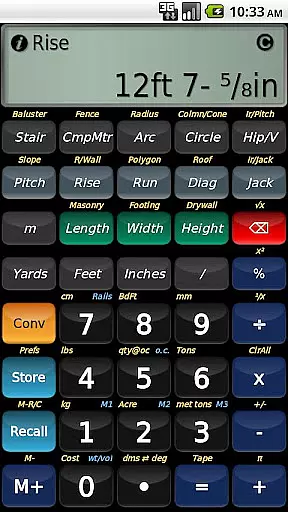
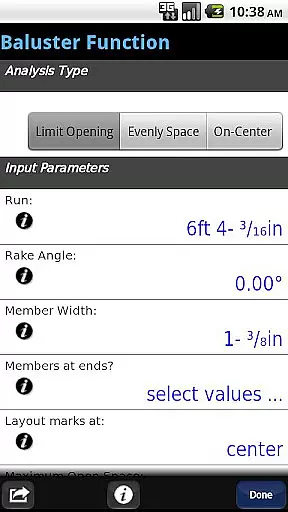
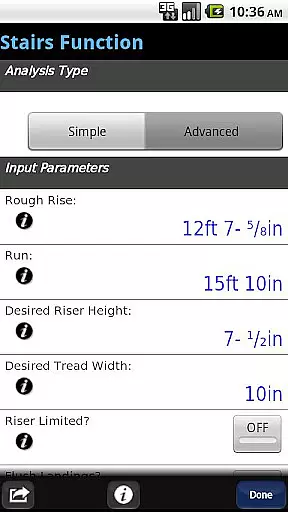
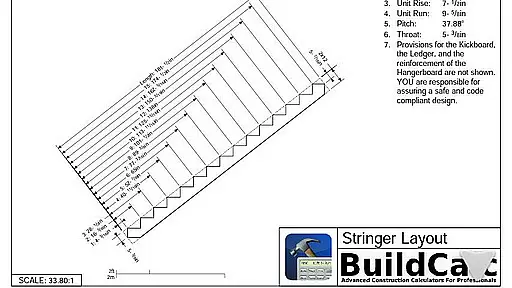
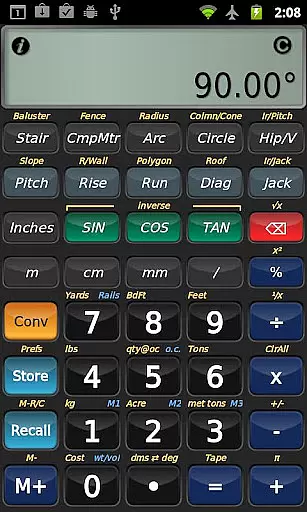
BuildCalc is a sophisticated construction calculator app designed to provide more functionality and accurate results with less complexity. This business-oriented application offers advanced features such as the Baluster Function for railing layouts, Stair function with dimensioned drawings, and Fence Function for material estimation. Its interactive interface allows users to modify input values dynamically, ensuring flexibility and precision in every custom job.
The app stands out by providing extensive answers not typically found on other construction calculators, including sheathing angles, gable area calculations, and more. It simplifies complex tasks with innovative modes like Full Daylight Visibility and emulation of Construction Master® Pro functionalities. BuildCalc is ideal for professionals who need reliable, efficient tools to streamline their workflow on construction projects.
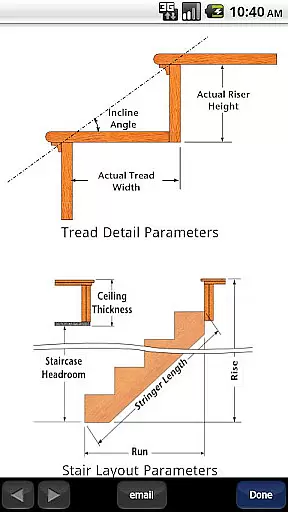
BuildCalc boasts an array of powerful features tailored for construction professionals. The Advanced Baluster Function eliminates guesswork in railing and staircase baluster layouts, while the Stair function provides professional-grade dimensioned drawings that can be shared via email. Additionally, the Fence Function calculates necessary materials based on fence row length, enhancing project planning efficiency.
One of BuildCalc's key strengths is its interactivity; functions like Stair, Baluster, and Compound Miter are fully interactive, updating results automatically when inputs change. Users benefit from streamlined operations with reduced button presses and intuitive help features, making complex calculations straightforward. Moreover, the app supports storing custom sizes and includes specialized modes like Drywall and Masonry 'Room Mode', which simplify room material estimations significantly.
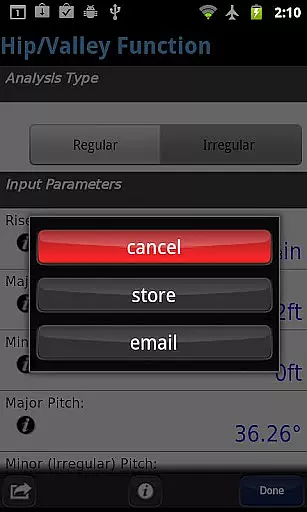
In the realm of construction, collaboration is key to successful project completion. BuildCalc understands this and offers features that enhance team cooperation. The app provides interactive functions such as Stair, Baluster, Compound Miter, Diagonal, and Hip/Valley calculations which are fully interactive. This means that any changes to input values or parameters like Run or switching between Regular and Irregular Hip Roof analysis will automatically update results without the need for manual recalculations.
Moreover, BuildCalc allows users to save their calculation results. This feature ensures that all team members have access to the same data, promoting consistency across different aspects of the project. By saving results, users can recall complete details at their convenience, streamlining communication among team members and reducing the likelihood of errors from miscommunication or data loss.
The app also facilitates sharing by enabling users to email PDFs of dimensioned drawings directly from the app. Whether it's a Stringer, Stringer Installation, or Finished Staircase drawing, these documents can be printed or shared with stakeholders not present on-site, ensuring everyone is on the same page regardless of location.
Effective task management is crucial in construction projects where precision and timing can significantly impact outcomes. BuildCalc aids in managing tasks by simplifying complex calculations into easy-to-use functions. With just one or two key taps, users receive all advanced function results in list form, eliminating the tedious process of repeatedly pressing buttons for each aspect of a calculation.
The app includes an innovative Full Daylight Visibility Mode, allowing builders to manage tasks efficiently even under challenging lighting conditions. This mode ensures that no matter the time of day or weather conditions, users can rely on their device to provide clear information when they're out in the field working on various elements of construction.
Additionally, BuildCalc offers comprehensive help through checklists of inputs and on-the-spot assistance for tasks such as Hip Rafter or Stair calculations. By guiding users through necessary entries before performing a calculation, it reduces 'quirks' associated with forgotten steps or incorrect sequences found in traditional calculatorsu2014making sure every step towards completing your project is accounted for and executed smoothly.
User-friendly interface
Comprehensive calculation tools
Interactive and dynamic inputs
Advanced project planning features
Efficient workflow enhancements
May have a learning curve
Some features might be overwhelming
Requires device compatibility
Premium pricing model
Limited offline support

Find flexible, hourly jobs hiring near you in restaurant, retail & hospitality!
 4.00
4.00
The Penny Puss app with DG penny finder
4.10
Create curriculum vitae, a professional cover letter creator and resume designer
4.80
Windows App allows you to connect to remote PCs and virtual apps.
3.70
The MyWalmart App is available for all associates in stores.
4.70
viewing and sharing PDFs and other files—anytime, anywhere!
4.5
We are a dynamic team of creatives people of design, marketing, web & apps
3.00
Find jobs near you and temp work in minutes, from your phone.
4.50
Say hello to the mobile work experience built to help you thrive at work.
4.30
Permission Guard is a security app that helps you manage app permissions.
4.80
All your team communication in one place
4.70
Access to Paylocity, empowering employees with information they need 24/7.
4.70
We help people get jobs
4.70
Ask Accio anything about business. Alibaba-backed, built by experts, not just AI
4.60
Earn money with the driver & delivery partner app for Uber, UberEats & Postmates
4.60
Build a store in minutes with our full suite of AI tools. Start for free!
4.20
Smarter career moves start here. AI job alerts, insights & the right tools.
4.20
Shop, deliver, and earn with the Spark Driver™ App
4.10
Take the stress out of storage with the all-in-one app to manage your space.
3.70


User Reviews