
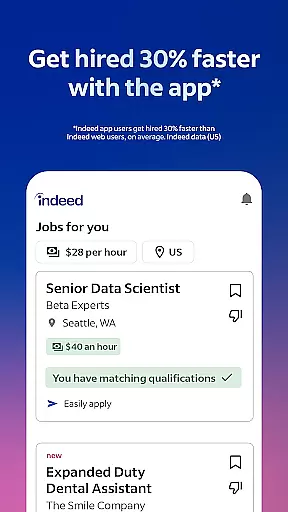
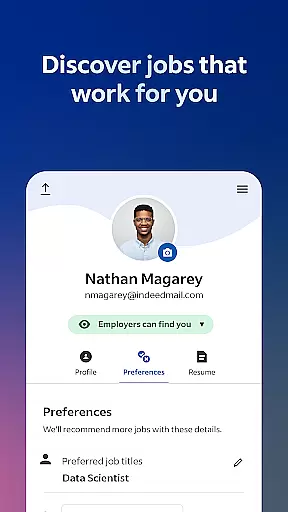

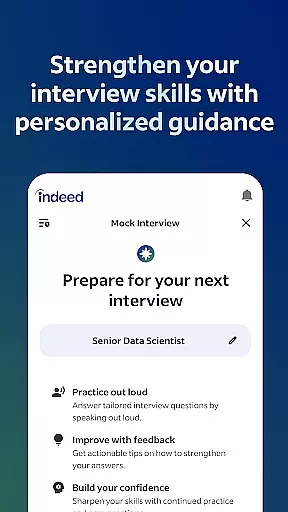
Indeed Job Search is a leading job search application that connects job seekers with employment opportunities across various industries. With over 12 jobs added every second, the app provides an extensive database of job listings, including roles posted on other job search platforms. The app's smart search filters allow users to quickly narrow down their ideal role based on preferences and work experience.
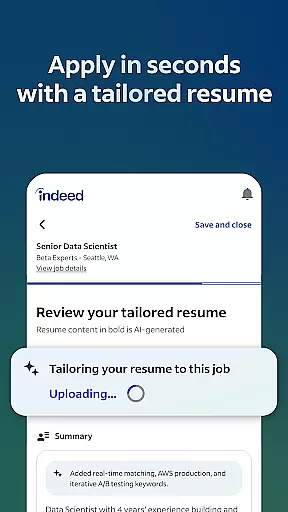
One of the standout features of Indeed Job Search is its resume builder tool, which helps candidates present their best self to potential employers. Users can upload their existing resume or create a new one within the app. Additionally, the app offers advanced functionality such as application tracking, employer notifications, and salary insights, making it an all-in-one solution for job seekers.
Whether you're casually browsing for new opportunities or urgently applying for positions, Indeed Job Search caters to all needs. The app also provides valuable information through company ratings and reviews, helping candidates make informed decisions about potential employers. Its comprehensive features and user-friendly interface make it an essential tool for anyone navigating the job market.
Indeed Job Search stands out with its robust set of features designed to streamline the job hunting process. The app's comprehensive database includes job listings from various sources, ensuring users have access to the widest range of opportunities. Smart search filters enable users to refine results by location, job type, and other criteria, saving time and effort in finding suitable positions.
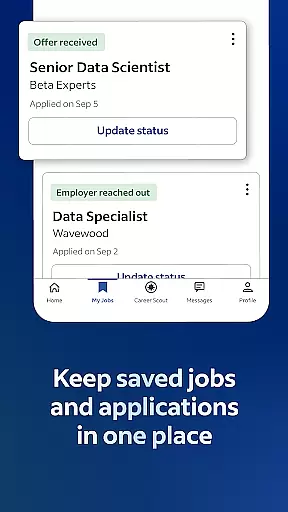
A key feature is the integrated resume builder, which allows users to create professional resumes directly within the app. This tool ensures that candidates can apply for jobs quickly and efficiently without the need to rewrite their information for each application. Additionally, the app tracks all job applications, providing updates when employers respond, thus keeping users informed throughout the hiring process.
Another notable feature is the inclusion of company ratings and salary information. With over 700 million company reviews and 1.1 billion salary entries, users can gain valuable insights into potential employers before applying. The app also supports flexible work options, including remote and freelance jobs, catering to diverse career needs. These features collectively enhance the overall job search experience, making Indeed Job Search a top choice for job seekers.
In the realm of job searching, Indeed Job Search excels in collaborative work features by integrating tools that streamline communication between job seekers and employers. This app allows users to upload their resumes or utilize Indeed's resume builder, presenting their qualifications effectively to potential employers.
Indeed goes beyond basic job listings by enabling direct application processes through the platform. Users can apply with their saved resumes, eliminating the need to repeatedly input the same information for each job application. This feature not only saves time but also reduces errors during the application process.
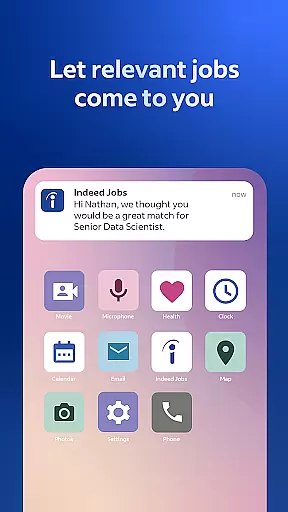
Furthermore, Indeed keeps applicants informed by notifying them when an employer has viewed and responded to their application. This transparency fosters a more engaging and interactive job search experience, allowing candidates to manage their expectations and plan their next steps accordingly.
The app also supports collaborative work by providing over 700 million company ratings and reviews, giving job seekers insights into workplace environments. Such information empowers users to make informed decisions about potential employers, aligning their career goals with suitable work cultures.
Indeed Job Search offers robust task management capabilities designed to help users organize and track their job applications efficiently. The app consolidates all job opportunities in one place, making it easier for users to manage multiple applications simultaneously without losing track of any potential leads.
With smart search filters, users can quickly narrow down their options based on specific criteria such as remote jobs, freelance positions, or roles that allow working from home. These filters ensure that users spend less time sifting through irrelevant listings and more time focusing on applying to jobs that truly match their preferences and skills.
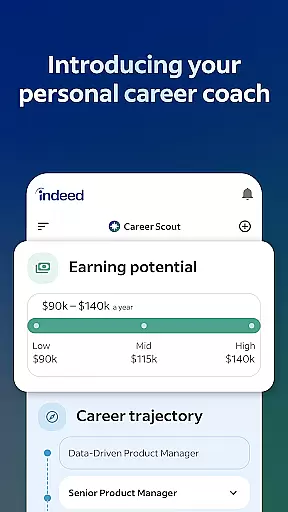
Additionally, Indeed provides detailed salary information searchable by job title, company, and location. Having access to over 1.1 billion salaries helps users prioritize their applications towards opportunities that offer competitive compensation packages, enhancing their overall job search strategy.
By keeping track of applications and receiving notifications about employer responses, users can better manage their time and efforts throughout the hiring process. This structured approach ensures no opportunity is missed and enables users to maintain momentum in their quest for new employment.
User-friendly interface
Extensive job database
Smart search filters
Integrated resume builder
Comprehensive company insights
Limited customization options
Occasional slow loading times
Some features require account creation
Inconsistent notification reliability
Premium services come at a cost

 4.70
4.70
Earn crypto with secure cloud mining. Monitor, track & withdraw easily
4.40
viewing and sharing PDFs and other files—anytime, anywhere!
4.3
Amazon A to Z is the place to manage your work-life at Amazon.
4.50
Drive and earn extra money
4.50
Recover what matters — quickly and easily.
4.70
Build a store in minutes with our full suite of AI tools. Start for free!
4.20
Mobile POS for any business: sales, invoices, retail, restaurants & appointments
4.60
Access to Paylocity, empowering employees with information they need 24/7.
4.70
Create curriculum vitae, a professional cover letter creator and resume designer
4.80
Use Generative Summary to understand your rental or insurance docs in seconds.
4.70
Paychex Flex - Save Time and Stay Connected
4.60
From Gone to Back Again — In Just a Few Taps
4.50
ADP Mobile Solutions is an employee self service app
4.50
VSD Viewer - Visio Drawings Viewer for Android Preview VSD, VDX, VSDX drawings
4.10
Find flexible, hourly jobs hiring near you in restaurant, retail & hospitality!
4.00
Zoom built for Chrome OS
3.90
Get your benefits on-the-go.
3.80
Completed Course Lectures on how to use IBM Maximo in Maintenance issues
4.3


User Reviews