
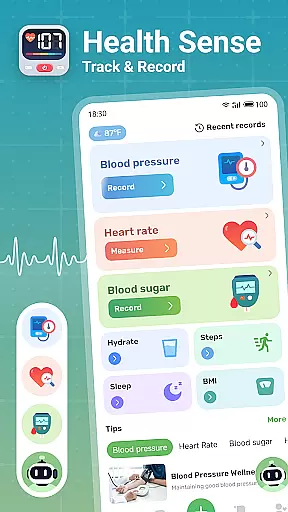
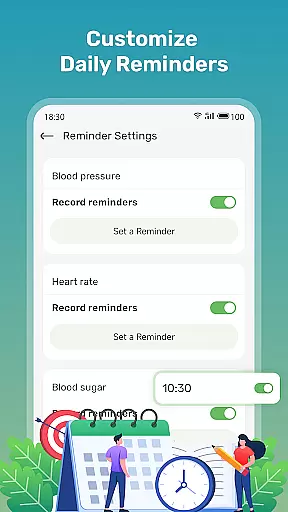
Health Sense is a comprehensive health tracking application designed to help users monitor essential health metrics. The app allows you to track blood sugar, blood pressure, heart rate, BMI, steps, and water intake through an intuitive interface. With personalized health diaries and graphical representations of your data trends, it provides valuable insights into your overall well-being.
Beyond basic tracking, Health Sense offers scientifically-backed health knowledge and tips to assist with long-term wellness goals. Whether you're managing diabetes, monitoring cardiovascular health, or simply maintaining general fitness, this app serves as a reliable companion for understanding and improving your health metrics.
The app's user-friendly design makes it suitable for daily use, ensuring that important health data is always at your fingertips. By providing clear visualizations and actionable insights, Health Sense empowers users to take control of their health in a fast, simple, and safe way.
Health Sense stands out with its robust feature set tailored for health-conscious individuals. One key feature is the ability to input and track multiple health parameters such as blood sugar, blood pressure, heart rate, BMI, steps, and water intake effortlessly. This functionality ensures that users can maintain a holistic view of their health status.
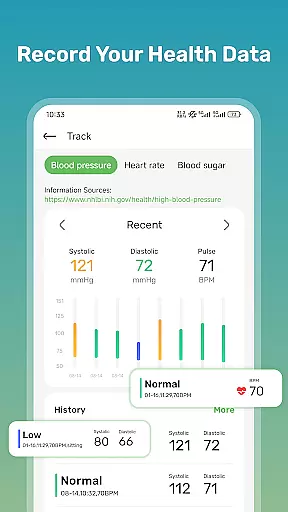
The app creates a personalized health diary for each user, displaying all recorded data in easy-to-understand charts and graphs. These visual tools highlight trends over time, helping users make informed decisions about their health routines. Additionally, Health Sense includes a library of health insights and knowledge, offering evidence-based advice on managing conditions like diabetes and hypertension.
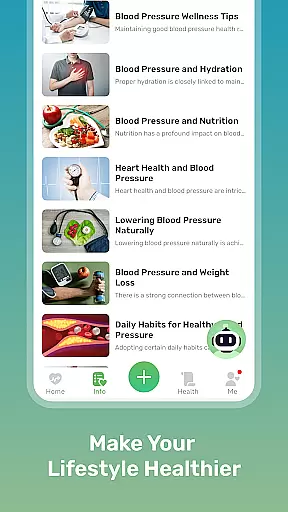
Another notable feature is the integration of lifestyle tips and dietary suggestions aimed at promoting better health outcomes. While not intended for medical emergencies, Health Sense supports ongoing health management by combining data tracking with educational content, making it a versatile tool for anyone focused on long-term wellness.
Personalized planning in health applications refers to the ability to create tailored health strategies based on individual user data. Health Sense: Track & Record excels in this area by offering users the capability to log various health metrics such as blood sugar, blood pressure, and heart rate. This feature is crucial for individuals managing chronic conditions like diabetes, where personalized tracking can significantly impact health outcomes.
The app achieves personalized planning through its intuitive data entry interface, allowing users to input their health data effortlessly. By recording essential metrics at different times and situations, users can observe patterns and trends specific to their lifestyle and condition. This ongoing data collection supports a deeper understanding of one's health status and informs necessary adjustments to daily habits or medical treatments.
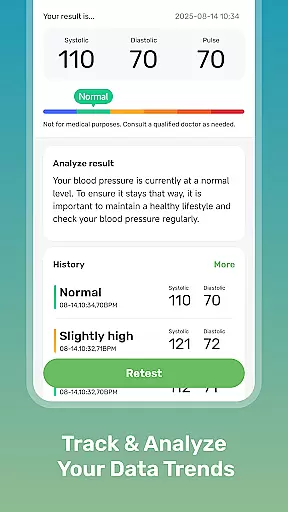
Users benefit from personalized planning by gaining insights into their health trends over time. Health Sense provides clear graphical representations of the logged data, empowering users to maintain their levels within a healthy range. The app also offers scientifically-backed health knowledge and tips, further aiding users in making informed decisions about their health management strategies.
This personalized approach not only helps in managing existing health conditions but also plays a preventive role. By having a detailed personal health diary, users can identify potential health risks early and take proactive measures. Overall, Health Sense's personalized planning transforms complex health data into actionable insights, enhancing users' ability to maintain optimal health.
Progress visualization is a critical component in health and fitness apps, providing users with a clear and engaging way to view their health journey over time. In Health Sense: Track & Record, this feature allows users to see graphical representations of their blood sugar, blood pressure, heart rate, and BMI trends. Visualizing progress is important because it makes abstract health data tangible and understandable, motivating users to continue their health monitoring efforts.
The app creates a personalized health diary for each user, displaying all recorded data in easy-to-read charts. These visual tools help users track important health metrics and recognize patterns that may not be evident through numbers alone. For instance, seeing a consistent rise in blood pressure at certain times can prompt users to investigate potential causes and make necessary lifestyle changes.
By offering progress visualization, Health Sense empowers users to take control of their health. The ability to visually track improvements or identify areas needing attention enhances the useru2019s engagement with their health data. Furthermore, these visual aids serve as motivational tools, encouraging users to maintain healthy habits when they see positive trends or to take corrective actions when negative patterns emerge.
Ultimately, progress visualization bridges the gap between data collection and actionable health insights. With Health Sense, users are not just passively recording numbers; they are actively participating in their health management. This dynamic interaction fosters a deeper commitment to personal health goals and facilitates better communication with healthcare providers, leading to more informed health decisions and improved overall well-being.
User-friendly interface
Comprehensive health tracking
Personalized health insights
Actionable wellness tips
Graphical data representation
No medical device certification
Limited emergency support
Potential LED overheating
Cannot measure blood pressure
Dependent on manual input

Transform your body and soul with DBFFitness, with a 40-day fitness journey.
 4.5
4.5
When the night comes, we prepare your eyes for deep, sweet dreams
4.70
Measure real-time wrist & ambient temperature with your Galaxy Watch (Wear OS)
3.20
Walk. Earn: Get rewarded for every step! Walk, move, and earn real rewards.
4.70
3D Body Measurement System
3.60
Pilates, Calisthenics, Yoga
4.50
Jogging app for calorie counter and distance tracker. Running app to lose weight
4.20
Monitor blood sugar, gain insights, and manage diabetes with ease.
3.20
Control your blood pressure, heart rate and blood sugar in a fast way.
4.00
Easy to use step counter, calorie counter helps lose weight, count steps offline
4.80
Step Counter, track steps when you walk or run
4.70
Get lasting results with Chair Yoga, Wall Pilates, and Walking workouts!
4.60
Personal Measurements - Track your gains!
4.50
Period Tracker, the easiest way to track your periods!
4.50
Interval timer for High Intensity Interval Training, Tabata and Circuit Training
4.20
Monitor, analyze, track, and convert blood sugar & help you control diabetes.
4.10
Looking to take control of your health? Our psychology-based programs can help.
4.10
The Sleep Miracle Sound Machine: Soothes baby to sleep with a gentle "Shhh"
3.00
Text notifications, button control, heart monitor & more for your Amazfit.
2.40


User Reviews