
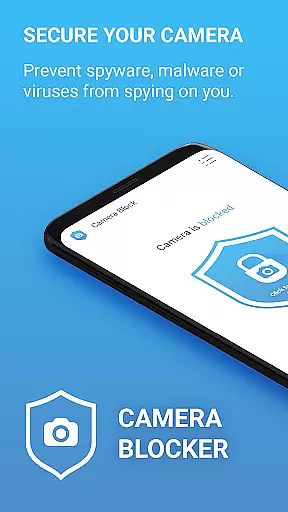

Camera Blocker is a privacy protection app designed to secure your phone's camera access and prevent unauthorized surveillance. The app allows users to block camera access with a single click, protecting against spyware, malware, and other threats that might attempt to record or watch you secretly. With over 13,000 five-star ratings, it has proven its reliability among users concerned about digital privacy.
In addition to blocking camera access, Camera Blocker offers features such as monitoring apps that have camera permissions, setting automatic blocking times, and providing a camera detector and guard. These tools help ensure comprehensive protection while maintaining an intuitive user interface complete with dark mode and customizable icon sets.
This app is particularly useful for individuals who are worried about being spied on through their mobile devices. By using Camera Blocker, users can safeguard their privacy without needing root access, making it accessible to a wide range of Android users.
Camera Blocker stands out due to its robust feature set tailored towards enhancing user privacy. One of the key functionalities is the ability to disable camera access with just one click, effectively preventing any malicious software from taking unauthorized photos or videos. This simplicity makes it easy for anyone to protect their privacy without technical expertise.
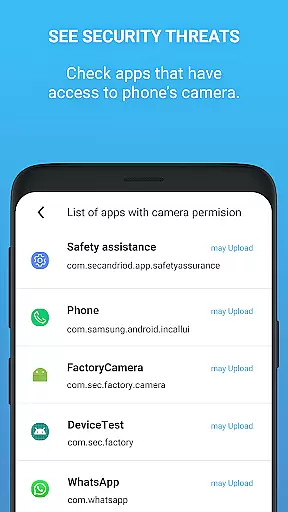
Beyond basic blocking, the app provides advanced features like monitoring which apps have camera permissions and notifying users when new apps gain access. It also includes a camera detector and guard, offering real-time protection against potential threats. Users can customize their experience with options like dark mode and different icon sets, ensuring the app fits seamlessly into their device’s aesthetics.
The PRO version of Camera Blocker offers additional benefits such as unlimited 24-hour protection, removal of ads, and assurance of no internet access or private data collection. This lifetime license ensures continuous protection without recurring costs, making it a valuable investment for those serious about maintaining their privacy.
Camera Blocker offers a comprehensive suite of features designed to protect your privacy by blocking unauthorized access to your phone's camera. This app ensures that spyware, malware, and other threats cannot secretly record or watch you through your device.
The functionality includes one-click camera blocking, automatic blocking schedules, and monitoring of apps with camera access. These features collectively provide robust protection against various forms of surveillance, ensuring your privacy is maintained at all times.
For users seeking more advanced protection, the PRO version offers unlimited 24-hour protection, removing the limitations present in the free version. This makes Camera Blocker a versatile tool suitable for different user needs, whether basic or more demanding privacy requirements.
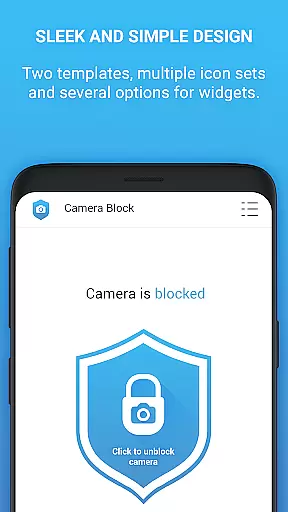
Usability is a core focus of Camera Blocker, featuring an intuitive interface with dark mode and multiple icon sets. The app provides clear guidance on managing Android permissions and suggests ways to remove apps that have unnecessary camera access, enhancing user control over their privacy settings.
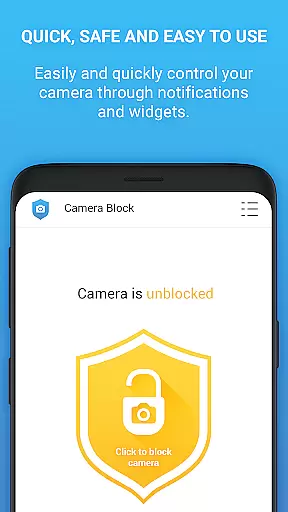
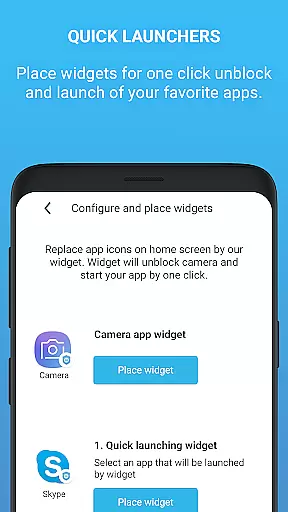
Operational smoothness is evident through its efficient design, offering quick access via home screen widgets and notifications. This ensures users can swiftly enable or disable camera access as needed, maintaining ease of use without compromising on security.
Additionally, the app's tutorial guides users through increasing their protection levels, making it accessible even to those less familiar with technical details. This blend of usability and operational efficiency ensures a seamless experience while safeguarding user privacy effectively.
Easy-to-use interface
Effective privacy protection
Real-time threat detection
Customizable settings
No root required
Limited free version
Occasional notifications
Ads in free version
Requires manual checks
Premium version cost

View your cameras anywhere and anytime
 4.20
4.20
Wireless reverse charging using phone now is possible
4.30
Block and secure the microphone and protect from secret listening and recording.
4.50
You can remote control and play much easier.
4.10
TV USB connector app provides you a seamless cast option from your phone to tv.
4.70
a wireless controller that provides a seamless and gaming experience for players
3.80
Looking to connect your phone to your car screen? Mirror Link is the solution.
3.20
DamonSx2 is the open Source LGPL Emulator
3.20
Expo is a free & open source platform to build apps using JavaScript and React.
4.70
Study Bible King James Version: the correct way to learn the Bible with audio
4.80
Barcode scanning made simple!
4.40
Test DPC is a sample device policy controller for use with Android Enterprise.
4.20
Easily evaluate the performance of Scandit's barcode and ID scanning SDK
4.10
Demo version of the mcpro24fps manual video camera. Try and buy a full version!
4.00
Use your Phone as Drone Controller.
3.70
CloudEye 365 is a easy-handling APP
3.60
A great tool help you to format Micro SD memory Card
3.10
Record with Double Camera Video Recording using Dual Camera Front and Back Video
3.00
Collection of high-quality, trendy skins and outfits!
4.3


User Reviews