
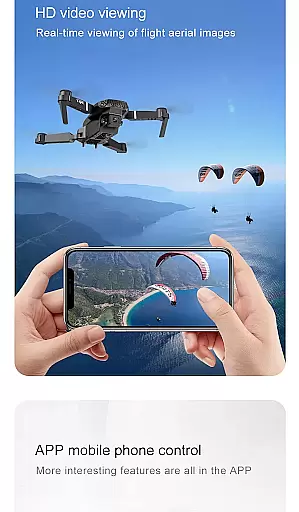
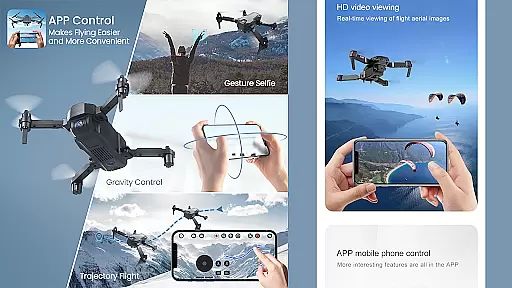
Drone Remote Controller is an innovative application that transforms your Android phone into a powerful drone control system. This app allows users to seamlessly operate various drones using their smartphones, replicating the functionality of traditional RC controllers. With intuitive controls and easy configuration, it offers a user-friendly experience for both beginners and experienced drone enthusiasts.
The application supports advanced features such as flight planning, automated takeoff and landing, and live FPV streaming. It also enables camera control for capturing photos and videos during flights. Whether you're managing personal drones or taking control of friends' devices, this app provides comprehensive control capabilities through your mobile device.
Particularly useful for commercial drone operators and hobbyists, Drone Remote Controller enhances operational efficiency while maintaining compatibility with latest drone models. Its ability to create uninterrupted flight plans makes it ideal for mapping large areas and conducting professional aerial surveys.
Drone Remote Controller stands out with its comprehensive feature set designed for optimal drone management. The app's primary advantage is its universal compatibility, allowing users to control multiple drone brands through a single interface. This versatility eliminates the need for multiple physical controllers, streamlining the drone operation process.
A key innovation is the app's automation capabilities. Users can program complex flight paths, automate image capture sequences, and execute precise landing maneuvers. The live First Person View (FPV) streaming feature provides real-time video feed, enhancing situational awareness during operations. Additionally, the single-tap control resumption ensures quick response in critical situations.
The application's integration with WiFi cameras enables complete media control. Operators can capture photos, record videos, and adjust camera settings directly from their smartphones. These features, combined with its user-friendly interface, make Drone Remote Controller an essential tool for modern drone pilots seeking enhanced control and operational flexibility.
Functionality completeness is a crucial aspect of any application, especially for a drone remote controller app. This particular app offers an extensive range of features that cover various aspects of drone control.
The Drone Remote Controller Application allows users to easily make flight plans on any device, automate takeoff, flight, image capture, and landing. It also provides the ability to live stream First Person View (FPV) and disable auto-flight to resume control with a single tap. These comprehensive functionalities ensure that users have full control over their drones at all times.
Additionally, the app supports Drone Controller With Video and capture FPS capabilities. Users can connect the WiFi camera device using the application, enabling them to receive the camera view, take pictures, record videos, and control the drone seamlessly. Such complete functionality coverage enhances the overall drone flying experience.
Usability and operational smoothness are vital for ensuring a pleasant user experience, particularly when it comes to operating complex devices like drones. The Drone Remote Controller Application excels in providing a user-friendly interface and smooth operation.
With its intuitive design, configuring and using the app is simple and straightforward. The mode of use mirrors that of traditional RC Drones, making it easy for users to adapt quickly. Whether controlling drones with or without cameras, this universal remote control app ensures seamless usability.
Moreover, the app enables users to continue non-interrupted flights to map large areas effortlessly. Its compatibility with the latest drones further enhances operational smoothness, although some older hardware may not be supported. Overall, the app's focus on usability ensures that users can enjoy hassle-free drone flying experiences.
User-friendly interface
Universal drone compatibility
Advanced automation features
Live FPV streaming capability
Comprehensive camera control
Incompatible with older hardware
Requires stable internet connection
Limited physical control feedback
Device battery consumption high
Learning curve for new users

View your cameras anywhere and anytime
 4.20
4.20
The Free Catholic Latin American Bible in complete Spanish
4.60
An essential GFX utility developed for specific FPS mobile games
4.50
Easily evaluate the performance of Scandit's barcode and ID scanning SDK
4.10
Zlink Carplay Android a mirror link app with a Carplay interface style
4.4
Study Bible King James Version: the correct way to learn the Bible with audio
4.80
Demo version of the mcpro24fps manual video camera. Try and buy a full version!
4.00
MirrorLink for connecting your Android phone to your car’s infotainment screen.
4.50
Endoscope camera an app to connect with endoscope cam or any device
3.30
SmartCast mirrors Android phone to TV screen With Cast Screen, Chromecast.
4.80
TV USB connector app provides you a seamless cast option from your phone to tv.
4.70
Game booster GFX may reduce interruptions and improve gaming experience.
4.50
Phone Software Update Quick Checker helps you to keep your phone apps up to date
4.50
Unlock the hidden menus of your phone with our mobile secret codes app.
4.20
Do you want to drive easy ? do you wanna full mirror link Mobile with your car
4.10
Now Available on Android ™
3.40
DamonSx2 is the open Source LGPL Emulator
3.20
Collection of high-quality, trendy skins and outfits!
4.5
Mirror Link Car Display to share your screen with car dashboard wirelessly
4.0


User Reviews