
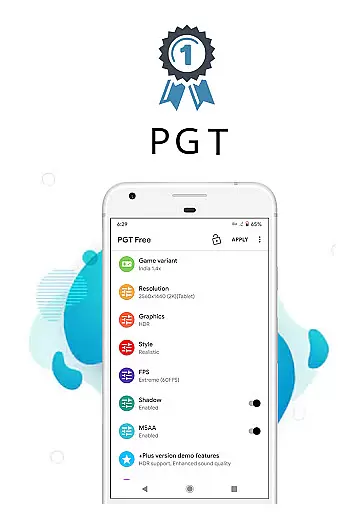
PGT is a powerful launcher utility designed to enhance mobile gaming performance through advanced graphics optimization. This app allows users to change graphics settings, optimize FPS, and boost overall gaming performance on Android devices running OS versions from 4.3 to 13+. With unique features like Potato Graphics and Simple Shaders, PGT enables gamers to customize their experience with precision.
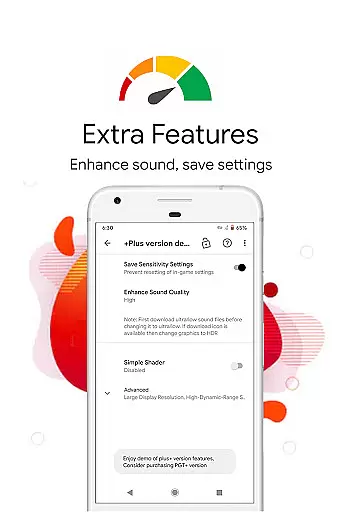
The application supports various graphic customizations including resolution changes, HDR and UHD graphics for low-end devices, unlocking FPS levels up to 90 FPS, shadow customization, anti-aliasing, and ultra audio quality settings. These capabilities make it an essential tool for both casual and hardcore gamers looking to maximize their device's potential while maintaining smooth gameplay.
Whether you're playing on Global, CN, LITE, KR, VN, TW, or BETA versions of your favorite games, PGT provides comprehensive support across all platforms. By optimizing game graphics, this utility helps create visually stunning images without compromising performance - making it particularly valuable for competitive gaming scenarios where every frame matters.
PGT distinguishes itself through its extensive feature set tailored specifically for gaming enthusiasts. The app supports all major Android OS versions (4.3 to 13+), making it accessible to a wide range of users regardless of their device's age or specifications. Its ability to apply HDR and UHD graphics even on low-end devices demonstrates its versatility in enhancing visual experiences across different hardware configurations.
One of the standout features is the comprehensive FPS control, allowing users to unlock all FPS levels up to 90 FPS. This capability, combined with customizable shadows and anti-aliasing options, gives gamers unprecedented control over their visual settings. Additionally, the ultra audio quality setting ensures that sound matches the improved graphics, creating a more immersive gaming experience.
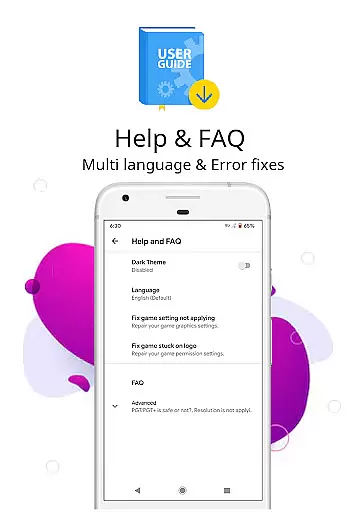
PGT also includes practical tools such as help and FAQ sections for useful tips, automatic backup of graphics settings, and memory boosting functions. The app requires specific permissions for storage (to apply and back up settings), internet access (for loading settings from their server), and background app management (for memory optimization). These features collectively contribute to a more stable and enhanced gaming session while maintaining system integrity.
When evaluating a utility app like PGT, functionality completeness refers to the range of features provided to enhance gaming performance on Android devices. This app offers an extensive suite of tools that allow users to change graphics settings, optimize fps, and boost overall gaming performance.
PGT supports all major Android OS versions from 4.3 to 13+, providing compatibility with a wide array of devices. It enables users to apply advanced graphics settings such as HDR and UHD even on low-end devices, unlock various FPS levels up to 90 FPS, customize shadows, enable anti-aliasing, and set ultra audio quality. These capabilities ensure that no matter what device you're using, you can achieve an improved gaming experience tailored to your hardware's potential.
The value for users is immense; they gain access to features typically reserved for high-end devices, thus extending the life and enhancing the performance of their current devices. Whether it's through resolution changes or experimental graphics settings, PGT empowers gamers by putting high-level customization at their fingertips.
Usability in an application such as PGT encompasses how intuitive and seamless the user interface is, allowing users to apply and manage graphics settings without hassle. The app provides straightforward options for customizing basic, miscellaneous, advanced, and experimental graphics settings, making it accessible even for less tech-savvy individuals.
Operational smoothness is demonstrated through the app's ability to support all versions of the game it's designed foru2014Global, CN, LITE, KR, VN, TW, BETAu2014and its efficient use of permissions for storage, internet access, and background app management. By streamlining these processes, PGT ensures that users can focus on optimizing their gaming experience without getting bogged down by complex procedures or worrying about unnecessary data usage.
Ultimately, this contributes significantly to user satisfaction by reducing friction in the optimization process while maintaining robust performance across different operations within the app itself. Users benefit from a fluid interaction with well-organized functionalities that deliver tangible improvements in gameplay smoothness and visual appeal.
Extensive OS support
Advanced FPS control
Customizable graphics
Memory optimization
User-friendly interface
Requires multiple permissions
Potential stability issues
Limited to gaming use
No iOS support
Complex for beginners

Record with Double Camera Video Recording using Dual Camera Front and Back Video
 3.00
3.00
Connect and find your Smart Tag 2 devices through our app.
3.60
Tune your game graphics with our GFX optimizer for optimal gaming experience
4.50
Sad ringtones full of feeling, sad music ringtones
3.90
Test DPC is a sample device policy controller for use with Android Enterprise.
4.20
Connect and Find your smart tag via our app.our app is compatible with smarttag.
3.30
Mirror Link Car Display to share your screen with car dashboard wirelessly
4.4
Mirror phone to TV effortlessly! Stream, share & connect with Airplay ease.
3.60
Now Available on Android ™
3.40
TV USB connector app provides you a seamless cast option from your phone to tv.
4.70
Read Holy Quran Feel Like Real Quran & Listen Al Quran Mp3 Audio Online Offline.
4.70
Android secret code for smart phone, mobile codes, with secret codes app
4.20
Connect and find your Smarttag devices through our app.
4.00
With Endoscope Camera Connector you can connect your phone with endoscope cam
3.70
Mobile Connect To TV - HDMI USB & WiFi Screen Mirroring
3.70
Experience virtual reality on your smartphone with Cardboard.
3.50
DamonSx2 is the open Source LGPL Emulator
3.20
Identify securely online
3.10
A great tool help you to format Micro SD memory Card
3.10


User Reviews