
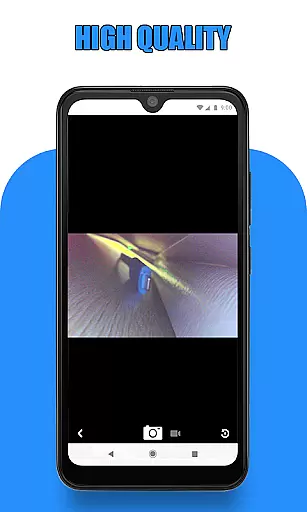
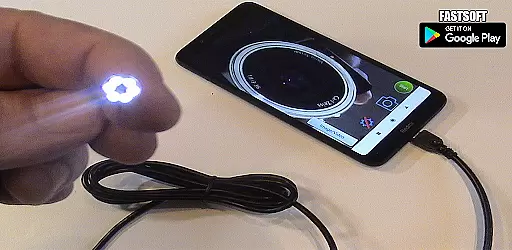
Endoscope Camera Connector is a specialized app designed to connect Android devices with various external cameras, including endoscopes, USB cameras, and Borescope cameras. This versatile tool allows users to view live footage, capture photos, and record videos directly from compatible external cameras. The app supports OTG (On-The-Go) technology, enabling seamless connectivity between smartphones and external devices through USB or Type-C ports.
The application's core functionality revolves around its ability to act as an OTG viewer, providing users with the capability to access and control their external cameras effortlessly. Whether it's for professional inspections or personal projects, Endoscope Camera Connector facilitates detailed visual assessments by allowing users to see inside hard-to-reach areas. Its compatibility with UVC (USB Video Class) cameras ensures broad device support, making it suitable for applications such as sewer inspections, plumbing repairs, and other industrial or DIY tasks.
One of the standout features of Endoscope Camera Connector is its user-friendly interface that simplifies the process of connecting and using external cameras. Upon launching the app, users can easily check if their device supports OTG technology through the built-in USB OTG checker. Once compatibility is confirmed, simply plugging in the external camera via USB activates the app's viewing capabilities. The app provides intuitive controls for capturing images and recording videos, ensuring a smooth user experience.
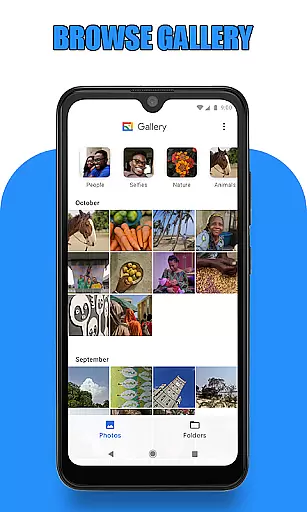
Endoscope Camera Connector also offers robust media management features. Users can conveniently store, view, and manage captured photos and videos within the app's integrated gallery. The gallery supports easy navigation, allowing users to swipe through images and play back recorded videos using their preferred media player. Additionally, basic file management functions like deletion are readily accessible, enhancing overall usability. These comprehensive features make the app an invaluable tool for professionals requiring reliable visual inspection solutions.
Endoscope Camera Connector offers a comprehensive solution for connecting your mobile device with various external cameras, including endoscopes, USB cameras, and Borescope cameras. This app ensures that users can access the full functionality of their external devices directly from their Android phones.
The app supports essential features such as video recording with sound and photo capturing, making it versatile for different use cases. Whether you're conducting sewer inspections or examining blocked drains, this app provides the necessary tools to get the job done efficiently.
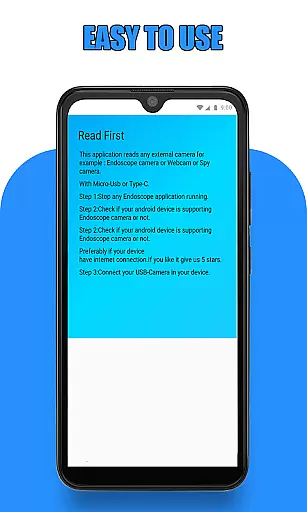
Before using the app, users are guided to check if their device supports USB OTG technology and whether their USB camera is UVC-compatible. These preliminary steps ensure seamless integration and optimal performance, providing peace of mind that all features will work as intended.
By covering a wide range of functionalities, Endoscope Camera Connector stands out in the Libraries & Demo category, offering unmatched utility for professionals and hobbyists alike who rely on external camera devices.
Usability is at the core of Endoscope Camera Connector's design, ensuring that users can easily navigate and operate its features without hassle. The app simplifies the process of connecting an external camera to your phone via USB OTG or Type-C, allowing quick access to the camerau2019s live feed.
Once connected, users can effortlessly take photos and record videos. The intuitive interface lets you manage media files directly within the app; simply click on the gallery to view all captured images and videos. Long-pressing on any file brings up options for deletion, streamlining media management.
Operational smoothness is further enhanced by clear instructions provided within the app. Users are guided through each step, from checking OTG compatibility to utilizing the camerau2019s full capabilities. This guidance minimizes potential errors and enhances user confidence.
Overall, Endoscope Camera Connector delivers a smooth and efficient user experience, making it an invaluable tool for anyone needing reliable connectivity with external cameras for professional or personal projects.
User-friendly interface
Wide device compatibility
Integrated media gallery
OTG support verification
UVC camera compatibility
Limited iOS support
Requires OTG adapter
Device compatibility issues
No advanced editing tools
Basic feature set

Record with Double Camera Video Recording using Dual Camera Front and Back Video
 3.00
3.00
Collection of high-quality, trendy skins and outfits!
4.5
The Free Catholic Latin American Bible in complete Spanish
4.60
A great tool help you to format Micro SD memory Card
3.10
Test DPC is a sample device policy controller for use with Android Enterprise.
4.20
Recite Quran Majeed القران with special 16 line real Kuran page in hand
4.30
Al QURAN-القرأن الكريم app to read Quran offline just like an actual Quran book
4.30
DamonSx2 is the open Source LGPL Emulator
3.20
A Pydroid Quick Install repository provider.
4.00
Read Holy Quran Feel Like Real Quran & Listen Al Quran Mp3 Audio Online Offline.
4.70
Tune your game graphics with our GFX optimizer for optimal gaming experience
4.50
Block, disable and secure phone camera from secretly taking photos by spyware.
4.50
Game booster GFX may reduce interruptions and improve gaming experience.
4.50
Use your Phone as Drone Controller.
3.70
CloudEye 365 is a easy-handling APP
3.60
Collection of Maps and Mods for Dmod
3.30
Endoscope camera an app to connect with endoscope cam or any device
3.30
If you are looking for melon playground mod that fun you deffinitely try our app
2.70
Zlink Carplay Android a mirror link app with a Carplay interface style
4.0


User Reviews