
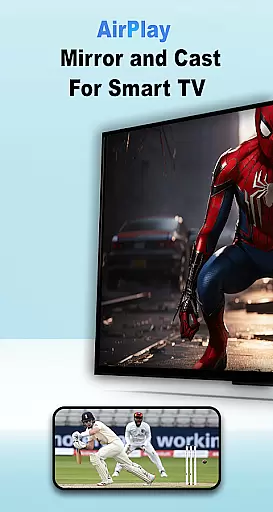

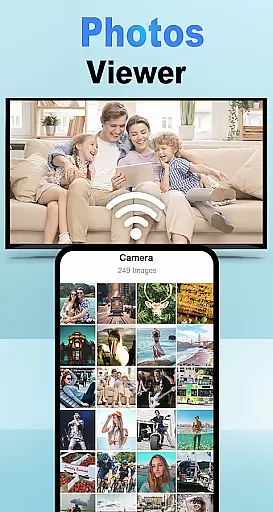
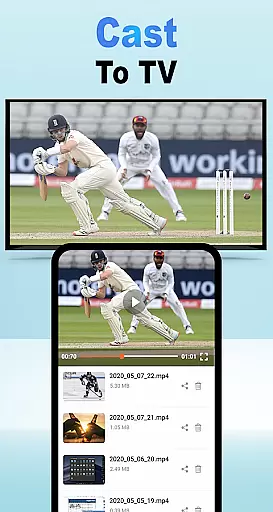
Air Play: Cast to TV is an innovative screen mirroring and wireless streaming application designed specifically for Android users. This app allows seamless connectivity between your mobile device and a wide range of AirPlay-compatible devices, including smart TVs, Samsung AirPlay TVs, Apple TVs, and AirPlay speakers.
With its user-friendly interface and advanced DLNA protocols, Chromecast support, and other wireless technologies, Air Play makes media sharing effortless. Whether you want to stream videos, display photos, or play music on a bigger screen, this app ensures smooth transmission without any hassle. It is particularly useful for home entertainment setups, presentations, or casual sharing with friends and family.
The true value of Air Play lies in its ability to transform how users interact with their multimedia content. By supporting multiple devices and offering cross-platform compatibility, it delivers convenience and flexibility that enhances the overall streaming experience.
Air Play stands out due to its versatile feature set tailored for modern streaming needs. One of its core functionalities is the ability to cast various types of media—videos, photos, and music—to AirPlay-compatible devices such as TVs and speakers. The app leverages DLNA protocols, Chromecast integration, and other wireless technologies to ensure high-quality streaming.
Another notable feature is its wide compatibility. Air Play works seamlessly with numerous devices, including Samsung AirPlay TVs, Apple TVs, and third-party AirPlay receivers. This broad support ensures that users can connect to almost any modern smart TV or speaker system without worrying about technical limitations.
Additionally, the app emphasizes ease of use. With just a few taps, users can select their desired media, choose a target device, and initiate streaming—all while ensuring both devices are connected to the same Wi-Fi network. These features collectively make Air Play a reliable tool for enhancing multimedia experiences across different platforms.
Functionality completeness is a critical aspect of any application, especially in the Libraries & Demo category. Air Play: Cast to TV for Android demonstrates an impressive range of features that cater to diverse user needs. The app supports various protocols such as DLNA and Chromecast, ensuring compatibility with a multitude of devices including Samsung AirPlay TVs, Apple TVs, and AirPlay speakers.
The app's functionality extends beyond just screen mirroring; it allows users to cast videos, photos, and music seamlessly. This versatility ensures that whether you're streaming media or sharing content during presentations, Air Play has got you covered. Its wide compatibility with different types of AirPlay receivers enhances its utility across different environments and setups.
For users, this means they can enjoy uninterrupted streaming without worrying about device limitations. Whether connecting to smart TVs or speakers, the comprehensive feature set provides peace of mind knowing that their streaming experience will be smooth and reliable. Such extensive coverage not only meets but often exceeds user expectations by offering more than what is typically available in similar applications.
Usability and operational smoothness are key factors that determine how effectively users can interact with an application. Air Play: Cast to TV excels in providing an effortless streaming experience through intuitive design and straightforward controls. Users simply need to open the app, select the media they wish to share, and ensure both their Android device and target device are on the same Wi-Fi network.
Once connected, selecting the desired AirPlay receiver from the list initiates seamless connectivity. This simplicity reduces potential barriers for less tech-savvy individuals while still delivering powerful capabilities for advanced users. The appu2019s ability to maintain stable connections even when switching between different types of media showcases its robust operational framework.
This focus on usability translates into tangible benefits for end-users who appreciate quick setup times and hassle-free operation. By prioritizing these aspects, Air Play ensures that every interaction feels natural and responsive, enhancing overall satisfaction levels. Ultimately, this dedication to creating a frictionless user journey sets it apart within the competitive landscape of digital streaming solutions.
User-friendly interface
Wide device compatibility
Seamless streaming performance
Supports multiple media formats
Reliable connection stability
Limited offline functionality
Requires stable Wi-Fi
Premium features may cost extra
Occasional connectivity issues
Device-specific restrictions

View your cameras anywhere and anytime
 4.20
4.20
Read Holy Quran Feel Like Real Quran & Listen Al Quran Mp3 Audio Online Offline.
4.70
Connect and find your Smart Tag 2 devices through our app.
3.60
Connect your phone to any endoscope camera, USB camera, or borescope with ease.
3.70
Block, disable and secure phone camera from secretly taking photos by spyware.
4.50
Enjoy hours of entertainment with our Roblox mobile games app
4.3
Mirror Link Car Display to share your screen with car dashboard wirelessly
4.1
Mirror link car connector to share your screen with car dashboard
3.80
Game booster GFX may reduce interruptions and improve gaming experience.
4.50
Study Bible King James Version: the correct way to learn the Bible with audio
4.80
Block and secure the microphone and protect from secret listening and recording.
4.50
Popular mods fnaf mods for melon playground
4.50
use your smartphone as Remote control drones .
4.20
Test DPC is a sample device policy controller for use with Android Enterprise.
4.20
A Pydroid Quick Install repository provider.
4.00
Experience virtual reality on your smartphone with Cardboard.
3.50
DamonSx2 is the open Source LGPL Emulator
3.20
A great tool help you to format Micro SD memory Card
3.10
Read Quran pak offline & listen online mp3 Quran in Al Quran Majeed app
4.5


User Reviews