
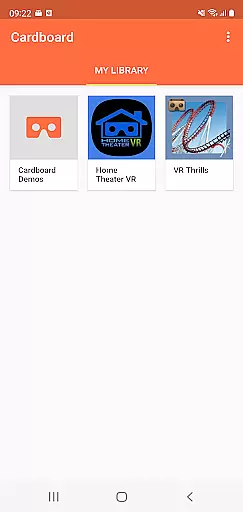
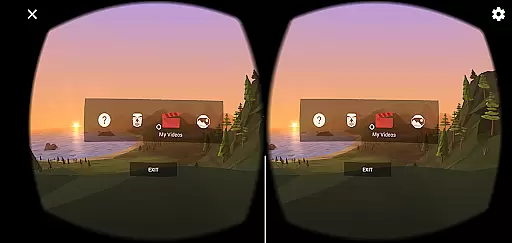

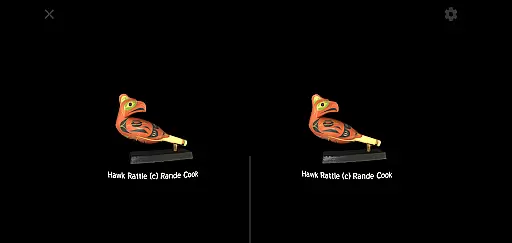
Cardboard is an innovative virtual reality app that brings immersive VR experiences to your smartphone. Developed by Google, this application serves as the gateway to a world of virtual reality content, allowing users to explore new dimensions right from their mobile devices.
The app not only helps you launch your favorite VR applications but also assists in discovering new VR content and setting up your Cardboard viewer. To fully enjoy the experience, users need a Cardboard viewer, which can be obtained from Google's official website. This combination of software and hardware creates an accessible entry point into the world of virtual reality for both casual users and developers alike.
Cardboard offers a range of features that make virtual reality more accessible than ever before. The app provides a user-friendly interface for launching various VR experiences, making it easy for anyone to dive into virtual worlds. It includes a discovery feature that helps users find new VR apps and experiences, expanding the possibilities of what can be done with smartphone-based VR.
Another key feature is the setup guide for Cardboard viewers, ensuring users can quickly assemble and start using their VR equipment. The app also integrates with Google's VR platform, providing access to a wide range of VR content and developer resources. These features combined create a comprehensive VR ecosystem that supports both entertainment and educational purposes.
When evaluating a Libraries & Demo app like Cardboard, functionality completeness is paramount. This application offers essential tools for launching VR experiences and setting up viewers, ensuring users have everything they need to dive into virtual reality.
The app's comprehensive feature set includes discovering new VR apps, configuring viewer settings, and providing access to Google's extensive VR resources. These features work in tandem to create a seamless user experience that caters to both beginners and experienced VR enthusiasts.
For developers and users alike, having such a robust platform means more time enjoying VR content and less time troubleshooting or searching for necessary tools. The Cardboard app successfully consolidates all crucial functions in one place.
Usability in a VR application determines how easily users can navigate and operate the system. Cardboard excels in this area by offering intuitive controls and straightforward setup processes, making virtual reality accessible even to newcomers.
Operational smoothness is evident through the app's well-organized interface and responsive design. Users can effortlessly transition between different VR experiences without encountering frustrating lags or confusing menus.
Furthermore, the app's integration with Google's ecosystem enhances its usability. Features like Google+ community sharing and easy access to Google's VR resources demonstrate a commitment to creating a frictionless user journey from setup to exploration.
User-friendly interface
Wide range of VR content
Easy setup process
Accessible entry point
Strong developer support
Requires separate viewer
Limited phone compatibility
Basic graphics quality
Occasional performance issues
Outdated technology

Game Booster GFX for smoother gaming experience. Enjoy 120 FPS and 4x Game Space
 4.20
4.20
Record with Double Camera Video Recording using Dual Camera Front and Back Video
3.00
Read Holy Quran Feel Like Real Quran & Listen Al Quran Mp3 Audio Online Offline.
4.70
If you are looking for melon playground mod that fun you deffinitely try our app
2.70
SmartCast mirrors Android phone to TV screen With Cast Screen, Chromecast.
4.80
use your smartphone as Remote control drones .
4.20
charging your phone by other phone easly
4.00
CloudEye 365 is a easy-handling APP
3.60
Unlock the hidden menus of your phone with our mobile secret codes app.
4.20
Study Bible King James Version: the correct way to learn the Bible with audio
4.80
Wireless reverse charging using phone now is possible
4.30
Recite Quran Majeed القران with special 16 line real Kuran page in hand
4.30
A Pydroid Quick Install repository provider.
4.00
Sad ringtones full of feeling, sad music ringtones
3.90
Mirror link car connector to share your screen with car dashboard
3.80
Simulator of real black light
3.50
DamonSx2 is the open Source LGPL Emulator
3.20
Identify securely online
3.10
Turn your phone into a wireless Xbox controller – play, stream & control anytime
4.2


User Reviews