
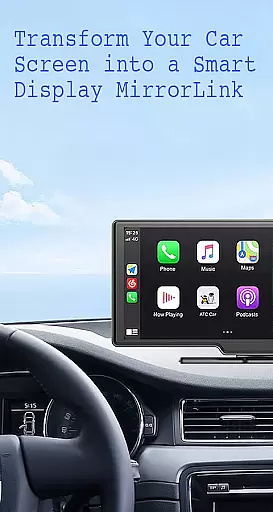
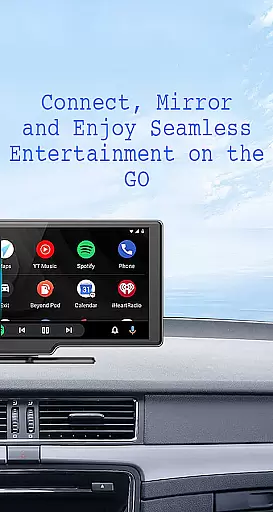
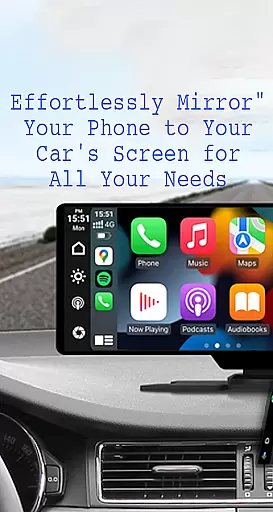
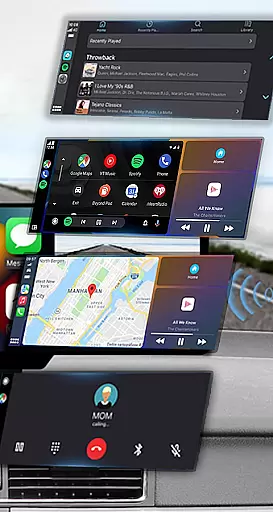
Mirror Link is a cutting-edge application designed to seamlessly connect your smartphone to your car's display system. This innovative solution supports both wireless and USB connections, enabling users to mirror their phone's screen directly onto their vehicle's larger display. The app ensures enhanced driving safety by providing effortless access to essential phone features through the car's interface.
With its comprehensive feature set, Mirror Link allows drivers to manage multimedia content, navigation, and communication without taking their eyes off the road. Whether you're streaming music, accessing navigation maps, or handling calls, this app transforms your car's display into a convenient control center. Its universal compatibility with all car brands and devices makes it an indispensable tool for modern drivers seeking a safer and smarter driving experience.
The app boasts an impressive array of features that cater to various user needs. Its static screen sharing capability maintains a stable connection between your phone and car display, while the one-click connection system ensures quick setup. Users can enjoy full access to their phone's functionalities including media playback, messaging, calling, and map navigation directly through their car's touchscreen.
Advanced automation features enable automatic playback control when connecting to the car display, enhancing user convenience. The application's smart mirror link technology works seamlessly with both older and newer car models, while its compatibility with Mirror Link CarPlay and Android Auto systems provides unparalleled integration. These features collectively create a comprehensive solution for drivers seeking to optimize their in-car technology experience while maintaining focus on the road ahead.
Functionality completeness in Mirror Link ensures that users can seamlessly connect their smartphones to their car's display, providing a comprehensive suite of features. This app offers both wireless and USB connection options, catering to different user preferences and vehicle capabilities.
The app covers essential functionalities such as static screen sharing, multimedia access, and automation, which are crucial for an enhanced driving experience. With full mirror link capability, it mirrors the phoneu2019s interface onto the car screen, allowing drivers to interact with their device safely.
Mirror Link stands out by integrating with systems like MirrorLink CarPlay and Android Auto, ensuring broad compatibility across various car brands and devices. This universal approach means that whether you have an older or newer car model, you can enjoy the benefits of smart mirror linking.
By covering these extensive features, Mirror Link not only enhances convenience but also significantly contributes to road safety. Drivers can easily access navigation maps, make hands-free calls, stream music, and more without taking their eyes off the road.
Usability is a critical aspect of Mirror Link, focusing on how easily users can operate the app and perform tasks efficiently. The application provides a straightforward setup process where users simply need to ensure their phone and car support Miracast or Wireless display options before connecting them effortlessly.
Operational smoothness is evident through its one-click screen sharing and communication feature, enabling quick connections between the phone and car display. This simplicity reduces the time required to start using the app effectively, making it accessible even for those who may not be tech-savvy.
In addition to easy connectivity, Mirror Link supports automatic playback controls for music when connected to the car display. Such intuitive automation enhances user satisfaction by minimizing manual intervention while driving, thus maintaining focus on the road ahead.
Overall, Mirror Link delivers a smooth operational experience by combining ease-of-use with reliable performance. Users benefit from uninterrupted access to their smartphoneu2019s features via their caru2019s touchscreen, promoting safer driving practices while enjoying modern technological conveniences.
User-friendly interface
Wireless connectivity options
Universal device compatibility
Automatic playback control
Comprehensive feature set
Requires compatible hardware
Occasional connection issues
Limited advanced settings
Basic customization options
Dependent on car's display quality

The Free Catholic Latin American Bible in complete Spanish
 4.60
4.60
An essential GFX utility developed for specific FPS mobile games
4.50
TV USB connector app provides you a seamless cast option from your phone to tv.
4.70
Zlink Carplay Android a mirror link app with a Carplay interface style
4.4
Explore The Holy Quran Majeed for Muslim. Listen to MP3 Quran & Al Quran Kareem.
4.80
MirrorLink for connecting your Android phone to your car’s infotainment screen.
4.50
An impressive collection of tools, characters, weapons, skins and more!
4.30
A Pydroid Quick Install repository provider.
4.00
Ps2 plugins for 64 bit artitechture
3.70
Enjoy Minecraft Mod Scary Neighbor Granny for Minecraft PE.
4.30
use your smartphone as Remote control drones .
4.20
You can remote control and play much easier.
4.10
CloudEye 365 is a easy-handling APP
3.60
Mirror phone to TV effortlessly! Stream, share & connect with Airplay ease.
3.60
Simulator of real black light
3.50
Experience virtual reality on your smartphone with Cardboard.
3.50
Now Available on Android ™
3.40
Endoscope camera an app to connect with endoscope cam or any device
3.30
Turn your phone into a wireless Xbox controller – play, stream & control anytime
4.4


User Reviews