
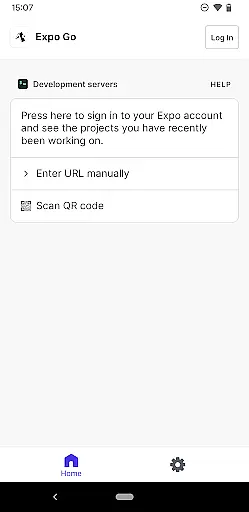
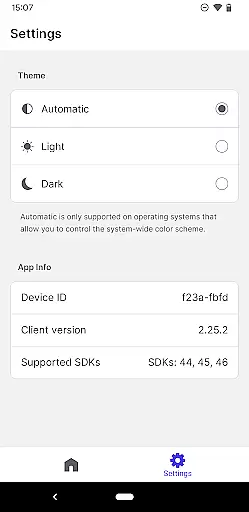
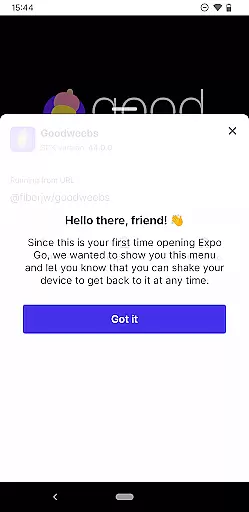
Expo Go is a powerful development tool that allows developers to create rich, interactive mobile experiences using JavaScript and React Native. The application enables users to build apps with advanced features such as camera integration, background location tracking, audio and video playback, and SQLite database management.
Designed for both beginners and experienced developers, Expo Go provides an accessible platform to experiment with app development directly on Android devices. By connecting your device to your computer, you can instantly preview and test your code in real-time, making the development process more efficient and intuitive.
Whether you're building a prototype or developing a full-scale application, Expo Go offers the tools necessary to bring your ideas to life. With comprehensive documentation and a supportive community, this app is an essential resource for anyone interested in mobile development.
Expo Go stands out with its diverse feature set tailored for mobile app development. One of its key strengths is the ability to access native device functionalities without complex configurations. Developers can easily integrate features like the camera, geolocation, media playback, and local storage through simple JavaScript APIs.
The app also excels in providing a seamless development workflow. Using Expo Go, developers can instantly run their projects on physical devices without needing to go through lengthy build processes. This live testing capability significantly speeds up iteration cycles and ensures that changes are reflected immediately.
Additionally, Expo Go benefits from an active ecosystem. It connects developers to a vast library of pre-built modules and third-party plugins, reducing the need to reinvent the wheel. Whether you're looking to add authentication, push notifications, or analytics, Expo Go simplifies the implementation process while maintaining flexibility for customization.
Expo Go offers a comprehensive suite of tools that cater to the diverse needs of app developers. The functionality spans from basic utilities to advanced features, ensuring that both novice and experienced developers find value in using the platform.
The app provides access to device-specific features such as the camera, background location services, audio and video capabilities, and SQLite databases. This wide-ranging support allows developers to create complex applications with interactive gestures and rich graphics without needing to write additional native code.
By covering a broad spectrum of use cases, Expo Go enables developers to focus on creating engaging user experiences rather than worrying about backend logistics. The extensive documentation available at their website further enhances the development process by providing clear guidance and examples.
This complete coverage of functionalities ensures that developers can swiftly move from concept to deployment, making it an invaluable tool for anyone looking to build robust mobile applications using JavaScript and React Native.
Expo Go stands out in the realm of developer tools due to its emphasis on usability and operational smoothness. The interface is designed to be intuitive, allowing users to easily navigate through different features and settings without a steep learning curve.
Operational efficiency is achieved through seamless integration with development environments. Developers can quickly test their applications on an Android device, facilitating a rapid development cycle. The synchronization between the coding environment and the Expo Go app ensures that changes are reflected instantly, enhancing productivity.
Moreover, the application's performance is optimized to handle complex operations smoothly. Whether it's processing multimedia content or managing background services, Expo Go maintains a high level of responsiveness and reliability. This operational fluidity is crucial for developers who need to iterate quickly and efficiently.
Overall, the combination of an intuitive interface and efficient performance makes Expo Go a go-to choice for developers aiming to create high-quality applications with minimal friction in the development process.
User-friendly interface
Wide range of APIs
Real-time testing
Active developer community
Cross-platform support
Limited native performance
Requires programming knowledge
No offline functionality
Dependent on internet connection
Steep learning curve

Read Holy Quran Feel Like Real Quran & Listen Al Quran Mp3 Audio Online Offline.
 4.70
4.70
SmartCast mirrors Android phone to TV screen With Cast Screen, Chromecast.
4.80
Connect and find your Smarttag devices through our app.
4.00
An essential GFX utility developed for specific FPS mobile games
4.50
use your smartphone as Remote control drones .
4.20
DamonSx2 is the open Source LGPL Emulator
3.20
Game booster GFX may reduce interruptions and improve gaming experience.
4.50
Mobile Connect To TV - HDMI USB & WiFi Screen Mirroring
3.70
The best PS2 games from your childhood come to life in their mobile version!
4.00
Explore The Holy Quran Majeed for Muslim. Listen to MP3 Quran & Al Quran Kareem.
4.80
Block, disable and secure phone camera from secretly taking photos by spyware.
4.50
Phone Software Update Quick Checker helps you to keep your phone apps up to date
4.50
Al QURAN-القرأن الكريم app to read Quran offline just like an actual Quran book
4.30
Game Booster GFX for smoother gaming experience. Enjoy 120 FPS and 4x Game Space
4.20
Use your Phone as Drone Controller.
3.70
Ps2 plugins for 64 bit artitechture
3.70
Simulator of real black light
3.50
If you are looking for melon playground mod that fun you deffinitely try our app
2.70
Mirror Link Car Display to share your screen with car dashboard wirelessly
4.5


User Reviews