

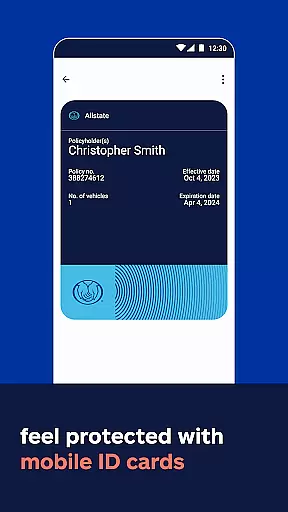
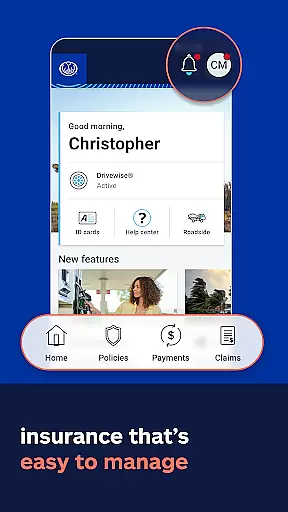

Allstate Mobile is a comprehensive financial and insurance management app designed to provide users with quick access to essential services. The app allows you to store digital ID cards, make bill payments, and manage your insurance policies all in one place. With features like the Good Hands® Repair Network, you can easily find trusted repair shops when needed.
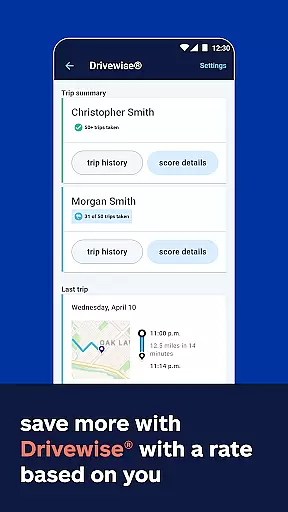
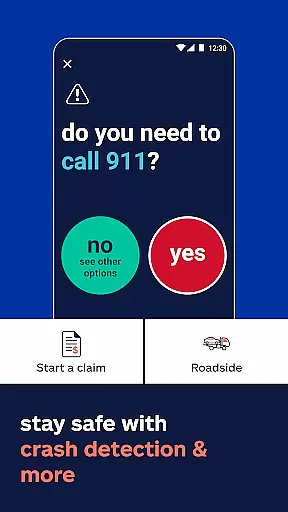
One of the standout functionalities is Drivewise®, which promotes safe driving by offering rewards and feedback based on your driving behavior. Additionally, the app provides practical tools such as crash detection and finding the best gas prices through GasBuddy® integration. Allstate Mobile also helps you stay prepared with weather alerts and insights into your home's climate risks, ensuring you are always ahead in protecting what matters most.
Allstate Mobile offers a rich set of features tailored for both convenience and safety. One key feature is the ability to add digital ID cards directly to Apple Wallet, providing easy access whenever required. The app simplifies policy management by allowing users to pay bills, view their policies, and handle claims efficiently from their mobile devices.
For those looking to improve their driving habits, Drivewise® provides valuable feedback and potential savings based on safe driving practices. In case of emergencies, the app includes crash detection technology that quickly connects you with help. Moreover, it integrates with GasBuddy® to help you locate the best gas prices nearby. Additional protective measures include 24/7 roadside assistance and Allstate Identity Protection, ensuring comprehensive coverage against fraud and other risks.
In the realm of mobile finance applications, security is paramount. Allstate Mobile ensures account and fund security through advanced encryption protocols and multi-factor authentication processes. This means that every transaction and personal data exchange within the app is safeguarded against unauthorized access.
The application employs cutting-edge security measures to protect user information. By integrating secure login features and continuously monitoring for suspicious activities, Allstate Mobile provides users with peace of mind knowing their financial information is protected from cyber threats.
Users benefit significantly from these security implementations. Not only can they manage their policies and pay bills without concern, but they also have the assurance that their digital ID cards and personal details are kept confidential. This dedication to security empowers users to take full advantage of the app's features, such as accessing repair networks and receiving weather alerts, without compromising their privacy.
A seamless transaction experience is crucial for any finance app, and Allstate Mobile excels in this area. The app offers intuitive navigation and swift processing times for bill payments and policy management, ensuring users can complete transactions efficiently and without hassle.
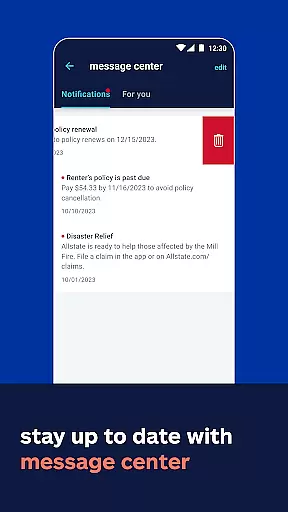
Allstate Mobile incorporates real-time notifications and updates, keeping users informed about their transaction statuses and policy changes. This transparency allows users to stay on top of their financial commitments and make timely decisions regarding their accounts.
By streamlining the transaction process, Allstate Mobile enhances user satisfaction. Customers can easily interact with various services, from paying their bills to reviewing their policies, all within a few taps. This convenience not only saves time but also encourages regular use of the app, reinforcing trust in its reliability and functionality.
User-friendly interface
Comprehensive policy management
Safe driving incentives
24/7 roadside assistance
Integrated gas price finder
Limited Drivewise availability
State-specific restrictions
Potential data privacy concerns
Occasional technical glitches
Dependent on smartphone compatibility

Manage your account, make a payment, and redeem your rewards on the go.
 4.50
4.50
Bitcoin gpu app helps you remote mine using your cell phone easily .
3.60
Need help before payday? Get cash advances with no interest or credit checks.
4.60
Retirement plan, IRA, retail and HSA customers serviced by Empower.
3.10
Simple & secure international money transfers - for personal & business needs.
4.80
The Citi Mobile® App lets you manage your accounts virtually anytime, anywhere
4.80
Real-time tracking: Stocks, Indices, Futures, Commodities, ETF, & Funds prices.
4.60
Wells Fargo Mobile allows you to access your investment and bank accounts.
4.80
Our Chase Mobile App makes it easy for you to bank on the go 24/7.
4.60
Companies owe you money.
4.80
Easy budgeting planning on a calendar!
4.80
Navigate your unique financial path confidently with help from Credit Karma.
4.70
Banking with no monthly fees, fee-free overdraft, and early payday.
4.70
Pay, bank & build credit.
4.70
Access State Farm accounts, policies, ID cards and more
4.60
All your crypto & stocks in one secure and trusted app.
4.40
Put crypto to work & earn rewards. Stake crypto like Ethereum, Solana & Cardano
4.40
Make your paycheck work harder for you with Perpay.
4.10
Expenses, Bills, Budget and Accounts - All seamlessly integrated in one app!
3.80


User Reviews