
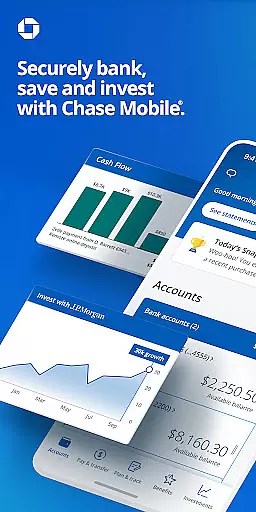
Chase Mobile® is a comprehensive financial management app that allows users to bank securely, send and receive money with Zelle®, deposit checks, monitor credit scores, and budget effectively. The app also integrates J.P. Morgan Wealth Management tools for long-term investment planning and goal setting. With Chase Mobile®, users can manage multiple accounts including checking, savings, credit cards, home loans, auto loans, and business accounts all in one place.
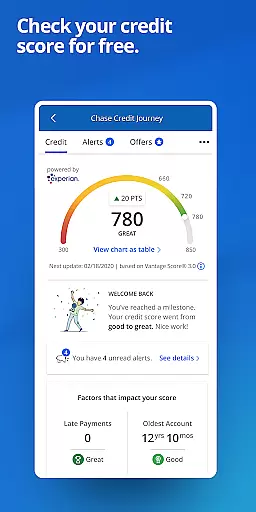
The app provides convenient payment options such as scheduling payments, transferring money between accounts, and managing Chase credit card bills. It offers free credit score monitoring through Chase Credit Journey®, daily budget insights, and robust security features like card locking/unlocking functionality. Additionally, users can plan for their financial future by accessing $0 commission online trades for equities, ETFs, and options, and connecting with advisors for personalized wealth management services.
Designed for both everyday banking and long-term financial planning, Chase Mobile® is ideal for users who want a secure, all-in-one platform to manage their finances, track spending, invest wisely, and connect with financial experts when needed. Its combination of essential banking tools, investment planning, and top-tier security makes it an invaluable resource for modern banking needs.
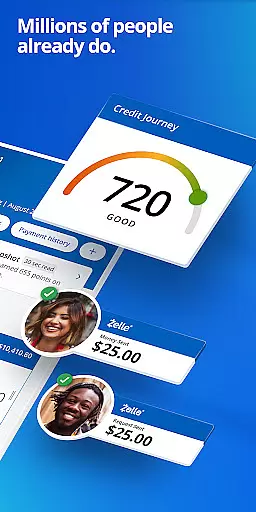
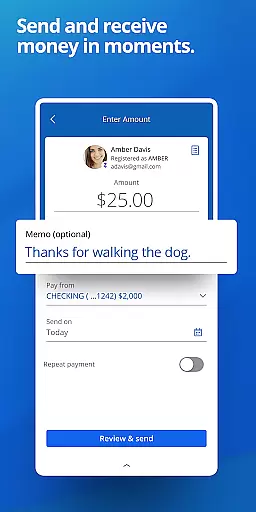
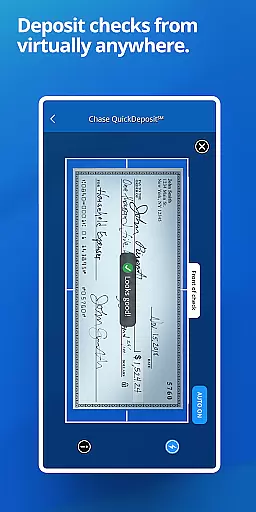
Chase Mobile® stands out with its diverse range of features designed to simplify banking and financial management. One of the key highlights is its seamless integration with Zelle®, allowing users to send and receive money instantly. The app also supports Chase QuickDeposit℠, enabling users to deposit checks remotely using their mobile devices, subject to certain limits and terms.
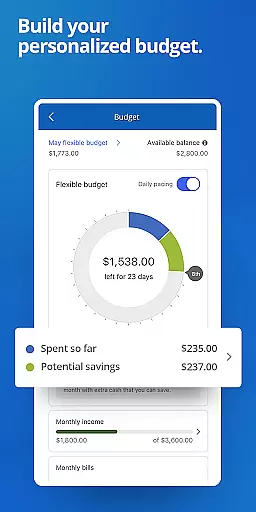
For those focused on financial health, Chase Credit Journey® provides free credit score tracking and identity monitoring, empowering users to maintain control over their credit profiles. The budgeting tools offer daily insights into income and spending patterns, helping users stay on top of their financial goals. Security features are equally robust, with real-time notifications for unusual card activity and the ability to lock/unlock cards directly from the app.
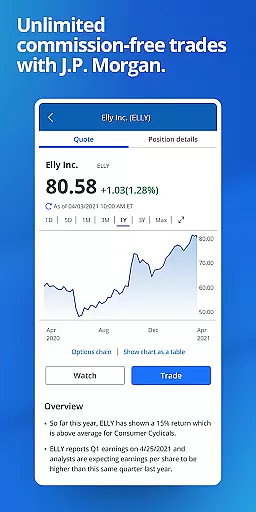
Investment planning is another major strength of Chase Mobile®. Through J.P. Morgan Wealth Management, users can access $0 commission online trades for U.S. listed stocks, ETFs, and options, along with professional wealth planning tools. The app also facilitates easy connection with financial advisors and bankers, ensuring users have expert support whenever needed. These features collectively create a powerful, user-friendly platform for managing both day-to-day and long-term financial needs.
Account and Fund Security is a critical feature for any financial application, ensuring that users' sensitive information and funds are protected from unauthorized access. Chase Mobileu00ae app employs advanced security measures to safeguard your accounts. The app provides real-time notifications for unusual card purchases, helping you stay informed about potential fraudulent activities.
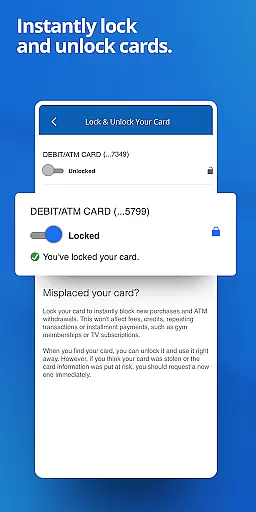
In addition to monitoring transactions, Chase Mobileu00ae allows users to lock and unlock their cards directly within the app. This functionality ensures that if your card is lost or stolen, you can quickly prevent unauthorized transactions while maintaining control over your account. These proactive security features empower users to manage their financial safety effectively.
The app also offers free identity monitoring through Chase Credit Journeyu00ae, adding an extra layer of protection by alerting users to any suspicious activity related to their personal information. By combining these robust security protocols with user-friendly tools, Chase Mobileu00ae delivers peace of mind to its customers, knowing their assets are secure.
A seamless transaction experience is essential for users managing their finances efficiently. With Chase Mobileu00ae, sending and receiving money has never been easier. The integration of Zelleu00ae enables instant transfers between bank accounts, allowing users to split bills or pay friends without hassle. This service simplifies peer-to-peer payments, making it convenient for everyday use.
Moreover, Chase Mobileu00ae supports comprehensive payment management, enabling users to schedule and manage payments for various bills, including Chase credit cards. Users can also transfer money between different accounts effortlessly, streamlining their financial operations. These capabilities ensure that all transactions are executed smoothly and promptly.
To further enhance the transaction experience, Chase Mobileu00ae provides daily insights into spending habits and budget tracking. By offering at-a-glance analytics, the app helps users make informed decisions about their finances. Overall, Chase Mobileu00ae combines ease of use with powerful transactional features, providing a superior banking experience tailored to modern needs.
User-friendly interface
Comprehensive account management
Free credit score monitoring
Robust security features
Integrated investment tools
Limited to Chase customers
Deposit limits apply
Some features require eligibility
Occasional bugs reported
Not all services available in every state

Bank better with our new app
 3.80
3.80
Bill Manager is a simple app to help you keep track of your upcoming bills.
4.3
Manage your prepaid cards and add to Google or Samsung Wallet.
4.60
Money transfer made easy. Send money to friends and family with great rates.
4.70
Simple & secure international money transfers - for personal & business needs.
4.80
No credit check, no interest, no worries.
4.70
Easy budgeting planning on a calendar!
4.80
Military retirement pay estimation calculator
4.70
SuperQi, Your all-in-one Super App.
1.30
Check EBT, SNAP, WIC balances, manage food stamps, and save money with benefits
4.80
Wells Fargo Mobile allows you to access your investment and bank accounts.
4.80
Money App - Earn Cash back, Fast Cash Advance, Personal Loan Offers, Banking
4.70
Real-time tracking: Stocks, Indices, Futures, Commodities, ETF, & Funds prices.
4.60
The all-in-one app to save, earn, travel, and put more money in your pocket
4.50
Put crypto to work & earn rewards. Stake crypto like Ethereum, Solana & Cardano
4.40
Get up to 500, get paid early, earn interest and find work with no hidden fees.
4.40
BTC, Crypto, Stocks & Options.
4.20
Invest, bank & save in one app. Trade stocks, earn high APY & budget smarter.
4.00
StockTiles lets you view prices & charts of your favorite stock assets
2.30


User Reviews