
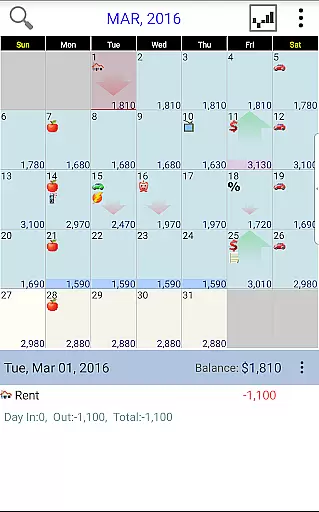
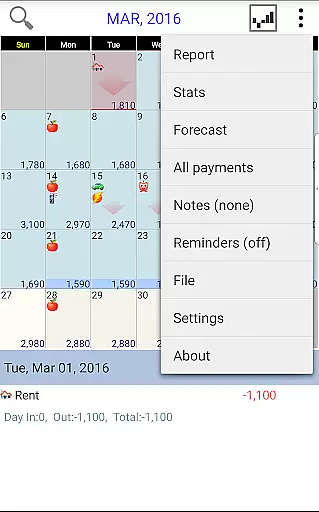
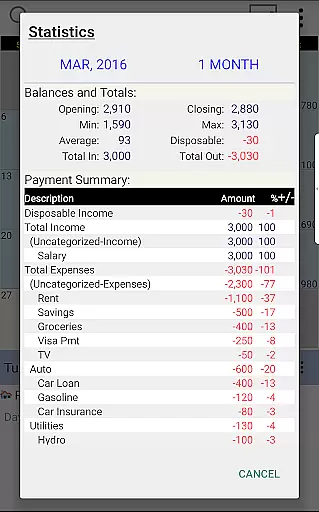
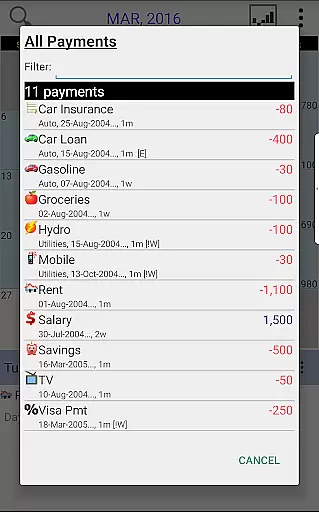
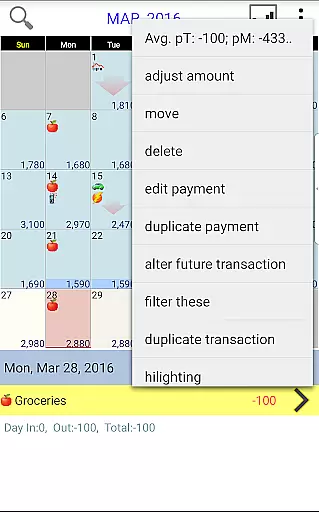
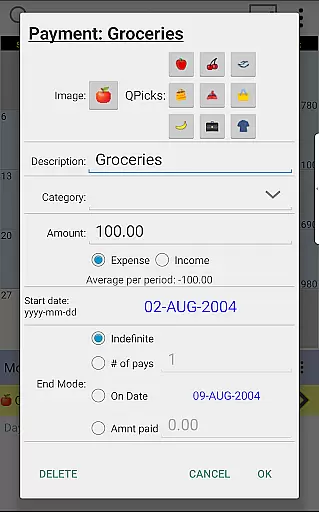
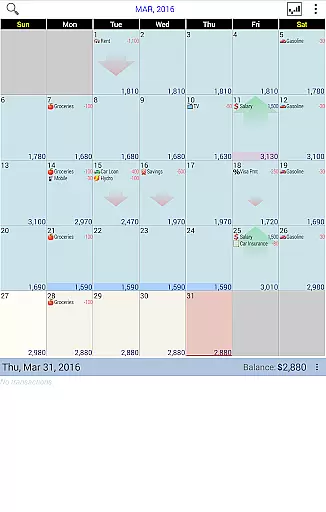
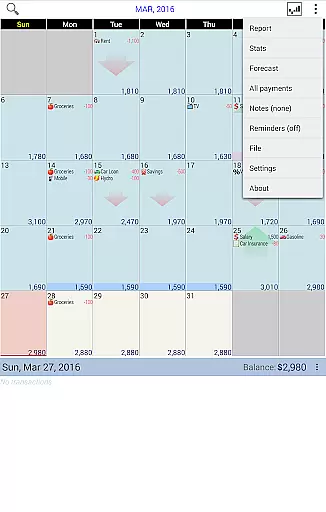
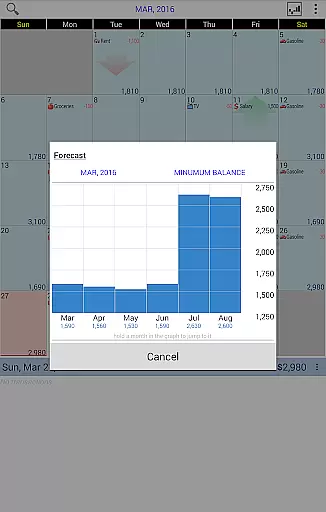
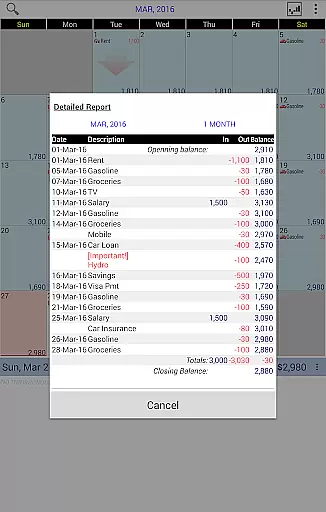
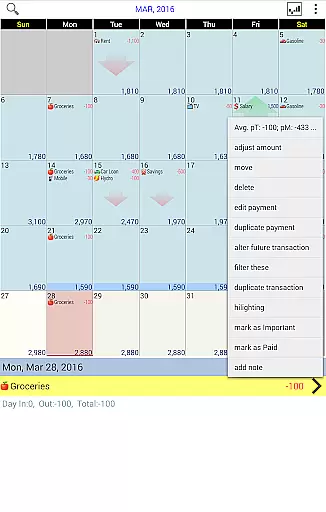
Budget Calendar is a comprehensive financial planning tool designed to simplify budget management through its intuitive calendar-based interface. Unlike traditional ledger systems, this application visually represents all transactions on a calendar, allowing users to easily track and adjust their payments. Each transaction can be customized with unique icons for quick identification, and the flexible drag-and-drop feature enables effortless rescheduling of payments. The app provides clear statistics and reports across multiple months, empowering users to make informed financial decisions. With cross-device compatibility through Google Drive syncing, Budget Calendar ensures seamless access to your financial data on both smartphones and desktop versions.
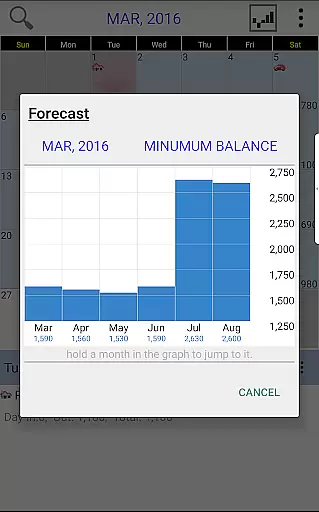
The app's standout feature is its ability to display future spending patterns, giving users a clear understanding of upcoming expenses. This forward-looking approach, combined with the option to adjust budget balances according to actual accounts, makes it an invaluable tool for maintaining financial health. Whether you're managing daily expenses or planning long-term budgets, Budget Calendar offers the functionality and flexibility needed to stay on top of your finances.
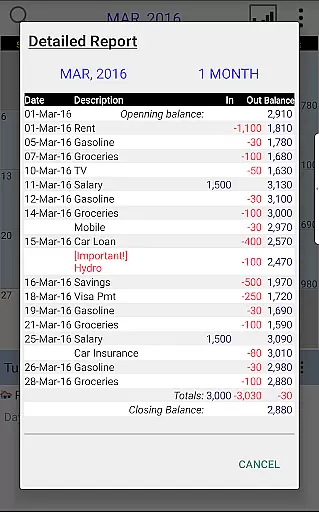
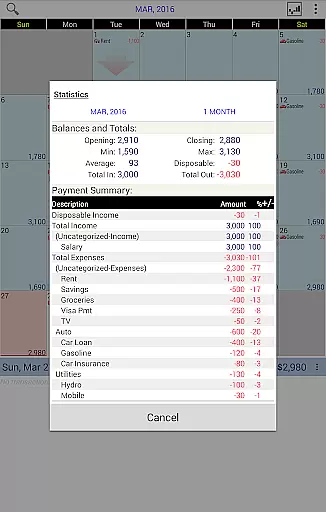
Budget Calendar distinguishes itself through several innovative features that enhance the budgeting experience. The application's core functionality revolves around its visual calendar interface, which transforms complex financial data into easily digestible information. Users can effortlessly move transactions between dates using drag-and-drop functionality, while customizable icons provide quick visual recognition of different payment types. The app's reporting capabilities are particularly robust, offering detailed statistics and analysis for single or multiple months, helping users identify spending patterns and make necessary adjustments.
One of the application's most valuable features is its cross-platform compatibility. The smartphone version maintains full file format compatibility with desktop versions, ensuring seamless transition between devices. Through Google Drive integration, users can synchronize their financial data across multiple devices and PCs, creating a unified budgeting ecosystem. Additionally, the availability of a TRIAL desktop version allows potential users to explore the application's capabilities before committing to purchase, demonstrating the developer's confidence in the product's value proposition.
Budget Calendar ensures robust account and fund security through multiple layers of protection. The application employs advanced encryption protocols to safeguard your financial data, ensuring that all transactions are securely stored and transmitted.
One of the standout features is its secure syncing capability with Google Drive, allowing users to safely back up and access their budget data across multiple devices without compromising security. This seamless integration provides peace of mind, knowing your sensitive information is protected both locally and in the cloud.
In addition, Budget Calendar offers customizable privacy settings, enabling users to control who can view or edit their financial plans. These measures collectively ensure that your budgeting remains private and secure, giving you full confidence in managing your finances.
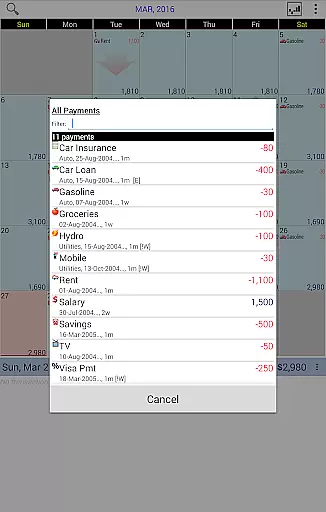
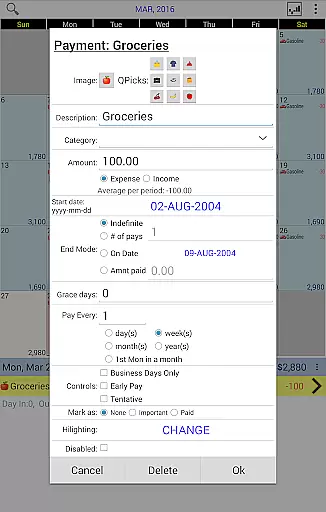
The transaction experience in Budget Calendar is designed to be intuitive and user-friendly, setting it apart from traditional ledger-based budgeting applications. Each transaction is visually represented on a calendar, making it easy to see upcoming payments and manage your financial schedule effectively.
Users can assign unique icons to different transactions, enhancing visual recognition and personalization. The ability to drag and drop transactions to different dates adds flexibility, accommodating changes in payment schedules effortlessly.
Furthermore, Budget Calendar provides clear statistics and reports, offering insights into spending patterns over one or more months. This feature empowers users to make informed financial decisions based on accurate and comprehensive data, ultimately leading to better budget management.
User-friendly interface
Customizable transaction icons
Drag-and-drop functionality
Cross-platform compatibility
Detailed financial reports
Desktop version separate purchase
Limited free features
Requires Google account
Monthly subscription fee
Learning curve for beginners

Manage your account, make a payment, and redeem your rewards on the go.
 4.50
4.50
Currency Converter, Exchange Rates, Widgets
4.90
Pay rent on your schedule.
4.70
Early payday cash advance up to $150 a day with a max of $1,000 per pay period
4.70
The simplest way to budget, bank, save and invest.
4.50
Get 250$ Cash Advance to solve emergencies instantly in loan app called LendMe
4.70
Your Big Financial Friend
4.70
Car Insurance Made For You.
4.50
Send money and bitcoin easily. Invest, bank and do more with your money
4.70
Military retirement pay estimation calculator
4.70
Powerful Money Manager, Expense & Savings Tracker, Budget Planner - Pro Version
4.70
Navigate your unique financial path confidently with help from Credit Karma.
4.70
Pay, bank & build credit.
4.70
Need help before payday? Get cash advances with no interest or credit checks.
4.60
Banking, Budgeting & Investing
4.60
Our Chase Mobile App makes it easy for you to bank on the go 24/7.
4.60
Make Real Cash by Playing Games! Fetch Playful Rewards, Win & Triumph
4.50
Get, Earn, and Save Money
4.30
SuperQi, Your all-in-one Super App.
1.30


User Reviews