
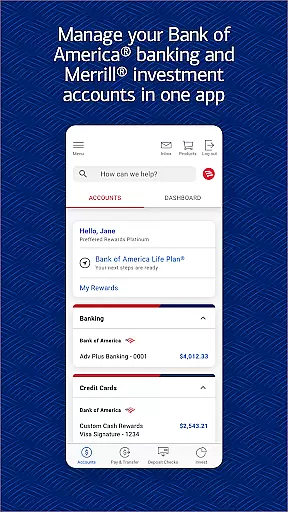

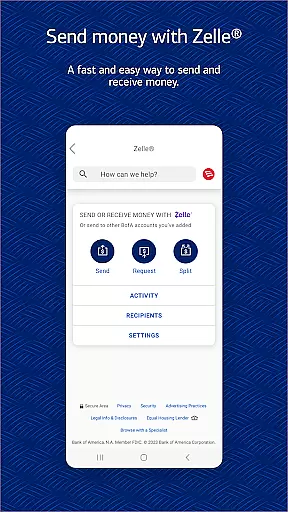
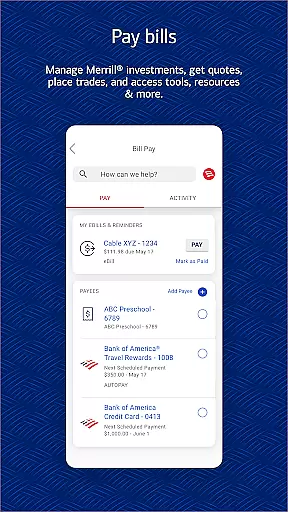
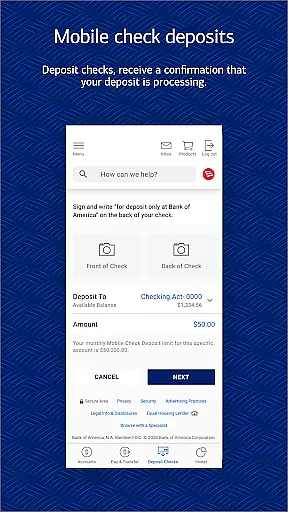
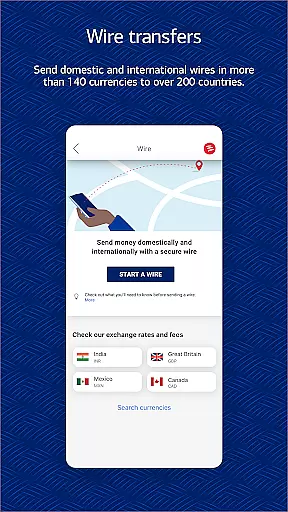
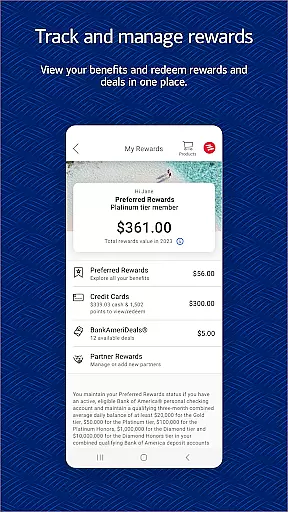
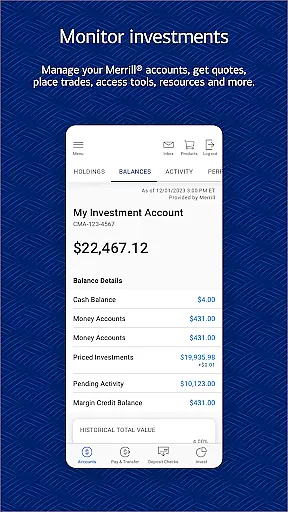
Bank of America Mobile Banking is a comprehensive financial management application designed for U.S.-based customers. The app allows users to conveniently and securely manage their checking, savings, credit card, loan, and investment accounts from their mobile devices. With features like account balance viewing, bill payments, Zelle® money transfers, and check deposits, it provides a complete banking solution at your fingertips.
The app also includes Erica, a virtual financial assistant that helps users find transactions, pay bills, and offers valuable insights. Security is prioritized with options like Touch ID® / Face ID® and instant fraud notifications. Additionally, users can manage investments through Merrill, access FICO® Credit Scores, and utilize budgeting tools to track spending and create savings goals. This makes the app suitable for both personal finance management and investment tracking.
Whether you need to deposit checks remotely, monitor your credit score, or trade stocks, Bank of America Mobile Banking offers a secure and efficient way to handle all your banking needs. Its robust feature set ensures that users can maintain control over their finances while benefiting from real-time alerts and educational resources.
Bank of America Mobile Banking stands out due to its extensive range of features tailored for comprehensive financial management. One of the key highlights is the ability to manage multiple types of accounts including checking, savings, credit cards, loans, and investments. Users can view balances, review activities, activate or replace cards, and set important alerts directly from their mobile devices.
The app integrates Zelle® for seamless money transfers using just a U.S. mobile number or email address. It also supports remote check deposits where users can take photos of checks for processing. Erica, the virtual assistant, adds another layer of convenience by helping with tasks such as finding transactions and paying bills. Furthermore, advanced security measures like Touch ID® / Face ID® ensure that user data remains protected against unauthorized access.
Investment management is simplified with features allowing stock trading, ETFs, mutual funds, and viewing market data. Users can also access their FICO® Credit Scores and receive insights into factors affecting their scores. Budgeting tools help in setting savings goals, organizing spending by category, and comparing expenses against income. These capabilities make the app an indispensable tool for anyone looking to efficiently manage their financial life.
In the realm of mobile banking, security is paramount, and Bank of America Mobile Banking excels in providing robust protection for users' financial data. The app employs advanced encryption protocols to safeguard sensitive information, ensuring that account details and transaction histories remain confidential.
One standout feature is the integration of biometric authentication methods such as Touch ID and Face ID. These technologies allow users to conveniently access their accounts while maintaining a high level of security. Additionally, if any fraudulent activity is detected on a user's card, immediate notifications are sent out, empowering users to act swiftly against unauthorized transactions.
The app also includes a comprehensive security center where users can review their security settings and learn about best practices for protecting their accounts. With the Mobile Banking Security Guarantee, customers can rest assured knowing they are not liable for fraudulent transactions when reported promptly, reinforcing trust in the platform.
Bank of America Mobile Banking offers an exceptional transaction experience by combining ease of use with powerful functionality. Users can effortlessly view their account balances and review recent activities, enabling them to stay on top of their finances at all times.
A key highlight is the seamless money transfer capability through Zelleu00ae, allowing users to send and receive funds using just a U.S. mobile number or email address. This service simplifies peer-to-peer payments, making it convenient for users to split bills or reimburse friends without the hassle of traditional banking procedures.
Moreover, the app supports bill payments and fund transfers between linked accounts, including those with Merrill. Such versatility ensures that users can manage all their financial obligations from one place. Immediate confirmation for check deposits further enhances the transaction experience, providing peace of mind that funds are being processed efficiently.
User-friendly interface
Comprehensive account management
Secure transactions
Remote check deposit
Virtual assistant support
Limited international functionality
Occasional bugs reported
Requires internet connection
Some features need enrollment
Potential wait times for check deposits

The all-in-one app to save, earn, travel, and put more money in your pocket
 4.50
4.50
Get a cash advance instantly. File taxes & cover unexpected bills in minutes.
4.60
Early payday cash advance up to $150 a day with a max of $1,000 per pay period
4.70
Easy budgeting planning on a calendar!
4.80
Amazing Financial Calculator. Based on HP 10bII, but easier to use!
4.40
Join 12M+ users. Instant cash advances, personal loans, build credit, save money
4.80
Our Chase Mobile App makes it easy for you to bank on the go 24/7.
4.60
Insurance that's quick and easy to buy and use—anytime, anywhere.
4.60
Banking with no monthly fees, fee-free overdraft, and early payday.
4.70
No credit checked needed.
4.80
Pay rent on your schedule.
4.70
Your Big Financial Friend
4.70
Currency Converter (200+ currencies) with live exchange rates and offline mode.
4.70
Cash Advance, Credit Cards, Credit Lines, Score Monitoring, Saving, Budgeting
4.70
Send money and bitcoin easily. Invest, bank and do more with your money
4.70
Save, spend & get paid faster²
4.50
Trade NFL, NBA, Crypto, Tech
4.50
Venmo is the fun and easy way to pay and get paid.
4.10
NFC mobile payment app Use your phone as a contactless bank card
4.00


User Reviews