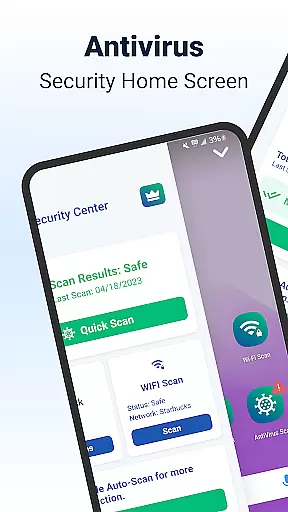
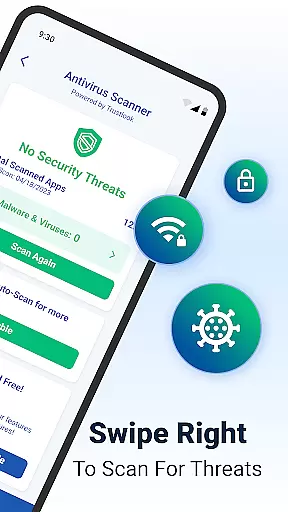
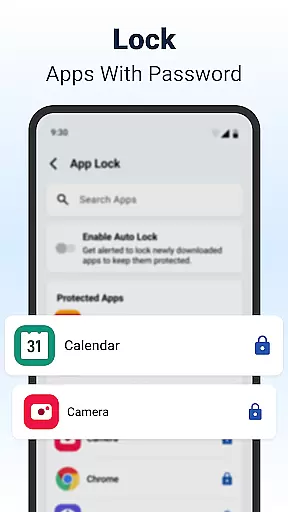
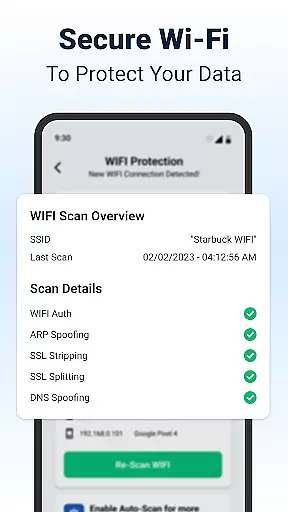
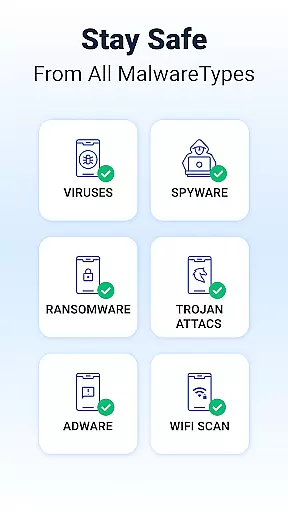
Shield Antivirus Home Screen is a comprehensive security solution designed specifically for Android devices. This free app provides robust protection against viruses, malware, and various cyber threats while enhancing user privacy through advanced features like secure WiFi scanning. With its AI-driven antivirus scanner boasting a 99% detection rate and less than 0.1% false positives, Shield ensures your device remains safe from malicious software. The app also includes privacy tools such as AppLock, which secures sensitive applications with password or fingerprint authentication.
In addition to its core security features, Shield offers extensive customization options. Users can personalize their lock screens and app settings, ensuring that their Android experience is both stylish and secure. The WiFi Scanner feature adds another layer of protection by detecting network-based attacks, including ARP spoofing and DNS spoofing. For those seeking an ad-free experience, upgrading to Shield Pro provides enhanced security without interruptions. Whether you're looking to safeguard personal data or customize your device's appearance, Shield delivers a complete package tailored to meet diverse user needs.
Shield Antivirus Home Screen stands out due to its rich array of features designed to protect and enhance Android devices. One of the standout features is the advanced AI-driven antivirus scanner, which operates with remarkable accuracy. This scanner actively identifies and blocks malware, spyware, and other potential risks, ensuring users enjoy peace of mind knowing their devices are protected. Additionally, the app's AppLock functionality allows users to secure sensitive apps using either a password or fingerprint recognition, adding an extra layer of privacy.
Beyond security, Shield offers several customization options. Users can personalize their home screens with intuitive privacy controls and custom settings, making their Android experience not only secure but also visually appealing. The WiFi Scanner is another critical feature, designed to detect and prevent network-based attacks such as ARP spoofing and SSL stripping. It also scans connected devices on the network, providing users with detailed insights into who or what is accessing their internet connection. These innovative features collectively ensure that Shield Antivirus Home Screen remains a top choice for users prioritizing both security and personalization.
Customization is at the heart of Shield Antivirus Home Screen, offering users a versatile way to personalize their Android experience. The app provides an extensive range of customization options that go beyond mere aesthetics, allowing users to tailor their device's functionality and security settings.
With features like personalized lock screens, privacy controls, and customizable app settings, Shield ensures that your Android device truly reflects your personal style and meets your unique needs. Users can modify their home screen layout, choose from various themes, and adjust privacy settings to create an interface that is both visually appealing and secure.
The ability to customize the AppLock feature adds another layer of personalization. You can select which apps to protect with a password or fingerprint, ensuring that sensitive information remains private while maintaining easy access to frequently used applications.
This level of customization empowers users to optimize their device for both security and usability, proving that robust protection doesn't have to come at the expense of individual expression. Shield makes it possible to enjoy comprehensive security features while keeping your device uniquely yours.
Theme compatibility is a crucial aspect of any personalization-focused application, and Shield Antivirus Home Screen excels in this area. The app supports a wide variety of themes, ensuring that users can find and apply designs that perfectly match their personal style while maintaining visual consistency across their device.
Shield's theme system is designed to work seamlessly with its comprehensive security features. This means that regardless of which theme you choose, all privacy controls and security settings remain fully functional and easily accessible. The app's interface intelligently adapts to different themes without compromising usability or performance.
Users can switch between themes effortlessly, knowing that each option has been carefully optimized for compatibility with Shield's core features. Whether you prefer a minimalist design or a more elaborate visual style, the app maintains its functionality while adapting to your aesthetic preferences.
This perfect balance between visual customization and functional integrity sets Shield apart from other security solutions. By ensuring complete theme compatibility, the app demonstrates its commitment to providing both security and personal expression, making device protection a more enjoyable and engaging experience.
Powerful antivirus engine
Advanced privacy tools
Customizable interface
Secure WiFi scanning
User-friendly design
Limited iOS support
Occasional ads in free version
Resource-intensive scans
Pro version costs money
Complex setup for beginners

Fingerprint Lock Screen & Live Animations with 4K Wallpapers as Live Wallpaper
 4.40
4.40
Turn your lock screen into fun with smile live wallpapers & animated wallpapers!
2.50
Zip lock screen with magic wallpaper to decorate your phone with fun zipper lock
4.60
HappyLighting is a Bluetooth lamp control software.
3.40
Yandex Browser — stylish and secure, with voice search and data compression
4.40
Adorable pets roam and play right on your phone screen!
3.30
One 8 icons glass color version
4.80
Create unique, fun emojis with Funny Emoji Maker! Unlimited creativity!
4.00
Create stunning widgets with Widget 2026: Aesthetic Widgets for Android!
4.60
Winter's Journey: digital watch face for Galaxy Watch & Wear OS
4.80
Sparkle your screen with Glitter Wallpapers For Girls and Cute Backgrounds!
4.80
Vertically oriented rectangular icons
4.70
Personalize your phone with stunning HD and 4K wallpapers!
4.70
Classic analogue watch face. For wear os devices.
4.60
Icons made of colorful linear lines
4.60
Vibrant Adaptive Icons with Material You and Enhanced Monet Colors.
4.50
Romantic Kiss Stickers App. Start romantic messaging now!
4.30
Realistic animated snow on your wrist, with 10 images landscapes to choose from
4.00
Adaptive Dot Style IconPack with Light & Dark Theme.
3.70


User Reviews