
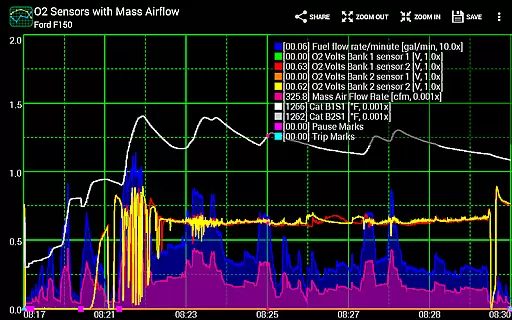
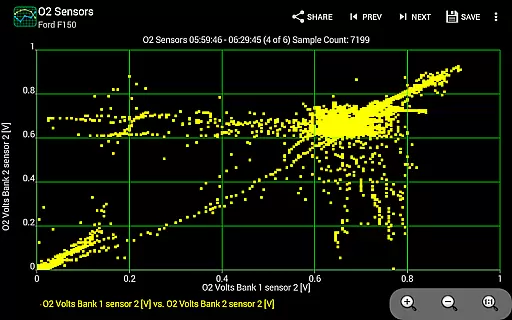
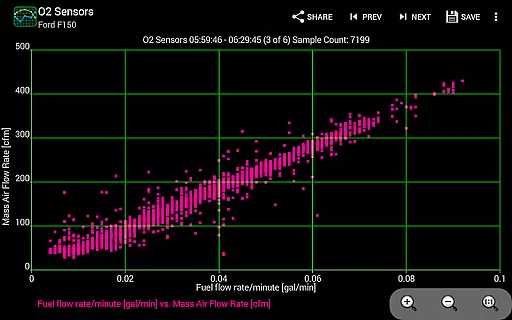
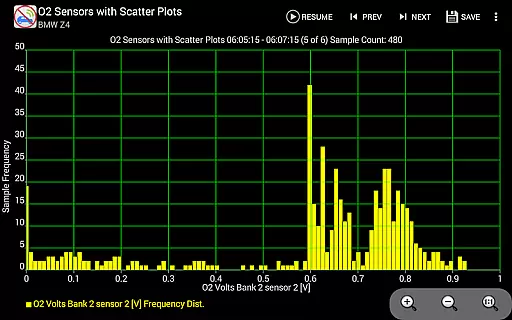
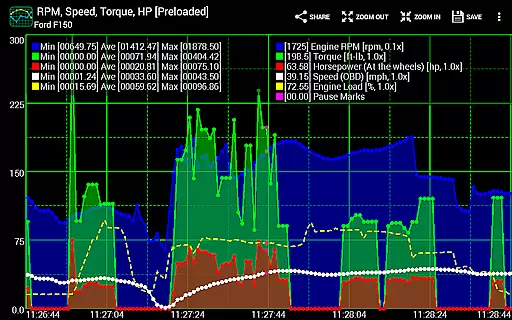
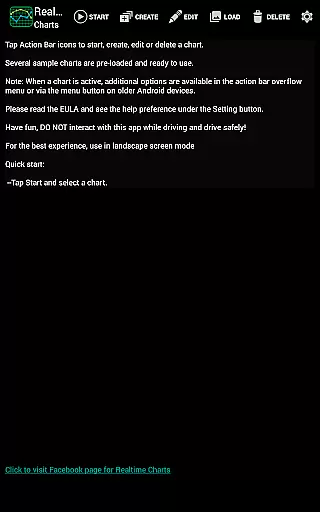
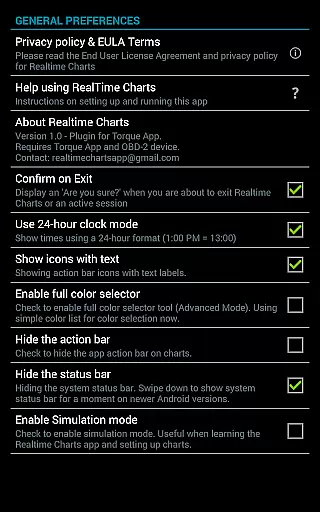
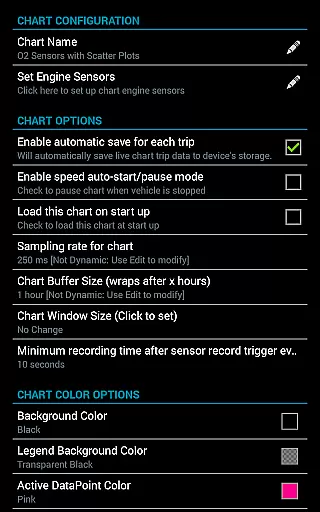
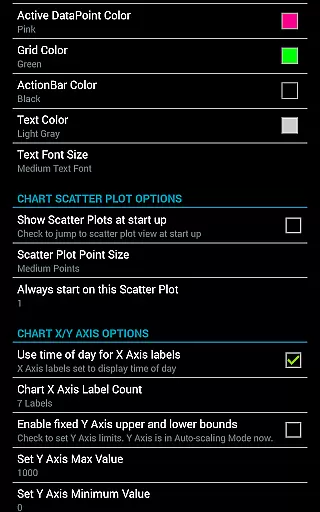
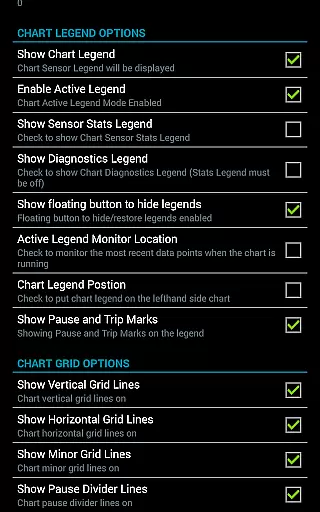
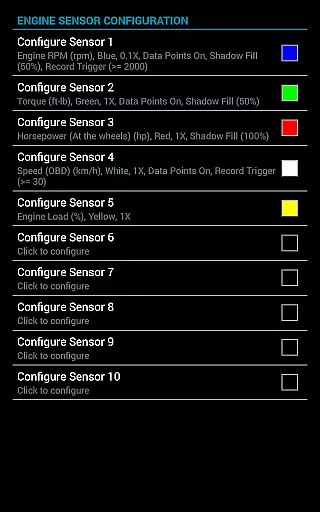
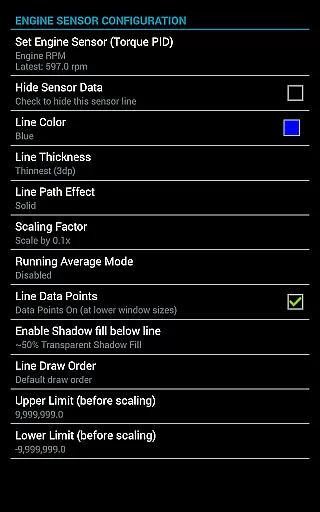
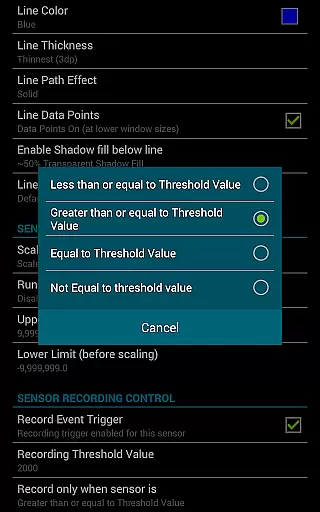
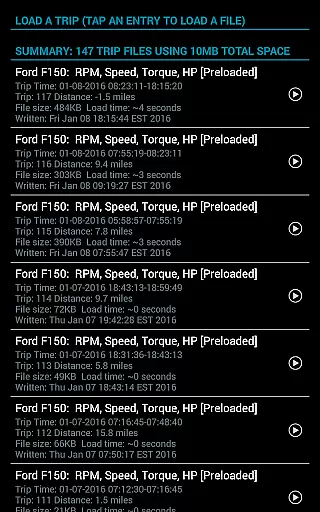
Realtime Charts for Torque Pro is a specialized plugin designed for automotive enthusiasts and professionals alike. It enables users to monitor and graph up to 10 engine sensors in real-time, providing critical insights into vehicle performance. Compatible with Android devices, this app supports scatter plot analysis and custom chart creation, allowing detailed performance tracking.
The application caters specifically to those interested in automotive diagnostics, offering features like data capture based on specific sensor criteria and sharing capabilities for social media and forums. With support for various Android versions and OBD2 adapters, it ensures broad usability across different vehicles and devices. Its ability to save and review trip data adds significant value for performance tuning and analysis.
Realtime Charts stands out with its comprehensive feature set tailored for automotive analysis. The app allows simultaneous graphing of multiple engine parameters, giving users a detailed view of their vehicle's performance metrics. Key functionalities include real-time scatter plot analysis, customizable charts, and dynamic scaling options that enhance diagnostic precision.
Additional notable features encompass auto-pause functionality when the vehicle is stationary, trigger-based data capture, and exporting capabilities to Excel CSV files. Users can also modify chart attributes on the fly, ensuring optimal visualization. These robust features collectively enable mechanics and enthusiasts to conduct thorough performance evaluations and share their findings effectively within the automotive community.
Realtime Charts for Torque Pro offers unparalleled access to detailed vehicle information, making it an essential tool for automotive enthusiasts and professionals. The app allows users to monitor up to 10 engine sensors simultaneously, providing real-time data on critical parameters such as RPM, speed, MPG, horsepower, and torque.
This level of detail empowers users to gain in-depth insights into their vehicle's performance. By graphing each engine sensor as a distinct series, the app enables precise tracking and analysis. Users can customize charts with specific sensors, sampling frequencies, and visual attributes, ensuring the information is tailored to their needs.
The ability to save and review data sessions enhances the diagnostic process. Whether you're tuning your car or diagnosing issues, having accurate historical data at your fingertips ensures informed decision-making. This functionality transforms how users interact with their vehicles, offering professional-grade monitoring typically unavailable to hobbyists.
While Realtime Charts for Torque Pro itself provides exceptional value through its advanced features, potential users should understand the associated costs. The app requires a compatible wireless OBD2 adapter and the Torque Pro application, representing additional initial investments. However, this pricing structure offers transparency and flexibility in choosing components that best suit individual needs.
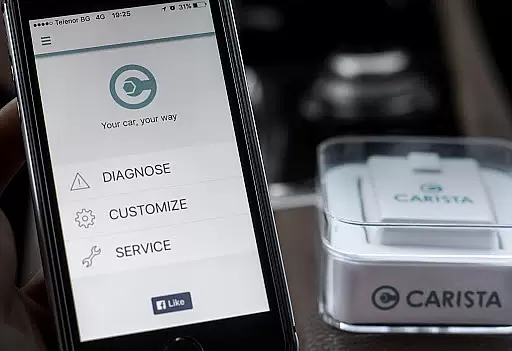
The developers maintain clear communication about these requirements upfront, preventing unexpected expenses. They even provide recommendations for affordable OBD2 adapters, like Carista's option, demonstrating commitment to user accessibility. This approach to price transparency helps users make informed decisions about their automotive diagnostic investments.
Moreover, the app's extensive feature set, including scatter plot analysis, custom chart creation, and data export capabilities, justifies the investment for serious automotive enthusiasts. The ability to record sessions while running other apps and automatic trip storage management adds significant value. These comprehensive tools effectively replace multiple expensive diagnostic devices, making the overall cost highly competitive in the automotive diagnostics market.
User-friendly interface
Real-time data monitoring
Customizable chart options
Extensive sensor support
Social sharing capabilities
Requires separate OBD2 adapter
Dependent on Torque Pro app
Limited to Android platform
Complex for beginners
No iOS support

OBD diagnostics, Live Data, DPF regeneration for BMW
 4.00
4.00
Theme for Car Launcher
4.0
Listings of Tesla's with FSD - Included package
4.60
A full featured, real-time transit locator system
4.30
BlueDriver® is a Premium Diagnostic OBD2 Scan Tool. www.BlueDriver.com
3.90
O'Reilly Pro will streamline your parts lookup and ordering process!
3.20
7-Day Returns on All Cars
4.80
Shop, finance, or sell today.
4.80
Get price alerts, vehicle history details and more for cars near you!
4.50
View your car’s service records and find out when maintenance is due.
4.70
Shop cars & see your financing
4.60
Autolist - The Largest Selection of Local Used Cars and Trucks
4.50
Ultimate OBD2 Car Scanner: Diagnostics, Service and Modification Tool
4.30
* This app needs an adapter cable and a certain OBD2 adapter to work *
4.20
Boost profits and hit your goals faster with GigU's amazing tools for gigworkers
4.00
Take state-specific DMV permit tests and ace the exam.
3.90
Wonder how much horsepower and torque your car/truck makes? Look no further.
3.40
The Smarter Way Forward
3.30
Easily notify car owners in urgent situations, safe, fast, multilingual.
4.4


User Reviews