
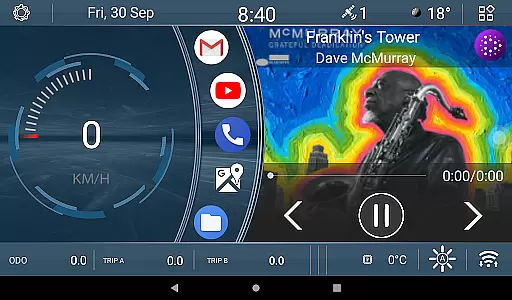
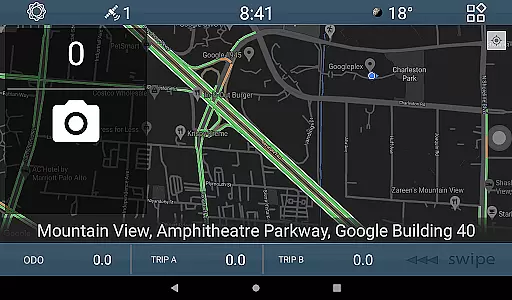
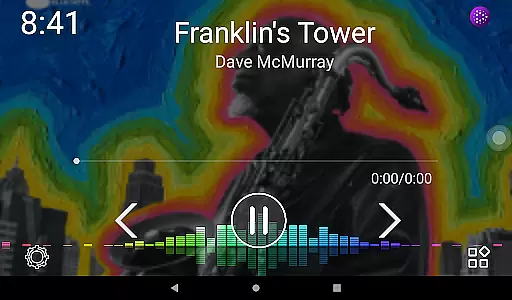
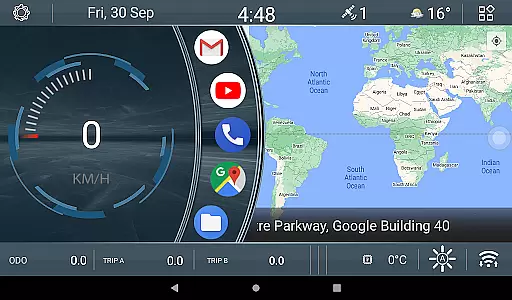
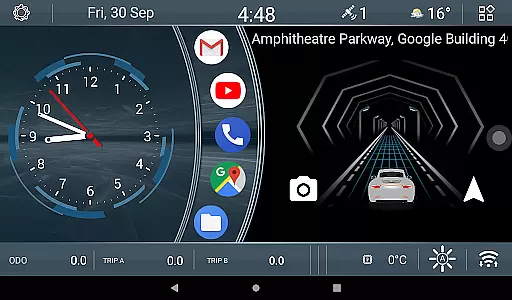
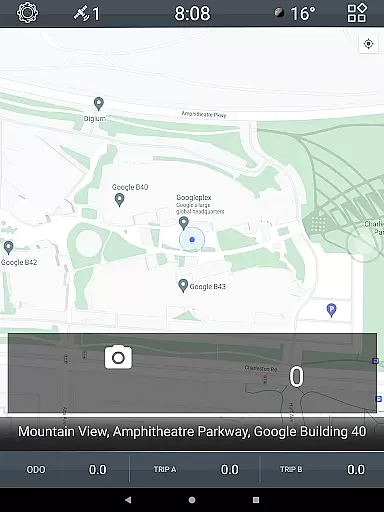
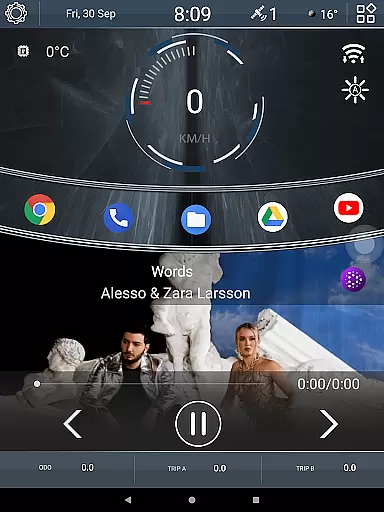

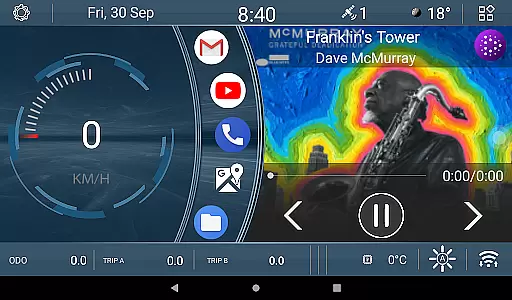
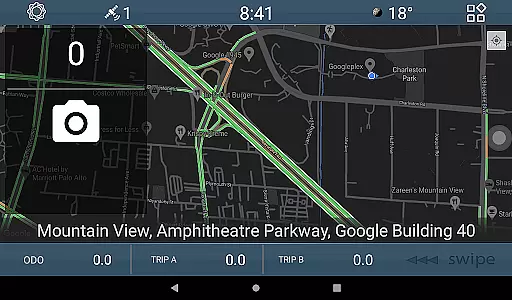
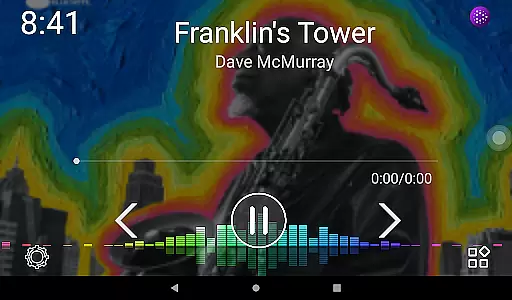
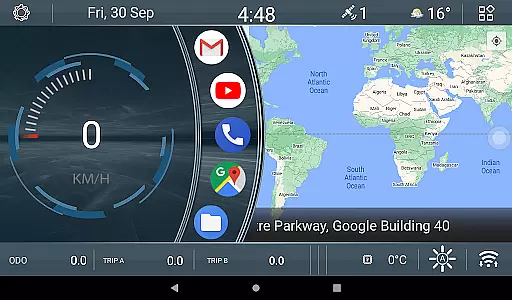
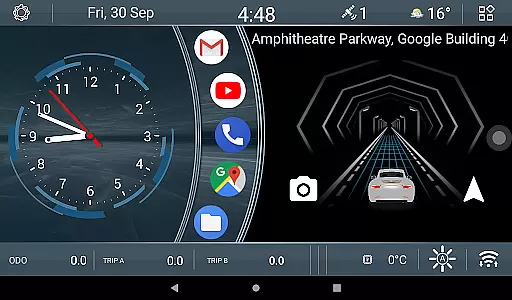
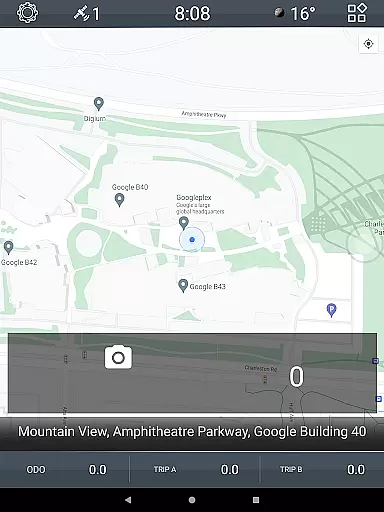
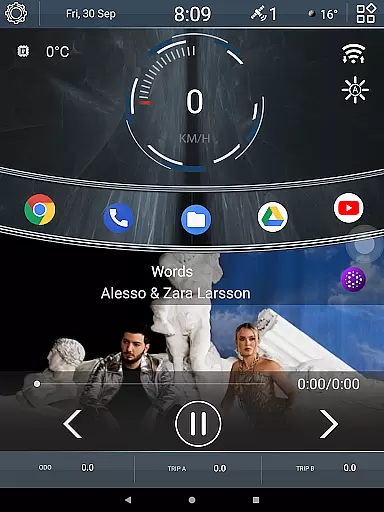

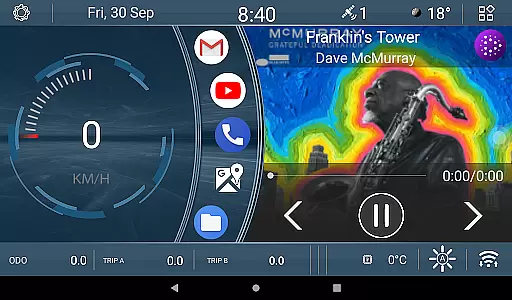
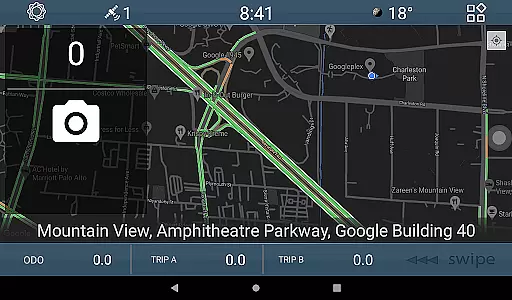
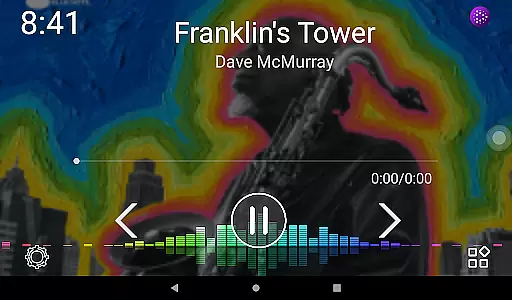
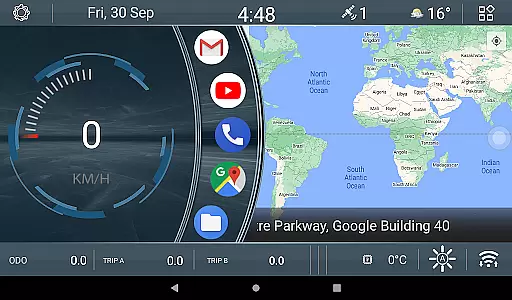
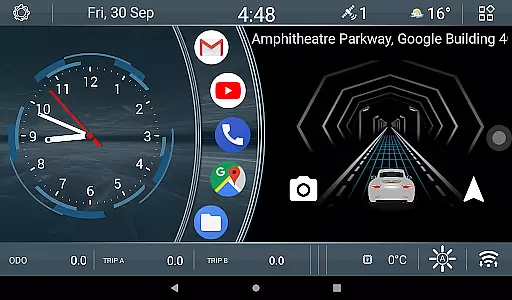
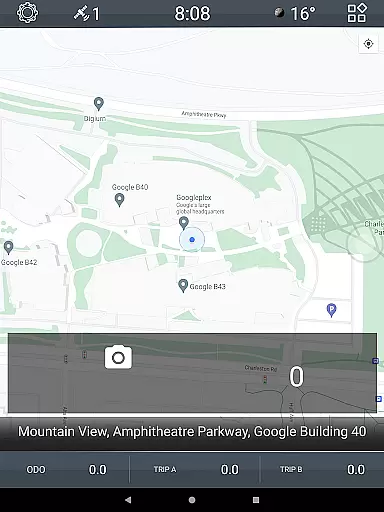
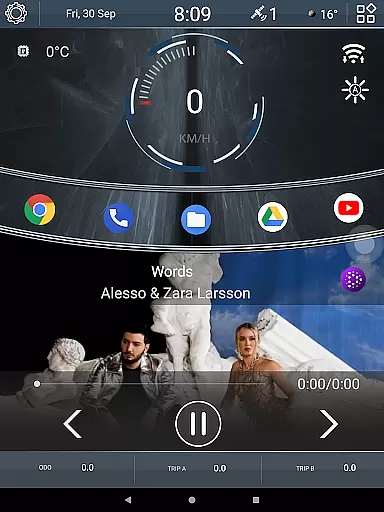

CL Theme V1 is a specialized theme designed for Car Launcher, offering users an enhanced visual and functional experience. This theme features three interactive screens that support left-right gesture navigation, providing intuitive control while driving. When the map is maximized to full screen, navigation shifts to a bottom bar, ensuring uninterrupted access to essential functions. The theme also includes dynamic widgets such as an animated car movement indicator that responds to speed changes in real-time, and three odometer widgets tracking speed metrics across different timeframes - all time, monthly, and daily. These customizable widgets allow drivers to personalize their dashboard according to their preferences, making it a practical tool for both casual and professional drivers.
The CL Theme V1 transforms the Car Launcher interface into a more engaging and informative environment. Its thoughtful design elements cater specifically to automotive use cases, where quick access to information and smooth navigation are crucial. Whether you're monitoring your vehicle's performance or simply prefer a more dynamic interface while driving, this theme delivers both functionality and aesthetic appeal. The combination of responsive widgets and multiple screen layouts creates a comprehensive solution for managing various driving-related data points efficiently.
CL Theme V1 stands out with its unique set of features tailored for automotive enthusiasts. The theme incorporates three fully functional screens that support seamless left-right swiping gestures, allowing users to navigate effortlessly between different views. When using the full-screen map view, the navigation controls intelligently shift to a bottom bar, maintaining consistent access to important functions without obstructing the map display. This adaptive interface ensures optimal usability regardless of the current application state.
Among its most innovative features are the dynamic widgets included in the theme package. The animated car widget provides real-time feedback on vehicle speed through engaging visual representation - the faster you drive, the quicker the animation moves. Additionally, three distinct odometer widgets offer flexible speed tracking options, allowing users to monitor their driving performance across different time periods. These widgets can be easily customized through simple long-press interactions, enabling drivers to adjust their preferred speed tracking parameters. The combination of these features creates a highly personalized and informative driving experience.
All components of CL Theme V1 are designed with user customization in mind. From the arrangement of home screens to the configuration of individual widgets, drivers have complete control over their interface layout. This level of personalization extends to the functional aspects as well, with adjustable parameters for each widget and flexible screen organization options. The theme's ability to maintain responsiveness while offering extensive customization possibilities makes it a valuable addition to any Car Launcher setup.
When it comes to managing detailed vehicle information, CL Theme V1 offers a unique approach through its interactive interface. This theme provides three operational screens that allow users to navigate seamlessly using left-right gestures.
The inclusion of an animated widget that responds to vehicle speed adds a dynamic element to the user experience. As the vehicle's speed increases, the animation reflects this change, providing real-time feedback and enhancing the sense of connection between the driver and their vehicle.
Additionally, the theme features three odometer widgets designed to track speed metrics over different timeframes - all-time, monthly, and daily. These widgets not only offer valuable insights into driving patterns but also empower users with the ability to customize their preferences through simple interactions.
This level of detail in presenting vehicle information ensures that drivers have access to crucial data at a glance, making their driving experience both informative and engaging.
CL Theme V1 maintains complete price transparency by offering its entire feature set as part of the Car Launcher package without any hidden costs or in-app purchases. Users can enjoy all three working screens and advanced widgets without worrying about additional charges.
The theme's pricing model is straightforward, with no tiered features or premium content locked behind paywalls. This approach allows drivers to fully utilize the theme's capabilities, including the speed-responsive animation widget and customizable odometer displays, without encountering unexpected expenses.
Furthermore, the ability to modify widget settings through simple interactions ensures that users have full control over how they view and manage their vehicle's performance data without any extra costs involved.
This transparent pricing structure combined with comprehensive functionality makes CL Theme V1 an excellent value proposition for car enthusiasts seeking enhanced vehicle information display.
User-friendly interface
Dynamic speed visualization
Customizable odometer widgets
Intuitive gesture controls
Adaptive navigation system
Limited to Car Launcher
Requires compatible device
Consumes additional resources
Learning curve for new users
Premium feature limitations

Ultimate OBD2 Car Scanner: Diagnostics, Service and Modification Tool
 4.30
4.30
Monitor specific TOYOTA parameters by adding this plugin to Torque Pro.
2.00
Wonder how much horsepower and torque your car/truck makes? Look no further.
3.40
Get your personalized financing options and shop for used cars today!
4.20
AI Powered - Automotive Mechanic Assistant
4.30
Car Values, Research and More
4.80
DMV practice test 2025: Driver License permit test & written test for all states
4.70
Trip computer+car diagnostic tool with widest variety of features and dashboard!
4.70
A smarter way to park and reserve your spot ahead of time.
4.40
Marathon ARCO Rewards members earn rewards & apply the rewards for fuel savings!
4.80
The ExtraMile App allows you to pay for fuel from the comfort of your car!
4.70
On the CarShield app, you can view contracts, make payments, & request roadside.
4.40
A full featured, real-time transit locator system
4.30
* This app needs an adapter cable and a certain OBD2 adapter to work *
4.20
By enthusiasts, for enthusiasts
4.00
Available in select states.
4.00
Club Car Wash Mobile App—the fast lane to managing your wash membership.
3.30
Better fuel to help keep you on the road
3.20
Attention! This is the theme for the Car Launcher app
4.4


User Reviews