
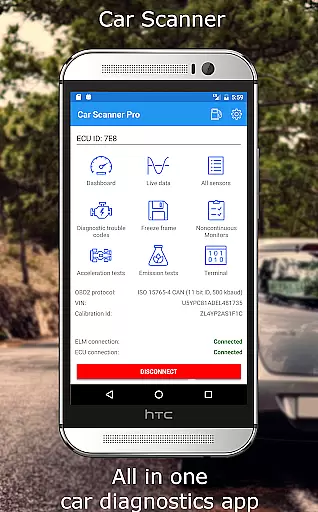
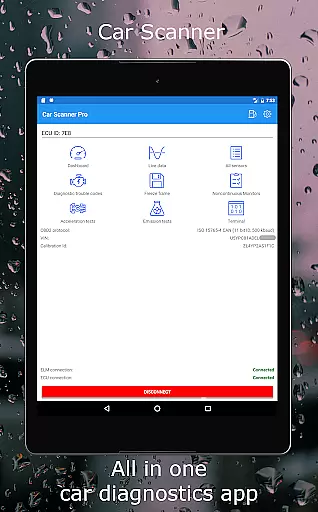
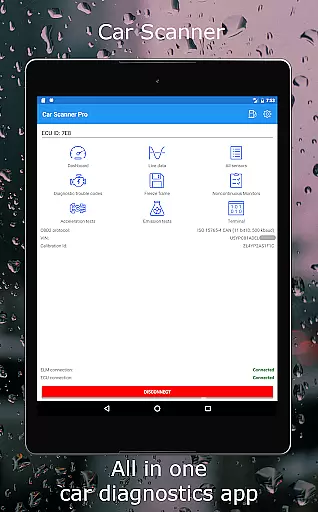
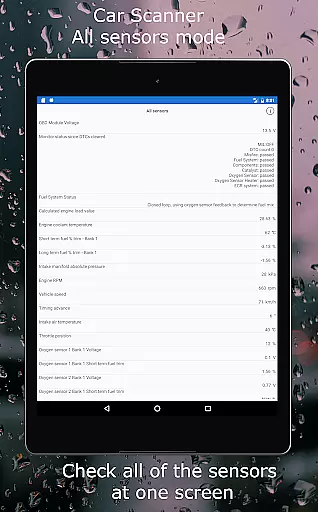
Car Scanner ELM OBD2 is a comprehensive vehicle diagnostics and performance monitoring tool designed for car enthusiasts and professionals. The app connects to your vehicle's OBD2 system through a Wi-Fi or Bluetooth adapter, providing real-time data on engine performance, fault codes, and sensor readings. With support for a wide range of vehicles produced after 1996, this application offers an invaluable resource for understanding your car's health and optimizing its performance.
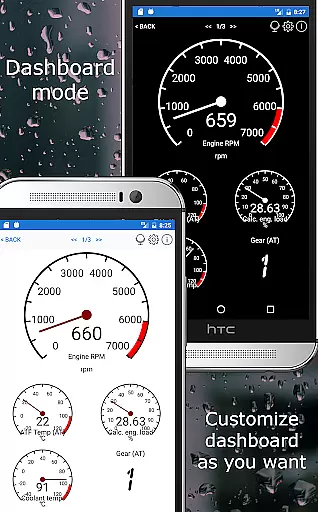
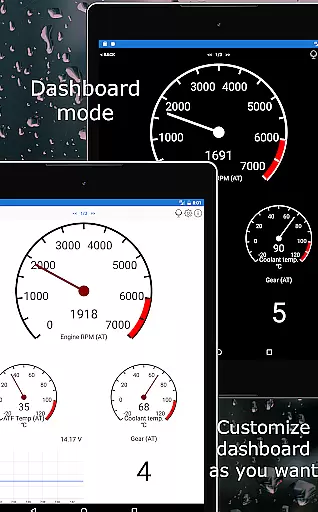
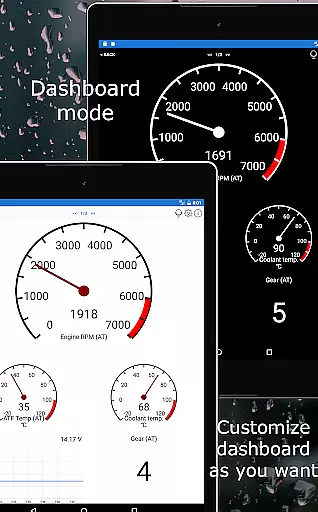
The app stands out with its customizable dashboard, enabling users to create personalized layouts displaying the specific gauges and charts they need. It also features advanced functionalities such as Mode 06 testing, readiness checks for emission tests, and even HUD mode for windshield projections. Whether you're looking to troubleshoot issues, monitor fuel consumption, or explore hidden car settings, Car Scanner ELM OBD2 delivers a robust set of tools to enhance your driving experience.
Car Scanner ELM OBD2 boasts an impressive array of features that cater to both casual users and automotive professionals. One of its standout capabilities is the highly customizable dashboard, which allows users to tailor the interface with desired gauges and charts, offering a personalized diagnostic experience. Additionally, the app supports custom PIDs, unlocking hidden information directly from the car manufacturer, and includes a vast database of DTC code descriptions for accurate fault identification and resolution.
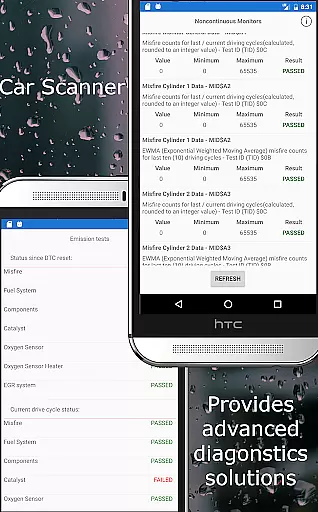
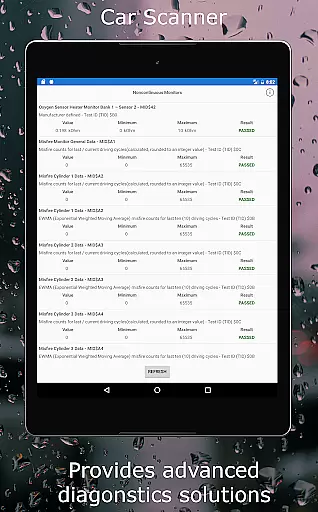
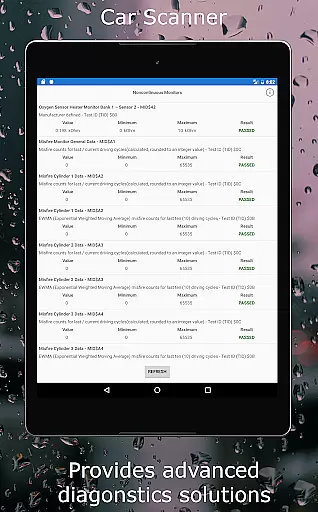
Beyond basic diagnostics, the app provides advanced functionalities like Mode 06 testing, giving users access to detailed ECU self-monitoring results. This feature not only aids in precise troubleshooting but also helps reduce repair costs by empowering users with the knowledge to address issues themselves. Furthermore, the app serves as a trip computer, tracking fuel consumption statistics and offering accurate acceleration measurements. With specialized coding options available for certain car brands, Car Scanner ELM OBD2 positions itself as a versatile and indispensable tool for anyone invested in vehicle maintenance and enhancement.
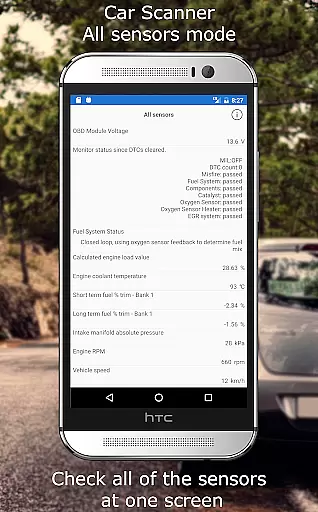
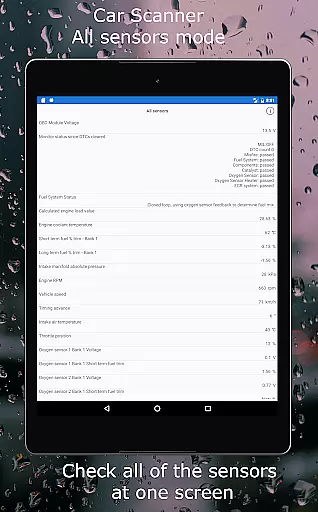
Car Scanner ELM OBD2 provides comprehensive access to detailed vehicle information, allowing users to monitor their car's performance in real-time. By connecting to the OBD II engine management system through a compatible adapter, the app displays critical data such as fault codes, sensor readings, and overall vehicle health.
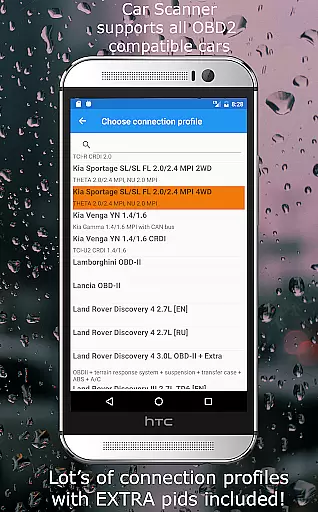
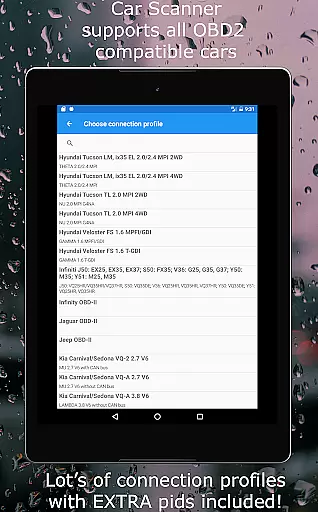
The application supports an extensive range of vehicles, including Toyota, Mitsubishi, GM, Ford, Volkswagen, and many others. This compatibility ensures that regardless of the vehicle's make or model, users can retrieve accurate and specific diagnostic information tailored to their car's specifications.
One standout feature is the ability to add custom PIDs, enabling users to access hidden data restricted by car manufacturers. This functionality allows for a deeper understanding of the vehicle's condition beyond standard diagnostics, empowering car owners with unprecedented control over their vehicle maintenance.
With its detailed vehicle information, Car Scanner not only helps users stay informed about their car's current state but also aids in preemptive maintenance, potentially saving on costly repairs. The app's unique features ensure that drivers have all the necessary tools to maintain optimal vehicle performance.
Car Scanner ELM OBD2 stands out in the market by offering a wide array of advanced features for free, providing significant price transparency to its users. Unlike many other diagnostic tools that charge for premium functionalities, this app delivers crucial vehicle insights without any hidden costs.
Users can access essential diagnostic information, including fault codes, sensor data, and performance metrics, without needing to purchase additional modules. The app includes a vast database of DTC code descriptions and supports Mode 06 tests, which are usually expensive features in professional diagnostic tools.
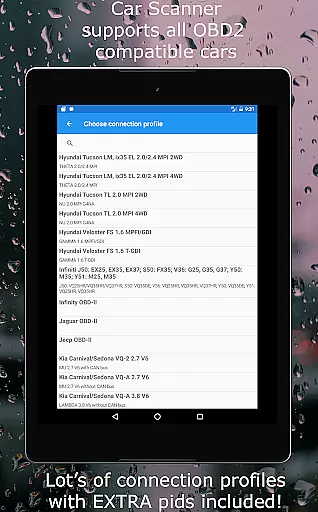
Additionally, Car Scanner offers specialized connection profiles for various car brands, enhancing its utility without extra charges. These profiles provide enhanced compatibility and additional functions for specific vehicles, ensuring users get the most value from the app at no extra cost.
By delivering these high-value features for free, Car Scanner ELM OBD2 ensures that users can maintain and diagnose their vehicles affordably. This commitment to price transparency makes it an invaluable tool for car owners seeking comprehensive diagnostics without financial strain.
User-friendly interface
Customizable dashboard
Wide vehicle compatibility
Advanced diagnostic tools
Free extensive features
Requires compatible adapter
Dependent on car's sensors
Some features brand-specific
Connection stability varies
Cheap adapters problematic

Ferrari inspired analog & digital watch face with quick access and premium style
 4.2
4.2
Theme for Car Launcher
4.4
AI Powered - Automotive Mechanic Assistant
4.30
The ExtraMile App allows you to pay for fuel from the comfort of your car!
4.70
By enthusiasts, for enthusiasts
4.00
Instantly redesign your car with AI. From sporty to futuristic, try it all.
4.50
Find, search, and browse 40,000+ used cars, SUVs, and trucks.
4.50
PayByPhone: A quick and easy way to pay for parking.
3.80
Easy connect & control your cars from afar. Remote Lock & unlock car and carplay
4.60
Lexus app currently supports 2010 or newer vehicles (2018 or newer for Hawaii).
4.80
DMV practice test 2025: Driver License permit test & written test for all states
4.70
Quick and easy car diagnostics to get you the right fix.
4.70
Digital Car Key/Launcher, Screen Mirror, Android Dashboard, Remote Wireless Link
4.40
Ultimate OBD2 Car Scanner: Diagnostics, Service and Modification Tool
4.30
Get your personalized financing options and shop for used cars today!
4.20
Control maps, media and messaging, with the Google Assistant while you drive
4.10
Easily notify car owners in urgent situations, safe, fast, multilingual.
4.0
Attention! This is the theme for the Car Launcher app
4.1
Theme for Car Launcher
4.2


User Reviews