

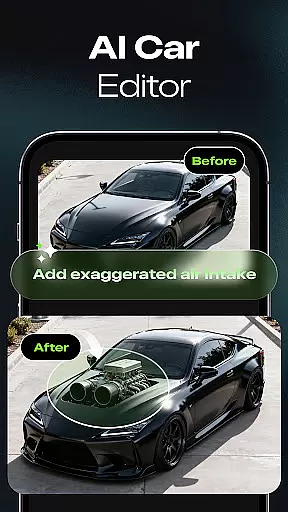

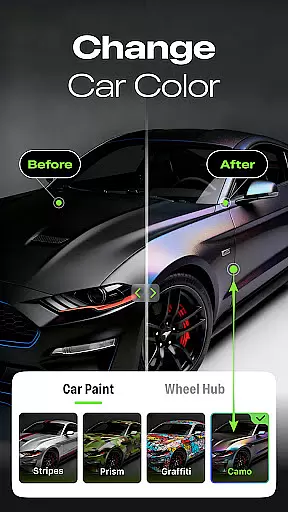
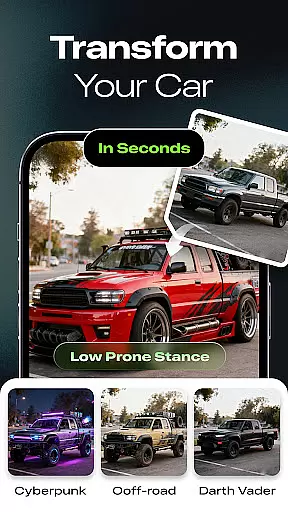
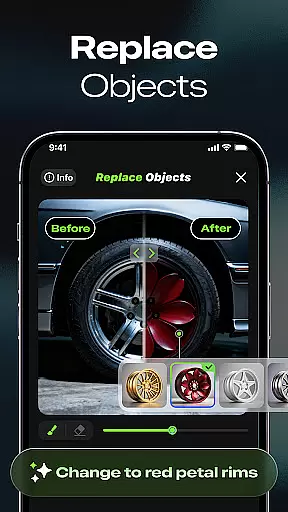
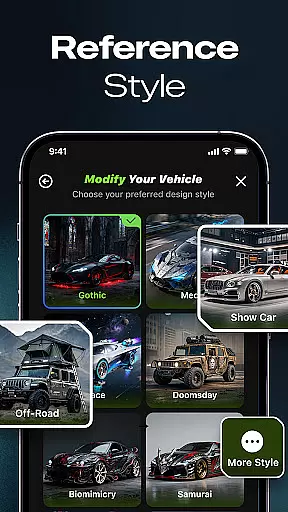
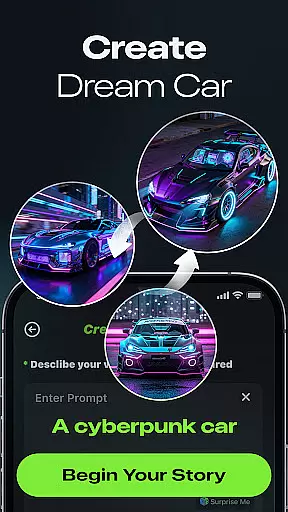
Car Editor & Al Car Designer is a cutting-edge application that allows automotive enthusiasts to bring their dream car concepts to life through the power of artificial intelligence. This app provides users with an intuitive platform to explore and visualize limitless car customization ideas, making it ideal for both hobbyists and professionals in the automotive industry.
The core functionality includes an AI Car Design Generator that creates stunning modification concepts from uploaded car photos, Smart Detail Editing for seamless alterations, and One-Tap Style Transformation offering diverse styles such as cyberpunk, racing, off-road, or minimalist designs. These features enable users to experiment with creative modifications without requiring any design skills while delivering highly realistic results.
Whether planning real-life upgrades or indulging in imaginative concepts, this app serves as a virtual playground for car lovers, designers, and modification shops alike. Its ability to save, compare, and share favorite designs adds practical value by providing endless inspiration for actual modifications or simply enjoying the creation process.
Car Editor & Al Car Designer stands out with its innovative approach to car customization. The app's AI Car Design Generator is a standout feature, capable of producing everything from sporty and futuristic designs to luxury and retro aesthetics based on user-uploaded photos. This flexibility ensures users can explore various styles tailored to their preferences.
Smart Detail Editing allows users to make precise changes by tapping or marking areas they wish to alter. Whether changing colors, lights, accessories, or textures, the AI seamlessly blends these modifications into the original image. Additionally, the One-Tap Style Transformation feature offers instant style shifts across themes like cyberpunk, racing, off-road, or minimalist looks, maintaining the car’s structural integrity while enhancing visual appeal.
Subscription benefits further enhance the user experience by enabling multi-image generation, unlimited design iterations due to high-cost model support, ad removal, and access to exclusive paid styles and video generation capabilities. These advantages ensure users have comprehensive tools at their disposal for creating professional-level car modifications effortlessly.
Detailed vehicle information is crucial for car enthusiasts who want to understand every aspect of their vehicles. Car Studio provides comprehensive data on various car models, allowing users to upload photos and receive AI-generated modification concepts that include specific details about the car's design.
The app's AI technology analyzes each uploaded photo, identifying key components such as lights, accessories, and textures. This detailed analysis ensures that any modifications suggested by the AI are not only visually appealing but also technically feasible, giving users a realistic preview of potential upgrades.
Users benefit from having access to precise specifications and modification options, enabling them to make informed decisions about customizations. Whether planning a real-life upgrade or experimenting with creative ideas, the detailed information provided enhances the overall user experience.
This level of detail supports both hobbyists and professionals in the automotive field, making Car Studio an invaluable tool for anyone interested in car customization. The ability to visualize changes with such accuracy adds significant value, bridging the gap between imagination and reality.
Price transparency is essential for users who want to understand the costs associated with using premium features in car customization apps. Car Studio offers clear information regarding its subscription benefits, ensuring users know exactly what they are paying for and how it enhances their experience.
The app outlines several key benefits of subscribing, including multi-image generation, unlimited generation, and ad removal. Each feature is explained in detail, highlighting the advantages of subscription over free usage. For instance, subscribers can generate up to four images at once, compared to just one for free users, providing greater flexibility and efficiency.
By clearly stating these benefits, Car Studio builds trust with its users, assuring them that their investment will result in tangible improvements. This transparency helps users decide if the subscription aligns with their needs and budget, enhancing satisfaction and long-term engagement with the app.
Ultimately, price transparency strengthens the relationship between Car Studio and its users, fostering a community where enthusiasts feel valued and well-informed. This approach not only attracts new users but also retains existing ones, contributing to the app's success in the competitive auto customization market.
User-friendly interface
Highly realistic results
Versatile style options
Seamless editing tools
Inspiring creative freedom
Paid subscription required
Limited free features
Internet connection needed
Occasional processing delays
Advanced options may overwhelm beginners

OBD1 ECMs application. Data log or tune directly from your phone or tablet!
 4.60
4.60
Attention! This is the theme for the Car Launcher app
4.0
DIY Vehicle Wheel Alignment
4.3
Get more out of your AAWireless adapter with this companion app | aawireless.io
4.80
Find, search, and browse 40,000+ used cars, SUVs, and trucks.
4.50
Find Your Local Store or Shop Online for the Car, Truck, or SUV Parts You Need
4.70
Marathon ARCO Rewards members earn rewards & apply the rewards for fuel savings!
4.80
Easy connect & control your cars from afar. Remote Lock & unlock car and carplay
4.60
Shop, finance, or sell today.
4.80
Buy and sell your boat
4.70
MySubaru: Download. Connect. Love.
4.70
Autolist - The Largest Selection of Local Used Cars and Trucks
4.50
On the CarShield app, you can view contracts, make payments, & request roadside.
4.40
Your Path to Driving Licensing Success Begins Here! Develop your driving skills.
4.40
OBD2 car scanner and diagnostics: read Check Engine, DTC, economy....
4.30
Car Sounds Engine Sounds app welcomes Auto Lovers to feel Car Simulator Sound
4.20
Simplify your drive
3.90
Read and delete OBD codes with any ELM327 OBD scanner. Coding functions included
3.40
Club Car Wash Mobile App—the fast lane to managing your wash membership.
3.30


User Reviews