
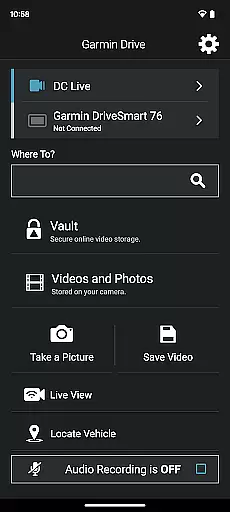
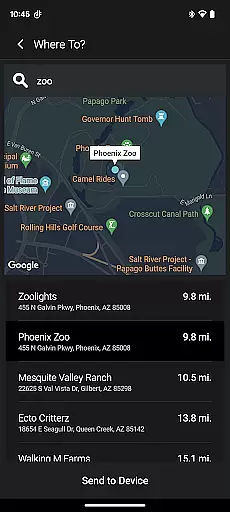
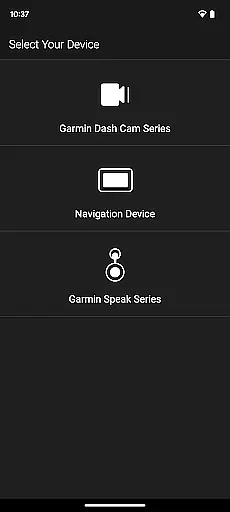
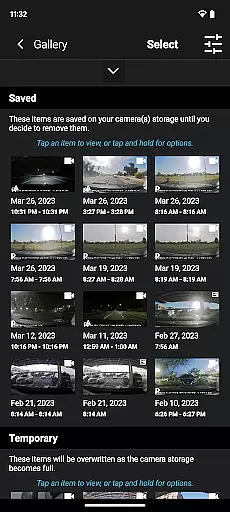
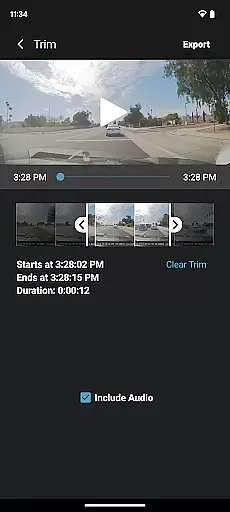
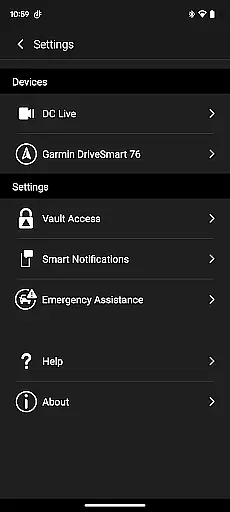
Garmin Drive is a versatile app designed for Garmin automotive navigators and dash cams. It offers real-time traffic updates, parking information, advanced weather alerts, and access to photoLive traffic cameras. The app seamlessly integrates with your Bluetooth-enabled mobile device, allowing you to manage calls, texts, and notifications directly from your navigator. For dash cam users, the app provides intuitive controls for camera settings and recorded footage management. With support for up to four wireless dash cams through Dash Cam Auto Sync, it ensures 360-degree vehicle coverage. Additionally, Garmin Speak with Amazon Alexa integration enhances your driving experience by enabling voice-controlled navigation and entertainment.
This app is ideal for drivers seeking enhanced safety and convenience on the road. Whether navigating unfamiliar routes or reviewing dash cam footage after an incident, Garmin Drive delivers reliable performance and valuable insights. Its ability to create 'picture-in-picture' video from multiple camera perspectives makes it an indispensable tool for fleet managers and everyday drivers alike.
Garmin Drive stands out with its comprehensive feature set tailored for modern drivers. The app's real-time traffic and parking information helps users make informed decisions while driving. Advanced weather updates ensure preparedness for changing road conditions. For communication, the app facilitates hands-free calling and messaging through Bluetooth connectivity, promoting safer driving practices.
One of the app's most notable features is its robust support for Garmin dash cams. The Dash Cam Auto Sync functionality allows simultaneous connection of up to four cameras, providing complete vehicle coverage. Users can easily review and share footage through the intuitive interface. The 'picture-in-picture' video capability enables simultaneous viewing from multiple angles, enhancing incident analysis. Furthermore, the integration with Garmin Speak and Amazon Alexa creates a smart driving environment where voice commands control both navigation and entertainment functions.
Accessing detailed vehicle information is crucial for drivers seeking optimal performance and safety. The Garmin Drive app excels in this area by providing comprehensive data tailored to your automotive needs.
This application connects seamlessly with compatible Garmin navigators and dash cams, offering real-time traffic updates, advanced weather reports, and photolive traffic cameras. These features ensure that drivers have the most current information about road conditions and potential hazards.
For dash cam users, the app supports up to four wireless connections, creating a robust network of viewpoints around the vehicle. This extensive coverage allows for complete monitoring of the vehicle's surroundings, enhancing security and situational awareness.
The ability to review synchronized footage through picture-in-picture views provides invaluable insights into driving patterns and incidents. Drivers can use this detailed information to improve their driving habits or share evidence with relevant authorities when necessary.
Price transparency in automotive applications ensures users understand all associated costs without hidden fees. The Garmin Drive app delivers on this promise by clearly outlining its value proposition and any related expenses.
While the app itself is free to download, certain premium features such as advanced weather reports and photolive traffic cameras may require subscription services. These additional costs are transparently presented within the app's settings and documentation.
Users benefit from knowing exactly what they're paying for, whether it's enhanced navigation capabilities or extended dash cam functionalities. This openness builds trust between Garmin and its customers, fostering long-term relationships.
Moreover, the app's integration with various devices showcases how different pricing tiers cater to diverse user needs. Whether you're looking for basic navigation assistance or comprehensive vehicle monitoring, Garmin Drive offers clear options aligned with varying budgets.
User-friendly interface
Real-time traffic updates
Multi-camera support
Voice-controlled navigation
Comprehensive vehicle coverage
Limited device compatibility
Requires stable internet
Premium features locked
Occasional sync issues
Steep learning curve

Buy and sell your boat
 4.70
4.70
A full featured, real-time transit locator system
4.30
The Texaco App allows you to pay for fuel from the comfort of your car!
4.80
DMV Test Pro offers all the updated FREE DMV tests online.
4.60
Get your personalized financing options and shop for used cars today!
4.20
Club Car Wash Mobile App—the fast lane to managing your wash membership.
3.30
1M+ high-quality auto parts at your fingertips. Fitment guaranteed.
4.70
7-Day Returns on All Cars
4.80
Quick and easy car diagnostics to get you the right fix.
4.70
DMV practice test 2025: Driver License permit test & written test for all states
4.70
Easy connect & control your cars from afar. Remote Lock & unlock car and carplay
4.60
Launcher for use in the car
4.40
Automotive Electrical Wiring Diagrams
4.40
Autotrader is your online solution for buying and selling new and used cars.
4.40
By enthusiasts, for enthusiasts
4.00
Earn and save with Fuel Rewards®
3.20
App Mirroring for Tesla Car's Browser
2.80
Monitor specific TOYOTA parameters by adding this plugin to Torque Pro.
2.00
Theme for Car Launcher
4.2


User Reviews