
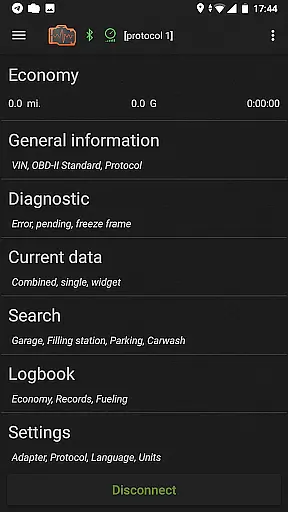
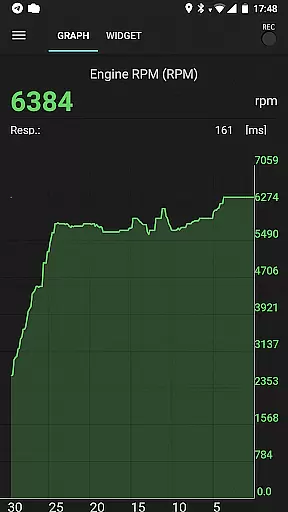
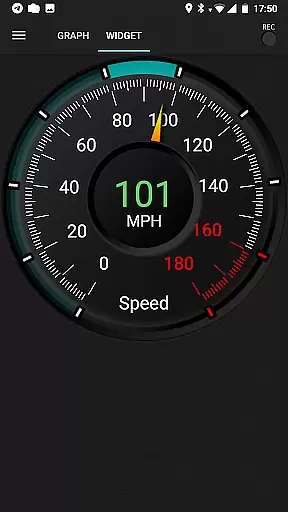
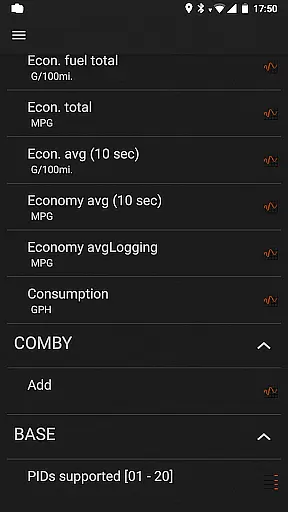
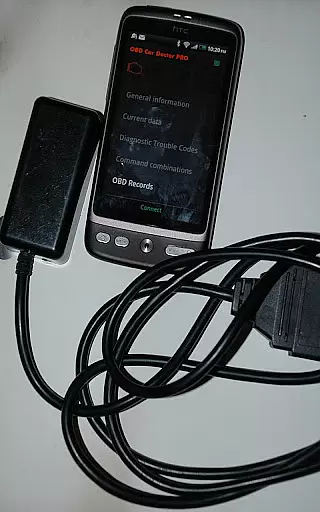
inCarDoc Pro is a comprehensive vehicle diagnostics and monitoring tool designed for car owners and automotive professionals. This application serves as a virtual mechanic, enabling users to read real-time and stored diagnostic parameters from the Engine Control Unit (ECU) of OBD-II compliant vehicles. By connecting an ELM327 or compatible OBD scanner, users can access detailed engine data, fault codes, and performance metrics.
The app's functionality extends beyond basic diagnostics. It features advanced tools such as real-time parameter recording, GPS tracking, and fuel economy monitoring. Users can maintain detailed logbooks, track service records, and even overlay economy data on other applications. These capabilities make inCarDoc Pro particularly valuable for those seeking to optimize vehicle performance and maintenance.
Whether you're a professional mechanic or a car enthusiast, inCarDoc Pro provides the necessary tools to understand your vehicle's health and performance. The application's ability to store and share diagnostic data with service centers makes it an essential companion for modern vehicle ownership and maintenance.
inCarDoc Pro distinguishes itself through its extensive feature set tailored for automotive diagnostics. The application supports multiple connection protocols including Bluetooth, WiFi, and BLE-enabled devices like Kiwi 3 and V-Gate iCar 3. This versatility ensures compatibility with various OBD-II scanners and vehicle models, providing users with flexibility in their diagnostic approach.
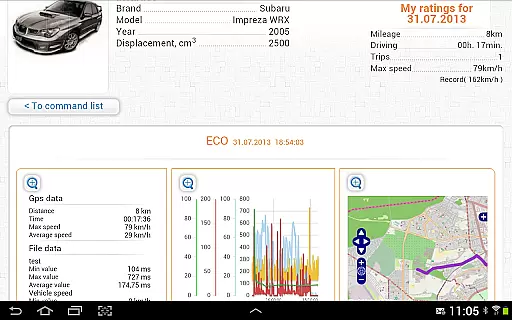
A key advantage of inCarDoc Pro is its advanced data visualization capabilities. The app presents real-time engine parameters through customizable widgets and charts, allowing users to monitor speed, RPM, coolant temperature, and other critical metrics. The inclusion of background recording and GPS trace support enables comprehensive performance analysis over time. Additionally, the extended widgets for fuel economy and acceleration provide deeper insights into vehicle efficiency.
The application's professional-grade features include fault code reading and clearing, freeze frame data capture, and server upload capabilities. These functions are complemented by practical tools such as the trip computer mode and maintenance logbook. The ability to send direct OBD2 commands through console mode further enhances its value for advanced users who require precise control over diagnostic procedures.
Accessing detailed vehicle information is crucial for effective car maintenance and diagnostics. inCarDoc Pro provides comprehensive data directly from your vehicle's ECU, offering real-time parameters such as speed, engine rotation, coolant temperature, and more. This level of detail allows users to monitor their car's health accurately.
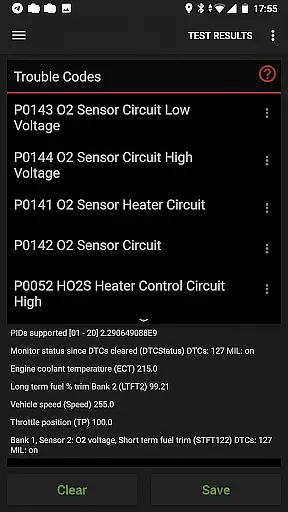
The application supports multiple OBD-II standards, ensuring compatibility with a wide range of vehicles. By connecting via ELM327 or similar scanners, it reads and displays critical diagnostic trouble codes (DTCs), freeze frame data, and other essential metrics. These features empower car owners and mechanics to identify issues promptly and make informed decisions.
Users benefit from advanced functionalities like parameter recording, background monitoring, and GPS trace support. The ability to upload data to a server ensures that historical records are maintained, aiding long-term vehicle health tracking. With these capabilities, inCarDoc Pro becomes an indispensable tool for anyone seeking a deeper understanding of their vehicle's performance and condition.
Price transparency in automotive tools is vital for users to understand the value they receive. inCarDoc Pro offers a clear pricing model by providing a free version with basic features and a Pro version with enhanced capabilities. This structure allows users to choose the option that best fits their needs without hidden costs or surprises.
The Pro version includes advanced features such as ad-free usage, real-time parameter recording, extended widgets, and fuel economy overlays. Each feature adds tangible value, enabling users to perform complex diagnostics and track vehicle performance efficiently. By detailing what each version offers, potential buyers can make informed decisions based on their specific requirements.
Additionally, inCarDoc Pro maintains transparency about hardware requirements, specifying the need for ELM327 or compatible scanners. Users are encouraged to verify compatibility using the free version before purchasing. This upfront communication ensures that customers know exactly what they need to maximize the app's functionality, fostering trust and satisfaction.
User-friendly interface
Comprehensive diagnostic tools
Real-time data monitoring
Advanced parameter recording
Professional-grade features
Requires separate OBD scanner
Compatibility limitations
Advanced features may overwhelm beginners
Some features depend on vehicle model
Premium price point

ODB2 based monitoring application for the Chevy Bolt (2017-2021)
 4.00
4.00
Realtime Charts is a plugin for the Torque Pro App (OBD 2 & Car)
4.20
AlfaOBD software for Fiat Group cars native diagnostic
3.70
Get your personalized financing options and shop for used cars today!
4.20
Digital Car Key/Launcher, Screen Mirror, Android Dashboard, Remote Wireless Link
4.40
AI Powered - Automotive Mechanic Assistant
4.30
Car Sounds Engine Sounds app welcomes Auto Lovers to feel Car Simulator Sound
4.20
View your car’s service records and find out when maintenance is due.
4.70
Find Fast EV Chargers | Charge Your Vehicle at 1,100+ Fast Car Charging Stations
4.60
Your go-to app for car, truck & SUV parts, DIY tools, and expert repair help.
4.70
Trip computer+car diagnostic tool with widest variety of features and dashboard!
4.70
CVT diagnostics with ELM327 for Nissan-based vehicles
4.40
Your car is talking. Start listening.
4.30
By enthusiasts, for enthusiasts
4.00
PayByPhone: A quick and easy way to pay for parking.
3.80
Club Car Wash Mobile App—the fast lane to managing your wash membership.
3.30
O'Reilly Pro will streamline your parts lookup and ordering process!
3.20
Earn and save with Fuel Rewards®
3.20
Theme for Car Launcher
4.0


User Reviews