
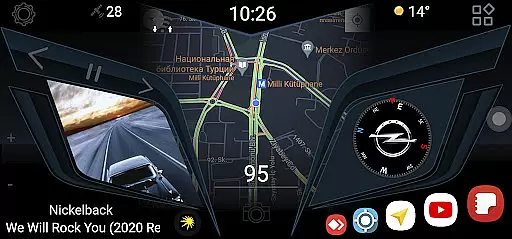
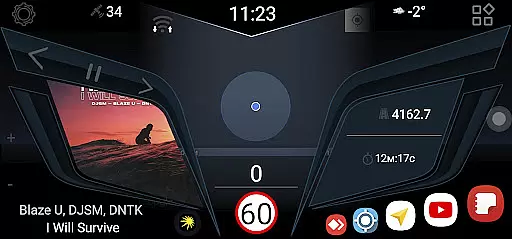
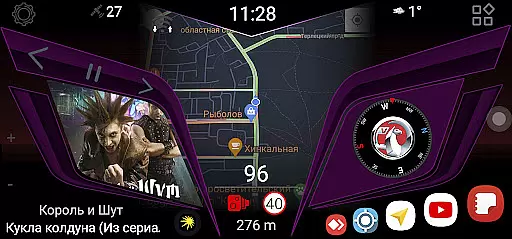
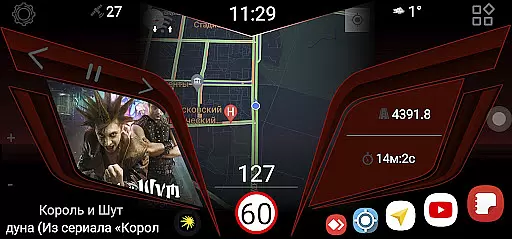
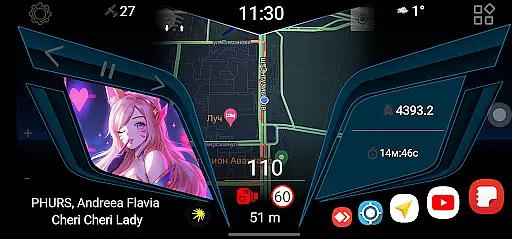
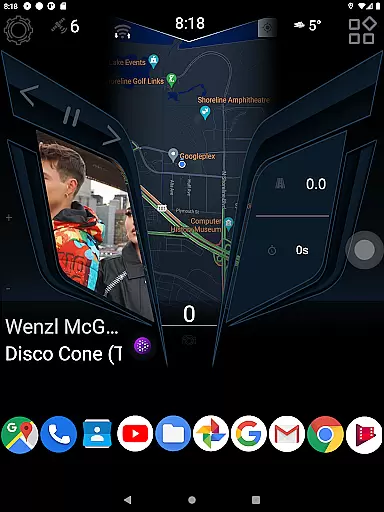
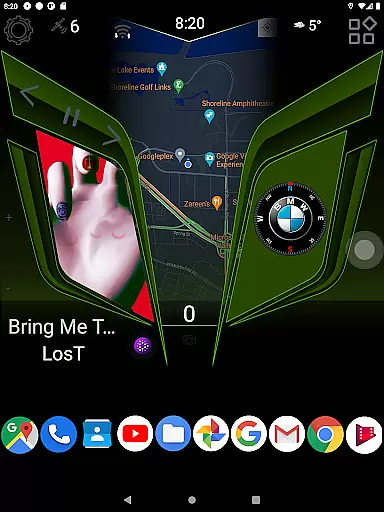
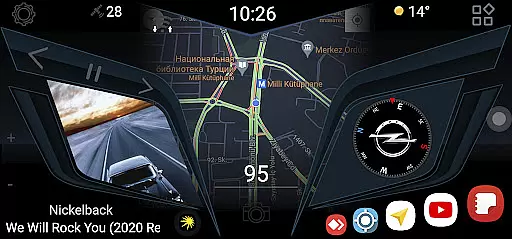
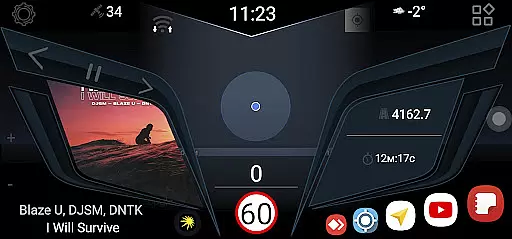
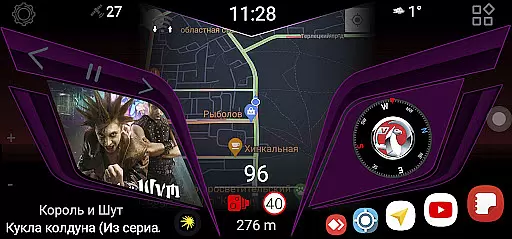
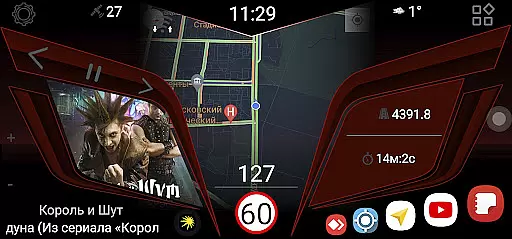
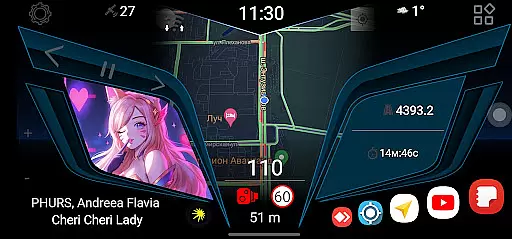
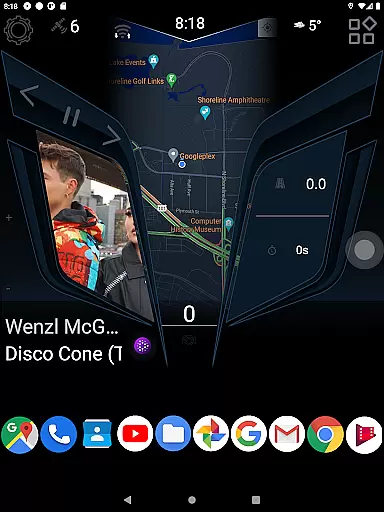
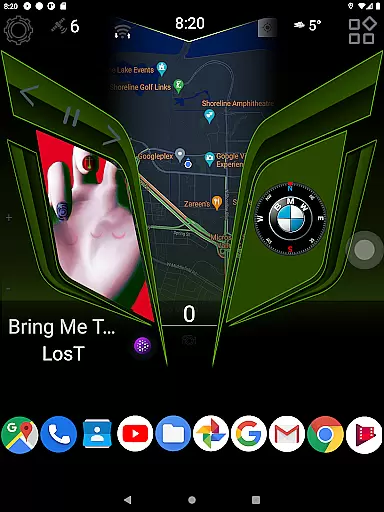
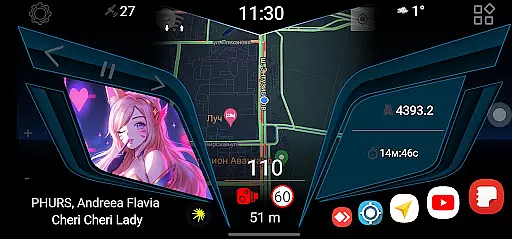
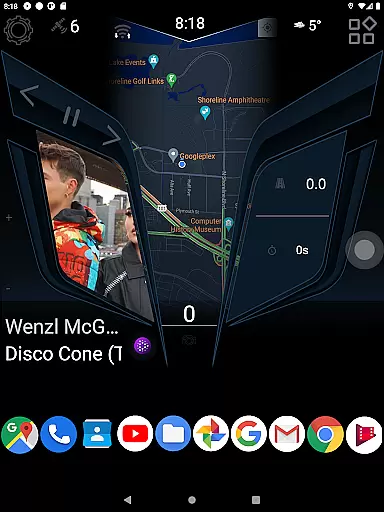
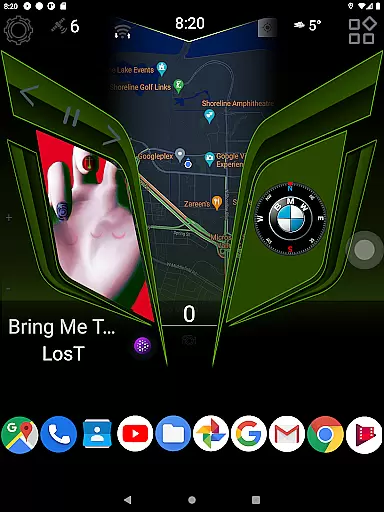
CL Theme Line is a specialized theme designed exclusively for the Car Launcher Free/Pro app, catering to users who desire a personalized and visually appealing in-car experience. This theme transforms the interface of your Car Launcher, providing a sleek and modern design that enhances usability while driving.
The application's core functionality lies in its seamless integration with the Car Launcher app from Apps Lab Studio. Without the base Car Launcher application, the theme cannot operate independently. Once installed, users can enjoy an optimized and stylish dashboard tailored specifically for automotive use.
Designed for drivers who value both aesthetics and practicality, CL Theme Line ensures that essential apps and functions are easily accessible. The minimalist design reduces distractions while maintaining all necessary functionalities within arm's reach, making it an ideal choice for those seeking a balance between style and safety on the road.
CL Theme Line offers several distinctive features that set it apart as a premier customization option for Car Launcher users. One of its primary characteristics is the easy installation process, which involves just a few simple steps through the Car Launcher settings menu. This user-friendly approach ensures that even those with limited technical expertise can personalize their in-car interface effortlessly.
Another notable feature is the theme's compatibility with both free and pro versions of the Car Launcher app, offering flexibility regardless of whether you're using the basic or premium version. The design itself focuses on clean lines and intuitive navigation paths, ensuring that drivers can quickly locate and access their most-used applications without taking their eyes off the road for extended periods.
Furthermore, CL Theme Line emphasizes visual appeal without compromising functionality. Its modern aesthetic complements contemporary vehicle interiors while maintaining clarity and readability under various lighting conditions. This careful balance between form and function makes it an excellent choice for enhancing both the look and usability of your car's digital environment.
When it comes to managing detailed vehicle information, CL Theme Line offers a unique approach through its thematic functionalities. This app is designed specifically for Car Launcher Free/Pro users, providing them with an enhanced interface that reflects detailed aspects of their vehicle right on their mobile device.
The theme displays crucial vehicle information such as model specifications and performance metrics in an aesthetically pleasing manner. Users can easily access details about their vehicle's parameters without cluttering the user interface, ensuring that important data is both attractive and accessible.
By integrating seamlessly with the Car Launcher app, CL Theme Line ensures that all displayed vehicle information is accurate and up-to-date. This allows users to maintain a clear overview of their vehicle's status directly from their home screen.
Ultimately, this attention to detail provides users with peace of mind knowing they have quick access to essential vehicle information whenever needed. The intuitive design enhances user experience by making daily interactions smoother and more enjoyable.
Price transparency is a critical factor for users when selecting automotive-related applications. CL Theme Line addresses this by offering its theme free of charge, allowing users to enhance their Car Launcher experience without any hidden costs or subscription fees.
The app clearly states that it functions exclusively with the Car Launcher application from Apps Lab Studio, ensuring there are no surprise expenses related to compatibility issues. Users can confidently download and install the theme, knowing exactly what they need to make it work effectively.
Moreover, CL Theme Line provides straightforward instructions on how to install and use the theme within the Car Launcher settings. This clarity eliminates any potential confusion regarding additional purchases or requirements beyond having the base Car Launcher app installed.
By maintaining transparent pricing and clear usage instructions, CL Theme Line builds trust with its users. They know precisely what they are getting and how much it will cost them u2013 nothing more, nothing less u2013 enhancing overall satisfaction with the product.
User-friendly design
Easy installation process
Compatible with free and pro versions
Modern and sleek appearance
Enhances driving safety
Requires base app installation
Limited to Car Launcher users
No standalone functionality
Potential compatibility issues
Few customization options

Theme for Car Launcher
 4.2
4.2
Better fuel to help keep you on the road
3.20
DMV Test Pro offers all the updated FREE DMV tests online.
4.60
Read and delete OBD codes with any ELM327 OBD scanner. Coding functions included
3.40
myAudi offers users services and Audi connect services for Audi drivers
4.10
Simplify your drive
3.90
Instant diesel savings. No credit checks or fees. Nationwide growing network.
4.40
Lexus app currently supports 2010 or newer vehicles (2018 or newer for Hawaii).
4.80
Car Sounds Engine Sounds app welcomes Auto Lovers to feel Car Simulator Sound
4.20
View your car’s service records and find out when maintenance is due.
4.70
Quick and easy car diagnostics to get you the right fix.
4.70
OBD1 ECMs application. Data log or tune directly from your phone or tablet!
4.60
Find Fast EV Chargers | Charge Your Vehicle at 1,100+ Fast Car Charging Stations
4.60
Secure mobile payments & fuel savings at Phillips 66®, Conoco® and 76® stations
4.40
OBD2 car scanner and diagnostics: read Check Engine, DTC, economy....
4.30
ODB2 based monitoring application for the Chevy Bolt (2017-2021)
4.00
The Smarter Way Forward
3.30
O'Reilly Pro will streamline your parts lookup and ordering process!
3.20
Easily notify car owners in urgent situations, safe, fast, multilingual.
4.2


User Reviews