
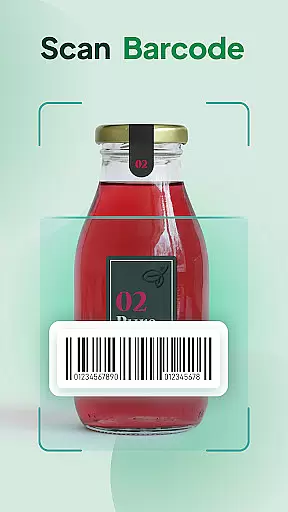
QR & Barcode Scanner Launcher is a powerful tool designed to simplify your scanning needs. This app allows users to effortlessly scan any QR code or barcode with just a swipe from the home screen, making it an essential utility for both personal and professional use. The app's core functionality lies in its ability to provide quick, secure, and seamless scanning experiences.
In addition to its primary scanning capabilities, the app offers several unique features that enhance user convenience. These include one-swipe access, a customizable home screen widget displaying time and weather, personalized wallpapers, and multi-touchpoint search powered by Yahoo. Whether you need to scan URLs, check product details, or access important information, this app ensures accuracy and efficiency.
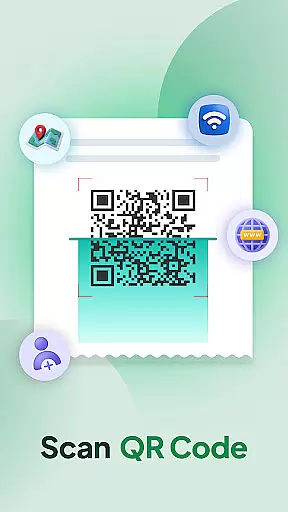
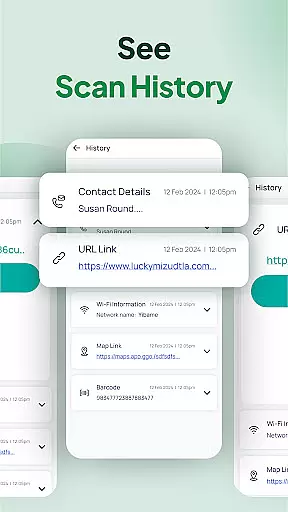
The app is particularly useful in scenarios where quick access to information is crucial. For instance, users can instantly decode Wi-Fi credentials, event invitations, contact details, and coupons. With its intuitive Scan History feature and auto-copy functionality, users can organize their scanned data effectively and use it across different platforms without hassle. This makes QR & Barcode Scanner Launcher an invaluable tool for streamlining daily tasks.
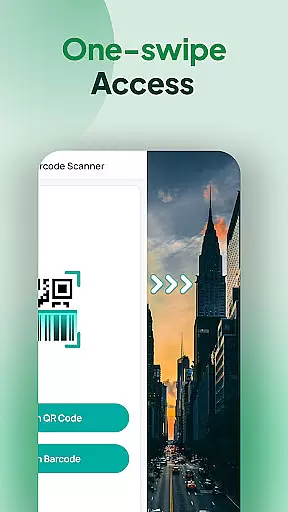
QR & Barcode Scanner Launcher stands out due to its rich set of features tailored to enhance user experience. One of the standout features is the one-swipe access, which allows users to scan QR codes and barcodes instantly by simply swiping right from their home screen. This feature eliminates the need to navigate through multiple screens, providing unparalleled convenience.
Another significant feature is the home screen widget, which displays essential information such as time and weather directly on the user's home screen. This widget not only enhances aesthetic appeal but also provides practical utility. Additionally, the app offers a variety of beautiful themed wallpapers, allowing users to personalize their devices according to their preferences.
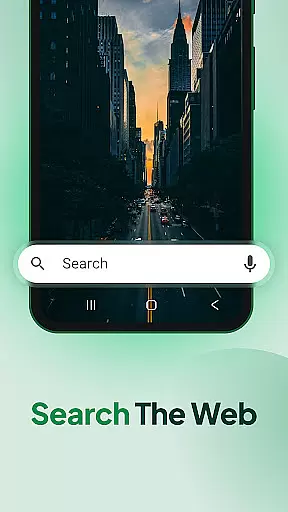
The app also includes advanced functionalities like multi-touchpoint search, enabling users to search for installed apps or the web effortlessly. Furthermore, features like Scan History, auto-copy to clipboard, and customizable notifications (vibration or beep) ensure that users have a smooth and efficient scanning experience. These innovations collectively make QR & Barcode Scanner Launcher a top choice for anyone needing reliable scanning solutions.
At the heart of QR & Barcode Scanner Launcher lies its commitment to core function accuracy and effectiveness, ensuring users can scan any QR code or barcode with precision. The app leverages advanced scanning technology that works seamlessly with your smartphone's built-in camera, allowing for swift and accurate decoding of codes.
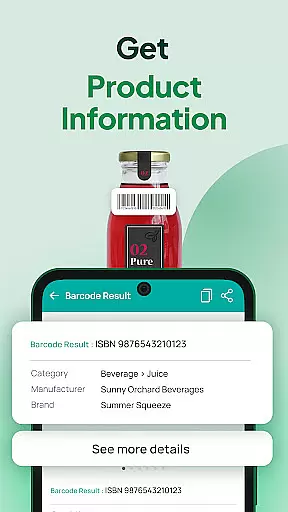
This application is not just about scanning; it's about providing a comprehensive toolset for various scanning needs. Whether you're accessing Wi-Fi credentials, event invitations, or product details, the app deciphers each code type with remarkable accuracy. Its efficiency in fetching real-time information elevates user experience, making daily tasks simpler and more reliable.
Users benefit from an intuitive Scan History feature that organizes all previously scanned codes, offering easy access to past data. This functionality underscores the app's dedication to not only meeting but exceeding user expectations by maintaining an effective and precise record-keeping system. Such attention to detail ensures that every interaction with QR & Barcode Scanner Launcher is both productive and satisfactory.
QR & Barcode Scanner Launcher excels in interface simplicity and intuitiveness, presenting users with an uncluttered design that prioritizes ease of use. Upon installation, users may notice changes to their home screen layoutu2014an intentional design choice that facilitates one-swipe access to the scanner, enhancing operational fluidity without compromising on aesthetic appeal.
The inclusion of a home screen widget further exemplifies the app's user-centric approach, displaying useful information like time and weather at a glance. With added features such as customizable wallpapers and multi-touchpoint search capabilities powered by Yahoo, navigation within the app becomes second nature, promoting an engaging yet straightforward user journey.
Moreover, options for vibration or beep notifications upon successful scans highlight the appu2019s thoughtful design tailored for user convenience. These subtle cues reinforce correct usage while accommodating personal preferences, thereby streamlining interactions with QR & Barcode Scanner Launcher into an effortlessly intuitive process.
User-friendly interface
Fast scanning capability
Customizable home screen
Comprehensive scan history
Auto-copy function
Home screen layout changes
Limited design options
Requires Yahoo for search
No offline support
Notification sounds basic

A convenient photo, video, and file recovery tool.
 4.00
4.00
HD Video player and downloader for all formats, fast & smooth 4K video playback.
4.60
App that Recover your pictures, videos or files after you delete them.
4.20
Excellent scientific calculator with symbolic algebra, integrals, derivatives
4.80
Mirror your screen to Chromecast and Android TV - Super fast and simple
4.60
Quickly check the frequency of the Earth
4.30
Download any file easily and quickly with Downloader
4.3
Game Booster, GFX Tool is now compatible with newer game update
4.50
Pro Emulator is an easy to use game console emulator for a range of consoles.
4.40
Extremely fast, secure, and protects your privacy
4.80
WiFi Signal Strength Meter help you detect WiFi Signal Strength in real time.
4.80 4.50
4.50
Screen Mirroring for Roku Sticks, Roku TCL TV and Roku Hisense TV
4.50
Button mapper, mouse toggle, sleep timer and a lot of another features
4.50
pdf merge, word to pdf, jpg to pdf, edit pdf, convert to pdf and much more!
4.20
Quickly & easily calculate the spacing of handrail balusters
4.20
1-Click close all background apps on Android TV
3.90
Unleash gamepad precision for ultimate mobile gaming dominance.
3.90
A powerful, easy-to-use flight computer on your phone or tablet!
3.80


User Reviews